Excel Formula To Remove Text Within Brackets Excel Replace String Riset How To Remove Text Within Brackets parentheses In Excel Excel Formula To Remove Duplicates In A Column Mountainlasopa Remove Text By Matching Excel Formula Examples Riset How To Remove All Content Between Brackets In Word Web 30 nov 2015 nbsp 0183 32 1 I think Scott Craner pretty much nailed it Scott can you add this as an answer so it can show up as closed The one indication I would give is that if the text position changes in comparison to the text in
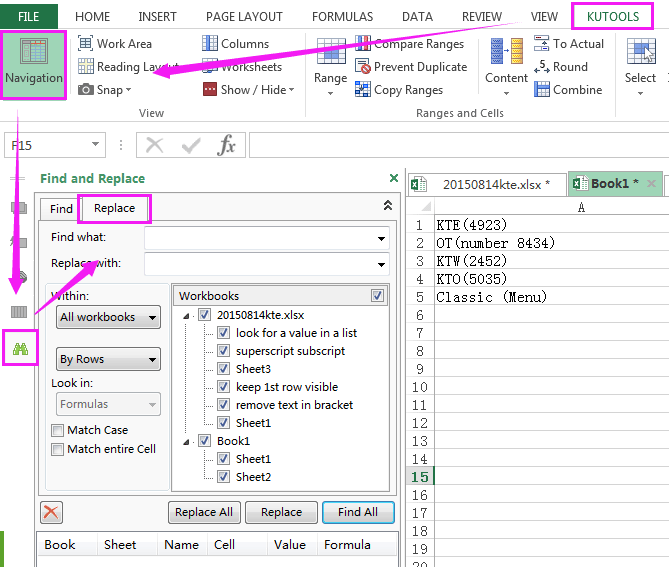
Web Normally in Excel the Find and Replace feature can help you to remove all data in brackets please do as follows 1 Select the data range that you want to remove all data in brackets 2 Then click Home gt Find amp Select Web 8 dec 2020 nbsp 0183 32 Formula to remove text within bracket Hi I am looking for an Excel formula to remove comma full stop the text within bracket and trim spaces i e quot John Doe
How To Remove All Content Between Brackets In Word How To Remove Text Within Brackets parentheses In Excel How To Remove Numbers From Text In Excel Free Excel Tutorial Gambaran How To Remove All Commas In Excel Riset Remove Text By Position Excel Formula Examples Riset How To Remove Text Before Or After A Specific Character From Cells In Excel Formula To Remove First Two Characters In A Cell Printable How To Remove Numbers From Text Strings In Excel Riset How To Remove Text Within Brackets parentheses In Excel
Excel Formula To Remove Text Within Brackets
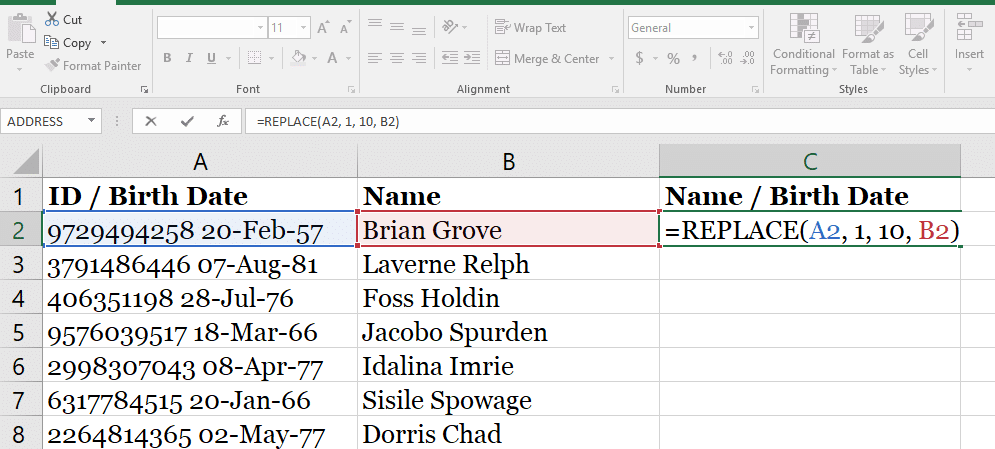 Excel Formula To Remove Text Within Brackets
https://spreadsheeto.com/wp-content/uploads/2017/09/replace-formula.png
Web 9 feb 2022 nbsp 0183 32 In this tutorial I will show you how to remove parentheses Brackets in Excel using the following methods Removing the parentheses symbol from our record Using
Pre-crafted templates offer a time-saving service for creating a varied variety of files and files. These pre-designed formats and designs can be utilized for various individual and professional projects, including resumes, invitations, leaflets, newsletters, reports, presentations, and more, enhancing the content creation process.
Excel Formula To Remove Text Within Brackets
How To Remove Text Within Brackets parentheses In Excel

How To Remove Text Within Brackets parentheses In Excel
How To Remove Numbers From Text In Excel Free Excel Tutorial Gambaran
How To Remove All Commas In Excel Riset
How To Remove Text Before Or After A Specific Character From Cells In
Excel Formula To Remove First Two Characters In A Cell Printable
Web 2 jul 2023 nbsp 0183 32 This formula uses the SUBSTITUTE function along with the MID SEARCH and concatenation amp functions to remove the data within brackets Here s how the formula works SEARCH B2 Finds the
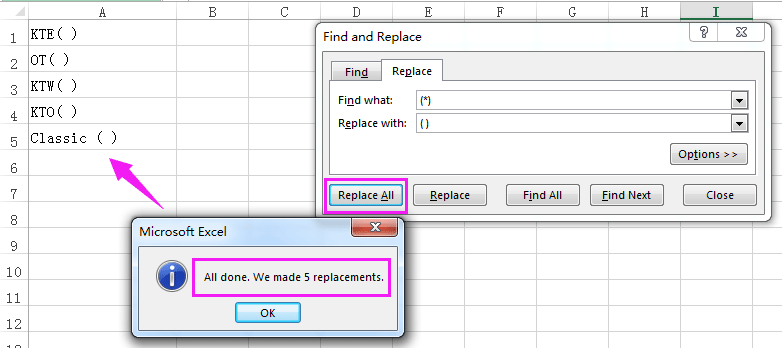
Web To remove text which is around with brackets you can find them out and then replace them as blank 1 Press Ctrl H keys to enable the Find and Replace dialog in the Find what textbox type into it and go to

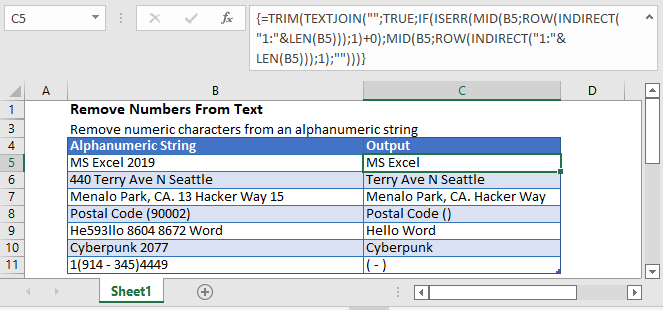
Web There are two Strip non numeric characters In this example the goal is to remove non numeric characters from a text string with a formula Working from the inside out the MID function is used to extract the text in B5
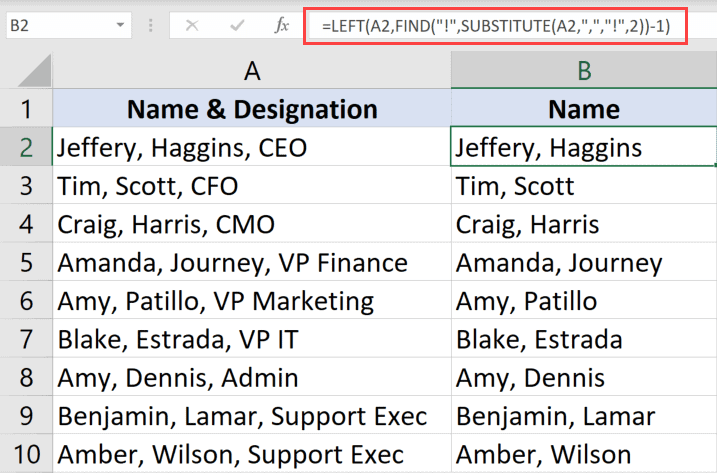
Web 13 mrt 2023 nbsp 0183 32 For example to remove text before a comma the formula is RIGHT A2 LEN A2 SEARCH quot quot A2 In our case the comma is followed by a space character To avoid leading spaces in the results

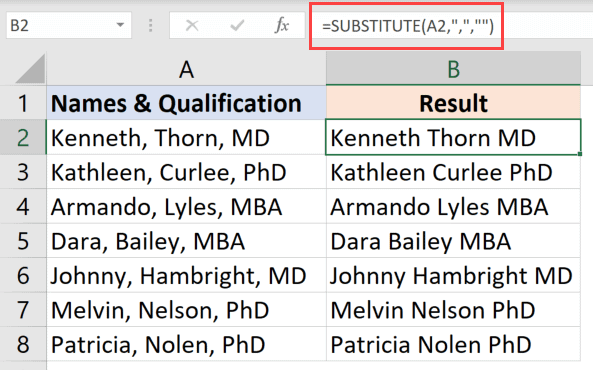
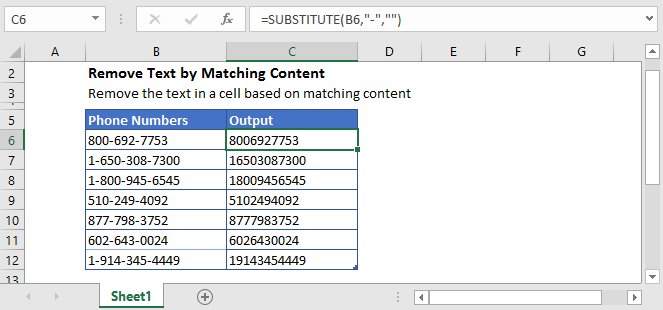
Web 10 mrt 2023 nbsp 0183 32 To eliminate a specific character from any position is a string use this generic SUBSTITUTE formula SUBSTITUTE string char quot quot In our case the formula takes
Web 2 sep 2019 nbsp 0183 32 How To Remove Brackets amp Anything Inside it In Excel How you can delete parenthesis and text inside it in excel with a few clicks This is an easy tutorial with a lot Web 18 apr 2019 nbsp 0183 32 I would like a formula to remove all text and parentheses outside of the brackets along with the brackets leaving only the text within the brackets Here is an
Web Formula to Remove Brackets in Excel You can also use the formula to remove brackets from a cell or a range of cells And for this you need to use the Excel SUBSTITUTE