Excel Formula Text And Number Elementare Omosessuale Meccanico Excel Convert Number To String Kreativehospitality 3 Ways To Combine Text In Excel Formulas Functions Power Query LaptrinhX How To Separate Two Numbers In Excel Lifescienceglobal How To Link Two Phone Numbers Together Lakeishastecklair Web To include text in your functions and formulas surround the text with double quotes quot quot The quotes tell Excel it s dealing with text and by text we mean any character including numbers spaces and punctuation Here s an example A2 amp quot sold quot amp B2 amp quot units quot
Web Jan 14 2022 nbsp 0183 32 This post will demonstrate a few techniques for combining text and numbers from separate cells into a single cell without losing the arithmetic functionality of the numbers We ll pull this off with a neat trick that enables formulas to Web FIND FINDB functions Finds one text value within another case sensitive FIXED function Formats a number as text with a fixed number of decimals LEFT LEFTB functions Returns the leftmost characters from a text value LEN LENB functions Returns the number of characters in a text string LOWER function
How To Link Two Phone Numbers Together Lakeishastecklair View How To Use Formula Text In Excel Image Formulas Excel Concatenate Capitalinput Replacing And Substituting Text In Excel LaptrinhX How To Separate Sum In Excel Joseph Kyzer s 4th Grade Math Worksheets Convert Number To Xlsx Sokolactive Excel Excel Mastering TEXT Excel Formula Unlock Your Excel Potential Excel Integer To String Excelnays
Excel Formula Text And Number
 Excel Formula Text And Number
https://exceljet.net/sites/default/files/images/formulas/convert numbers to text.png
Web Press Ctrl C to copy the cell Select the cells that have numbers stored as text On the Home tab select Paste gt Paste Special Select Multiply and then click OK Excel multiplies each cell by 1 and in doing so converts the text to numbers Related topics Replace a formula with its result Top ten ways to clean your data CLEAN function
Templates are pre-designed files or files that can be used for various purposes. They can conserve effort and time by supplying a ready-made format and layout for creating various sort of content. Templates can be used for personal or professional projects, such as resumes, invites, leaflets, newsletters, reports, presentations, and more.
Excel Formula Text And Number
How To Add A Value To A Cell In Excel How To Hide unhide Worksheet And Cell Contents In Excel
View How To Use Formula Text In Excel Image Formulas
Excel Concatenate Capitalinput
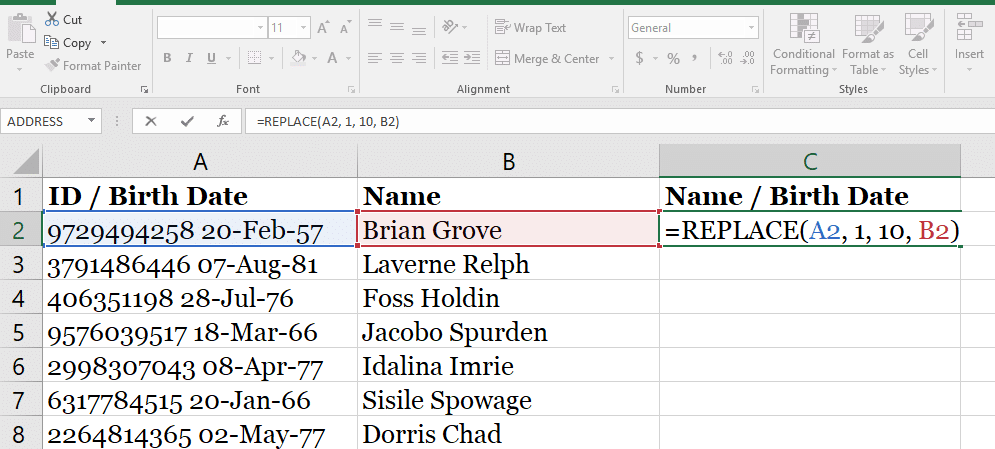
Replacing And Substituting Text In Excel LaptrinhX
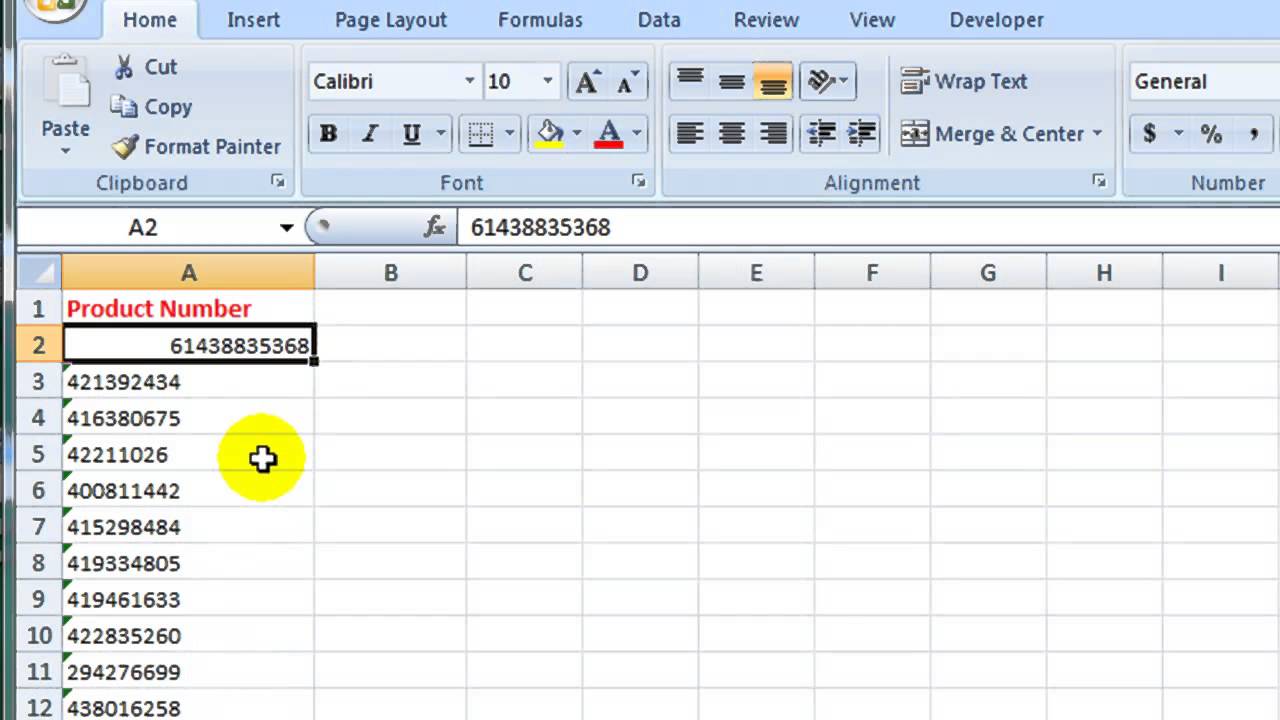
Convert Number To Xlsx Sokolactive
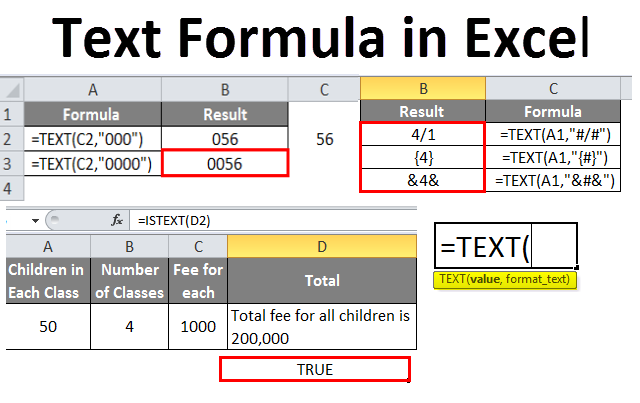
Excel Excel
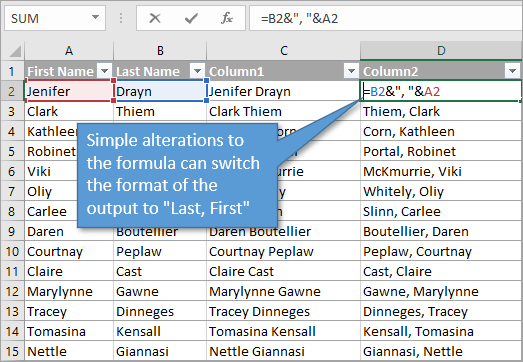
Web Dec 21 2023 nbsp 0183 32 We can use the Excel formula with the Ampersand operator to combine text and number in Excel We can do this by 2 methods One is combining text and number without formatting and the other one is combining text and number with formatting Now we will see examples for both cases below
Web Formula Description TEXT 1234 567 quot 0 00 quot Currency with a thousands separator and 2 decimals like 1 234 57 Note that Excel rounds the value to 2 decimal places TEXT TODAY quot MM DD YY quot Today s date in MM DD YY format like 03 14 12 TEXT TODAY quot DDDD quot Today s day of the week like Monday

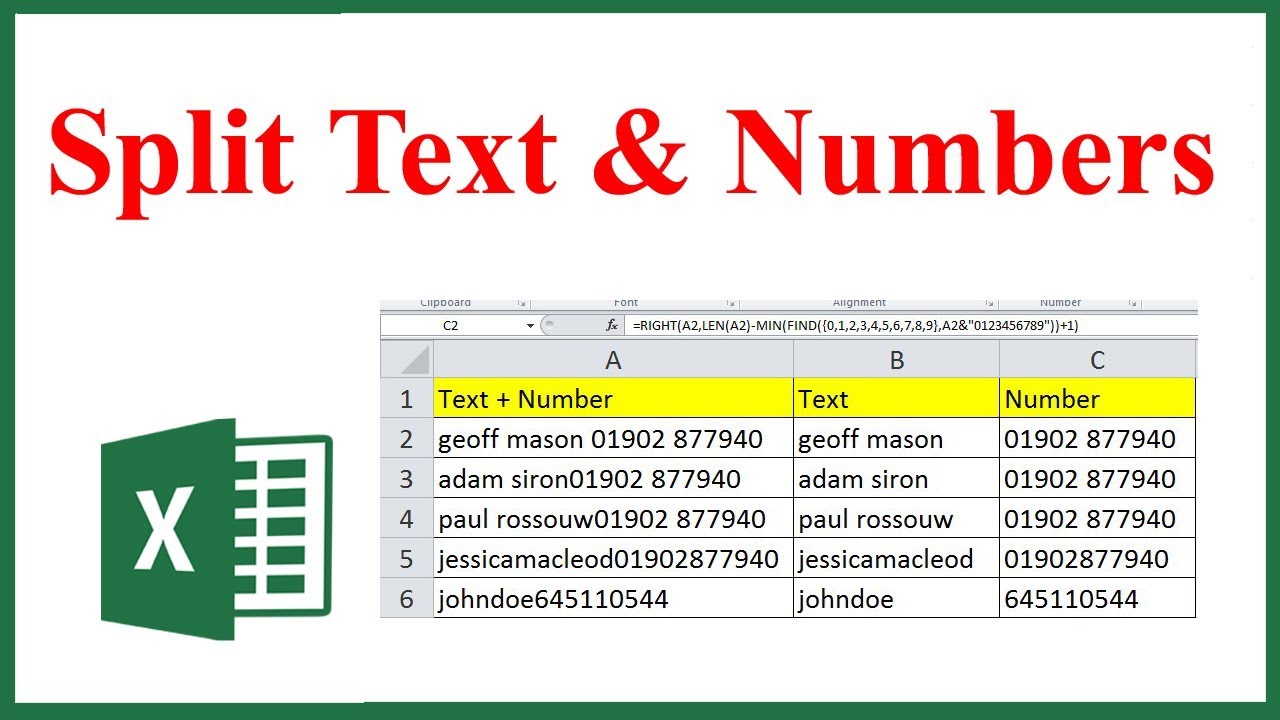
Web Once you have the position to extract just the text use LEFT A1 position 1 And to extract just the number use RIGHT A1 LEN A1 position 1 In the first formula above we are using the FIND function to locate the starting position of the number
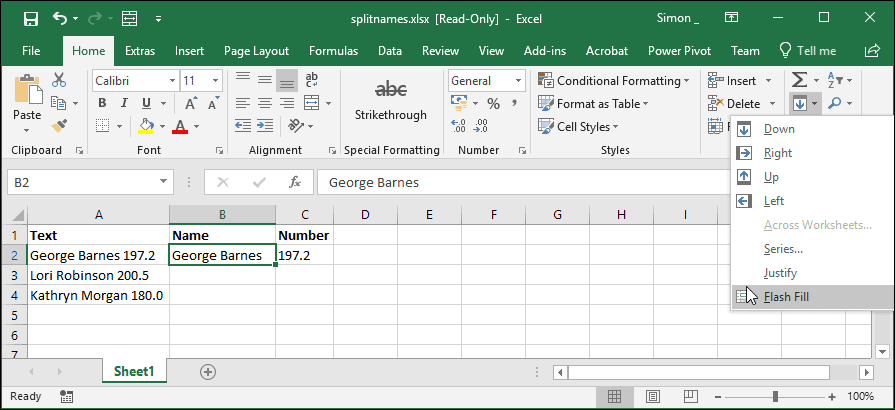
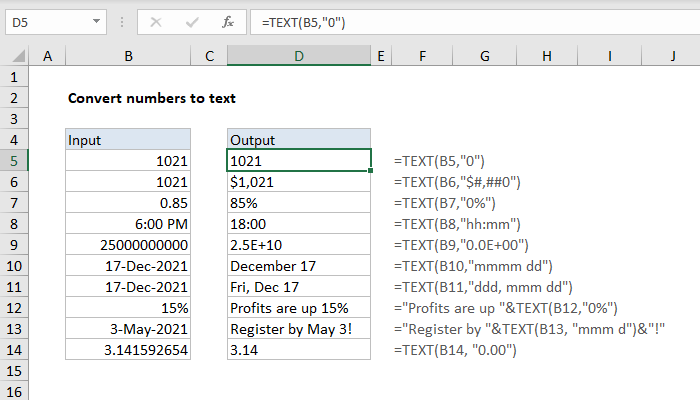
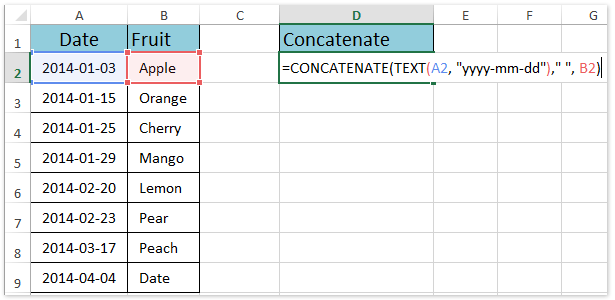
Web Mar 20 2023 nbsp 0183 32 TEXT A2 quot mmmm d yyyy quot The result will look similar to this Important note The TEXT function in Excel converts a numeric value to a text strings Consequently you won t be able to use the result of your Text formula in other calculations
Web The Excel TEXT function returns a number in a given number format as text You can use the TEXT function to embed formatted numbers inside text Purpose Convert a number to text in a number format Return value A number as text in the given format Syntax TEXT value format text value The number to convert
Web Nov 12 2020 nbsp 0183 32 The formula A1 B1 would be converted to TEXT A1 0 amp amp TEXT B1 0 amp amp TEXT C1 0 which will show 5 3 8 The number of digits after the decimal point can be varied by changing the 0 to 0 0 or 0 00 Web LEFT A2 MIN IFERROR FIND 0 1 2 3 4 5 6 7 8 9 A2 quot quot 1 And below is the formula that will extract all the numbers from the right MID A2 MIN IFERROR FIND 0 1 2 3 4 5 6 7 8 9 A2 quot quot 100 How does this formula work
Web This article describes a formula based approach to convert text values to numbers In this example the values in column A are quot stored as text quot This means if you try to SUM column A you ll get a result of zero The VALUE function will try to quot coerce quot a number stored as text to a true number