Excel Formula Remove Specific Characters From Cell Remove Specific Characters From A String Help UiPath Community Forum How To Remove Specific Characters In Excel 5 Ways ExcelDemy Remove Unwanted Characters Excel Formula Exceljet Excel Remove Specific Text From Cell Specific String Specific Characters YouTube Wie Entferne Ich Ein Bestimmtes Zeichen Aus Einer Zelle In Excel Verkko 31 toukok 2023 nbsp 0183 32 The cells in column B contain the phrase from each corresponding cell in column A with the special characters removed Note that you can easily modify this formula to only remove certain
Verkko 7 helmik 2023 nbsp 0183 32 Remove Specific Text To find and remove specific text in Excel we can use the SUBSTITUTE function Let s say we have hyphen signs in a text and we want to remove it We can do this Verkko 10 huhtik 2019 nbsp 0183 32 I want to remove special characters from a cell in Excel I have tried that using a module and that works fine but I want to do it through a formula The
Wie Entferne Ich Ein Bestimmtes Zeichen Aus Einer Zelle In Excel Remove Characters From Right Excel Vba Riset How To Remove Letters In Excel Cell Howtoremoveb How To Remove Specific Characters In Excel 5 Ways ExcelDemy How To Remove Specific Characters In Excel 5 Quick Ways How To Remove Specific Characters In Excel 5 Ways ExcelDemy How To Remove Some Special Characters From String In Excel Excel Guide Remove Special Characters YouTube How To Remove Some Special Characters From String In Excel
Excel Formula Remove Specific Characters From Cell
 Excel Formula Remove Specific Characters From Cell
https://global.discourse-cdn.com/uipath/original/3X/6/f/6f2374833e6b0bf4c945549ce88b8667903b4883.jpeg
Verkko 13 maalisk 2023 nbsp 0183 32 To delete text after a particular character the generic formula is LEFT cell SEARCH quot char quot cell 1 Here we use the SEARCH function to get the position of the character and pass it
Templates are pre-designed files or files that can be used for numerous purposes. They can conserve time and effort by offering a ready-made format and design for developing different kinds of content. Templates can be used for individual or professional tasks, such as resumes, invites, leaflets, newsletters, reports, presentations, and more.
Excel Formula Remove Specific Characters From Cell

How To Remove Specific Characters In Excel 5 Ways ExcelDemy
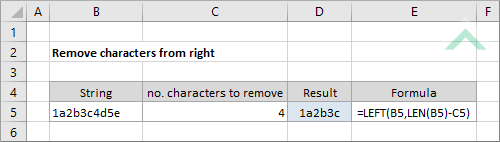
Remove Characters From Right Excel Vba Riset
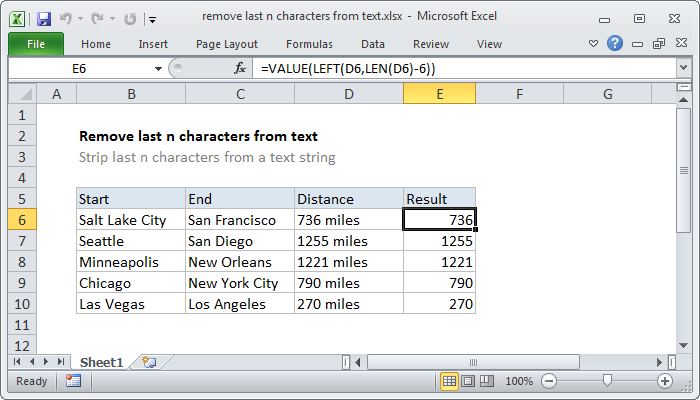
How To Remove Letters In Excel Cell Howtoremoveb

How To Remove Specific Characters In Excel 5 Ways ExcelDemy

How To Remove Specific Characters In Excel 5 Ways ExcelDemy
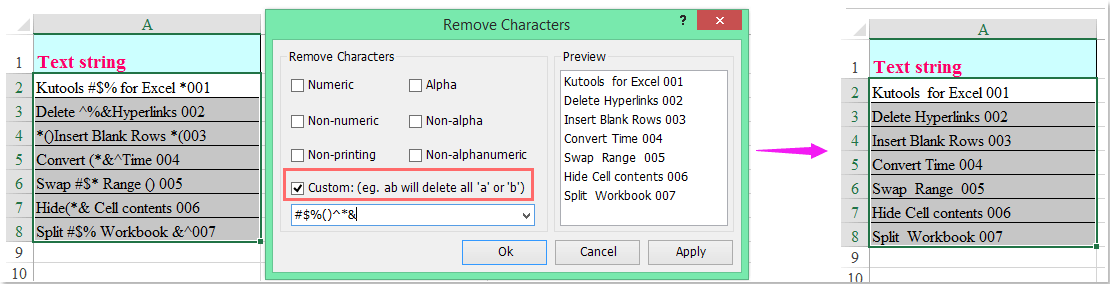
How To Remove Some Special Characters From String In Excel

Verkko To remove specific unwanted characters in Excel you can use a formula based on the SUBSTITUTE function In the example shown the formula in C4 is SUBSTITUTE B4 CHAR 202 quot quot Which removes

Verkko 26 syysk 2023 nbsp 0183 32 1 Remove Specific Characters with Find and Replace Feature 2 Delete Specific Characters with SUBSTITUTE Function 3 Extract Only a Particular

Verkko 18 elok 2021 nbsp 0183 32 Remove special character from Excel cell To delete a specific character from a cell replace it with an empty string by using the SUBSTITUTE

Verkko 8 lokak 2023 nbsp 0183 32 1 Using Find and Replace Feature to Remove Specific Characters 2 Removing Specific Characters with SUBSTITUTE Function 3 Applying REPLACE Function 4 Combining RIGHT and
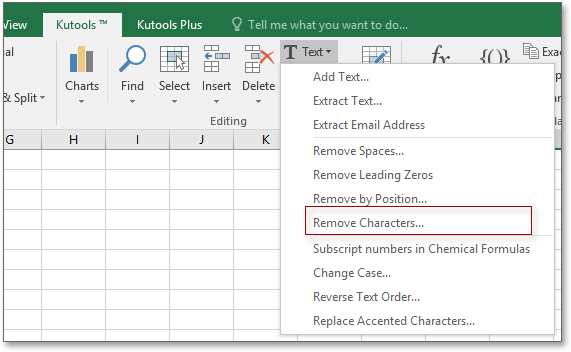
Verkko It is possible to customize the above formula to the make it suitable to remove a specific character from a string as follows SUBSTITUTE original string old character This formula will replace the
Verkko 13 maalisk 2023 nbsp 0183 32 To delete the first character from a string you can use either the REPLACE function or a combination of RIGHT and LEN functions REPLACE string Verkko 1 Type or copy the following formula in a blank cell C4 where you want to put the result RIGHT A4 LEN A4 2 and press Enter key to get the first result See screenshot
Verkko 26 syysk 2023 nbsp 0183 32 Using Find amp Replace Option to Remove Specific Text from Cell in Excel 2 Removing Text from Cell with Excel s Flash Fill Feature 3 Using