Excel Formula Date Working Days How To Calculate Business Days In A Month In Excel Formula How To Calculate Date Month Year In Excel Haiper How To Count Business Days Between Dates In Excel Haiper How To Countdown Remaining Days In Excel How To Use Excel To Calculate Days Between Dates Haiper You can do this using the following formulas To add 30 workdays to the start date excluding holidays in B2 B5 WORKDAY A2 30 B2 B5 To subtract 30 workdays from the start date excluding holidays in B2 B5 WORKDAY A2 30 B2 B5 To calculate weekdays based on the current date use the TODAY function as the start date
Example 1 Basic usage In the formula below WORKDAY is given Friday January 1 2021 for start date 1 for days and F5 F13 for holidays The result is Monday January 4 2021 since Saturday and Sunday are excluded WORKDAY 1 Jan 2021 1 F5 F13 returns 4 Jan 2021 To make sure any calculated date lands on a business day you can use the following formula WORKDAY calc date 1 1 holidays Note if you need custom weekends use the WORKDAY INTL function Related functions The Excel WORKDAY function takes a date and returns the nearest working day n days in the future or past
How To Use Excel To Calculate Days Between Dates Haiper Get Work Hours Between Dates And Times Excel Formula Exceljet How To Add Days With Date In Excel YouTube Calculate Time Difference Between Two Datetime In Power Automate Riset How To Calculate Days Between Two Dates In Excel Haiper Excel DAYS Function Exceljet How To Calculate Working Days Between Two Dates In Excel 4 Methods Excel NETWORKDAYS WORKDAY Calculate Working Days In Excel YouTube WORKDAY In Excel Formula Examples Use Of WORKDAY Function
Excel Formula Date Working Days
 Excel Formula Date Working Days
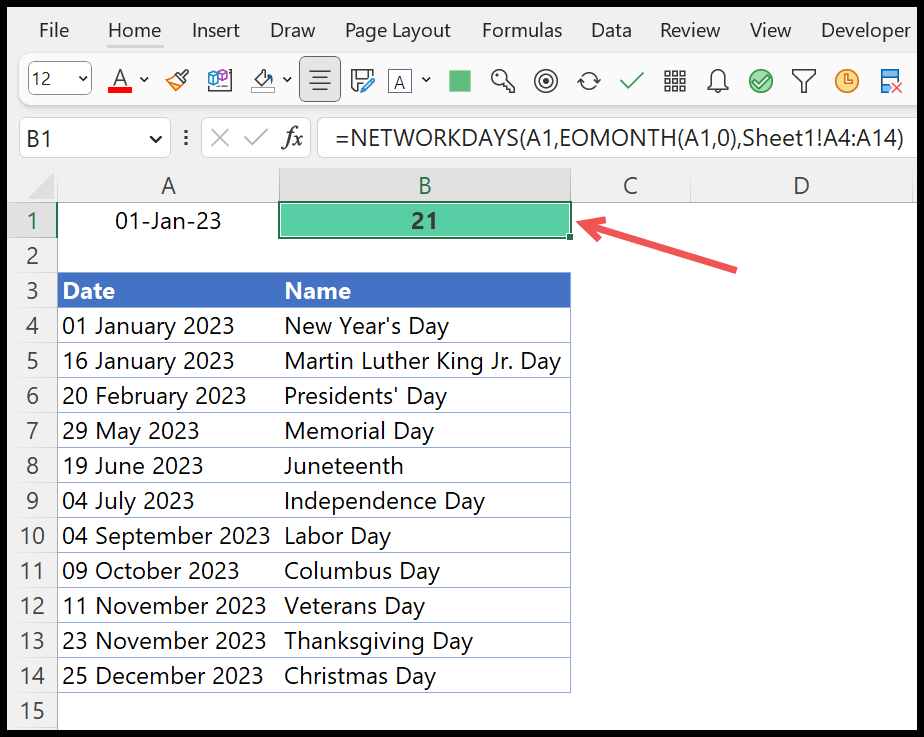
https://excelchamps.com/wp-content/uploads/2023/01/1-business-days-in-month.png
MS Excel will solve this formula by using the WORKDAY function to return the next workday WORKDAY is programmed to skip forward as needed to the next business day As we can see in the above results it skipped weekends January 20 and 21 and provided January 22 as a workday
Pre-crafted templates use a time-saving service for producing a varied range of files and files. These pre-designed formats and layouts can be made use of for various individual and professional projects, consisting of resumes, invites, flyers, newsletters, reports, presentations, and more, streamlining the content production procedure.
Excel Formula Date Working Days
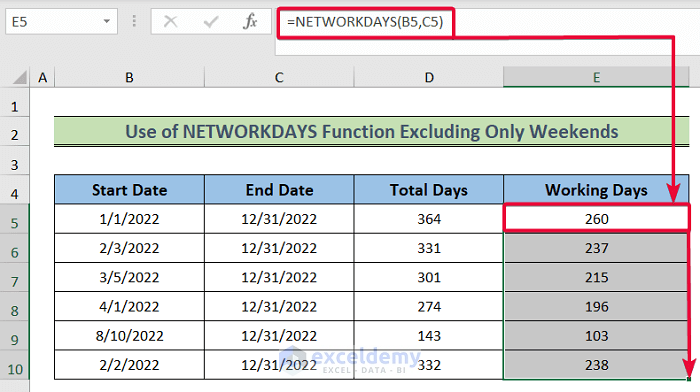
How To Calculate Working Days In Excel Excluding Weekends And Holidays
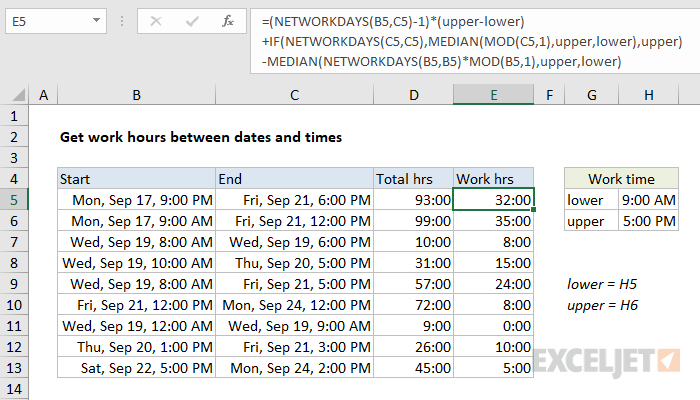
Get Work Hours Between Dates And Times Excel Formula Exceljet
How To Add Days With Date In Excel YouTube
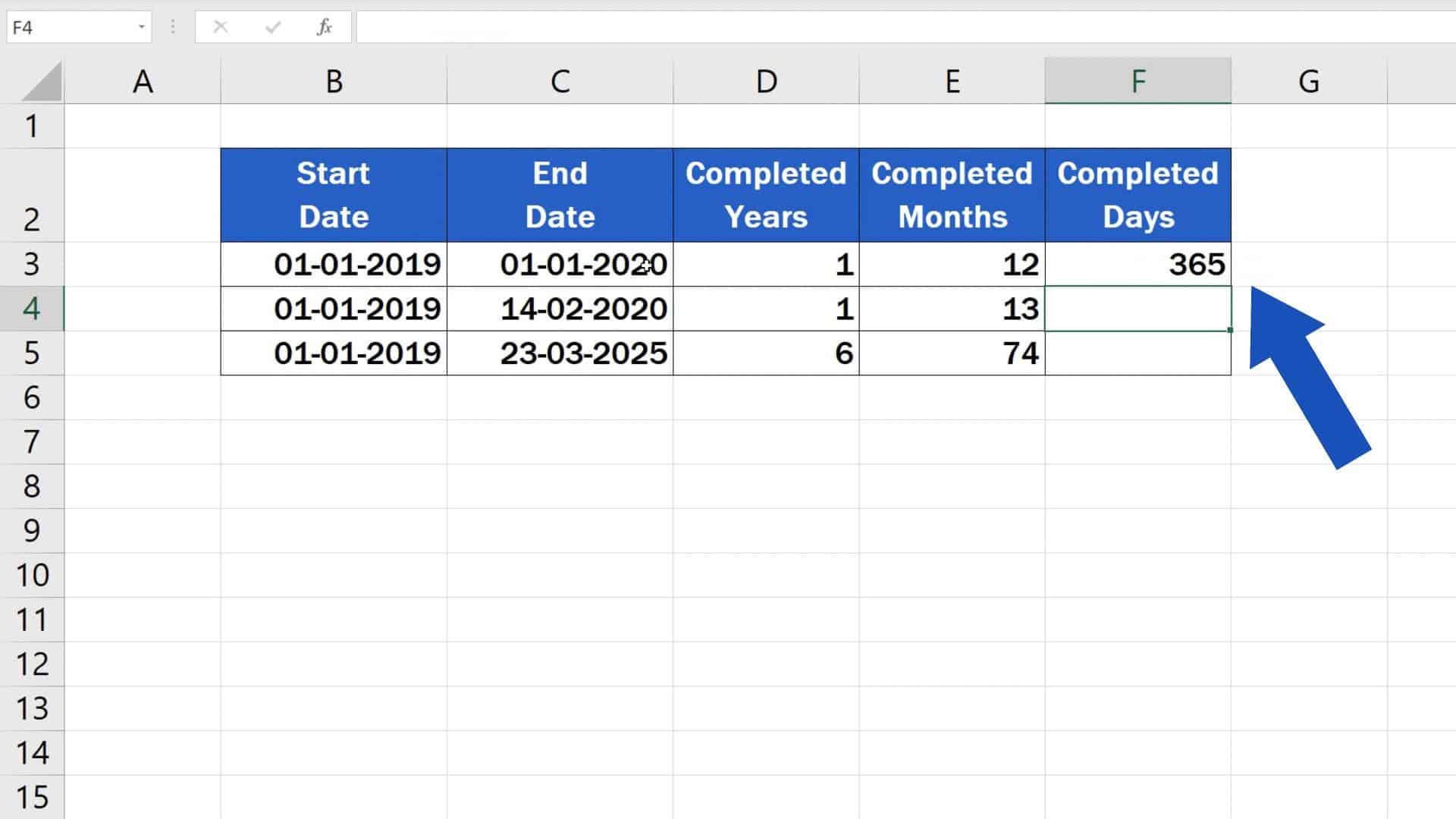
Calculate Time Difference Between Two Datetime In Power Automate Riset
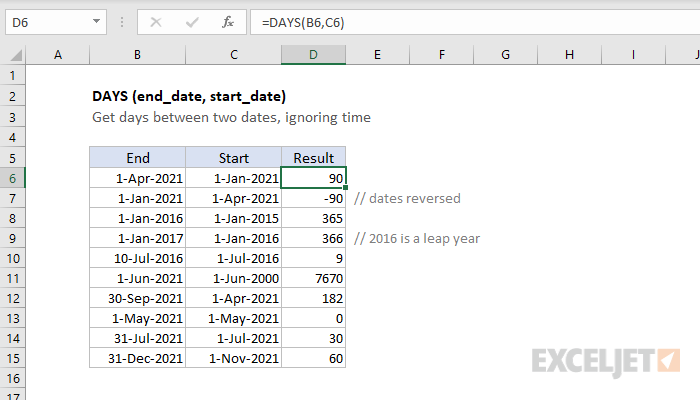
Excel DAYS Function Exceljet
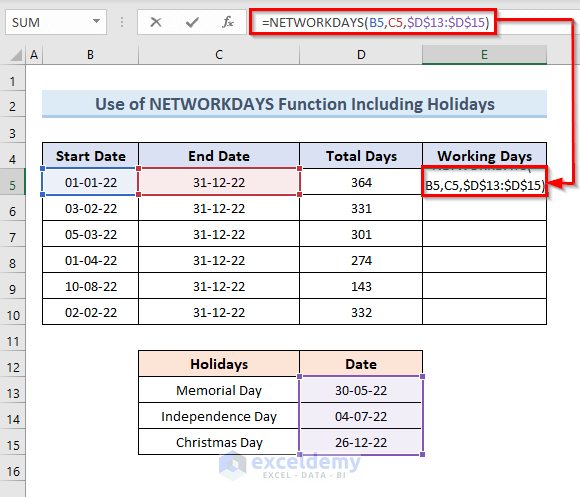
How To Calculate Working Days Between Two Dates In Excel 4 Methods

The Excel NETWORKDAYS function calculates the number of working days between two dates NETWORKDAYS automatically excludes weekends Saturday and Sunday and can optionally exclude a list of holidays supplied as dates For example in the screenshot shown the formula in D6 is NETWORKDAYS B6 C6 returns 5
Generic formula WORKDAY start date days holidays Explanation By default the WORKDAY function will exclude weekends Saturday and Sunday In this case we have also supplied a list of 3 holidays that all fall in the date range being calculated which means both the weekends and holidays will be excluded
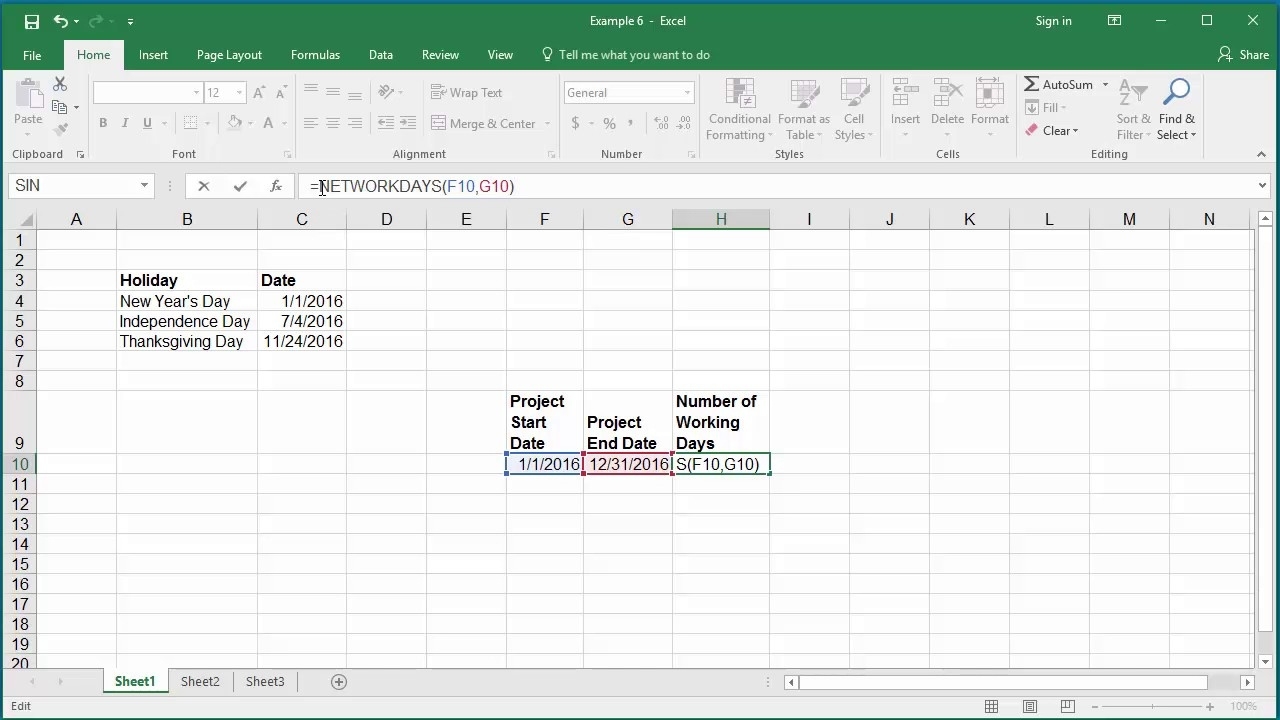
The formula below is what you need to use to arrive at the working days with the SUM and WEEKDAY functions SUM INT WEEKDAY D3 2 3 4 5 6 E3 D3 7 For now we re assuming to be dealing with a regular Saturday Sunday weekend In the formula 2 3 4 5 6 signifies Saturday and Sunday as the weekend days
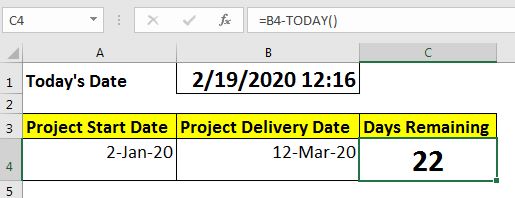
In your spreadsheet click the cell where you want to display the resulting workday number In the selected cell type the following function and press Enter In the function replace B2 with the cell that contains the starting date and C2 with the cell containing the ending date NETWORKDAYS B2 C2

You can use the WORKDAY function to add a specific number of working days to a particular date in Excel This function uses the following basic syntax WORKDAY start date days holidays where start date The start date days Number of working days to add holidays An optional list of dates to exclude from working calendar By default the WORKDAY function will skip weekends when adding
To get the next working day or next business day you can use the WORKDAY function or the WORKDAY INTL function In the example shown the formula in D5 is WORKDAY B5 1 holidays Where holidays is the named range F5 F15 As the formula is copied down it begins with the date in column B and returns the next working day after that date The FILTER function is then used to remove non working days from dates using one of the two methods explained below Method 1 The first method relies on the WORKDAY INTL function to test dates as working days This approach builds on the Date is workday formula here The WORKDAY INTL function is an upgraded version of the older WORKDAY function
You can add or subtract a number of days to or from a date by using a simple formula or you can use worksheet functions that are designed to work specifically with dates in Excel Windows Web Add or subtract days from a date Suppose that a bill of yours is due on the second Friday of each month