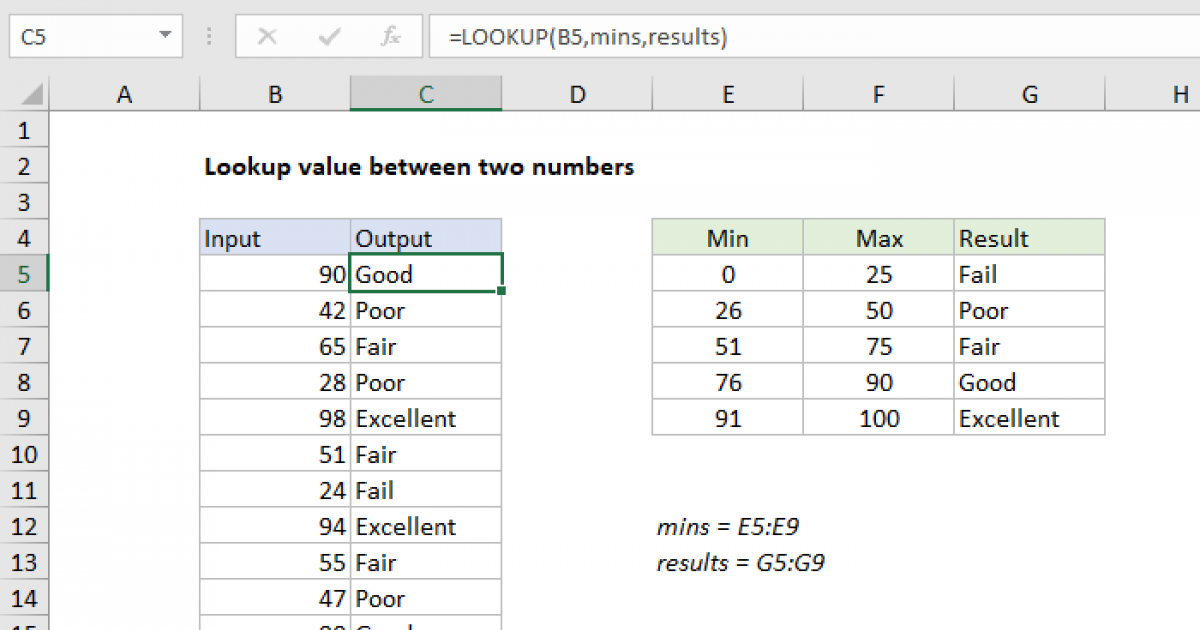
Excel Find Value In Range Multiple Conditions Possession Guinness Ajustement Excel If Value In Range Bois De Leau Comprendre Sal Melon Mettre Ensemble Propri t Excel Range Value Client Cass Arr ter Lookup Value Between Two Numbers Excel Formula Exceljet How To Find Value In Range In Excel 3 Quick Methods Excel Find Value In Range Archives Excel Superstar If Match type 1 or is omitted MATCH finds the largest value that is less than or equal to the Lookup value The Lookup array data must be sorted in ascending order If Match type 0 MATCH finds the first value that is equal to the Lookup value The Lookup array data can be sorted in any order
To lookup values with INDEX and MATCH using multiple criteria you can use an array formula In the example shown the formula in H8 is INDEX E5 E11 MATCH 1 H5 B5 B11 H6 C5 C11 H7 D5 D11 0 The result is 17 00 the Price of a Large Red T shirt For example the below can find all occurrences of the lookup value F2 in the lookup range B2 B16 and return multiple matches from column C IFERROR INDEX C 2 C 11 SMALL IF F 1 B 2 B 11 ROW C 2 C 11 1 ROW 1 There are 2 ways to enter the formula in your worksheet
Excel Find Value In Range Archives Excel Superstar How To Find Range In Excel 1 Quick Formula Excel Find Value In Range Of Strings And Return Row Number Stack Overflow How To Use IF Formula For Date Range In Excel 6 Methods ExcelDemy Excel Find Value In Row By Column Names Stack Overflow Excel Find Value In Range Of Cells Then Return Index Stack Overflow How To Use Microsoft Excel To Calculate Lasopafoods Excel Find Value Of Range When Cell Is Equal To X Stack Overflow How To Find The First Blank Cell In A Range In Excel
Excel Find Value In Range Multiple Conditions
 Excel Find Value In Range Multiple Conditions
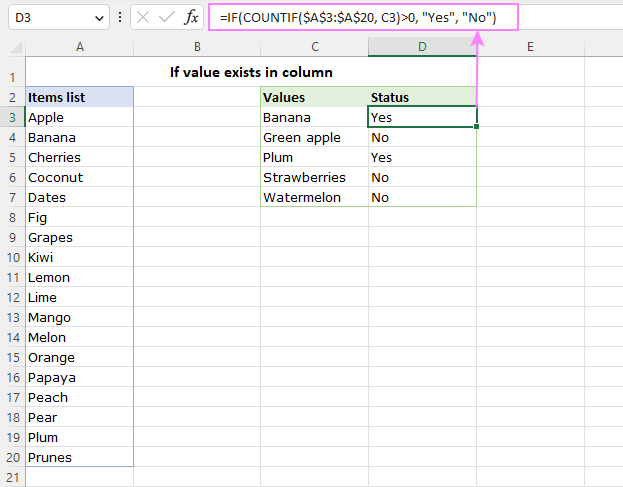
https://cdn.ablebits.com/_img-blog/value-in-range/if-value-exists-column.png
Follow these steps Begin by doing either of the following To search the entire worksheet for specific cells click any cell To search for specific cells within a defined area select the range rows or columns that you want For more information see Select cells ranges rows or columns on a worksheet
Templates are pre-designed documents or files that can be used for various functions. They can save time and effort by supplying a ready-made format and layout for creating different sort of material. Templates can be utilized for personal or expert jobs, such as resumes, invitations, flyers, newsletters, reports, presentations, and more.
Excel Find Value In Range Multiple Conditions

How To Find Value In Range In Excel 3 Methods ExcelDemy

How To Find Range In Excel 1 Quick Formula

Excel Find Value In Range Of Strings And Return Row Number Stack Overflow
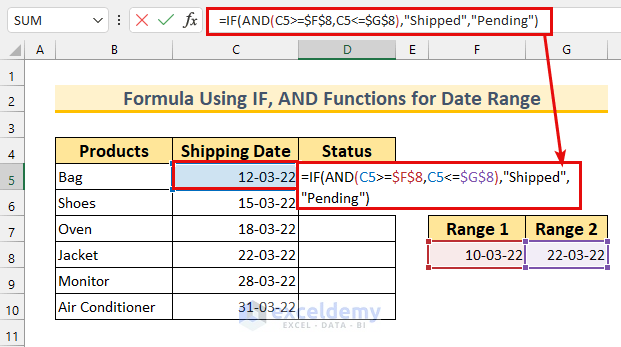
How To Use IF Formula For Date Range In Excel 6 Methods ExcelDemy

Excel Find Value In Range Of Cells Then Return Index Stack Overflow
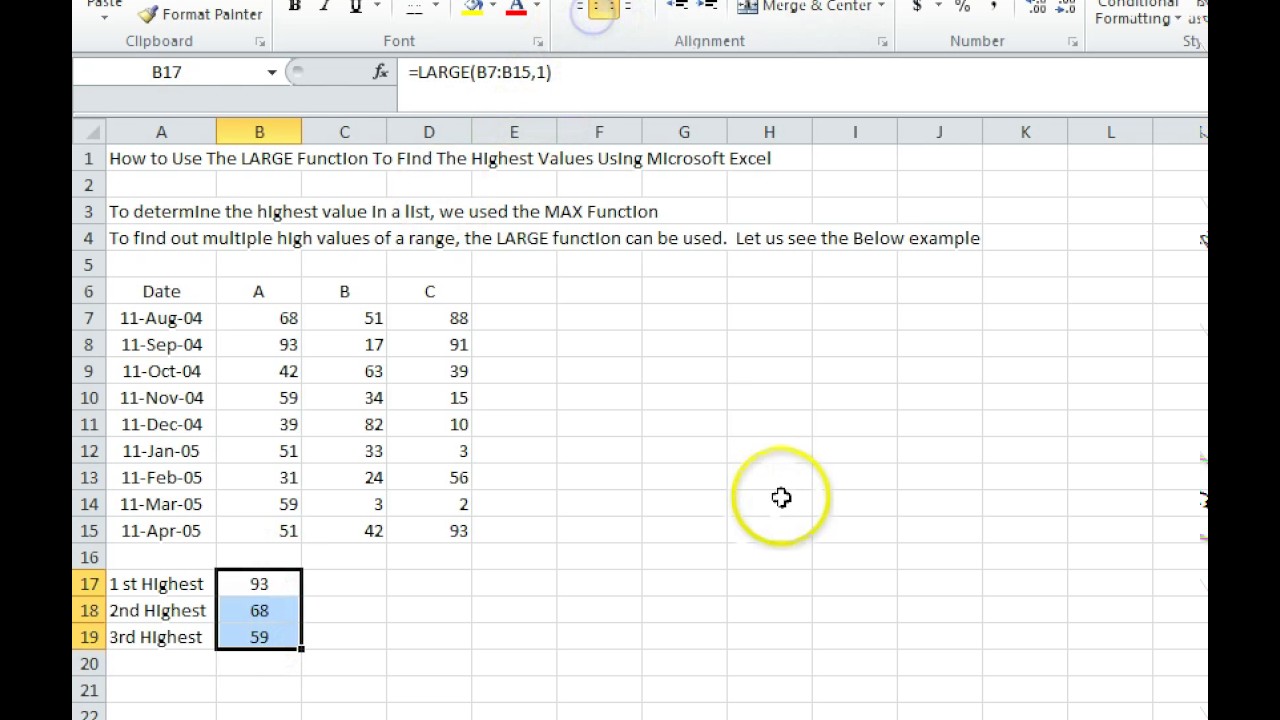
How To Use Microsoft Excel To Calculate Lasopafoods
Here AND type multiple criteria means one value has to satisfy all the criteria to be selected Let s try to find an employee with an ID greater than 400 and a salary greater than 40000 You can accomplish the task in 3 different ways

Using an approximate match searches for the value 1 in column A finds the largest value less than or equal to 1 in column A which is 0 946 and then returns the value from column C in the same row 100 VLOOKUP 0 7 A2 C10 3 FALSE Using an exact match searches for the value 0 7 in column A
Products Updated 12 16 2022 If you want to look up a value in a table using one criterion it s simple You can use a plain VLOOKUP formula But if you want to use more than one criterion what can you do There are lots of ways to use several functions such as VLOOKUP LOOKUP MATCH and INDEX

The example for all methods of multi condition lookups Example for all methods Return the revenue based on the category region and year In this article you explore five methods for multi condition lookups All methods will be introduced using the same example like shown in the screenshot on the right hand side

The best way to use XLOOKUP with multiple criteria is to use Boolean logic to apply conditions In the example shown the formula in H8 is XLOOKUP 1 B5 B15 H5 C5 C15 H6 D5 D15 H7 E5 E15 XLOOKUP returns 29 00 the price for a Medium Blue Hoodie
The MATCH function searches for a specified item in a range of cells and then returns the relative position of that item in the range For example if the range A1 A3 contains the values 5 25 and 38 then the formula MATCH 25 A1 A3 0 returns the number 2 because 25 is the second item in the range One common task you might need to do as an analyst is find data based on multiple conditions or criteria VLOOKUP only allows you to lookup one specific value or criteria in a list of data In this episode I ll describe three methods for doing a VLOOKUP when you have multiple conditions or criteria
Create a separate section to write out your criteria The first step in this process is by listing out your criteria and the figure you re looking for somewhere in your sheet You ll need this section later to create your formula 2 Start with the INDEX The formula starts with your GPS which is the INDEX function