Excel Find Replace Last Character Wildcard In Microsoft Excel Use In Formulas Filters And Find How To Replace Last Character On Every Line Notepad YouTube How To Count Characters In Microsoft Excel Excel Replace Character Riset Excel Replace Blank With 0 Riset Microsoft Excel Excel
How to use the IF function combined with the AND OR and NOT functions in Excel to make logical comparisons between given values Con Microsoft 365 para la Web puedes editar y compartir archivos de Word Excel PowerPoint y OneNote en tus dispositivos con un explorador web
Excel Replace Blank With 0 Riset How To Count Characters In Microsoft Excel Morgue Pretty Yeah Talend Replace Character In String Doctor Of How To Use Find Replace Find Next Replace In Excel Find And Find And Replace Last Character In Excel Printable Templates Free Find Replace In Excel Customguide Riset Find And Replace In Excel How To Use 7 Easy Examples Mobile Legends Riset How To Remove Last Character In Excel SpreadCheaters How To Find And Replace Values In Multiple Excel Files 3 Methods
Excel Find Replace Last Character
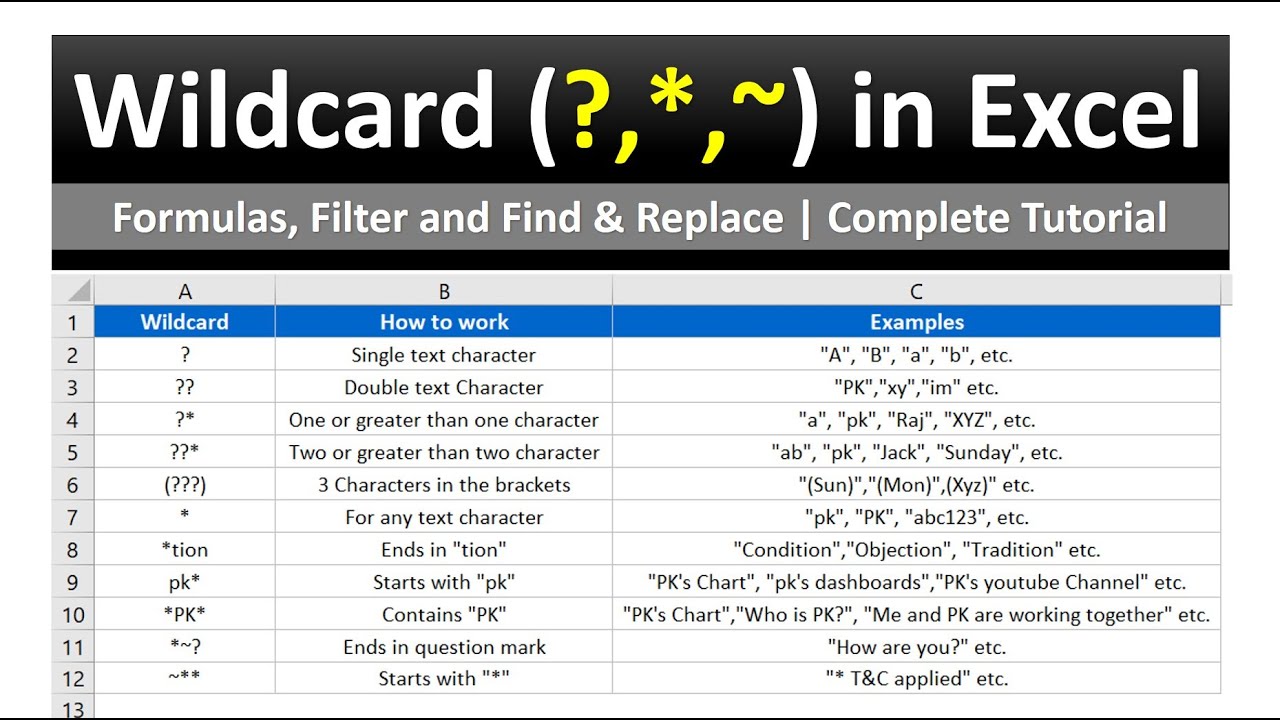 Excel Find Replace Last Character
https://i.ytimg.com/vi/I0KwKSFkJ2Y/maxresdefault.jpg
Com o Microsoft 365 para a Web 233 poss 237 vel editar e compartilhar arquivos dos aplicativos Word Excel PowerPoint e OneNote nos seus dispositivos usando um navegador da Web
Pre-crafted templates offer a time-saving option for creating a varied range of documents and files. These pre-designed formats and layouts can be utilized for various personal and expert projects, including resumes, invitations, flyers, newsletters, reports, presentations, and more, improving the material creation process.
Excel Find Replace Last Character
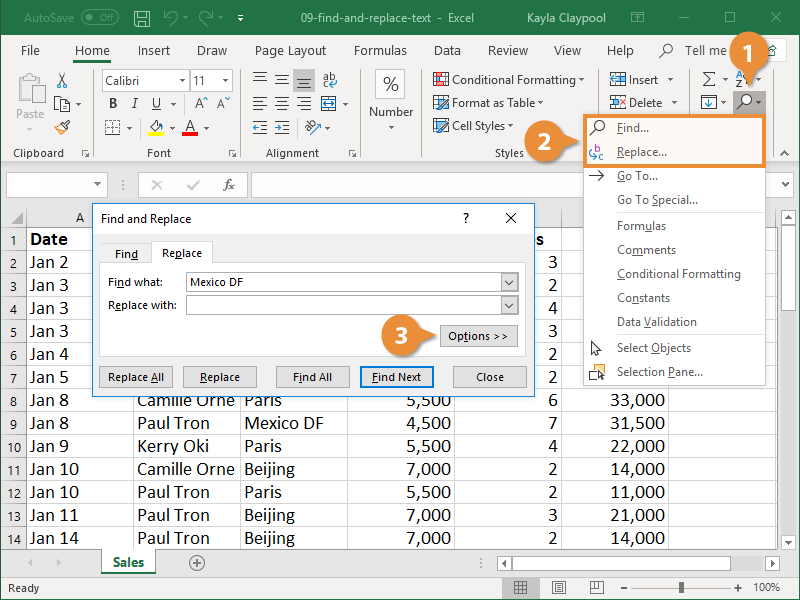
All About Find And Replace In Excel Excel Unlocked Gambaran
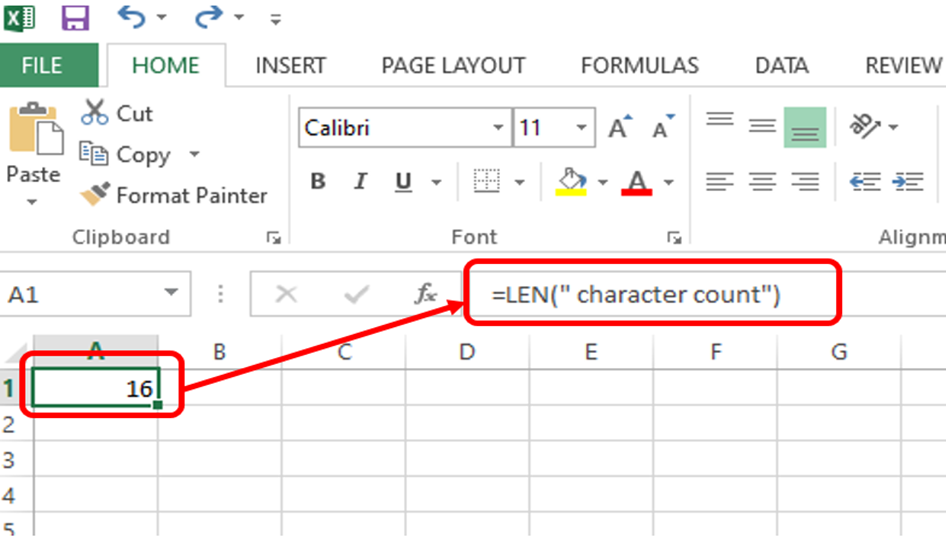
How To Count Characters In Microsoft Excel
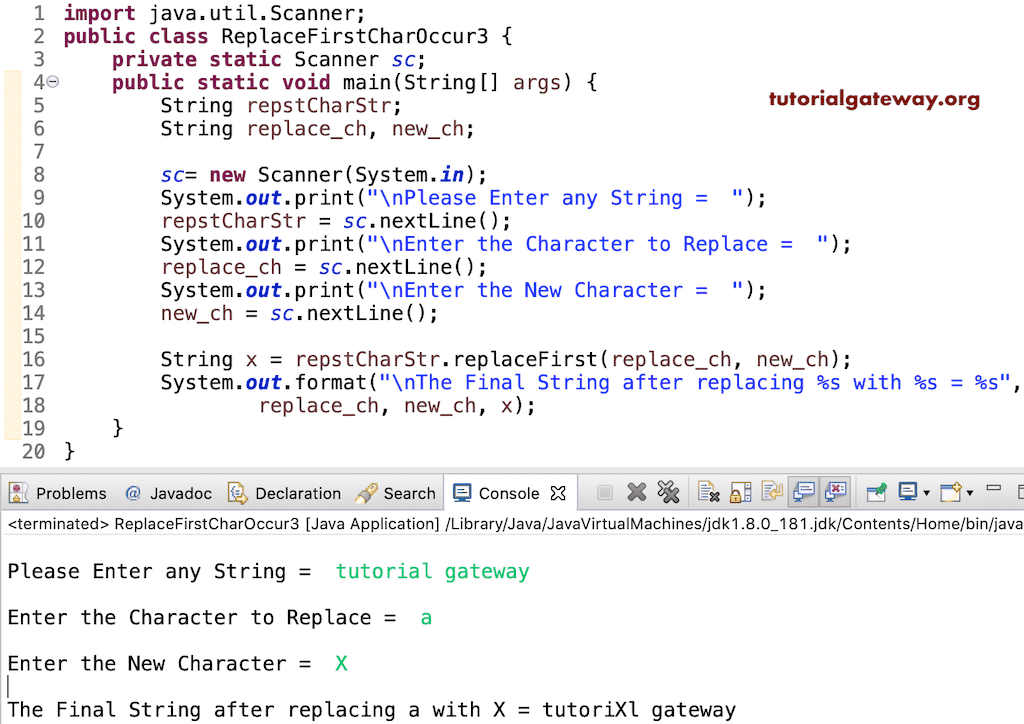
Morgue Pretty Yeah Talend Replace Character In String Doctor Of

How To Use Find Replace Find Next Replace In Excel Find And
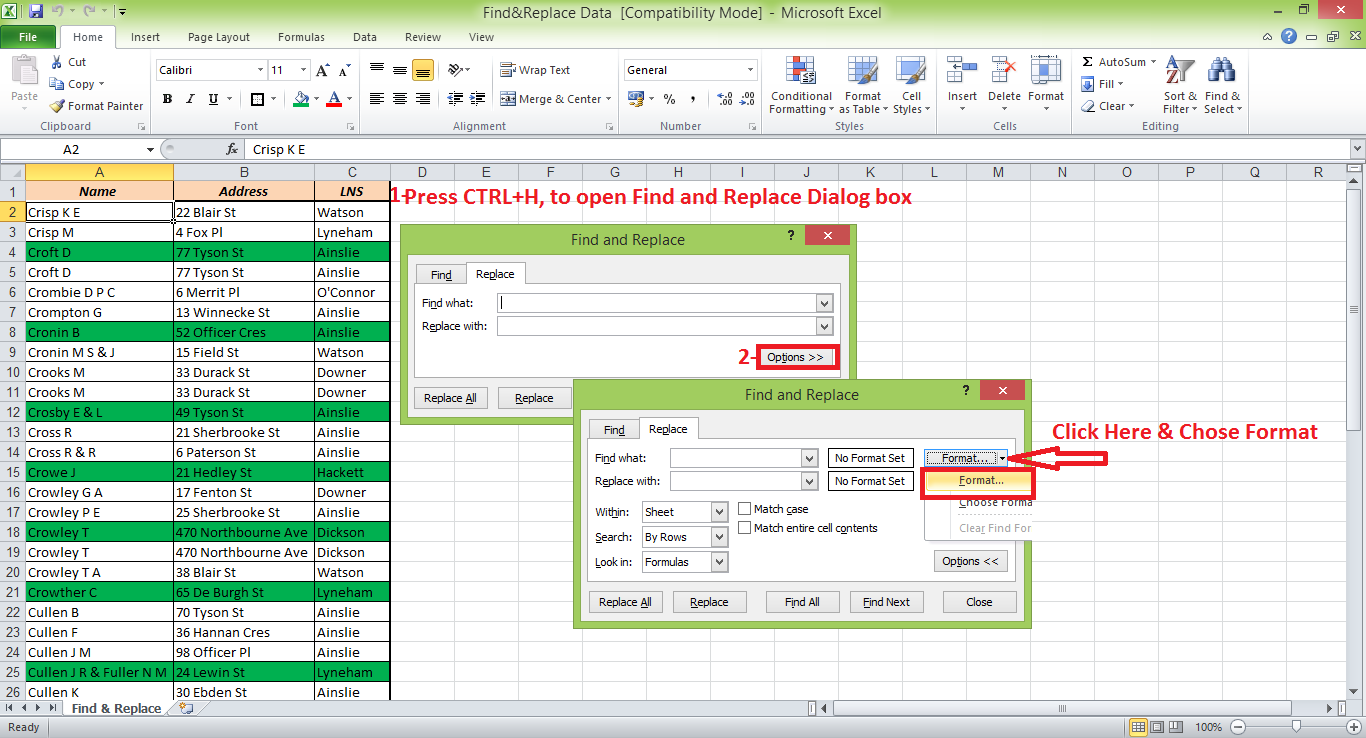
Find Replace In Excel Customguide Riset

Find And Replace In Excel How To Use 7 Easy Examples Mobile Legends Riset
Find Microsoft Excel help and learning resources Explore how to articles guides training videos and tips to efficiently use Excel
With Microsoft 365 for the web you can edit and share Word Excel PowerPoint and OneNote files on your devices using a web browser

Get started with basic tasks in Excel such as opening a workbook entering and formatting data calculating data and trying some quick analysis features
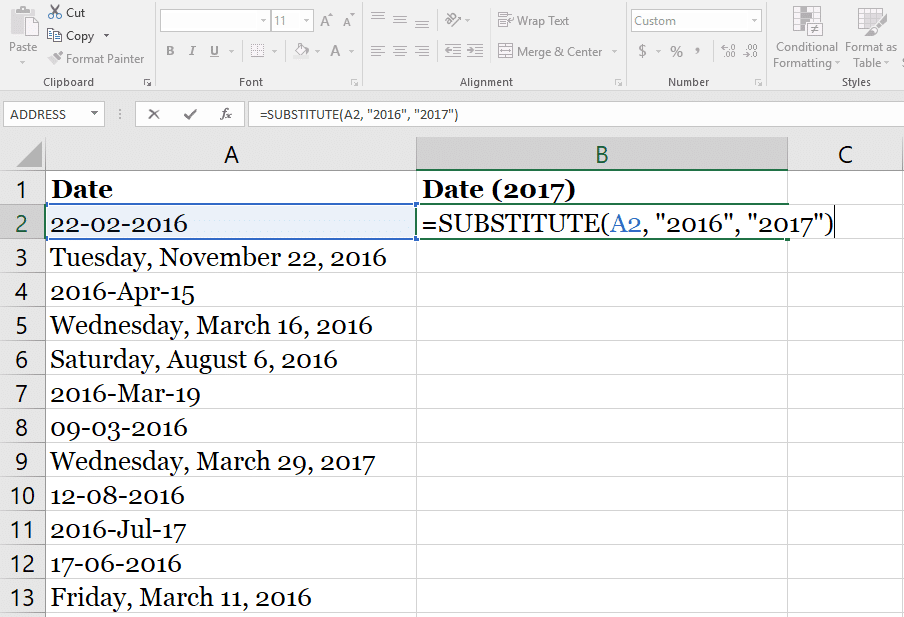
What is Excel Excel makes it easy to crunch numbers With Excel you can streamline data entry with AutoFill Then get chart recommendations based on your data and create them with one click Or easily spot trends and patterns with data bars color coding and icons

Excel Easily add formulas reorder columns and resize spreadsheet tables on your mobile device or tablet
[desc-11] [desc-12]
[desc-13]