Excel Find Number Position In String JS String array Uses IndexOf Starting Position Is 1 Searching Content Is Starting Excel Formula To Find Difference Between Two Numbers 2023 How To Separate Numbers From Text In Excel Excel Tips Tricks Dptutorials Youtube Otosection List Of How To Find Number In Excel Spreadsheet 2022 Fresh News Excel Find Number In Text With Leading Zero Stack Overflow Web Aug 19 2023 nbsp 0183 32 TEXTJOIN Extract Numbers in Excel 2016 In Excel 2016 the TEXTJOIN function was introduced which can extract the numbers from anywhere of the text string Here is the formula TEXTJOIN quot quot TRUE IFERROR MID B3 ROW INDIRECT quot 1 quot amp LEN B3 1 1 quot quot Let s
Web Apr 15 2019 nbsp 0183 32 First to find the position of the first numeric character we can use this formula MIN FIND 0 1 2 3 4 5 6 7 8 9 A2 amp quot 0123456789 quot This will find the position of the first instance of one of the elements of the array 0 1 2 3 4 5 6 7 8 9 i e the first number within cell A2 our text data Web Extract Numbers from String in Excel using VBA In this part I will show you how to create the custom function to get only the numeric part from a string Below is the VBA code we will use to create this custom function Function GetNumeric CellRef As String Dim StringLength As Integer StringLength Len CellRef For i 1 To StringLength
Excel Find Number In Text With Leading Zero Stack Overflow Office Productivity YB Digital Excel Solutions Basic And Advanced January 2018 Excel FIND Function Get Position Of Text In String Excel Unlocked EXCEL How To Get Number From Any Position In A String Diary Of A Sysadmin 5 Examples Of Python String Find Search If String Contains The Word How To Calculate No Of Days Between Two Dates In Excel Formula Haiper How To Find The Position Of First Number In A Text String In Excel Free Excel Tutorial Sima Grether Calculate Sum In Empty Array Javascript
Excel Find Number Position In String
 Excel Find Number Position In String
https://programmersought.com/images/960/b2c4ee2771121f169dfdea922cb4ad58.png
Web Excel FIND function can be used when you want to locate a text string within another text string and find its position What it Returns It returns a number that represents the starting position of the string you are finding in another string Syntax FIND find text within text start num Input Arguments find text the text or string
Pre-crafted templates use a time-saving service for developing a diverse series of files and files. These pre-designed formats and designs can be utilized for various personal and professional projects, including resumes, invitations, leaflets, newsletters, reports, discussions, and more, simplifying the content production process.
Excel Find Number Position In String
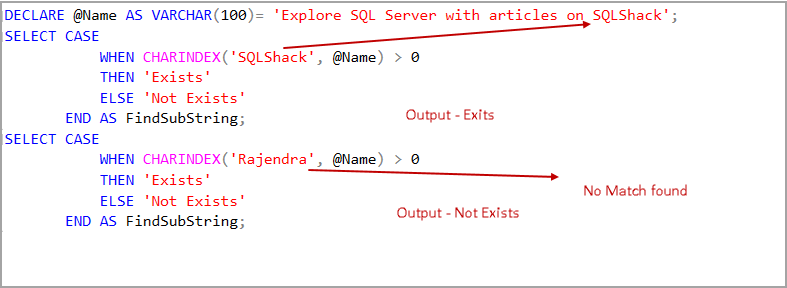
Uitspraak Kluisje Archa sch Sql Server Substring Indexof Restaurant Nicotine Cre ren
Office Productivity YB Digital

Excel Solutions Basic And Advanced January 2018
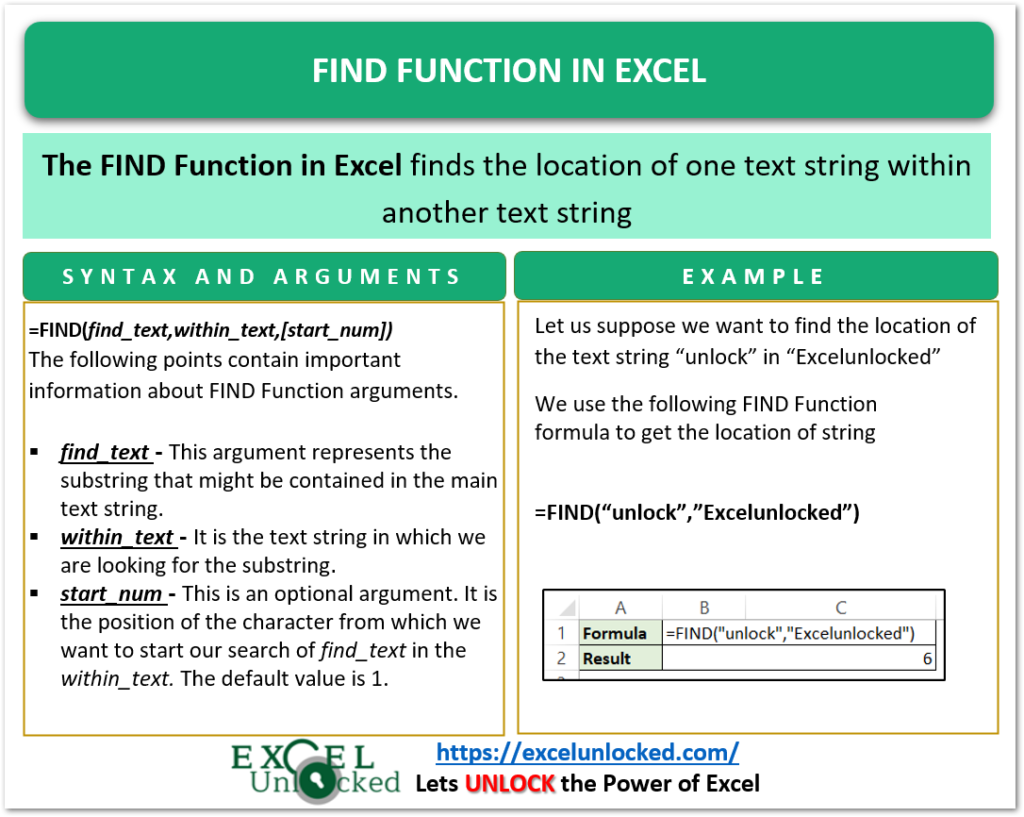
Excel FIND Function Get Position Of Text In String Excel Unlocked
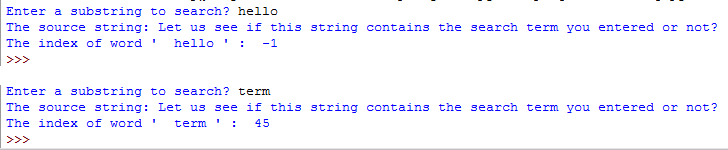
5 Examples Of Python String Find Search If String Contains The Word

How To Calculate No Of Days Between Two Dates In Excel Formula Haiper

Web This article describes the formula syntax and usage of the FIND and FINDB functions in Microsoft Excel Description FIND and FINDB locate one text string within a second text string and return the number of the starting position of the first text string from the first character of the second text string
Web Find position of last number in text string in Excel After finding the position of first number we now start finding the position of last number in strings In this section there are two formulas for you Formula 1 MAX IF ISNUMBER VALUE MID A2 ROW INDIRECT quot 1 quot amp

Web Mar 17 2023 nbsp 0183 32 To extract number from an alphanumeric string the first thing you need to know is where to start the extraction The position of the last non numeric character in a string is determined with the help of this tricky formula MAX IF ISNUMBER MID A2 ROW INDIRECT quot 1 quot amp LEN A2 1 1 FALSE ROW INDIRECT quot 1 quot amp LEN A2 0

Web Mar 21 2023 nbsp 0183 32 The FIND function in Excel is used to return the position of a specific character or substring within a text string The syntax of the Excel Find function is as follows FIND find text within text start num The first 2 arguments are required the last one is optional Find text the character or substring you want to find

Web Syntax FIND find text within text start num find text The substring to find within text The text to search within start num optional The starting position in the text to search Optional defaults to 1 How to use The FIND function returns the position as a number of one text string inside another
Web Mar 28 2022 nbsp 0183 32 The MATCH function in Excel searches for a value in the array or range of cells that you specify For instance you might look up the value 10 in the cell range B2 through B5 Using MATCH in a formula the result would be 3 because the value 10 is in the third position of that array Web The FIND function is designed to look inside a text string for a specific substring If FIND finds the substring it returns a position of the substring in the text as a number If the substring is not found FIND returns a VALUE error For example FIND quot p quot quot apple quot returns 2 FIND quot z quot quot apple quot returns VALUE We can use this same idea
Web Step 1 Open the Excel worksheet and select the cell containing the string from which you want to extract the numeric values Step 2 Click on the cell where you want the numeric values to be displayed Step 3 Enter the following formula SUBSTITUTE A1 CHAR 9 quot quot where A1 is the cell containing the string