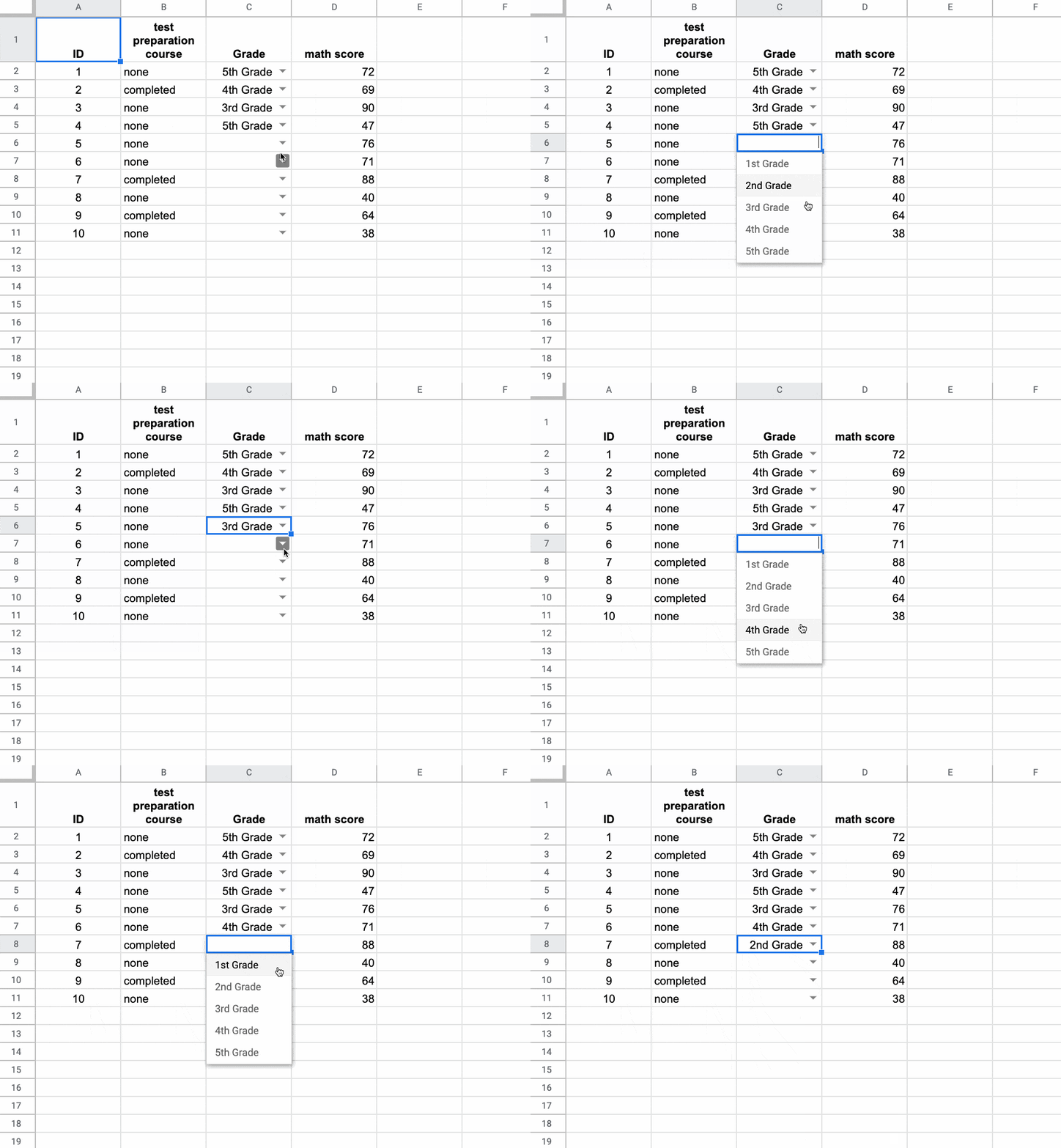
Excel Dropdown List Based On Criteria How To Generate List Based On Criteria In Excel 5 Methods How To Create List Or Drop Indexes On Mysql Table Riset Create Dropdown In Excel Creating A Drop Down List In Excel 2010 Riset How To Create A Dropdown List In Microsoft Excel Vrogue How To Create A Drop down List In Google Sheets Android Authority Web Sep 27 2023 nbsp 0183 32 To insert a drop down list based on the values input in a range of cells carry out these steps Start by creating a list of items that you want to include in the drop down For this just type each item in a separate cell This can be done in the same worksheet as the dropdown list or in a different sheet
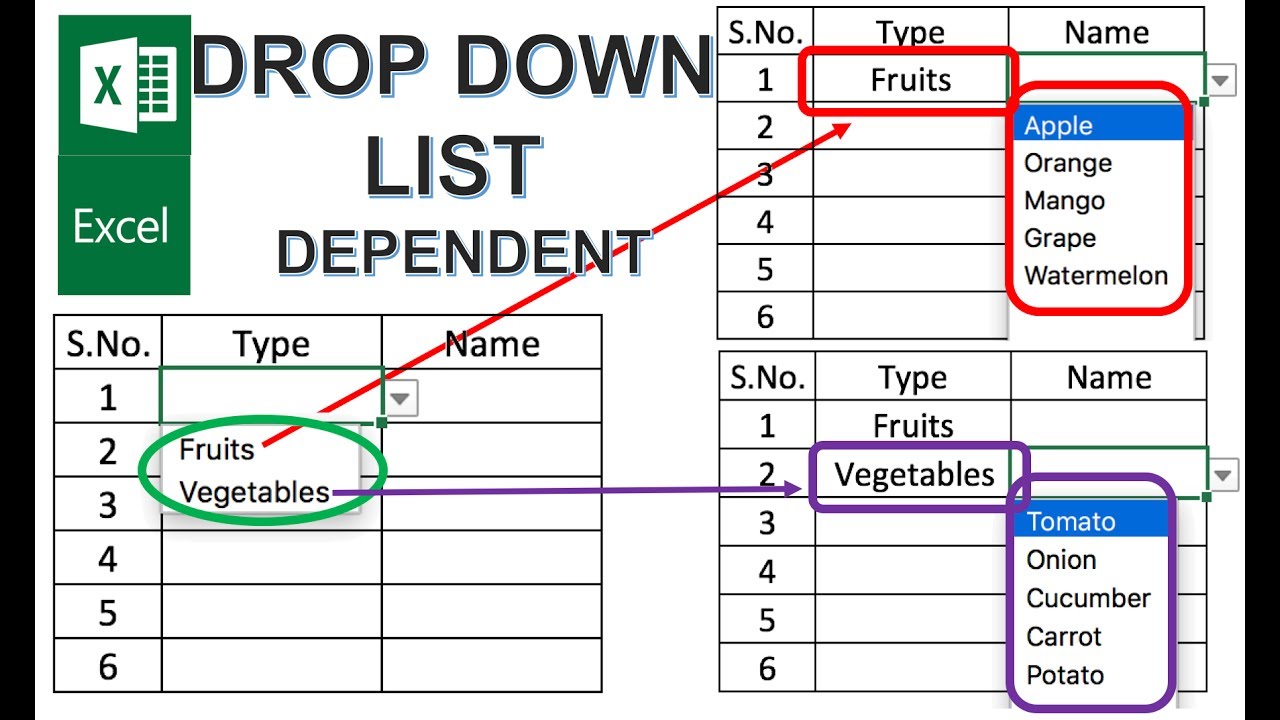
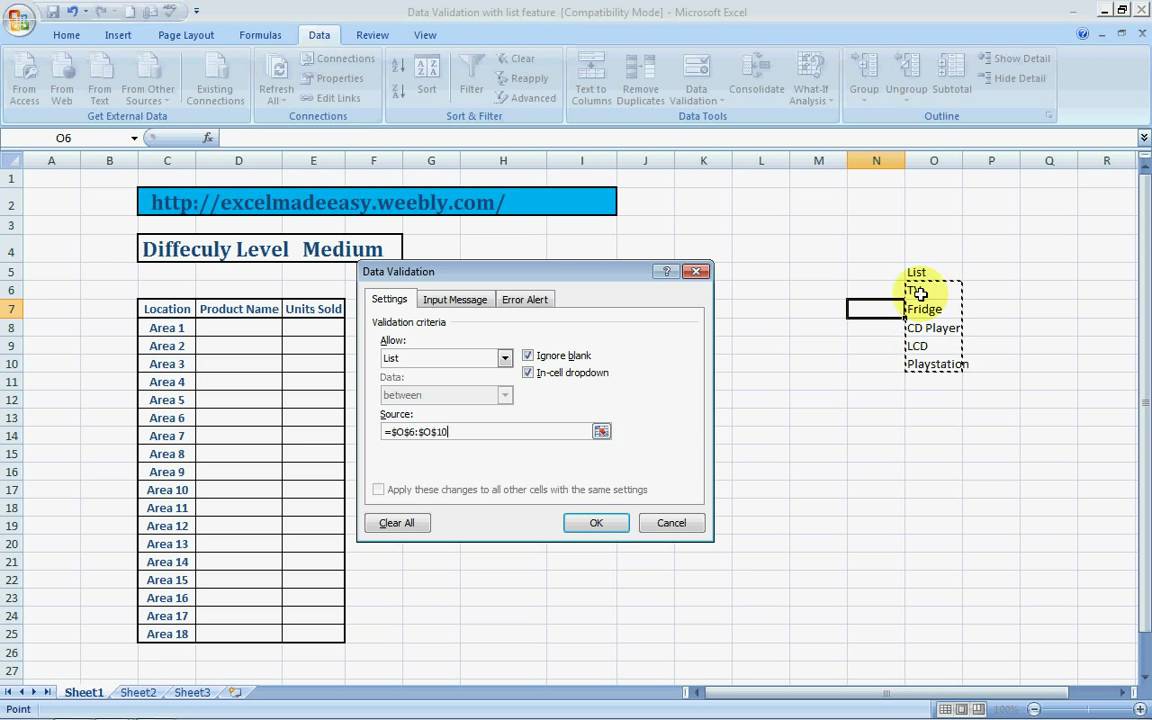
Web Jul 12 2018 nbsp 0183 32 Syntax IF condition range dropdown list items quot quot Steps Begin by selecting the dropdown range C3 C5 Open the Data Validation window by clicking DATA gt Data Validation Select List in Allow dropdown Type your formula in Source input COUNTIF I 3 I 7 B2 Click OK to continue and apply your settings How Web Apr 15 2019 nbsp 0183 32 Select Data Validation in the Data Tools section Under Allow Select List In the Source input type indirect B 1 where B 1 is the name of the cell with the movie genre input Click on ok Now when you select a genre the drop down list for the title selection will change depending on the genre Fancy About the Author
How To Create A Drop down List In Google Sheets Android Authority Excel Drop Down List From Table Name Printable Forms Free Online Create Dropdown In Excel Creating A Drop Down List In Excel 2010 Riset Data Validation List Based On Criteria The JayTray Blog How To Create Drop Down List In Excel Dynamic Editable Searchable How To Create A Drop Down List In Google Sheets On Ipad BEST GAMES How To Use Google Spreadsheet Data Validation To Create A Multiple Settlers Date Strig Html Form Drop Down List La Bordul Rural Te Grabesti How To Select The Dropdown Value Image In Selenium Webdriver Mobile
Excel Dropdown List Based On Criteria
 Excel Dropdown List Based On Criteria
https://www.exceldemy.com/wp-content/uploads/2021/09/excel-generate-list-based-on-criteria.png
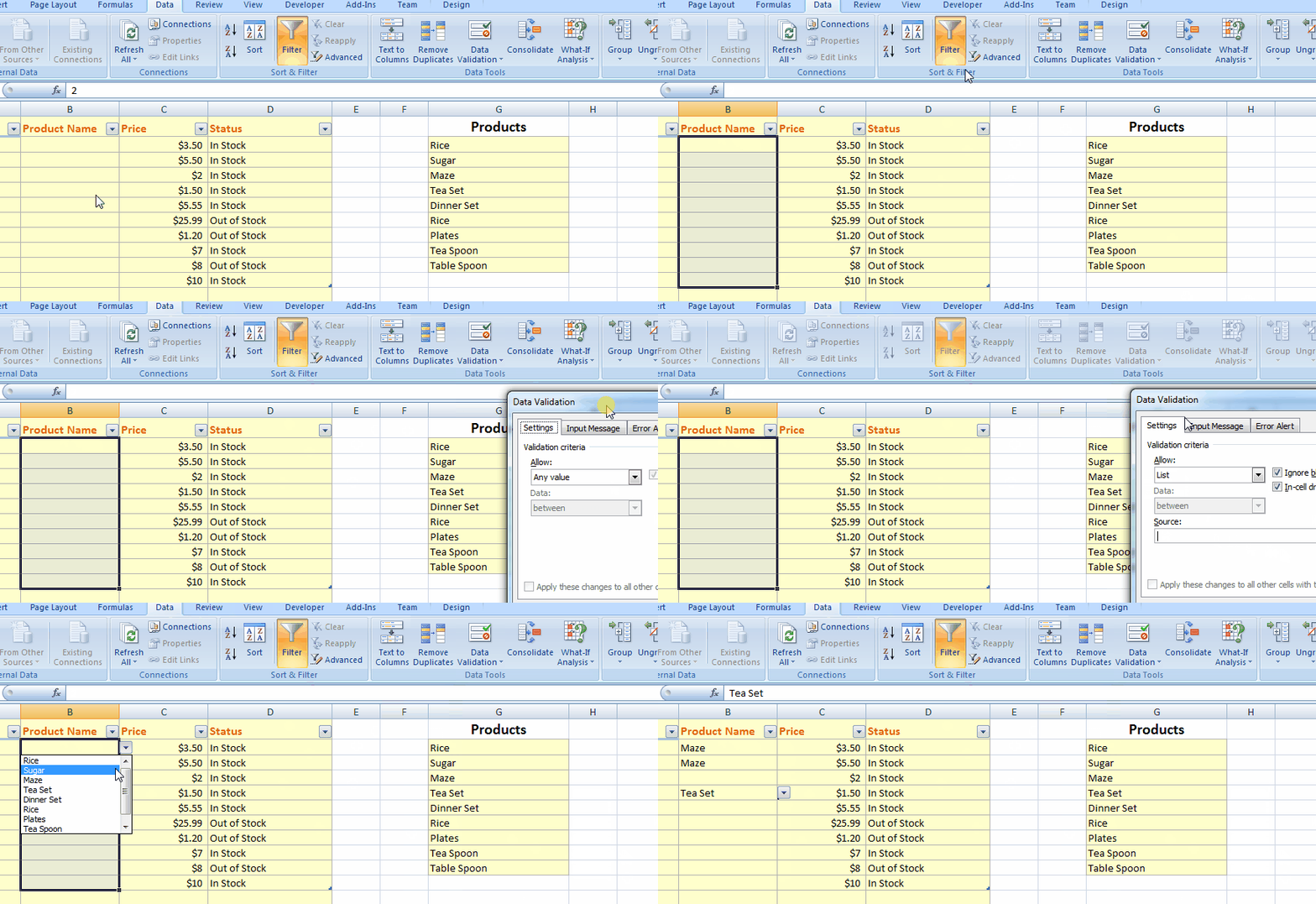
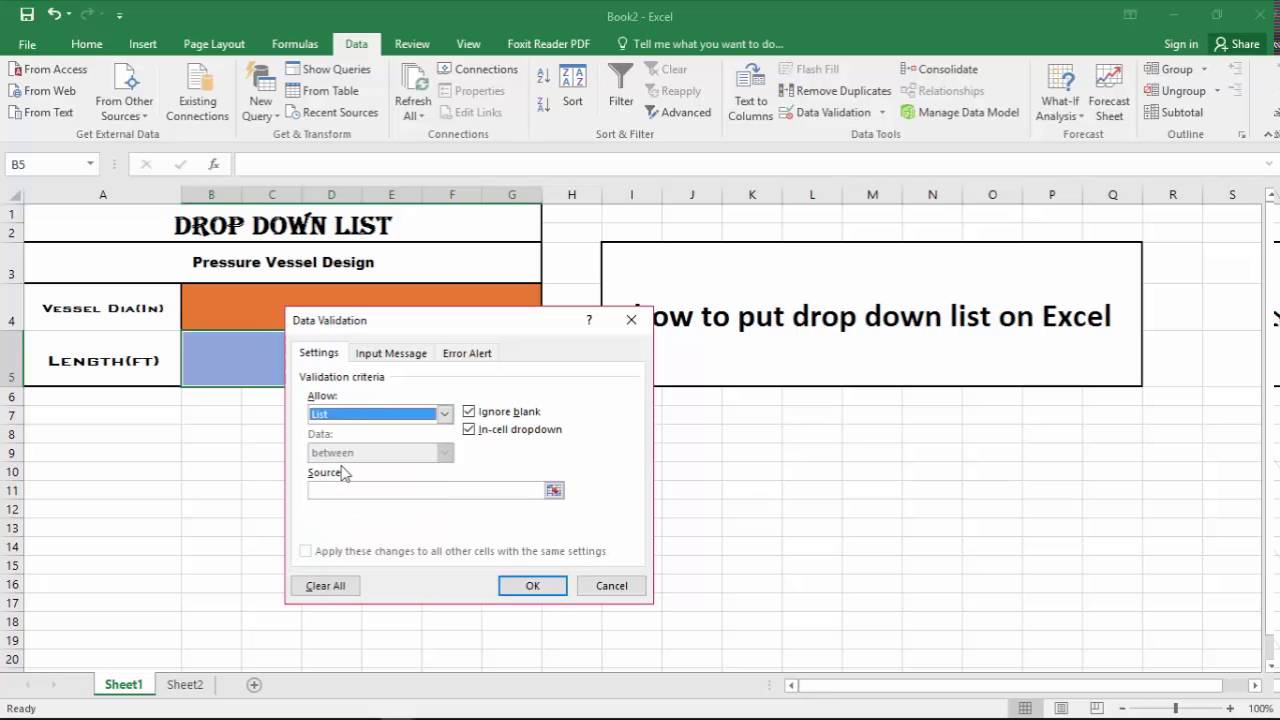
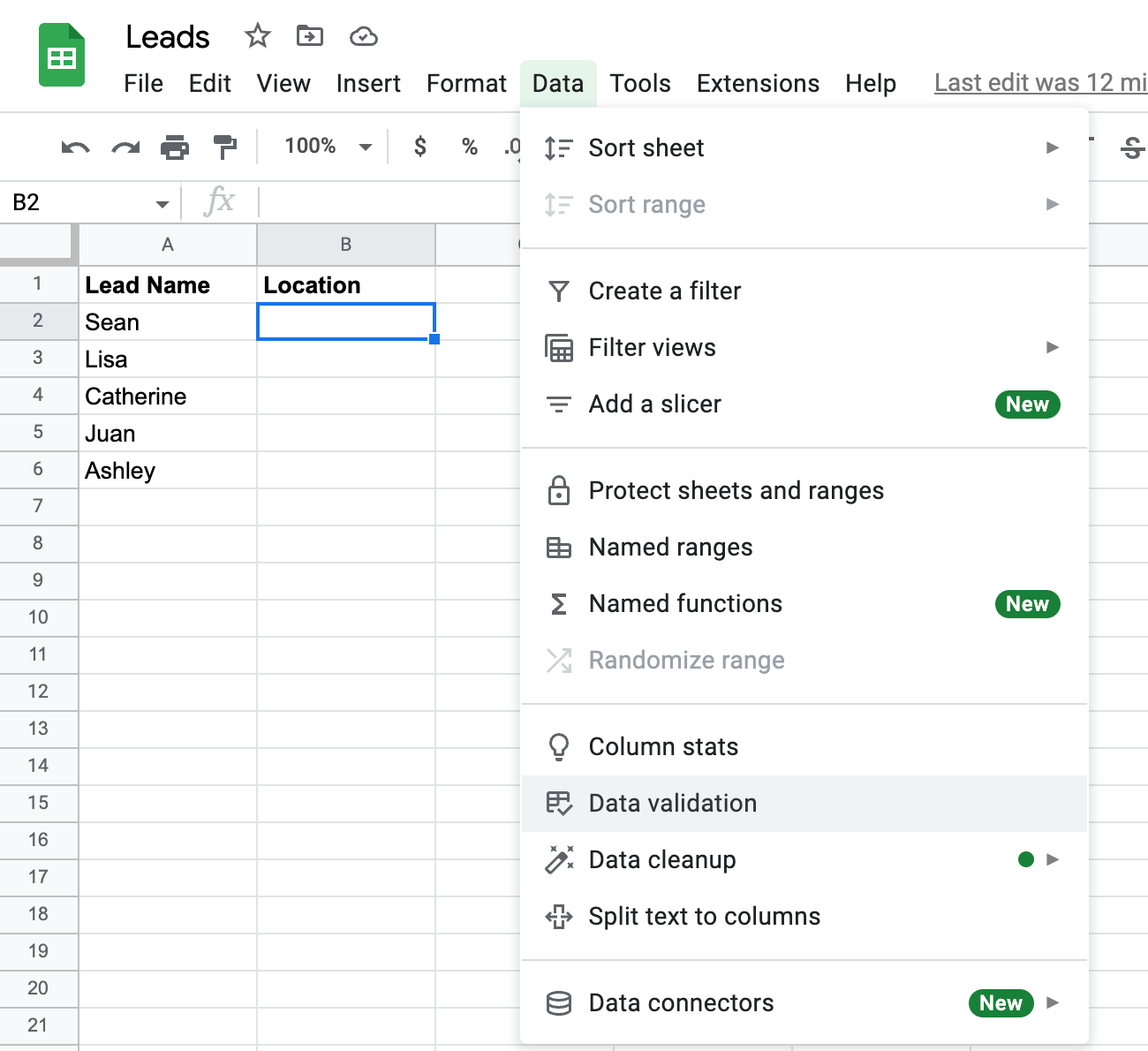
Web Create a list of valid entries for the drop down list typed on a sheet in a single column or row without blank cells Select the cells that you want to restrict data entry in On the Data tab under Tools select Data Validation or Validate
Pre-crafted templates use a time-saving solution for producing a diverse series of files and files. These pre-designed formats and designs can be utilized for different individual and professional projects, consisting of resumes, invites, leaflets, newsletters, reports, discussions, and more, simplifying the material production procedure.
Excel Dropdown List Based On Criteria
How To Create Dependent Drop Down Lists Excel Campus Vrogue
Excel Drop Down List From Table Name Printable Forms Free Online
Create Dropdown In Excel Creating A Drop Down List In Excel 2010 Riset

Data Validation List Based On Criteria The JayTray Blog
How To Create A Drop Down List In Google Sheets On Ipad BEST GAMES
How To Use Google Spreadsheet Data Validation To Create A Multiple

Web Apr 5 2023 nbsp 0183 32 See how to make a dependent dropdown list in Excel by using dynamic array functions Create multiple dropdown make the list expandable have the items sorted alphabetically and more Ablebits blog

Web 1 Select the range of cells In this case E3 E6 where you want to insert the conditional drop down list 2 Go to the Data tab select Data Validation 3 In the Data Validation dialog box you need to configure as follows 1 Stay in the Settings tab 2 Select List in the Allow drop down list 3 Enter the following formula in the Source box
Web Aug 27 2020 nbsp 0183 32 We need two Excel drop down lists The first Excel drop down list will set the condition the region The second Excel drop down list will display the representatives in that
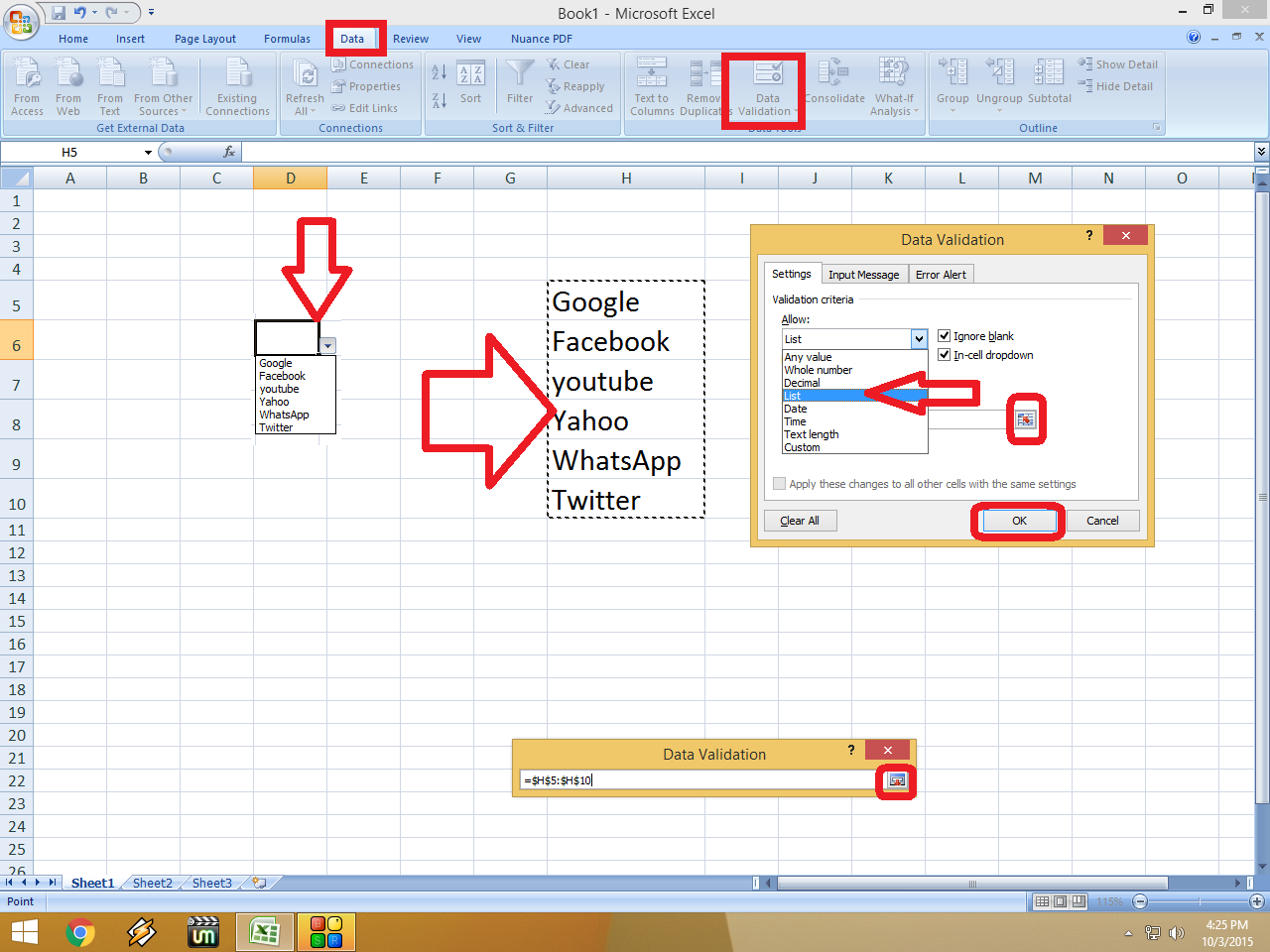
Web Apr 5 2023 nbsp 0183 32 Go to the Data tab click Data Validation and set up a drop down list based on a named range in the usual way by selecting List under Allow and entering the range name in the Source box For the detailed steps please see Making a drop down list based on a named range As the result you will have a drop down menu in your worksheet similar to

Web Sep 21 2023 nbsp 0183 32 In the Ribbon go to Data gt Data Tools gt Data Validation Choose List from the Allow drop down and then type in the formula IF C 2 quot Fruit quot fruit IF C2 quot Vegetables quot vegetables IF C2 quot Meat quot meat seafood Once again the formula uses range names Choose the food type from the first drop down list
Web Feb 7 2014 nbsp 0183 32 This post explores macro free methods for using Excel s data validation feature to create an in cell drop down that displays choices depending on the value selected in a previous in cell drop down Overview As with just about anything in Excel there are several ways to achieve the goal Web Jul 20 2021 nbsp 0183 32 Creating the Dependent Drop Down List Once all of your list items are in a sheet and named it s time to create the second drop down list You ll use the Data Validation feature in Excel just like when creating your first
Web 5 days ago nbsp 0183 32 Data Validation dropdown lists are very useful for guiding or restricting a user as to what input they can use in certain cells to help avoid errors There are many ways of constructing dropdown lists including from a comma separated list a range a named range a table or a dynamic array