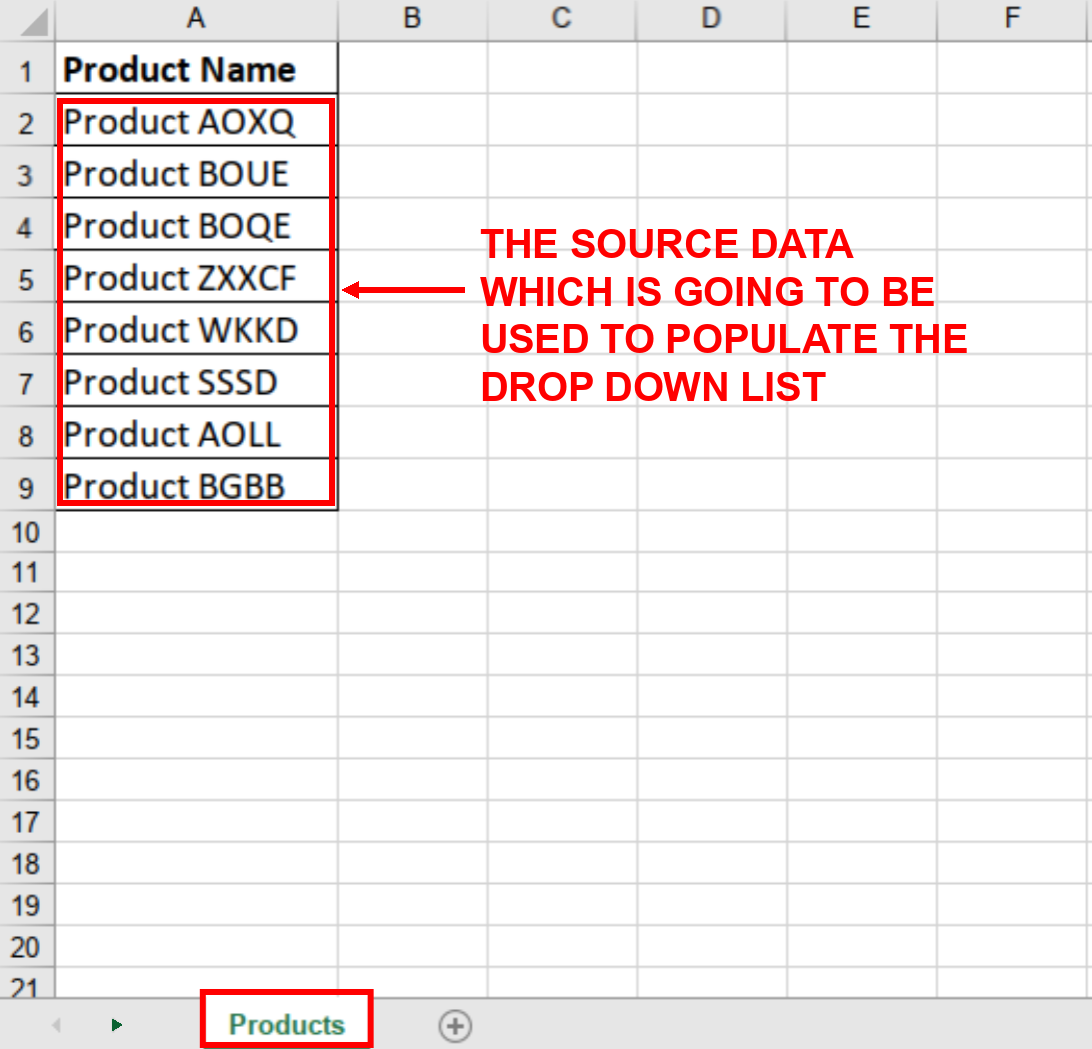
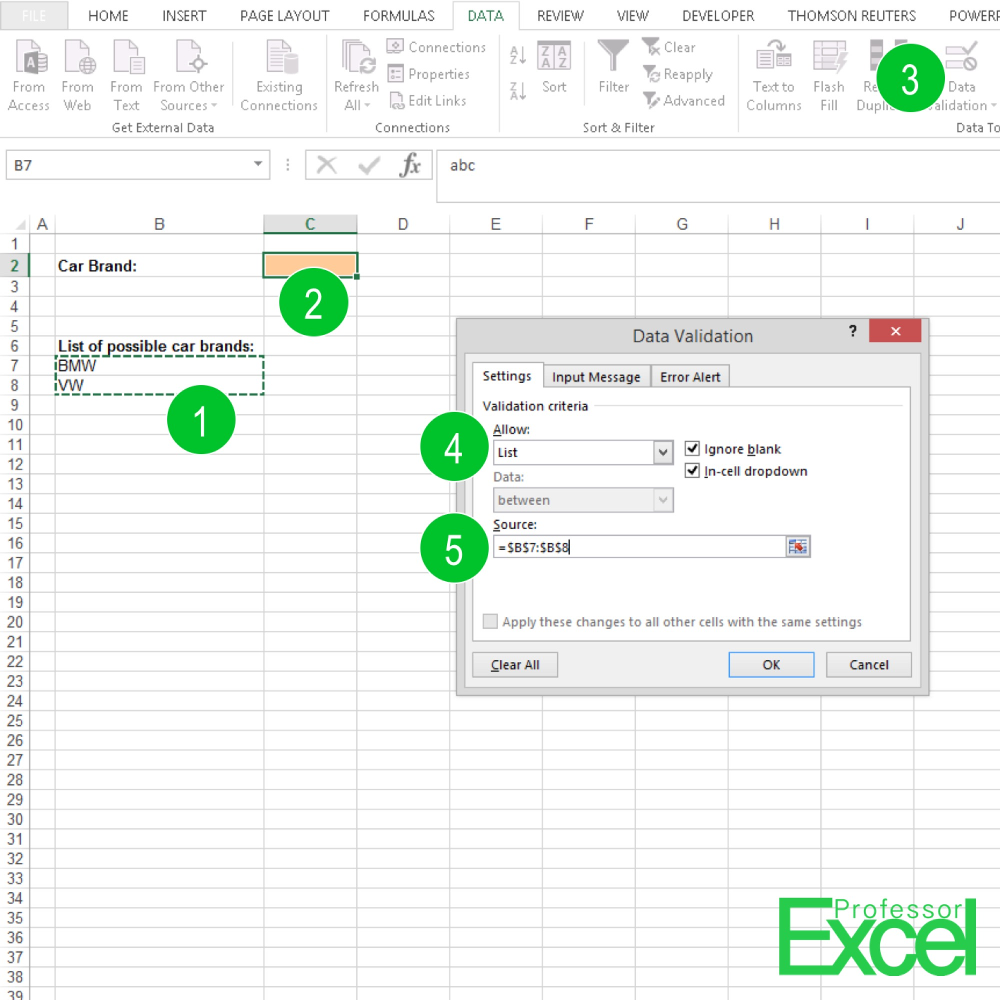
Excel Drop Down List Value And Text Create A Drop Down List In Excel Using Named Range How To Create A Dropdown List In Microsoft Excel Vrogue Excel Drop Down List Drop Down Lists In Excel Cells How To Create How To Create Drop Down List In Excel Dynamic Editable Searchable Create Drop Down List In Excel Subtitlemt Web Drop down lists in Excel are helpful if you want to be sure that users select an item from a list instead of typing their own values Create Drop down List To create a drop down list in Excel execute the following steps 1 On the second sheet type the items you want to appear in the drop down list
Web Feb 7 2024 nbsp 0183 32 Right click on the cell and select Pick From Drop down List A dropdown will be instantly created in that cell based on the values above The nice thing about this feature is it will only show a list of unique values and they will be sorted in alphabetical order Web Nov 28 2022 nbsp 0183 32 We cannot enter text into the drop down list therefore it is not possible to select an invalid entry Form controls are not compatible with Excel Online ActiveX drop down list Now for the final type of drop down list in Excel ActiveX drop down list Click Developer gt Insert gt Combo Box ActiveX Control
Create Drop Down List In Excel Subtitlemt Drop Down List Excel Emoji Sentimental Leadership Symbols Names Cara Membuat List Di Excel Produkmania Com Riset How To Make A Drop Down List In Excel Bsuperior Hot Sex Picture How To Edit Drop Down List In Excel Steps To Edit Drop Down List Managing Theme Attributes Excel Survey Template With Drop Down List Printable Templates How To Make A Drop Down List In Excel With Formatting Lucklsa How To Add A Drop down List To A Cell In Microsoft Excel Technotrait
Excel Drop Down List Value And Text
 Excel Drop Down List Value And Text
https://www.acuitytraining.co.uk/wp-content/uploads/2021/10/1.png
Web Sep 27 2023 nbsp 0183 32 Select your drop down s list values on the spreadsheet Click and drag the cursor to select the list of values you want in the drop down For example if you have quot New York quot quot Boston quot and quot Los Angeles quot in cells A1 A2 and A3 make sure to select the cell range from A1 to A3
Pre-crafted templates offer a time-saving solution for developing a diverse variety of files and files. These pre-designed formats and designs can be utilized for various individual and professional projects, consisting of resumes, invites, flyers, newsletters, reports, presentations, and more, improving the material production process.
Excel Drop Down List Value And Text
Create A Drop Down List In Excel Using Named Range

Drop Down List Excel Emoji Sentimental Leadership Symbols Names

Cara Membuat List Di Excel Produkmania Com Riset
How To Make A Drop Down List In Excel Bsuperior Hot Sex Picture
Managing Theme Attributes
Excel Survey Template With Drop Down List Printable Templates

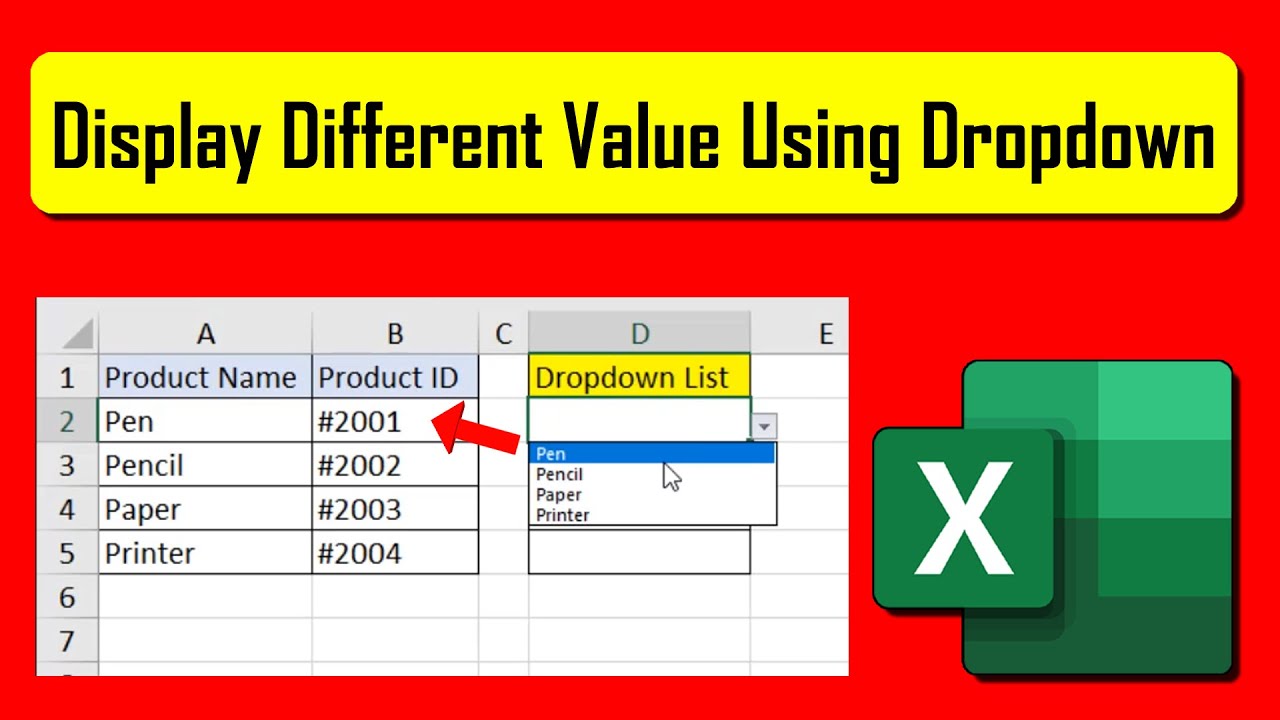
Web Create drop down list but show different value in drop down list cell Microsoft Visual Basic for applications VBA code Display different value from the drop down list If Target Column 5 Then Find Highlight or Identify Duplicates VLookup Across Multiple Sheets Multi select Drop Down List
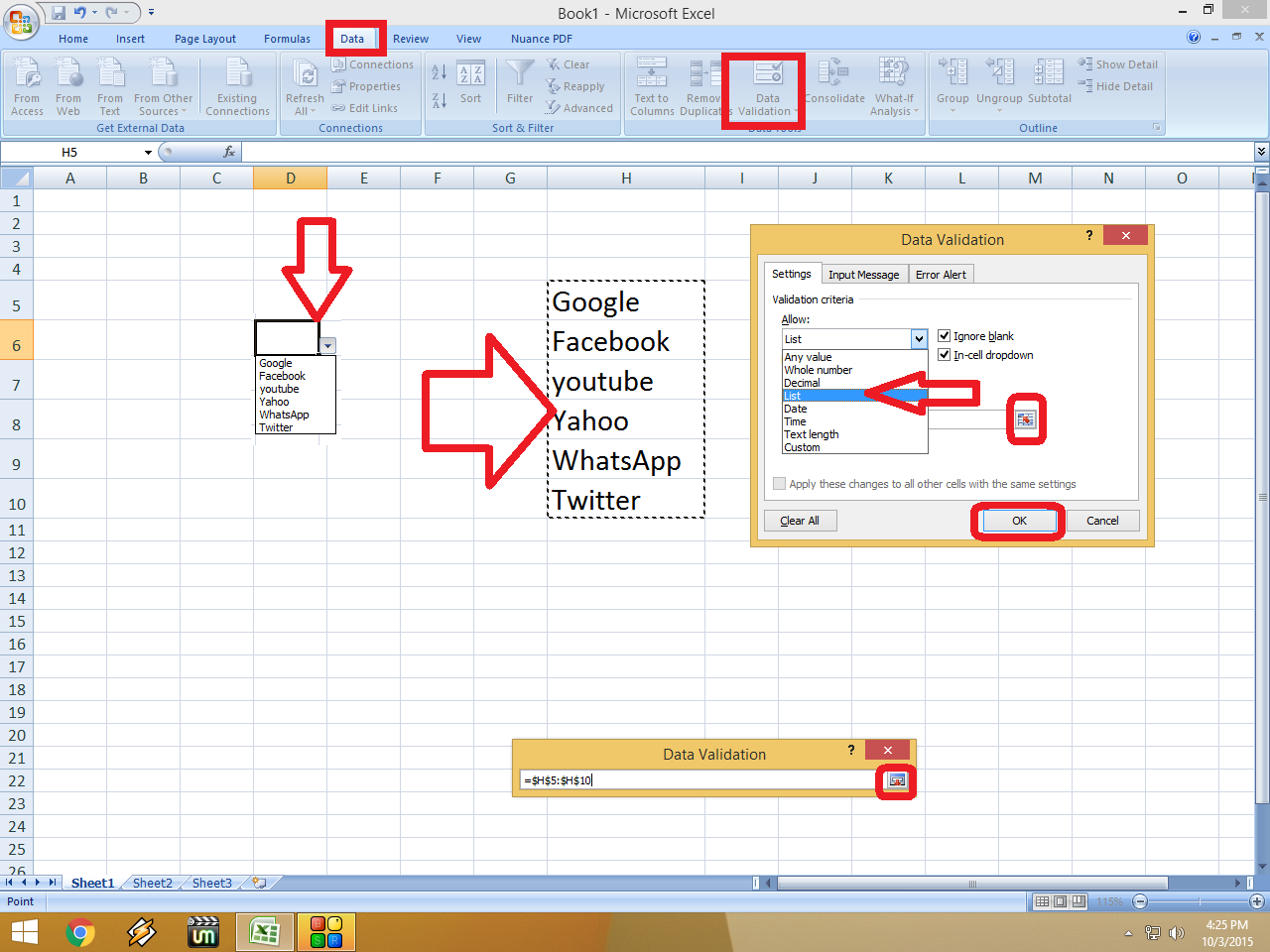
Web 1 Select the cells which contain the drop down lists you have already created and then click Data gt Data Validation gt Data Validation See screenshot 2 In the Data Validation dialog box uncheck the Show error alert after invalid data is entered box under Error Alert tab then click the OK button
Web Dec 20 2023 nbsp 0183 32 How to Link a Cell Value with a Drop Down List 5 Unique Ways Linking a cell value with your drop down list makes the list more dynamic and efficient All data relating to the list will then automatically update Let s learn 5 different ways to to link a cell value with an Excel drop down list
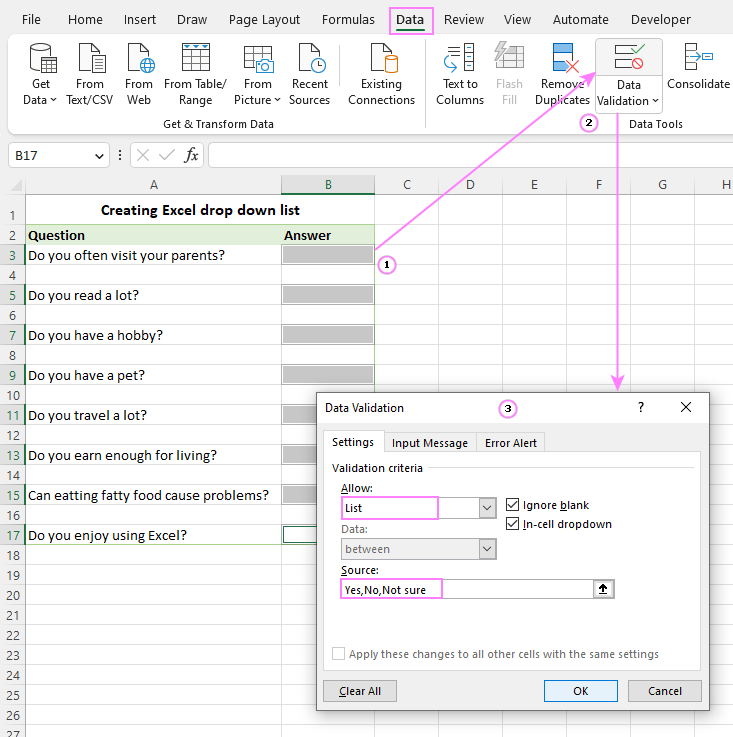
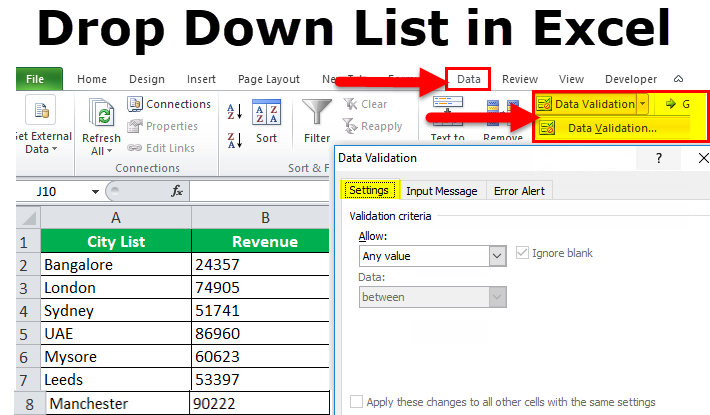
Web Sep 27 2023 nbsp 0183 32 Here are the steps Select one or more cells where you want the picklist to appear This can be a single cell a range of cells or a whole column To select multiple non contiguous cells press and hold the Ctrl key On the Data tab in the Data Tools group click Data Validation

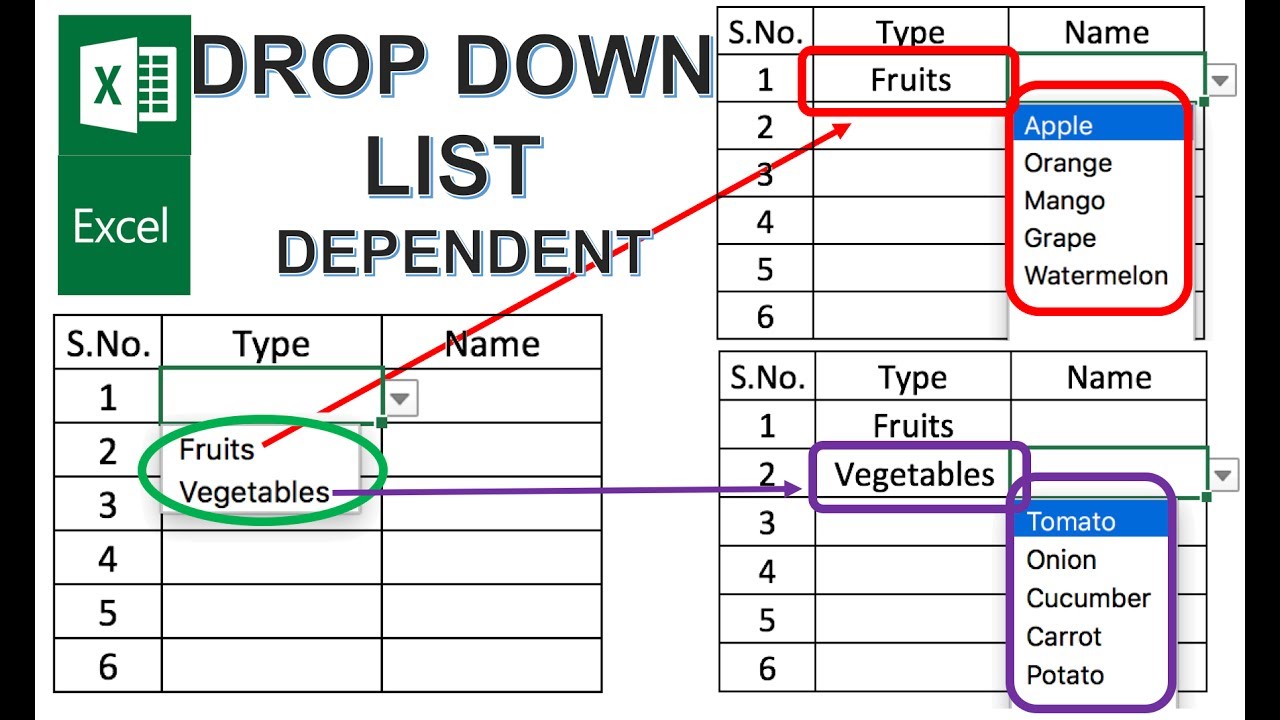
Web Apr 5 2023 nbsp 0183 32 UNIQUE A3 A15 The formula goes to G3 and after pressing the Enter key the results spill into the next cells automatically 2 Create the main drop down To make your primary drop down list configure an Excel Data Validation rule in this way Select a cell in which you want the dropdown to appear D3 in our case
Web Here are the steps to create an Excel Drop Down List Select a cell where you want to create the drop down list Go to Data gt Data Tools gt Data Validation In the Data Validation dialogue box within the Settings tab select List as the Validation criteria As soon as you select List the source field appears Web Nov 28 2011 nbsp 0183 32 Set the Allow dropdown to List Set the Source range to the first part of your list Click on OK User messages can be added if required In a cell enter a formula like this VLOOKUP A2 D 3 E 5 2 FALSE which will return the matching value from the second part of your list Form control drop down Alternatively Form controls can be
Web Feb 23 2022 nbsp 0183 32 To add an item go to the last row in the column press Enter or Return enter the new list item and press Enter or Return again When you select the drop down list you ll see the additional item in the selection To remove an item right click and choose Delete gt Table Rows This removes the item from the table and the list