Excel Csv Escape Quotes Daguerreotypes Quotes Top 1 Famous Quotes About Daguerreotypes CSV Escape Character Is Not Getting Applied Using Transform Message MuleSoft Help Center Csv Excel Escape Double Quotes Top 5 Famous Quotes About Csv Excel Escape Double Office Applications How To Import A CSV File To Excel CSV Is A Common Format For Storing And Dataframe R How To Extract Variable From Row Values Stack Overflow To escape commas in a CSV file so they don t break the formatting wrap the entire field that contains a comma in double quotes csv one two three four five The second field two three contains a comma so we had to wrap it in double quotes to treat the comma as a literal character and not as a separator
Hello you can change your file format to CSV You need to do the following Click on File Select Save As Selec the folder where you need to save your document Select Save as type Click on the dropdown arrow to choose the new format e g CSV file UTF 8 Comma delimited There are two ways to escape quotes in formulas in Excel Method 1 Wrap Quotes Around Quotes CONCATENATE A2 Method 2 Use CHAR 34 CONCATENATE CHAR 34 A2 CHAR 34 Both of these formulas will wrap the string in cell A2 in double quotes Note The function CHAR 34 corresponds to double quotes in the current Unicode table
Dataframe R How To Extract Variable From Row Values Stack Overflow Online CSV Escape Unescape How To Use Escape Characters Learn CSV Technically Advanced Quotes Top 1 Famous Quotes About Technically Advanced Escape Character Escape Quotes Creative Web Design Stock Quotes New Thought Computer Csv Excel Escape Double Quotes Top 5 Famous Quotes About Csv Excel Escape Double Save Excel As CSV With Double Quotes 3 Simplest Methods ExcelDemy Excel For Mac Escape Single Quotes In Csv Lenajournal Escape JSON Online
Excel Csv Escape Quotes
 Excel Csv Escape Quotes
http://www.wisefamousquotes.com/images/daguerreotypes-quotes-by-edgar-allan-poe-2067828.jpg
1 I thought there were two ways to do this either enclose the field containing the comma in quotes or place a backslash before the comma
Pre-crafted templates offer a time-saving service for producing a diverse variety of files and files. These pre-designed formats and designs can be made use of for numerous individual and expert jobs, consisting of resumes, invitations, leaflets, newsletters, reports, presentations, and more, simplifying the material production procedure.
Excel Csv Escape Quotes

Jambalaya Rice Quotes Top 6 Famous Quotes About Jambalaya Rice

Online CSV Escape Unescape
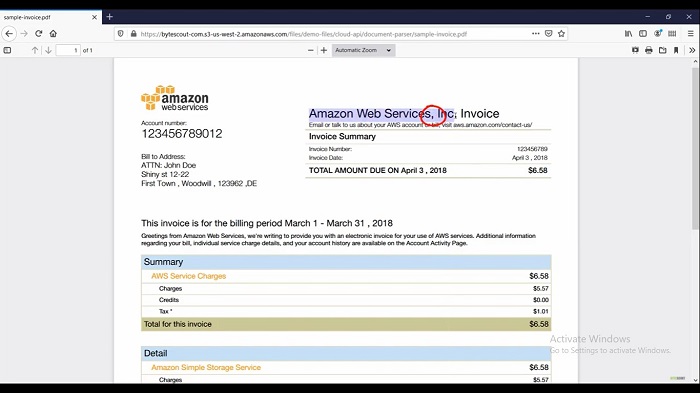
How To Use Escape Characters Learn CSV

Technically Advanced Quotes Top 1 Famous Quotes About Technically Advanced

Csv Excel Escape Double Quotes Top 5 Famous Quotes About Csv Excel Escape Double
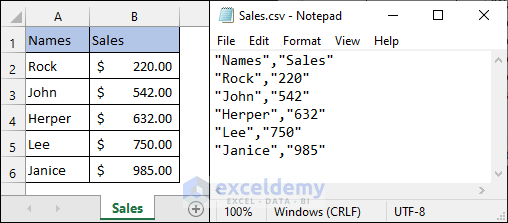
Save Excel As CSV With Double Quotes 3 Simplest Methods ExcelDemy

Anonymous 19 1 6 The issue is when I open it in notepad these values become it has nothing to do with OPEN or NOTEPAD those double quotes are already added when you save the file Depending on the tool you use to save the file you might be able to change string delimiter
1 Use Custom Format to Save Excel as CSV with Double Quotes Imagine you have the following dataset You want to save it as a CSV file with cell values wrapped in double quotes Then follow the steps below Steps First select the entire range A1 B6 of the dataset Then press CTRL 1 to open the Format Cells window

Not able to do a double quote in number field Highlight the cells you want to add the quotes Go to Format Cells Custom Copy Paste the following into the Type field Click okay Be happy you didn t do it all by hand This work well for alpha you will need for columns with numeric values
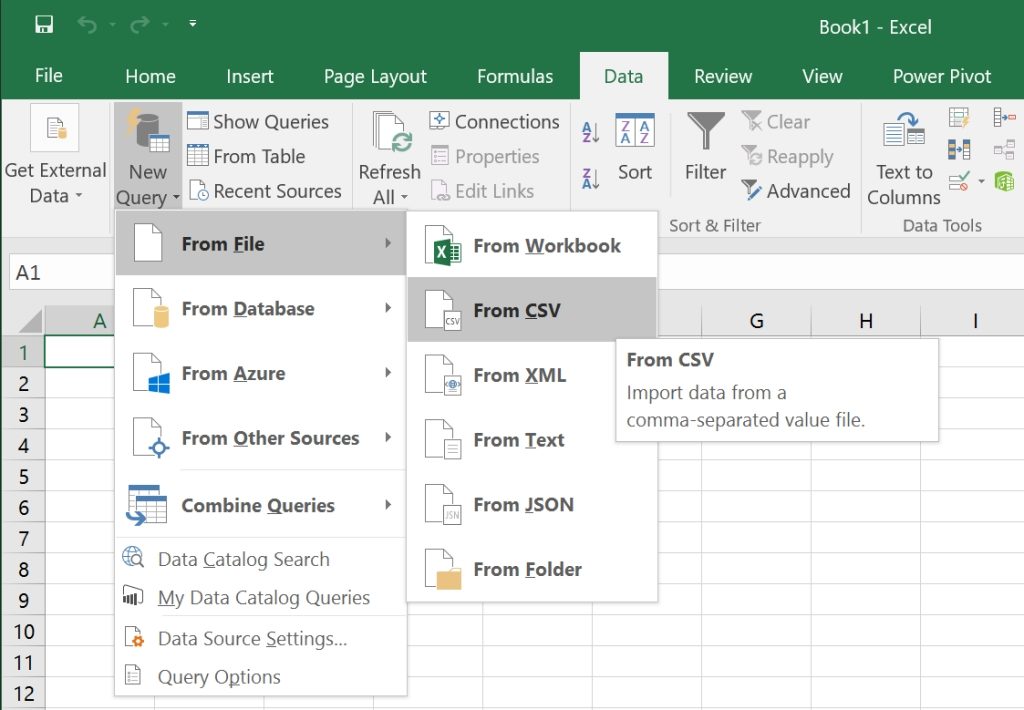
Each of the embedded double quote characters must be represented by a pair of double quote characters 1997 Ford E350 Super luxurious truck So a csv file needs those double quotes to be escaped by using another set of double quotes because the double quote by itself denotes the boundaries of a field

How to fix this issue It s very simple Open the CSV file in the text editor Here what you need to do is in this company name just add the value inside the double quotes Save this file and open it in Excel
This tutorial demonstrates how to use escape double quotes in Excel and Google Sheets Escape Double Quotes If you want to display quotation marks in a cell you need to insert them in a special way Double quotes are used to enclose strings of text in formulas and don t show up in the cell 1 First get the customer to follow RFC 4180 and enclose in double quotes the fields that contain commas or newline characters If you are building your own data processing pipeline you can look at github dbro csvquote which can let tools like awk cut sort wc etc properly ignore the embedded commas and newlines D Bro
22 Make sure there a no spaces between your separated values and wrap each field in quotes 1 2 3 4 Will import into 2 cells the first having 1 2 and the second having 3 4 Share Improve this answer Follow edited May 20 2021 at 2 05 StayOnTarget 1 221 2 15 27 answered Jul 11 2011 at 11 49 Leom Burke 441 2 5 4 This did the trick for me