Excel Convert Value To Text How To Convert Number To Text In Excel 4 Quick Ways Converts Text To Numbers In Excel 8 Different Ways Data Analytics Microsoft Excel Free Training Excel TEXT And VALUE Function How To Is There Formula To Convert Value To Text Apple Community How To Change A Text Formatted Cell To A Apple Community Web Convert Numbers to Text in Excel Adding an Apostrophe Converting Cell Format to Text Using the TEXT Function Using Text to Columns Why Convert Numbers to Text in Excel When working with numbers in Excel it s best to keep these as numbers only But in some cases having a number could actually be a problem
Web 18 jun 2019 nbsp 0183 32 The Excel TEXT Function 1 is used to convert numbers to text within a spreadsheet Essentially the function will convert a numeric value into a text string TEXT is available in all versions of Excel Formula Text Value format text Where Value is the numerical value that we need to convert to text Web Use the SpellNumber function in individual cells Type the formula SpellNumber A1 into the cell where you want to display a written number where A1 is the cell containing the number you want to convert You can also manually type the value like SpellNumber 22 50 Press Enter to confirm the formula
How To Change A Text Formatted Cell To A Apple Community How To Calculate Early Or Late For Working In Excel With Example Excel Convert Text To Number With Formula And Other Ways Ablebits Elementare Omosessuale Meccanico Excel Convert Number To String NUMBERS Convert Text Into Number Apple Community How To Convert Text To A Number In Excel 2007 YouTube 30 Excel Formula Convert Text To Number Transparant Formulas Is There Formula To Convert Value To Text Apple Community Per Mille How To Show Excel Values Per Mille
Excel Convert Value To Text
 Excel Convert Value To Text
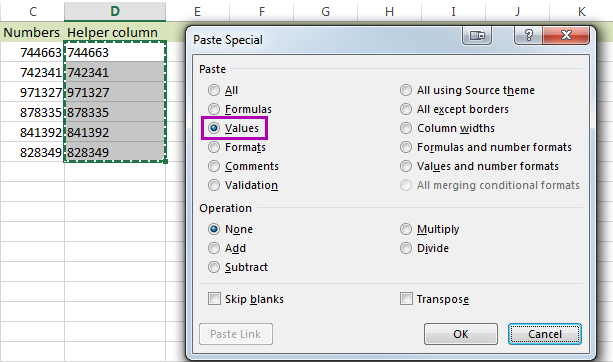
https://cdn.ablebits.com/_img-blog/convert-number-text/excel-paste-special-values.png
Web Click Special Click Current array Click Copy Click Paste Click the arrow next to Paste Options and then click Values Only The following example shows a formula in cell D2 that multiplies cells A2 B2 and a discount derived from C2 to calculate an invoice amount for a
Templates are pre-designed documents or files that can be utilized for numerous purposes. They can conserve time and effort by providing a ready-made format and layout for producing various type of material. Templates can be utilized for individual or expert jobs, such as resumes, invites, flyers, newsletters, reports, presentations, and more.
Excel Convert Value To Text
Text To Converter Molqyhappy
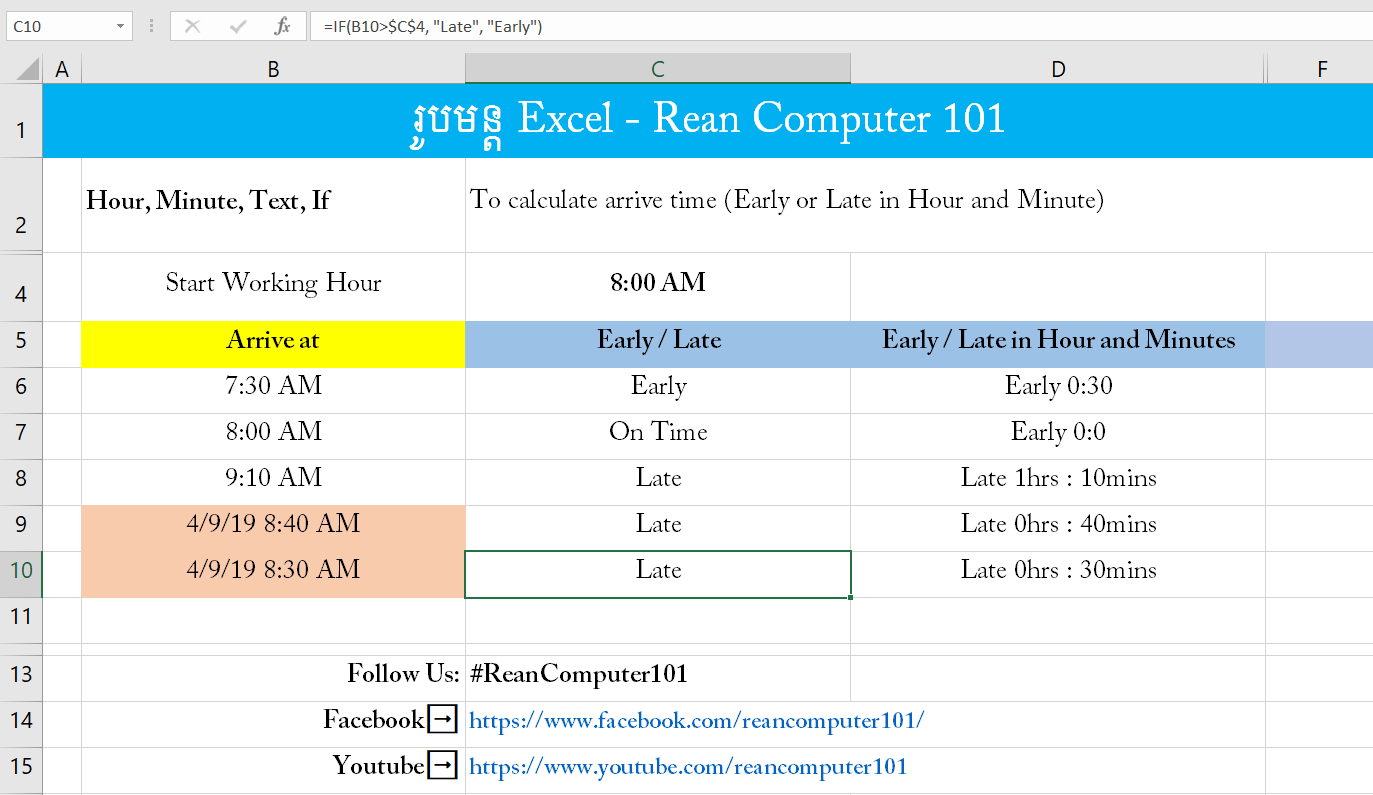
How To Calculate Early Or Late For Working In Excel With Example
Excel Convert Text To Number With Formula And Other Ways Ablebits
Elementare Omosessuale Meccanico Excel Convert Number To String
How To Convert Text To A Number In Excel 2007 YouTube
30 Excel Formula Convert Text To Number Transparant Formulas
Web Formula Description TEXT 1234 567 quot 0 00 quot Currency with a thousands separator and 2 decimals like 1 234 57 Note that Excel rounds the value to 2 decimal places TEXT TODAY quot MM DD YY quot Today s date in MM DD YY format like 03 14 12 TEXT TODAY quot DDDD quot Today s day of the week like Monday

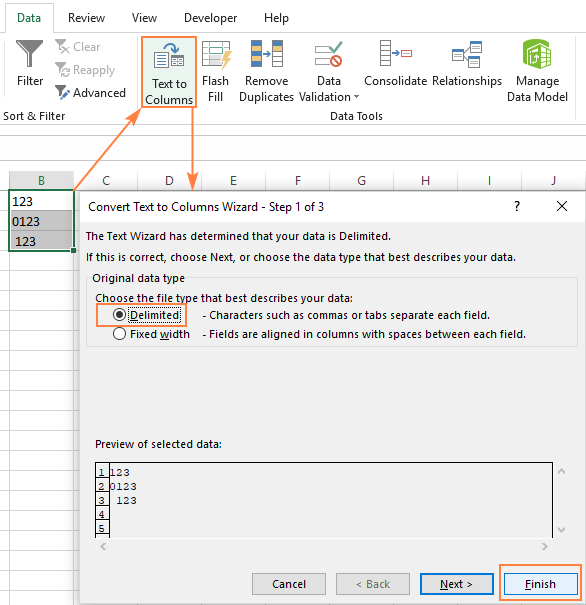
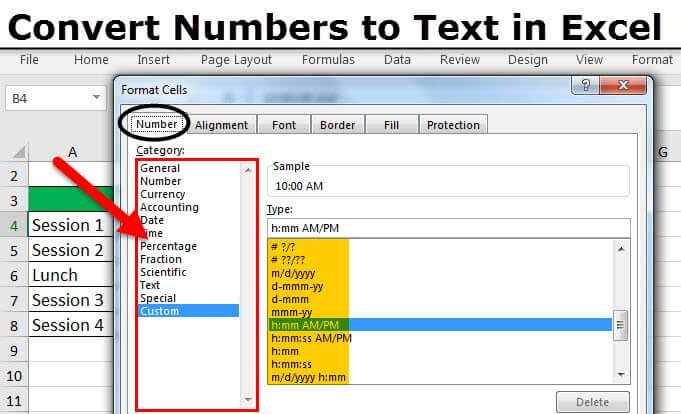
Web 22 mrt 2023 nbsp 0183 32 Use the Format Cells option to convert number to text in Excel Add an apostrophe to change number to text format Convert numbers to text in Excel with Text to Columns wizard Convert number to text using the Excel TEXT function The most powerful and flexible way to convert numbers to text is using the TEXT function

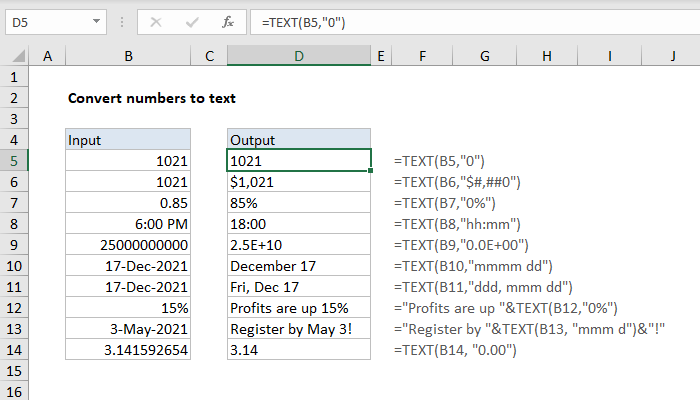
Web To convert numbers into text values you can use the TEXT function In the example shown the formula in C5 is TEXT B5 quot 0 quot The result is the number 1021 formatted as text quot 1021 quot All numbers in column D are formatted as text with the formulas seen in column F Generic formula TEXT A1 quot 0 quot Explanation
Web Syntax VALUETOTEXT value format Usage notes The VALUETOTEXT function converts a value to a text string By default text values pass though unaffected However in strict mode text values are enclosed in double quotes quot quot VALUETOTEXT will always remove number formatting applied to numeric values regardless of format
Web How to select cells or a range Tip You can also select empty cells and then enter numbers after you format the cells as text Those numbers will be formatted as text On the Home tab in the Number group click the arrow next to
[desc-11] [desc-12]
[desc-13]