Excel Conditional Formatting Values Greater Than Excel Conditional Formatting Tutorial With Examples 2023 Excel Conditional Formatting If A Cell Is Greater Than Another One Less Than And Greater Than In Excel How To Use Conditional Formatting To Find Duplicate Data In Excel Excel Conditional Formatting To Highlight Cells With Formulas Riset WEB You can use conditional formatting in Excel to quickly highlight cells that contain values greater less than a specified value For example highlighting all cells with sales value
WEB Jul 1 2024 nbsp 0183 32 Learn how to find the numbers greater than other numbers in excel applying different logical arguments functions and VBA codes WEB I want to format the numbers in column B relative to the values in column A So if B is equal to or greater than A format it green If A is greater than B format it red
Excel Conditional Formatting To Highlight Cells With Formulas Riset Trending Excel Conditional Formatting Formula If Cell Contains Text PNG Formulas How To Conditional Formatting Values Not Between Two Numbers In Excel Youtube Conditional Formatting Excel 2016 Bigvlero Excel Conditional Formatting Definition Vastbarcode Get Excel Formula Greater Than Or Equal To Conditional Formatting Gif Formulas Custom Formatting Excel Opiastashok Gallerie Dellaccademia Venezia Prezi Presentations Excel Conditional Formatting Based On A Formula Youtube Riset
Excel Conditional Formatting Values Greater Than
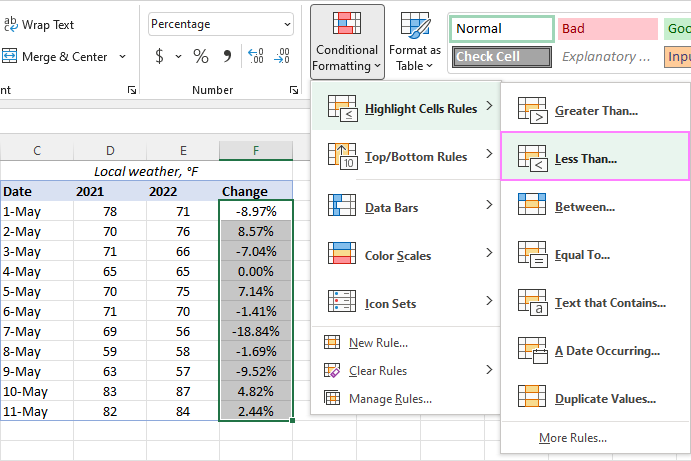 Excel Conditional Formatting Values Greater Than
https://cdn.ablebits.com/_img-blog/conditional-formatting/new/hightlight-cells-rules.png
WEB To apply conditional formatting based on a value in another cell you can create a rule based on a simple formula In the example shown the formula used to apply conditional formatting to the range C5 G15 is C5 gt
Templates are pre-designed files or files that can be utilized for different functions. They can conserve effort and time by supplying a ready-made format and design for creating various type of content. Templates can be used for personal or professional projects, such as resumes, invitations, leaflets, newsletters, reports, discussions, and more.
Excel Conditional Formatting Values Greater Than
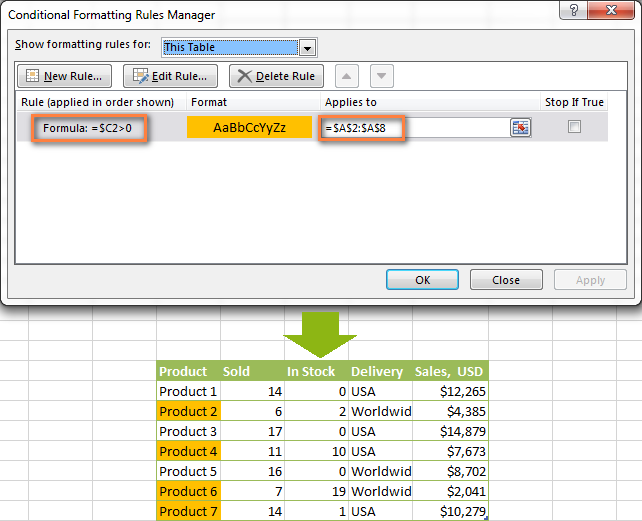
44 Excel Format If Formula Background Formulas
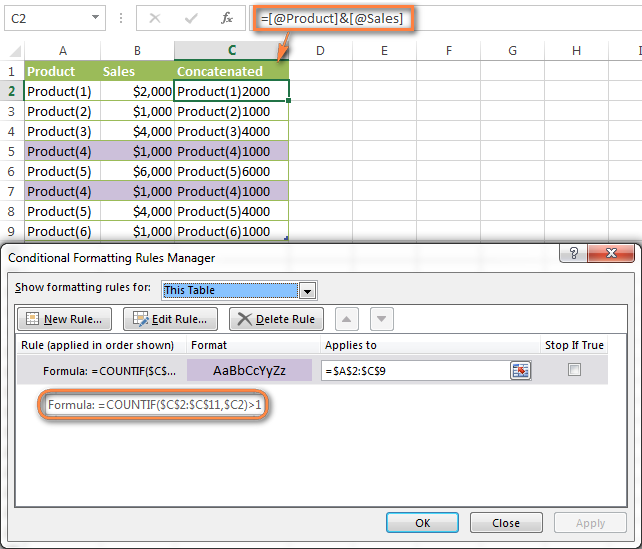
Trending Excel Conditional Formatting Formula If Cell Contains Text PNG Formulas
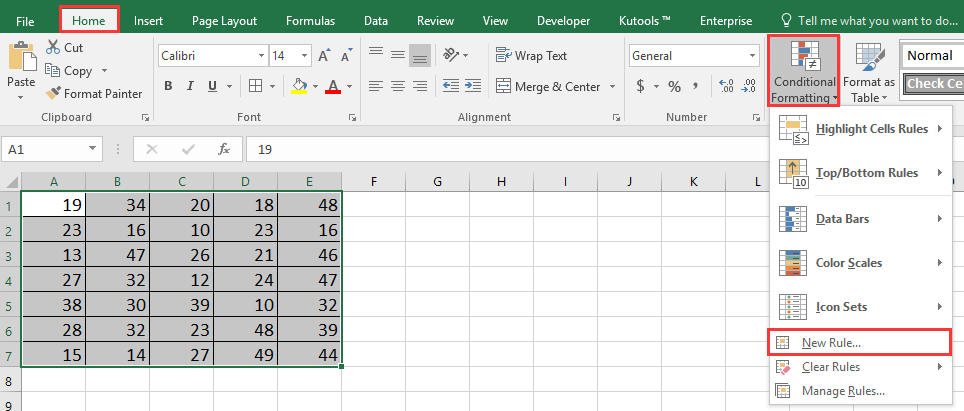
How To Conditional Formatting Values Not Between Two Numbers In Excel
Youtube Conditional Formatting Excel 2016 Bigvlero
Get Excel Formula Greater Than Or Equal To Conditional Formatting Gif Formulas
Custom Formatting Excel Opiastashok
WEB If you want to highlight cells that are quot greater than X quot with conditional formatting you can use a simple formula that returns TRUE when a cell value is greater than X For example if you have numbers in the cells

WEB Jul 27 2024 nbsp 0183 32 To effectively analyze data it s often useful to highlight cell values that are greater than or less than a certain value This is easy to do with the pre built conditional
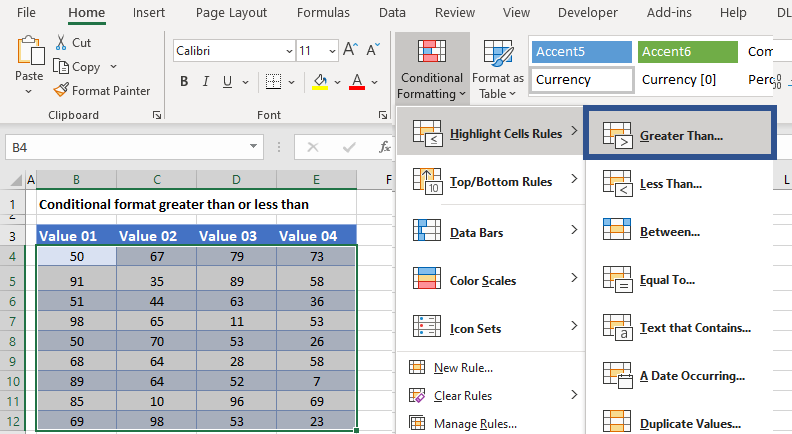
WEB Apr 30 2024 nbsp 0183 32 Steps Select the cell or cell range We selected the cell range D5 D10 Go to the Home tab and select Conditional Formatting Under Highlight Cells Rules select Greater Than A dialog box will pop

WEB The examples shown here work with examples of built in conditional formatting criteria such as Greater Than and Top This formats cities with a population greater than
WEB To apply conditional formatting based on a value in another column you can create a rule based on a simple formula In the example shown the formula used to apply conditional formatting to the range D5 D14 is
WEB Use conditional highlighting to highlight cells less than or greater than a value In the example below you will set conditional formatting so that a cell Turns dark Blue if it WEB Aug 24 2023 nbsp 0183 32 If you want to apply conditional formatting based on another cell or format an entire row based on a single cell s value then you will need to use formulas So let s
WEB Nov 2 2023 nbsp 0183 32 End to end tutorial will teach you how to use Conditional Formatting in Excel apply preset rules and create new ones copy existing formatting to other data do