Excel Color Code Cell Based On Value Change Color Of Cell Based On Value Google Sheets Fr AsriPortal Change Cell Colour Based On Value Online Excel Training AuditExcel co za Can You Color Code In Excel Psoriasisguru Excel Fun O Vba Para Matriz De Combina Es De Cores Rgb E Procedimento Para Web Mar 23 2023 nbsp 0183 32 Change the background color of cells based on value dynamically The background color will change automatically when the cell value changes Change a
Web Apr 13 2023 nbsp 0183 32 How to change the row color based on a cell value in Excel by Svetlana Cheusheva updated on April 13 2023 Learn how to quickly highlight the entire row Web Jan 16 2024 nbsp 0183 32 Here is how we can color code cells based on text value in Excel Select the range of cells Go to the Home tab gt Styles group gt Conditional Formatting gt New Rule In the New Formatting Rule dialog
Fun O Vba Para Matriz De Combina Es De Cores Rgb E Procedimento Para Automatically Color Coding Your Cells In Excel Based On Text Exemple How To Use Conditional Formatting To Highlight Absolute Values In Excel Excel Count Chisoku How To Color Chart Based On Cell Color In Excel 2022 Change Chart Color Based On Value In Excel Color The Chart Bars Based On Cell Value With Ease In Excel Excel Pie Chart Color Based On Value Chart Walls Color The Chart Bars Based On Cell Value With Ease In Excel
Excel Color Code Cell Based On Value
 Excel Color Code Cell Based On Value
https://i2.wp.com/blog.sheetgo.com/wp-content/uploads/2017/11/change5.png
Web Mar 28 2023 nbsp 0183 32 Highlight the cells you wish to format and then in the Menu select Format gt Conditional formatting In the format rules drop down box there is a long list of formats you can apply For this example select
Templates are pre-designed files or files that can be utilized for various purposes. They can conserve effort and time by supplying a ready-made format and design for developing various kinds of content. Templates can be used for personal or expert projects, such as resumes, invites, flyers, newsletters, reports, discussions, and more.
Excel Color Code Cell Based On Value

Excel Pie Chart Color Based On Value Chart Walls

Automatically Color Coding Your Cells In Excel Based On Text Exemple

How To Use Conditional Formatting To Highlight Absolute Values In Excel

Excel Count Chisoku
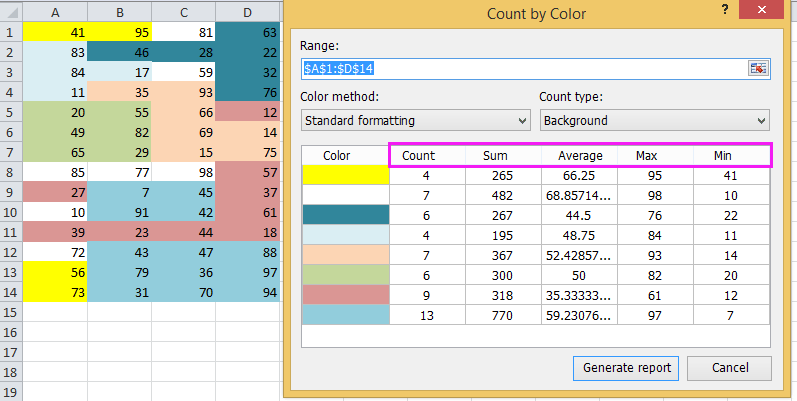
Change Chart Color Based On Value In Excel

Color The Chart Bars Based On Cell Value With Ease In Excel

Web For example in a green yellow and red color scale you can specify that higher value cells have a green color middle value cells have a yellow color and lower value

Web Method 1 Using Formula within Conditional Formatting Method 2 Using the Format Cells that Contain Option Change Cell Color Based on Value in Another Cell Using Formula Conditional Formatting is a feature in
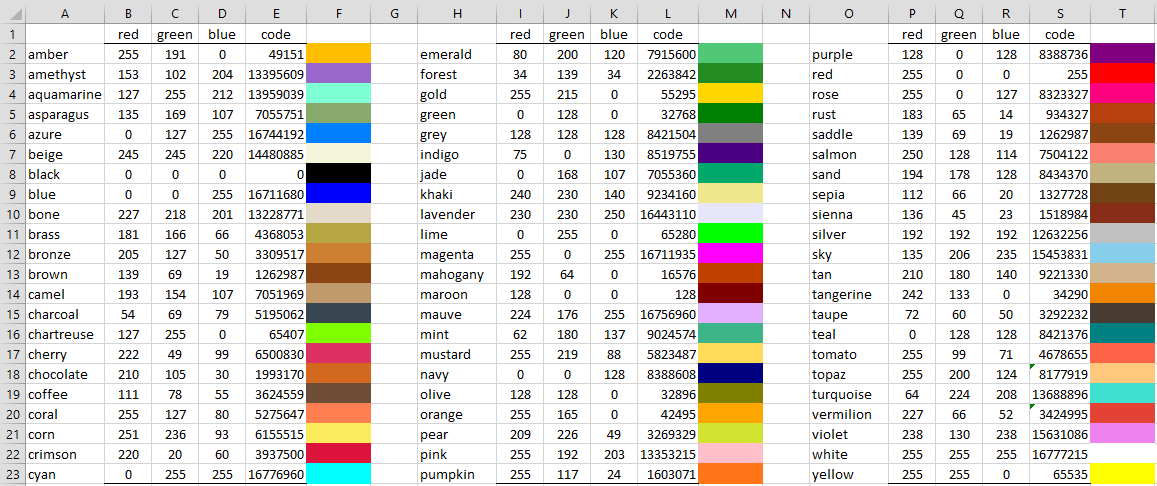
Web Jul 14 2021 nbsp 0183 32 Microsoft Excel provides you with several conditional formatting rules for color scales that you can apply with a quick click These include six two color scales and
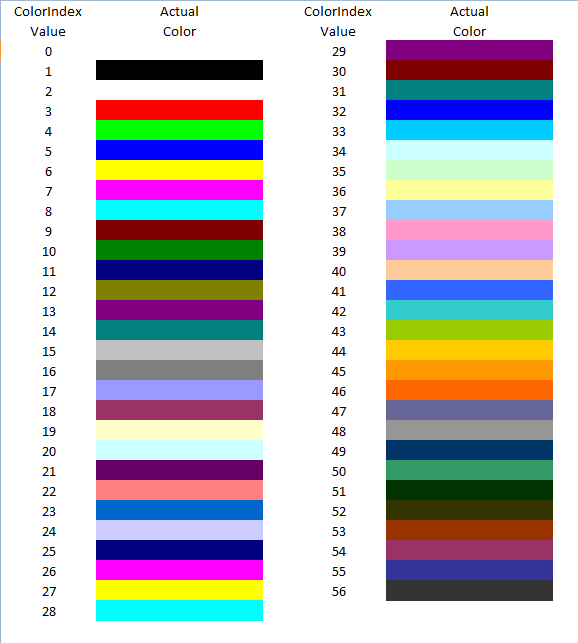
Web Jun 30 2022 nbsp 0183 32 Highlight Cells With Conditional Formatting A cell can be formatted by conditional formatting based on the value returned by an IF

Web Method 1 Using the Find and Replace Feature You can use the Find and Replace feature in Excel to change the color of cells in a worksheet based on their text content
Web Apr 14 2022 nbsp 0183 32 How to use Conditional Formatting in Excel to Color Code Specific Cells News By Bryan Clark published 14 April 2022 Selecting individual cells even by Ctrl Web Color coding cells in Excel based on their value is an essential skill that can significantly improve the readability and interpretation of your data By assigning different colors to
Web If you want to fill a cell with color based on a condition you will need to use the Conditional Formatting feature Fill a cell with color based on a condition Before learning to