Excel Change Case To Lowercase How To Change Uppercase Letters To Lowercase In Microsoft Excel 2016 How To Change Uppercase To Lowercase In Excel YouTube Change UPPERCASE And Lowercase In Excel So Easy As Word Change CASE Excel Change Case With Or Without Formula Upper Lower Title Case How To Change Uppercase Letter To Lowercase In Excel Lowercase A Fill the formula down column E to finish converting the list in column A We can combine these functions to both trim and fix text casing Suppose we wish to convert the text to upper case and trim all the extraneous spaces We can write the formula two different ways UPPER TRIM A3 or
Change Case To change the case of text in Excel use LOWER UPPER or PROPER If you re not a formula hero use Flash Fill to change case in Excel 1 Use the LOWER function in Excel to change the case of text to lowercase Note double click the lower right corner of cell B1 to quickly copy this formula to the other cells 2 April 10 2022 If you have worked in Excel then you know there are times when you want to make text UPPER or lower case While other Office products like Word or Outlook have a shortcut for this it s Shift F3 by the way Excel does not have a quick way to convert your text
How To Change Uppercase Letter To Lowercase In Excel Lowercase A Learn How To Use Excel Change Case Tool Excel Change Case To Proper Upper Lower Sentence Software How To Change Lowercase To Uppercase In Excel YouTube How To Change Lowercase To Upper Case In Excel Formula Uppercase How To Change Uppercase To Lowercase In Microsoft Excel YouTube How To Change Lowercase To Uppercase In Excel YouTube Excel Change Case By Macro YouTube How To Change Lowercase To UPPERCASE In Excel YouTube
Excel Change Case To Lowercase
 Excel Change Case To Lowercase
https://i2.wp.com/developerpublish.com/wp-content/uploads/2016/10/image-80.png
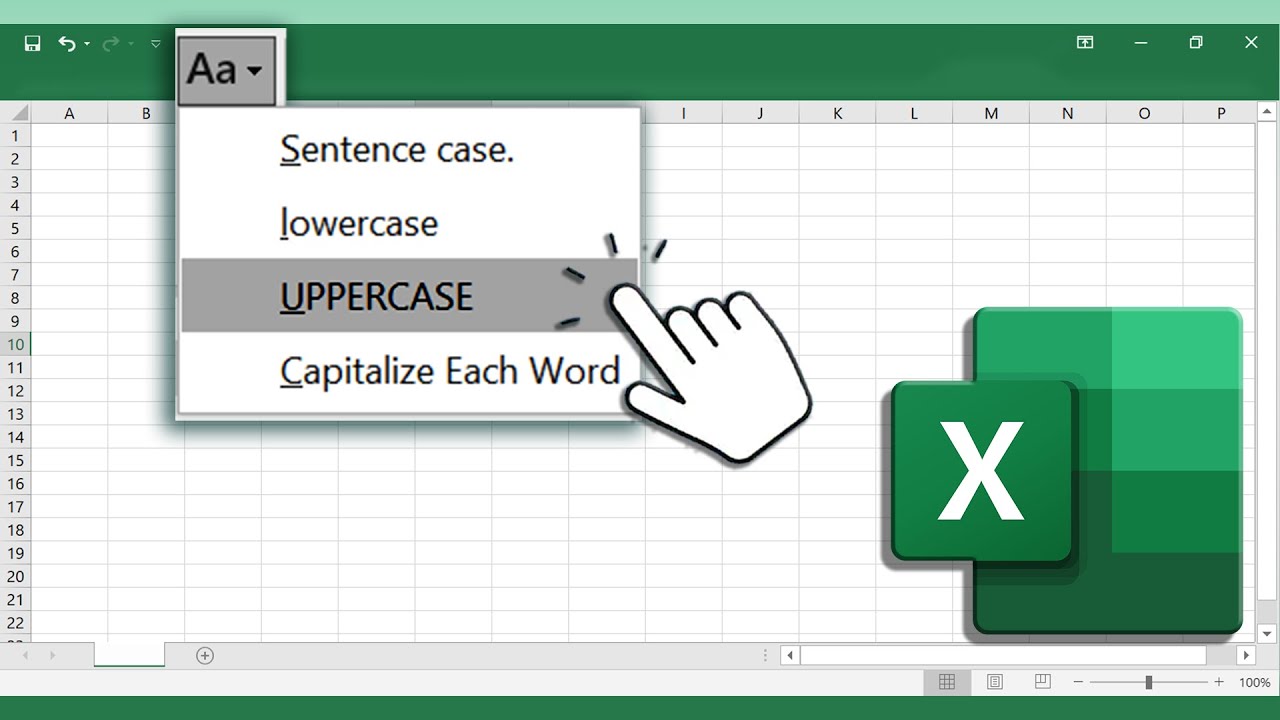
Go to Home Change case Do one of the following To capitalize the first letter of a sentence and leave all other letters as lowercase click Sentence case To exclude capital letters from your text click lowercase To capitalize all of the letters click UPPERCASE
Pre-crafted templates offer a time-saving service for creating a diverse range of documents and files. These pre-designed formats and layouts can be utilized for various individual and expert projects, consisting of resumes, invites, leaflets, newsletters, reports, presentations, and more, enhancing the material production process.
Excel Change Case To Lowercase

Change Case To LOWER UPPER PROPER In Excel Without Adding Rows Columns
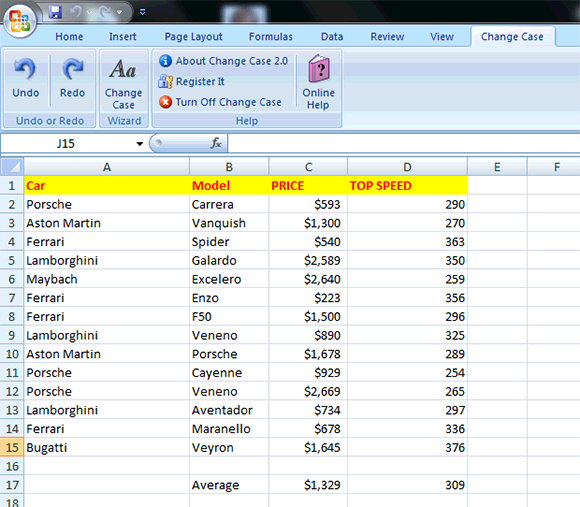
Learn How To Use Excel Change Case Tool
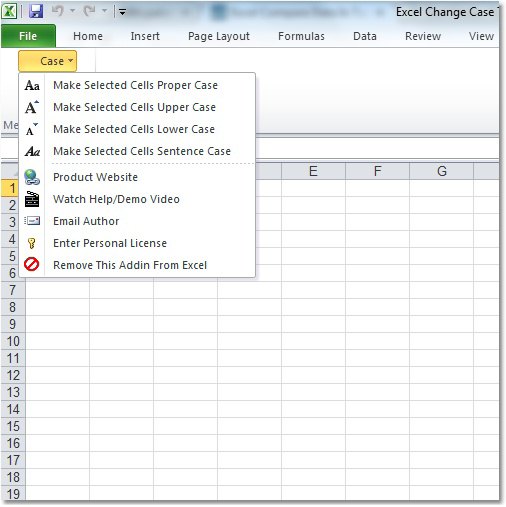
Excel Change Case To Proper Upper Lower Sentence Software

How To Change Lowercase To Uppercase In Excel YouTube

How To Change Uppercase To Lowercase In Microsoft Excel YouTube
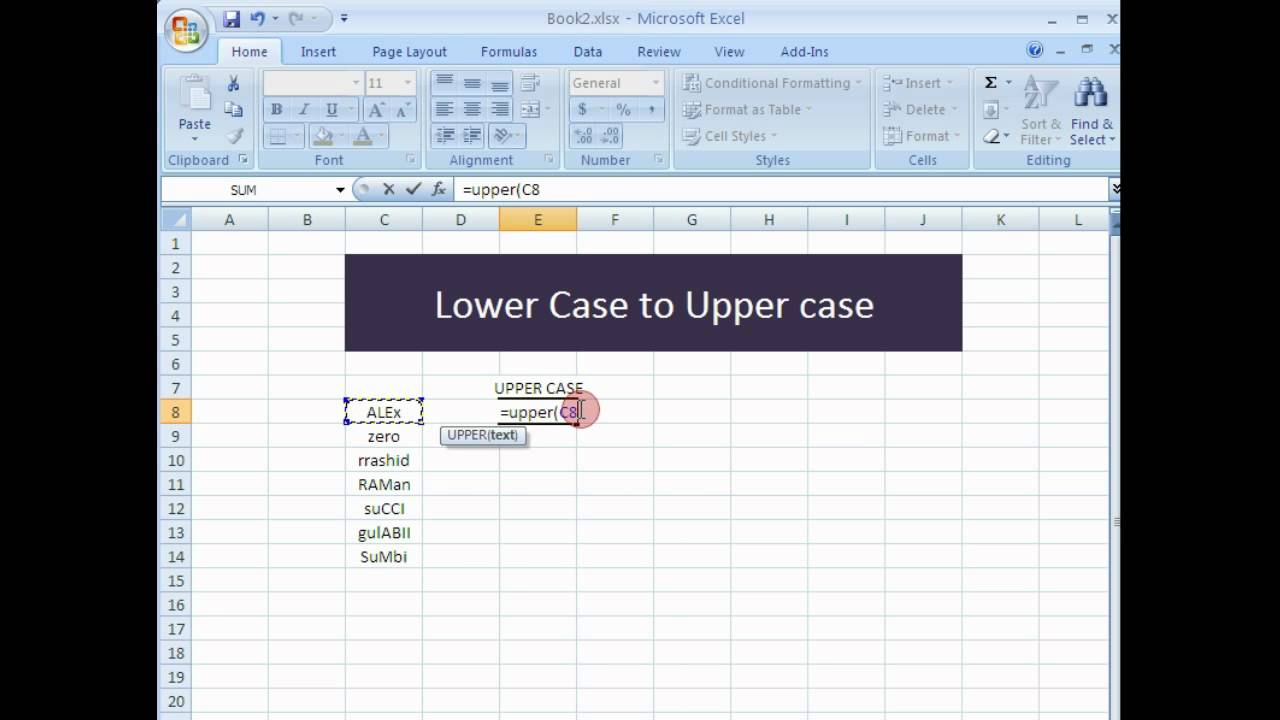
How To Change Lowercase To Uppercase In Excel YouTube

How to Change Uppercase to Lowercase in Excel by Steve Scott Often when working with text data such as names or address you will get the data in uppercase and you may need to convert it into lowercase or propercase With my work I often get all uppercase data from databases or website downloads

LOWER Excel Worksheet Function LOWER Text The LOWER function takes one argument which is the bit of Text we want to change into lower case letters The function will evaluate to text that is all lower case UPPER Excel Worksheet Function UPPER Text
MS Excel has a built in function for decapitalizing each character in a word a LOWER function Example Suppose we have a list of some verbs in Excel We want to change the case of the text to lowercase To change the case to lower we need to write the function in cell C2 as LOWER A2
The lower function helps to exclude capital letters from text The proper function makes the first letter of each word capitalized and leaves the other letters lowercase Proper Case All three of these options work on the same principle so I ll show you how to use one of them Let s take the Excel uppercase function as an example

Change the case of text in Excel Excel 2016 Excel 2013 Excel 2013 To change column A to Title Case select cell B2 Type PROPER A2 and press Enter Tip Use the formula UPPER A1 for all UPPERCASE LOWER A1 for all lowercase Now fill down the formula through cell B10 Excel 2016 To change column A to Title Case select cell B2
1 Applying LOWER Function Inserting LOWER Function from Formula Tab Remove the Helper Column 2 Use of Flash Fill Feature to Change Upper Case to Lower Case in Excel 3 Applying VBA to Change Upper Case to Lower Case in Excel 4 Using Microsoft Word 5 Use of Data Validation to Enter Text in Lower Case Only 6 Change case in Excel refers to the action of changing a text case to uppercase lowercase or proper case using Excel s inbuilt Text functions Meanwhile users can use the Excel functions LOWER UPPER and PROPER and make the text data in their spreadsheets appear more professional and readable For example consider the text in the image below
The syntax looks like this UPPER text Click in the cell where you want to insert the function Click the Formulas tab Click the Text Function button Select UPPER The Function Arguments dialog box opens Here s where you need to specify the cell you want to modify Select the cell that contains the text you want to change to uppercase