Excel 3d Maps Not Working Directx Top 8 Ways To Fix Google Maps Not Working On IPhone Which Version Of Excel Has 3D Maps Projectcubicle How To Use 3D Map Chart Globe Chart In Excel To Show The Geographical Discovering 3D Maps In Excel My Office Expert How To Create A 3D Map In Excel 2016 Sage Intelligence Web Jan 30 2023 nbsp 0183 32 1 3D maps encountered an error while contacting Microsoft Bing mapping services Functionality may be limited status code 4 2 Cannot initialize DirectX Confirm that your hardware supports DirectX 10 or later
Web In Excel open a workbook that has the table or Data Model data you want to explore in 3D Maps For information about using your own data see Prepare your data for 3D Maps If you don t have data to explore yet try downloading one of our sample datasets Click any cell in the table Click Insert gt 3D Map Web Feb 24 2023 nbsp 0183 32 Excel 3D Maps no longer works related to Direct X and according to Intel they had to break it because of a vulnerability they found Their fix for that was to break Direct X I have been trying to find drivers for my Processor and Video that are before this patch but have been unable to
How To Create A 3D Map In Excel 2016 Sage Intelligence 3D Maps In Excel 2016 HowTech 3D Maps In Microsoft Excel MyExcelOnline Microsoft Excel Excel Top 11 Ways To Fix Google Maps Not Working On IPhone 3D Maps In Excel 2016 YouTube Custom 3D Maps In Excel Instructions TeachUcomp Inc Excel D couvrez La Fonctionnalit 3D Map ou Power Map Power Map Preview For Excel Maps In Excel Gaswgov How To Do A 3d Map In Excel Design Talk
Excel 3d Maps Not Working Directx
 Excel 3d Maps Not Working Directx
https://www.guidingtech.com/wp-content/uploads/Top-Ways-to-Fix-Google-Maps-Not-Working-on-iPhone_2022-01-07-110716_4d470f76dc99e18ad75087b1b8410ea9.jpg
Web Jan 27 2023 nbsp 0183 32 Excel quot 3D Map quot feature error 3D Maps encountered an error while contacting Microsoft Bing mapping services Functionality may be limited Status Code 4 Dee Pennell 10 Jan 27 2023 12 29 PM I have reviewed the forum and tried the fixes but nothing has resolved the issue Running Win11 Office 2016 Standard
Pre-crafted templates use a time-saving service for creating a diverse series of documents and files. These pre-designed formats and designs can be made use of for various individual and expert projects, including resumes, invites, flyers, newsletters, reports, discussions, and more, streamlining the material production process.
Excel 3d Maps Not Working Directx

Creating Stunning 3D Maps In Excel The Complete Beginner s Guide
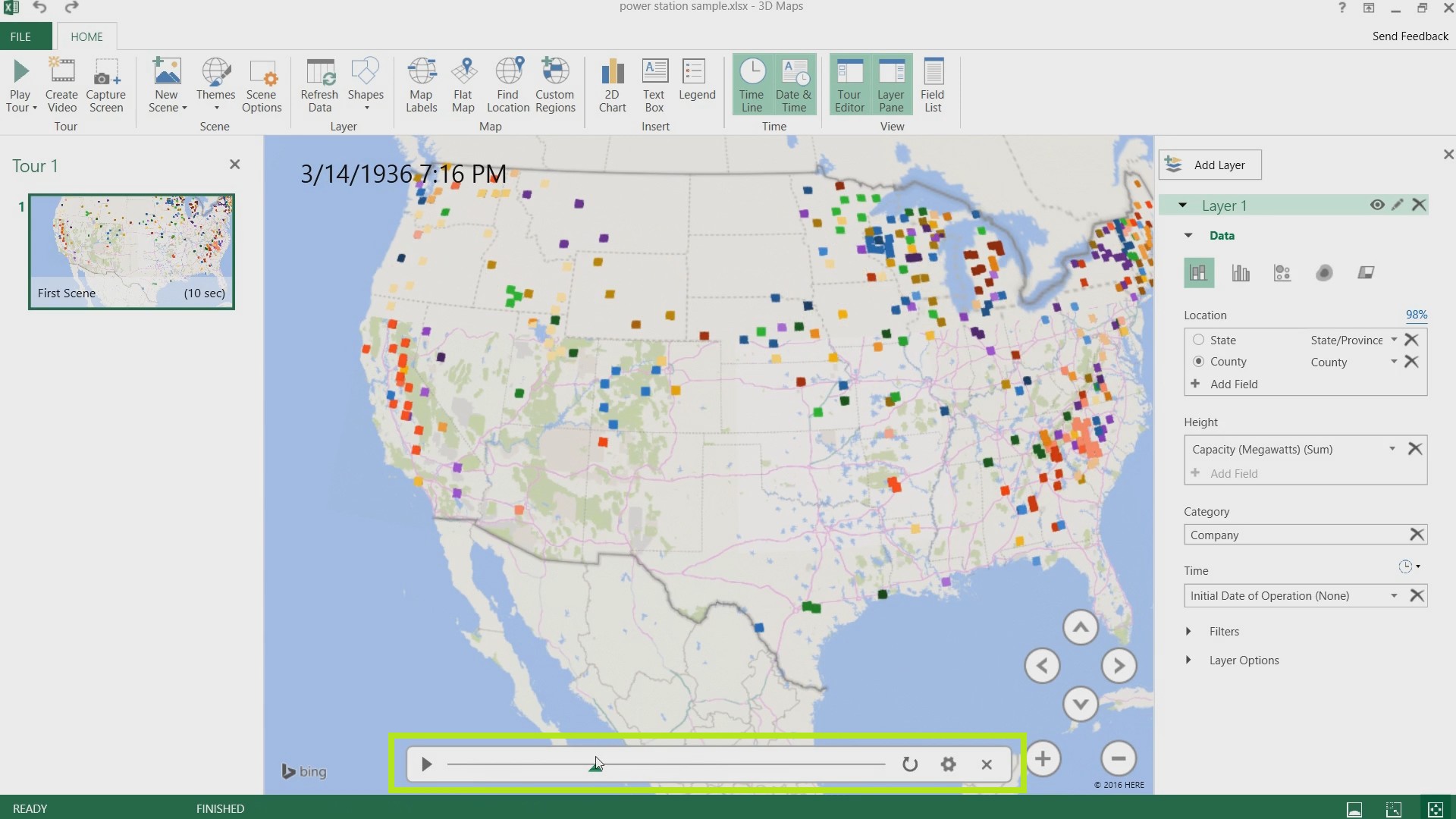
3D Maps In Excel 2016 HowTech

3D Maps In Microsoft Excel MyExcelOnline Microsoft Excel Excel

Top 11 Ways To Fix Google Maps Not Working On IPhone

Custom 3D Maps In Excel Instructions TeachUcomp Inc

Excel D couvrez La Fonctionnalit 3D Map ou Power Map

Web Jun 11 2020 nbsp 0183 32 1 Go to File 2 On the lower left corner Click on Options 3 Excel Options window will pop up On the left right corner Click on Customize Ribbon 4 Locate the quot Main Tabs quot on the right side corner Under it check the Developer option and click ok 5 After that Go to the Developer tab and click COM add ins 6

Web Jun 28 2018 nbsp 0183 32 1 Will the problem still persist if you temporary disable your firewall 2 Please try changing to another network environment to see the result 3 Please provide the screenshot of the error message 4 We d like to know the version of the Excel you can check it in File gt Account Regards Tisky Was this reply helpful Yes No JA

Web Sep 27 2022 nbsp 0183 32 Force TLS 1 2 to use applications excel is this case with 3d map no need change tls for winhttp Save in one file reg and execute no need restart works fine Windows Registry Editor Version 5 00 HKEY LOCAL MACHINE SOFTWARE WOW6432Node Microsoft NETFramework v2 0 50727

Web Sep 18 2023 nbsp 0183 32 When trying to use the 3D maps features in Microsoft Excel the following warning message pops up quot 3D Maps encountered an error while contacting Microsoft Bing mapping services Functionality may be limited Status Code 4 quot After clicking OK a second error message pops up quot Cannot initialize DirectX

Web Sep 26 2022 nbsp 0183 32 However the original post was pointing to a different error that would appear before the DirectX error which indicated an issue connecting to a Microsoft Bing mapping service That was occurring due to an outage which was resolved by Microsoft about a
Web Sep 26 2022 nbsp 0183 32 However the original post was pointing to a different error that would appear before the DirectX error which indicated an issue connecting to a Microsoft Bing mapping service That was occurring due to an outage which was resolved by Microsoft about a Web Sep 26 2022 nbsp 0183 32 1 The good news is that it s not something you are doing wrong The bad news is that it appears to a much larger issue with Excel 3D Maps that is being reported in several places Hopefully Microsoft will pay attention to these reports and come up with a fix quickly Share Improve this answer Follow answered Sep 27 2022 at 20 47
Web Mar 22 2017 nbsp 0183 32 Excel 2016 3D Maps doesn t load map When I open 3D Maps window in Excel 2016 no map is loaded just white area The Power Map add in is active the region is set correctly I also installed Bing Maps add in and it works I don t know what else to do