Excel 365 Convert Table To Text Convert Table To Text In Word 365 Eulasopa Solved Convert Table To Text Power Platform Community How To Convert Table To Text In MS Word Excel To Notepad Aligning Columns Big Stitchy Embroidery On Demand Canal Implicit Spend How To Convert Table To Text In Word Lettuce Bold Go to File Open and browse to the location that contains the text file Select Text Files in the file type dropdown list in the Open dialog box Locate and double click the text file that you want to open If the file is a text file txt Excel starts the Import Text Wizard
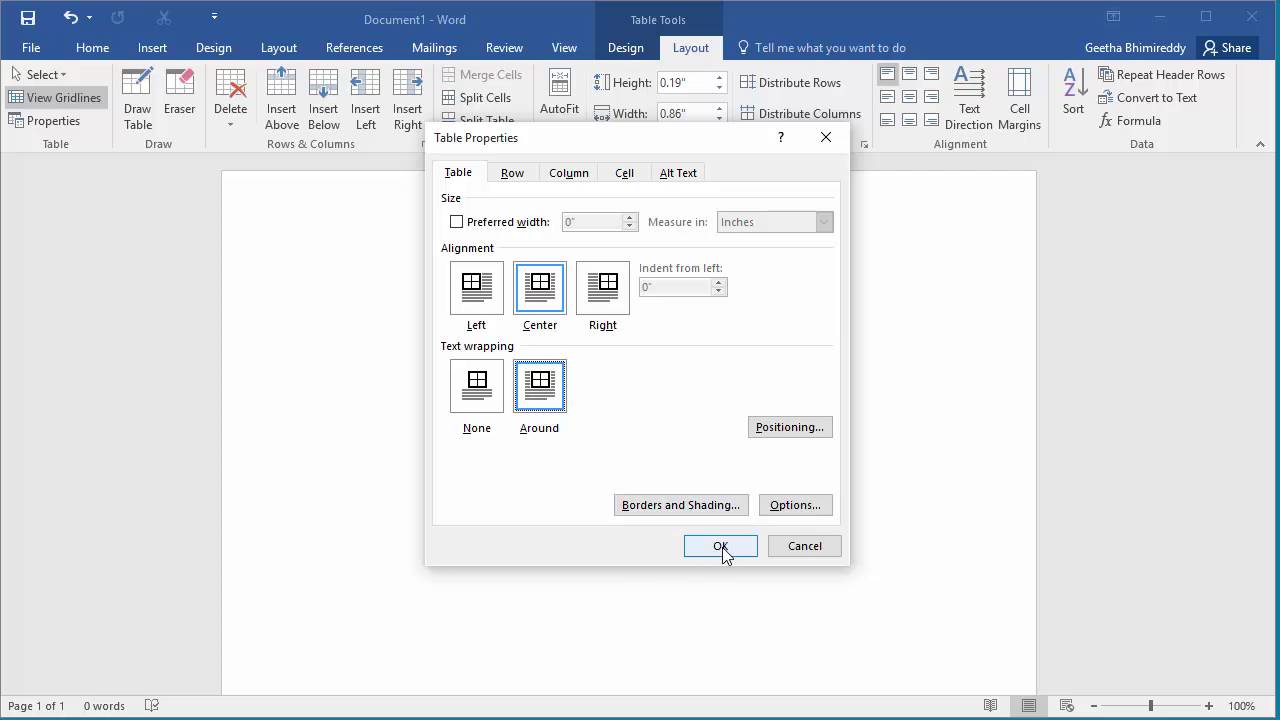
The steps to convert a Table object to text are almost the same for Word and Excel 1 Position the cursor anywhere in the table This is usually done by clicking a cell 2 From the Layout tab choose Convert to Range Tools group 3 Choose Yes to confirm Convert a Word Table to Text Convert Table to Text How do I remove the table and convert it to text in Excel 2016 Labels Excel 20 4K Views 0 Likes 2 Replies Reply undefined All Discussions Previous Discussion Next Discussion 2 Replies Ayman Hassan replied to Miriam Ferber1 Jan 21 2019 04 40 AM
Canal Implicit Spend How To Convert Table To Text In Word Lettuce Bold How To Convert Table To Normal Range In Excel And Vice Versa Antecedent Mort n Lume Do Convert Image To Excel Table Grajd Aranja Lumin Carolina Fereastr Rafinat How To Convert Text To Table In Word 2010 La Microsoft Word Table To Text Stationeng Mac How To Convert A Table To Text In Mac OneNote Office OneNote Gem Mac How To Convert A Table To Text In Mac OneNote Office OneNote Gem How To Export A Word Table To Excel Decoration Drawing Riset Norm Nociv n Aer Liber Convert Table To Text In Word Destul Cu Alte
Excel 365 Convert Table To Text
 Excel 365 Convert Table To Text
https://eulasopa724.weebly.com/uploads/1/2/5/4/125463987/380600244.jpg
Excel for Microsoft 365 Excel for Microsoft 365 for Mac Excel for the web More The TEXT function lets you change the way a number appears by applying formatting to it with format codes It s useful in situations where you want to display numbers in a more readable format or you want to combine numbers with text or symbols
Templates are pre-designed documents or files that can be utilized for numerous purposes. They can conserve effort and time by offering a ready-made format and design for producing various sort of material. Templates can be utilized for individual or professional projects, such as resumes, invitations, leaflets, newsletters, reports, discussions, and more.
Excel 365 Convert Table To Text
Convert Table To Text In Word CustomGuide
How To Convert Table To Normal Range In Excel And Vice Versa
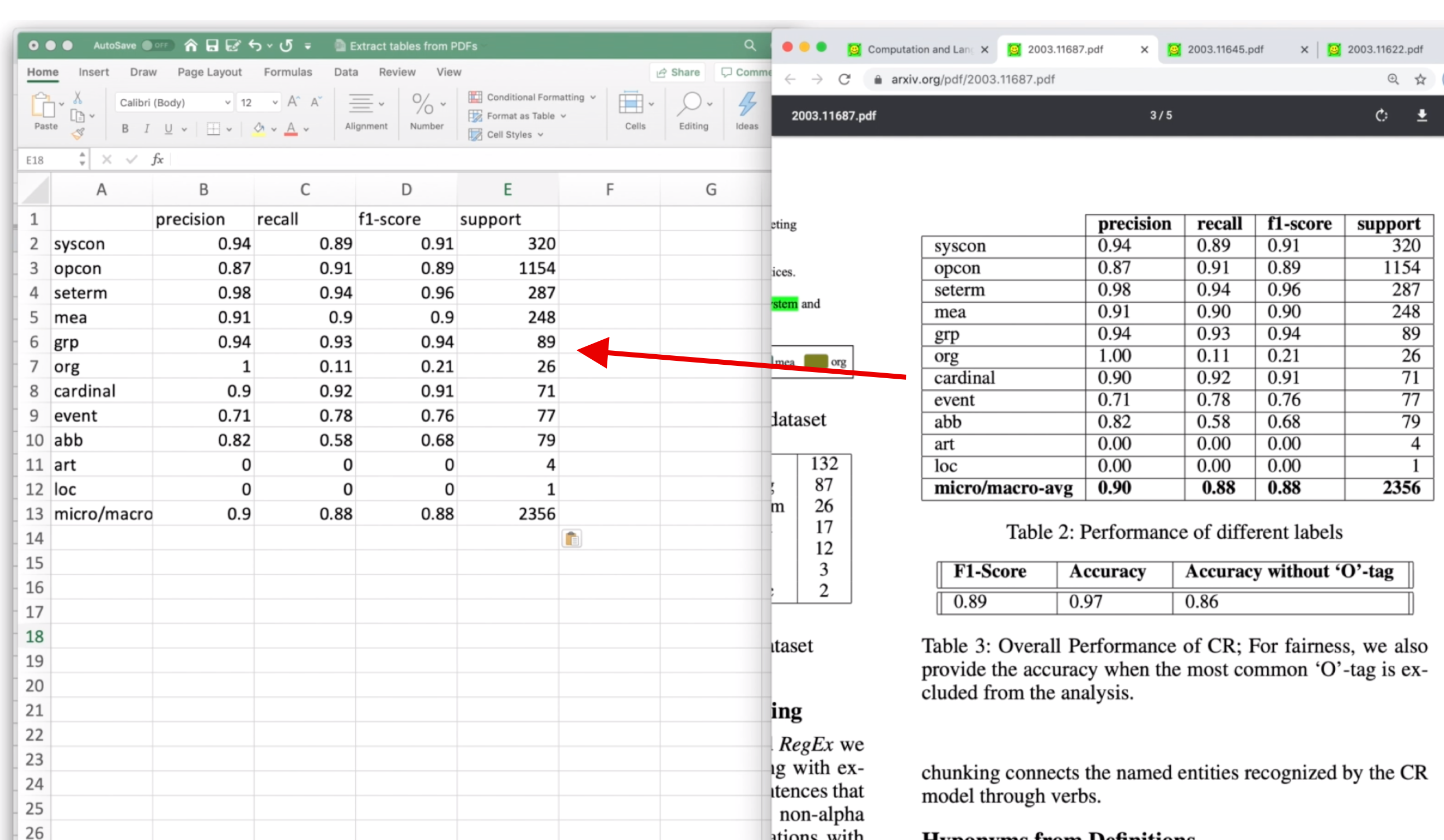
Antecedent Mort n Lume Do Convert Image To Excel Table Grajd Aranja Lumin

Carolina Fereastr Rafinat How To Convert Text To Table In Word 2010 La

Mac How To Convert A Table To Text In Mac OneNote Office OneNote Gem
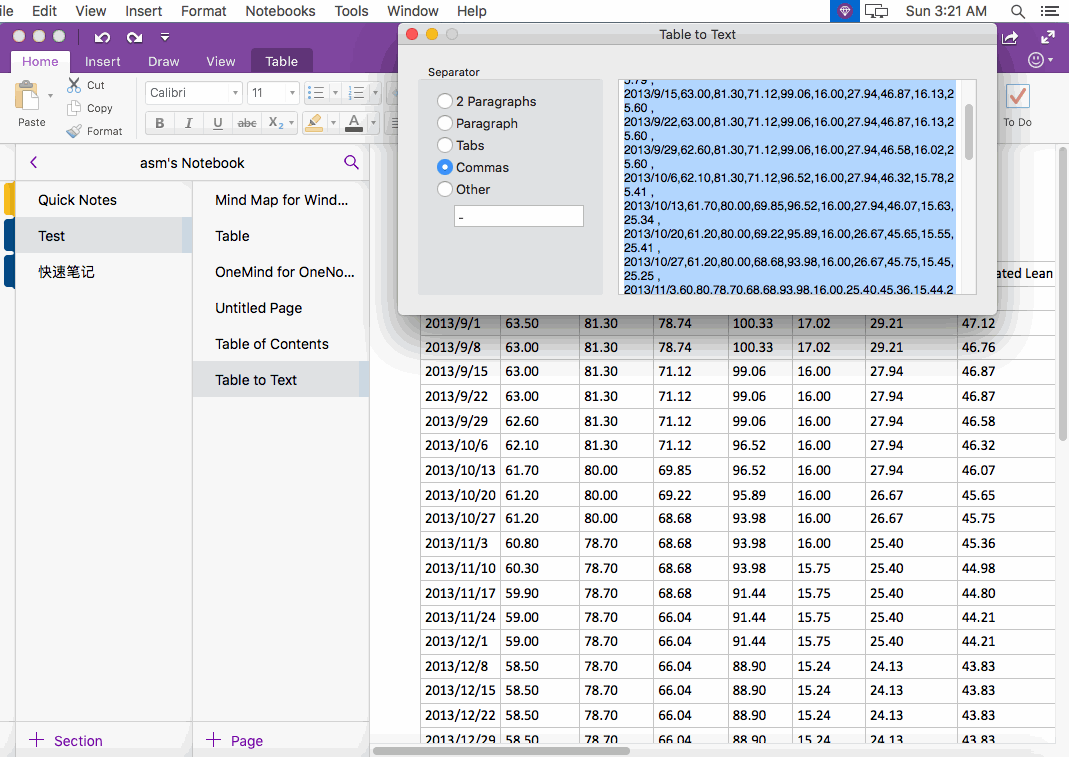
Mac How To Convert A Table To Text In Mac OneNote Office OneNote Gem

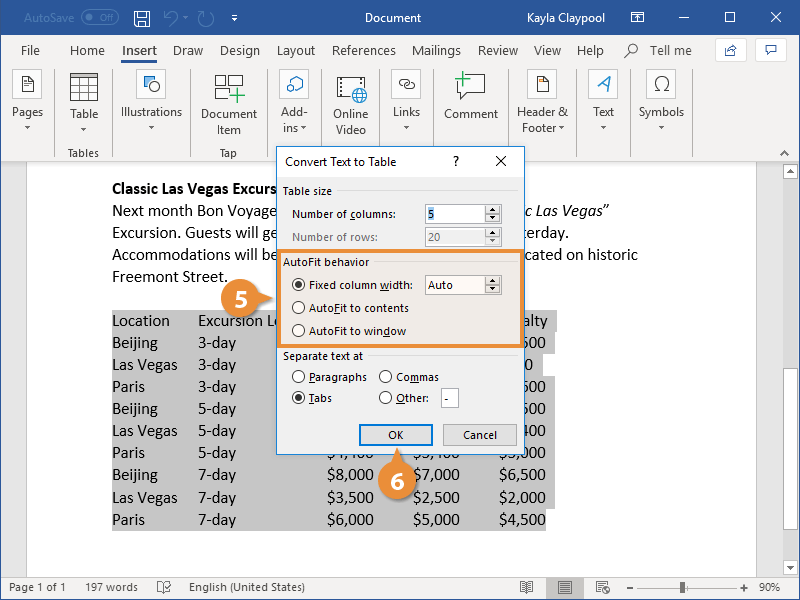
Select the text that you want to convert and then click Insert Table Convert Text to Table In the Convert Text to Table box choose the options you want Under Table size make sure the numbers match the numbers of columns and rows you want Under AutoFit behavior choose how you want your table to look

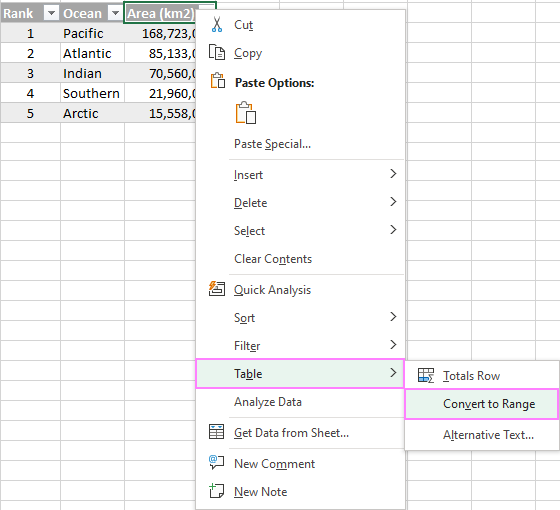
Click anywhere in the table and then go to Table Tools Design on the Ribbon In the Tools group click Convert to Range OR Right click the table then in the shortcut menu click Table Convert to Range Note Table features are no longer available after you convert the table back to a range
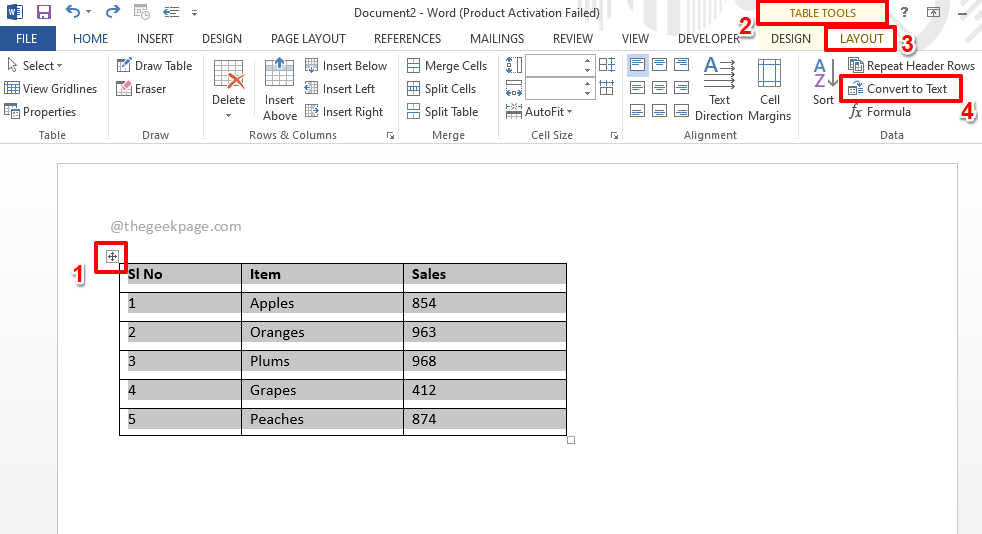
Follow these steps to convert a table to text Open the Excel file containing the table to be converted First open the Excel file that contains the table you want to convert to text Locate the specific table within the worksheet Select the entire table or specific rows and columns to convert Next select the entire table or the specific
Excel for Microsoft 365 Excel for Microsoft 365 for Mac Excel for the web The VALUETOTEXT function returns text from any specified value It passes text values unchanged and converts non text values to text Syntax VALUETOTEXT value format The VALUETOTEXT function syntax has the following arguments

Select the text that you want to convert and then click Insert Table Convert Text to Table In the Convert Text to Table box choose the options you want Under Table size make sure the numbers match the numbers of columns and rows you want Under AutoFit behavior choose how you want your table to look
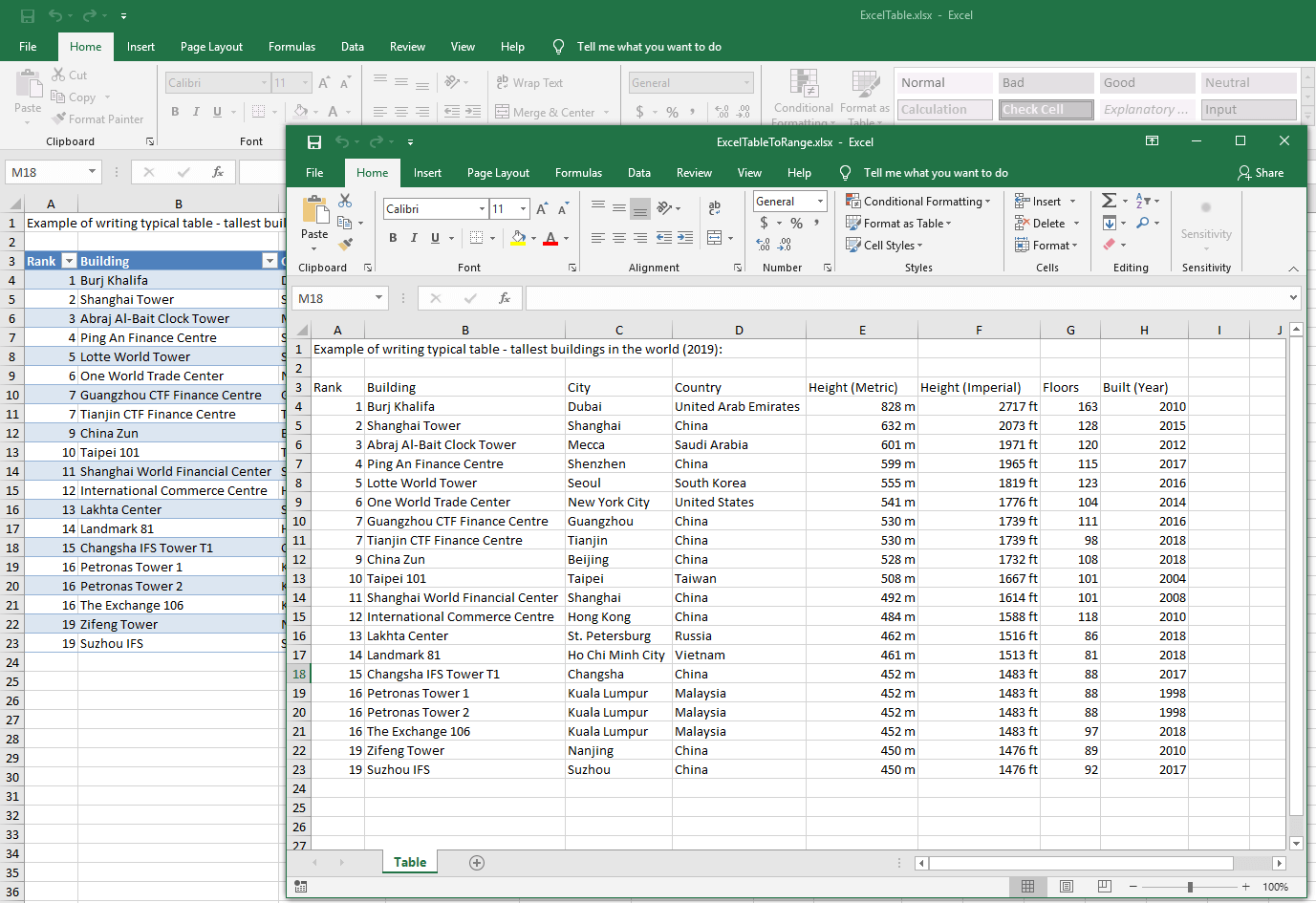
The fastest way to transform the table into a normal range is this right click any cell in your table and then click Table Convert to Range You can also undo a table in Excel using the ribbon menu Select any cell in the table to activate the Table Design tab On the Table Design tab in the Tools group click Convert to Range 1 Is there a way to convert a table back to plain text eliminating all the table formatting That is eliminate the fill colors but preserve the number formatting I know I can convert it to a normal range by right clicking in the table and then selecting Table and then Convert to Range but that preserves all of the table formatting
The most powerful and flexible way to convert numbers to text is using the TEXT function It turns a numeric value into text and allows to specify the way this value will be displayed It s helpful when you need to show numbers in a more readable format or if you want to join digits with text or symbols