Excel 2016 Convert Hyperlink To Text How To Create Hyperlink For Text In Flutter MightyTechno Converting Text To Hyperlink Using VBA In Excel Unlock Your Excel Potential How To Add Hyperlink To Text Using React Native Linking Techup Excel HYPERLINK Function Exceljet How To Convert Text To Hyperlink In Excel 5 Methods ExcelDemy The HYPERLINK function syntax has the following arguments Link location Required The path and file name to the document to be opened Link location can refer to a place in a document such as a specific cell or named range in an Excel worksheet or workbook or to a bookmark in a Microsoft Word document
For quick access to related information in another file or on a web page you can insert a hyperlink in a worksheet cell You can also insert links in specific chart elements Note Most of the screen shots in this article were taken in Excel 2016 Excel automatically creates hyperlinks when a cell entry begins with http www ftp mailto file news or So unless the feature was turned off I d bet the hyperlinks are invalid This means they may not work if converted as is Can you give us an example of the hyperlinks you are trying to convert CharlieRB
How To Convert Text To Hyperlink In Excel 5 Methods ExcelDemy Quickly Add Clickable Hyperlinks In Canva Design School QR Code Generator For OneNote Office OneNote Gem Add Ins QR Code Generator For OneNote Office OneNote Gem Add Ins How Do I Add A Hyperlink To Text LaunchGood Support Center Cara Convert Hyperlink To URL Dan URL To Hyperlink Di Microsoft Excel Secara Massal Denai Convert Jpg To Excel EKONOM Add Hyperlink To Text Captions With Captivate 2017 Adobe Community Cara Convert Hyperlink To URL Dan URL To Hyperlink Di Microsoft Excel Secara Massal Denai Ghozaliq
Excel 2016 Convert Hyperlink To Text
 Excel 2016 Convert Hyperlink To Text
https://mightytechno.com/wp-content/uploads/2021/10/Link-768x432.png
1 Activate Automatic Hyperlinks Option to Convert Text to Hyperlink in Excel 2 Convert Text of a Cell into Clickable Hyperlink Using Excel Ribbon 3 Apply the HYPERLINK Function to Convert Text to Hyperlink 4 Use VBA Code to Convert Text to Hyperlink in Excel 5 Convert Text to Hyperlink to Link in Same Worksheet Conclusion Related Articles
Templates are pre-designed documents or files that can be utilized for various purposes. They can save effort and time by supplying a ready-made format and layout for producing various kinds of content. Templates can be utilized for personal or expert tasks, such as resumes, invitations, flyers, newsletters, reports, discussions, and more.
Excel 2016 Convert Hyperlink To Text

Cara Convert Hyperlink To URL Dan URL To Hyperlink Di Microsoft Excel Secara Massal Denai

Quickly Add Clickable Hyperlinks In Canva Design School
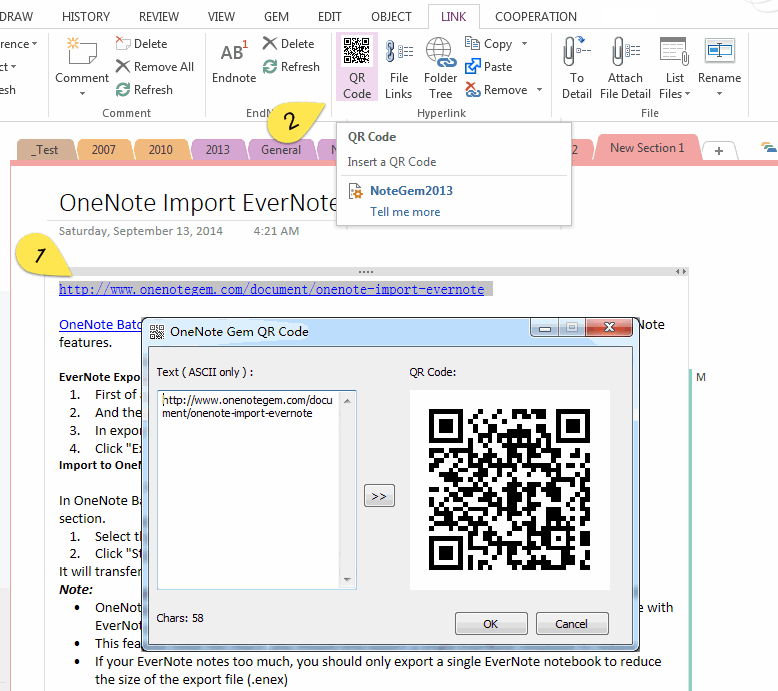
QR Code Generator For OneNote Office OneNote Gem Add Ins
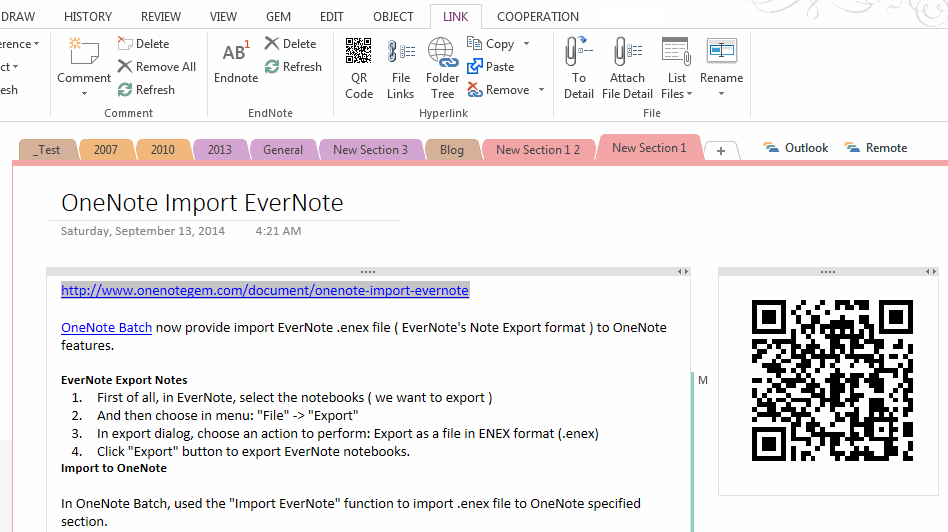
QR Code Generator For OneNote Office OneNote Gem Add Ins

Cara Convert Hyperlink To URL Dan URL To Hyperlink Di Microsoft Excel Secara Massal Denai

Convert Jpg To Excel EKONOM

Go to the Insert tab in the ribbon Click on the Link command found in the Links section This will open the Edit Hyperlink menu which contains both the anchor text and the URL address data Highlight the URL from the Address input in the Edit Hyperlink menu and press Ctrl C to copy

5 Answers Sorted by 59 Short answer you can t automate this without VBA Manual This is on a Windows 7 computer just replace the shortcuts with their corresponding Mac counterparts Highlight a cell with a hyperlink Press CTRL K This opens the hyperlink dialog box see image below

HOw do I make a hyperlink cell into text Super User Excel 2016 HOw do I make a hyperlink cell into text Ask Question Asked 5 years 8 months ago Modified 5 years 8 months ago Viewed 843 times 0 I have a column of text which are all hyperlinks I want to copy the text and url into seperate fields
From the worksheet with your hyperlinks on them press ALT F11 to go into the VB editor look for the window label Immediate if you don t see it press CTRL G then type this into the Immediate window Cells Hyperlinks Delete and press the Enter key All the hyperlinks on the sheet will be converted to plain text

Key Takeaways Converting hyperlinks to text in Excel can improve the appearance and usability of the spreadsheet The Paste Special feature is a quick and easy way to convert hyperlinks to text Regularly checking for broken hyperlinks and using consistent naming conventions is important for maintaining organized and functional spreadsheets
Scenario 1 You have a workbook where most of the text you have is hyperlinked and you need to remove them Scenario 1 Working on workbook automation and yo Kutools for Excel 29 10 HOT 300 Powerful Features You Must Have in Excel Kutools for Excel is a powerful add in that frees you from performing time consuming operations in Excel such as combining sheets quickly merging cells without losing data pasting to only visible cells counting cells by color and so on 300 powerful features functions for Excel 2021 2019 2016 2013 2010 2007
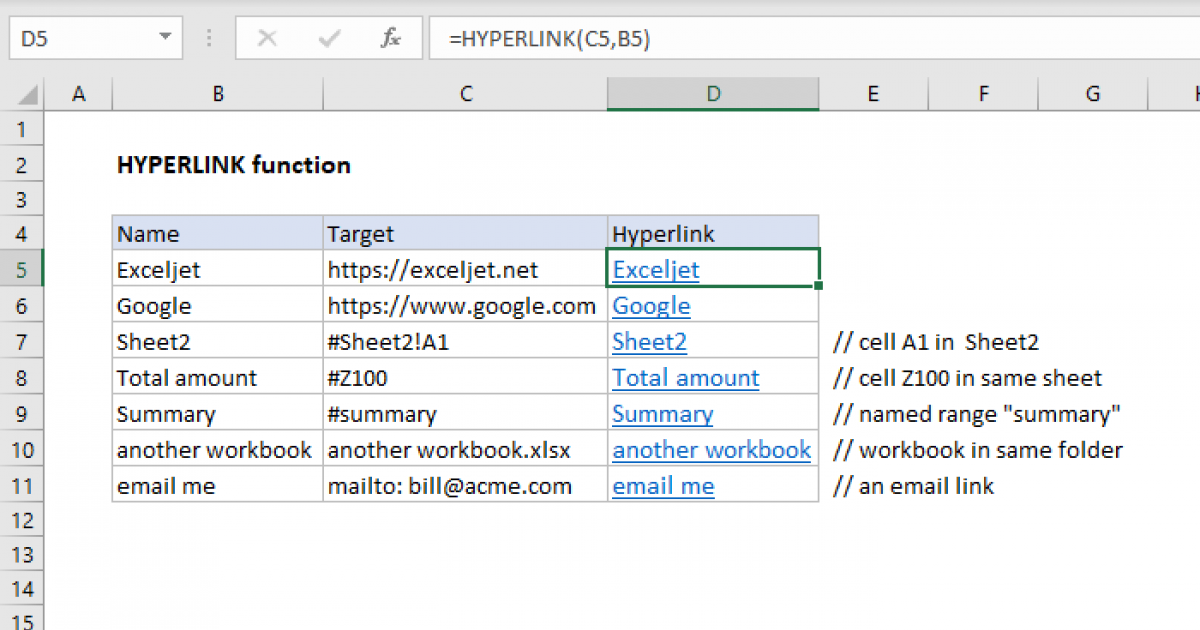
10 Answers Sorted by 16 The function in Excel for doing a hyperlink is Hyperlink http www techonthenet Tech on the Net where http www techonthenet is the internet address and Tech on the Net is the title that appears in the Excel cell