End Process From Command Line Windows Command Line Process Auditing Microsoft Learn How To Update Ubuntu Using Command Line Gui Www vrogue co From Command Line Docs IONOS Deploy Now Unable To Run Process From Command Line Help UiPath Community Forum Windows OS Basic CLI Commands Cheat Sheet By Steps Via Cheatography Com Step 1 Type cmd in the Search box and then right click the Command Prompt window and select Run as administrator Then click on Yes in the UAC window to confirm the admin access Step 2 In the elevated command prompt window type the following command and hit Enter to show all the currently running processes in your system
Close programs from the command line Windows Super User What is the proper way to close exit programs from command line similar to pressing the X close button in the corner of the window Im trying to close chrome under 3 different versions of windo Stack Exchange Network Once you have the name of the process a simple tskill is all it takes tskill chrome If you have already migrated to the Command Prompt s older brother PowerShell it is much simpler Get Process Where Name Like chrome Stop Process The above would stop all the processes that match the chrome wildcard pattern That s all there
Windows OS Basic CLI Commands Cheat Sheet By Steps Via Cheatography Com How To Install Nvm On Windows 10 Using Cmd Rasshark How To Make Android Apps Without IDE From Command Line Android Solved Is There A Way To Combine Text Files Using The 9to5Answer Bvr CLI Guidelines What Is Command Execution Rankiing Wiki Facts Films S ries Netsh Network Settings From Command Line In Windows 98 To Windows 7 How To Use Mysql Command Line Client In Windows Login Pages Info C ch T y Ch nh Command Prompt Tr n Windows
End Process From Command Line Windows
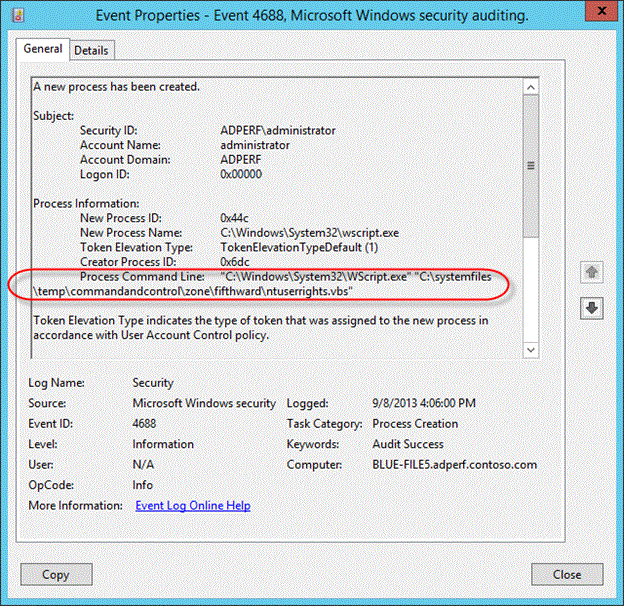 End Process From Command Line Windows
https://learn.microsoft.com/en-us/windows-server/identity/ad-ds/manage/component-updates/media/command-line-process-auditing/gtr_adds_event4688.gif
What you might not know is that there is a hidden even more powerful way to close pesky processes in Windows 10 the taskkill command The advanced task kill command gives you more control
Pre-crafted templates provide a time-saving service for developing a diverse range of documents and files. These pre-designed formats and designs can be used for numerous individual and professional jobs, consisting of resumes, invites, flyers, newsletters, reports, presentations, and more, enhancing the content creation procedure.
End Process From Command Line Windows
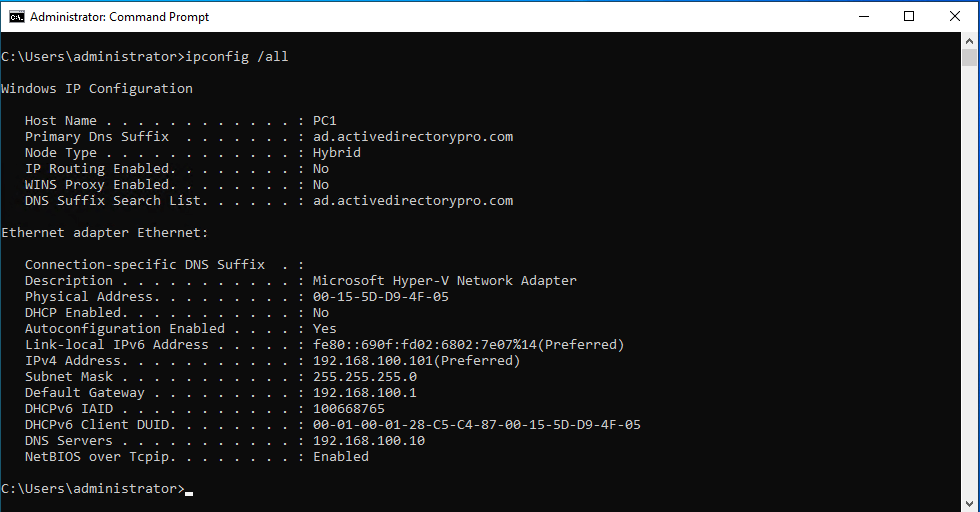
50 Basic Windows Commands With Examples 2023

How To Install Nvm On Windows 10 Using Cmd Rasshark

How To Make Android Apps Without IDE From Command Line Android

Solved Is There A Way To Combine Text Files Using The 9to5Answer

What Is Command Execution Rankiing Wiki Facts Films S ries

Netsh Network Settings From Command Line In Windows 98 To Windows 7

Once you ve found the process you want to stop enter the following command Stop Process Name ProcessName Force To kill a process using the PID you ll need to enter Stop Process ID PID Force Conclusion

To kill or stop a process in Command Prompt Open the Command Prompt window Here type taskkill im process exe and press Enter Replace process exe with the actual process name You can also stop or kill a task using its Process ID Use the taskkill F PID pid number command

First let s cover the basics You can kill a process by the process ID PID or by image name EXE filename Open up an Administrative level Command Prompt and run tasklist to see all of the running processes C tasklist Image Name PID Session Name Mem Usage

However you can open the Task Manager right click the process and then click End Task to kill off the process You can also terminate a specific process from the Details tab in the Task Manager Sometimes you encounter issues with the Task Manager itself

To kill Windows explorer the following command would work C taskkill F IM explorer exe SUCCESS The process explorer exe with PID 2432 has been terminated The above command would make all GUI windows disappear You can restart explorer by running explorer from cmd C explorer Not using F option would send a terminate signal
Step 1 Find the Name or the PID of the Running Process In order to stop an application or service from the command prompt or from the PowerShell you need to know the Process Name or the Process Identifier PID Note The Process Identifier PID is a unique number that identifies each of the running processes on the Operating System Sorted by 20 Ctrl C will stop a program running from the command prompt similar to other operating systems To force kill a process from the command prompt use the following command taskkill F IM process exe F will force termination IM means you re going to provide the executable image name and process exe is the process to end
After opening Task Manager with Ctrl Shift Esc press the More details button in the bottom left to view more information Select the process you want to kill and click End