Enable System Protection Windows 10 Cmd How To Enable System Restore And Create Restore Point In Windows 10 How To Use System Restore On Windows 10 How To Enable System Windows G venli i Uygulamas nda Vir sten Koruma Microsoft Defender How To Enable System Protection For Drives In Windows How To Fix You Must Enable System Protection On This Drive Windows 10 This article discusses different methods to administer security policy settings on a local device or throughout a small or medium sized organization Security policy settings should be used as part of your overall security implementation to help secure domain controllers servers client devices and other resources in your organization
For have a Option on SystemStart Windows 10 without tick UserPrompt its Possible create a CMD file thats use Powershell Disable Specific Drive C PowerShell NoProfile ExecutionPolicy Unrestricted Command Start Process PowerShell ArgumentList NoProfile ExecutionPolicy Unrestricted Command Disable ComputerRestore Drive C Verb RunAs Enable Specific Drive C Open Start Search for Command Prompt right click the top result and select the Run as administrator option Type the following command to open the antivirus tool location and press Enter cd
How To Fix You Must Enable System Protection On This Drive Windows 10 How To Enable The System Restore Protection In Windows 10 8 7 Tutorial Fix Enable System Protection Windows 10 11 8 7 How To Turn On How To Turn On OFF System Protection In Windows 10 How To Enable How To Enable System Protection In Windows 11 How To Use System Protection In Windows 11 YouTube How To Enable System Restore In Windows 10 EasyPCMod CARA MEMBUAT SYSTEM PROTECTION WINDOWS 10 YouTube You Must Enable System Protection On This Drive System Restore Error
Enable System Protection Windows 10 Cmd
 Enable System Protection Windows 10 Cmd
https://i.ytimg.com/vi/QP-whzrmL5s/maxresdefault.jpg
Registry Open Registry editor Click HKEY LOCAL MACHINE SYSTEM CurrentControlSet Control DeviceGuard Scenarios Right click Scenarios New Key and name the new key SystemGuard Right click SystemGuard New DWORD 32 bit Value and name the new DWORD Enabled Double click Enabled change the value to 1 and click OK
Pre-crafted templates offer a time-saving service for creating a varied range of documents and files. These pre-designed formats and layouts can be made use of for numerous personal and professional tasks, consisting of resumes, invitations, leaflets, newsletters, reports, presentations, and more, enhancing the material development procedure.
Enable System Protection Windows 10 Cmd
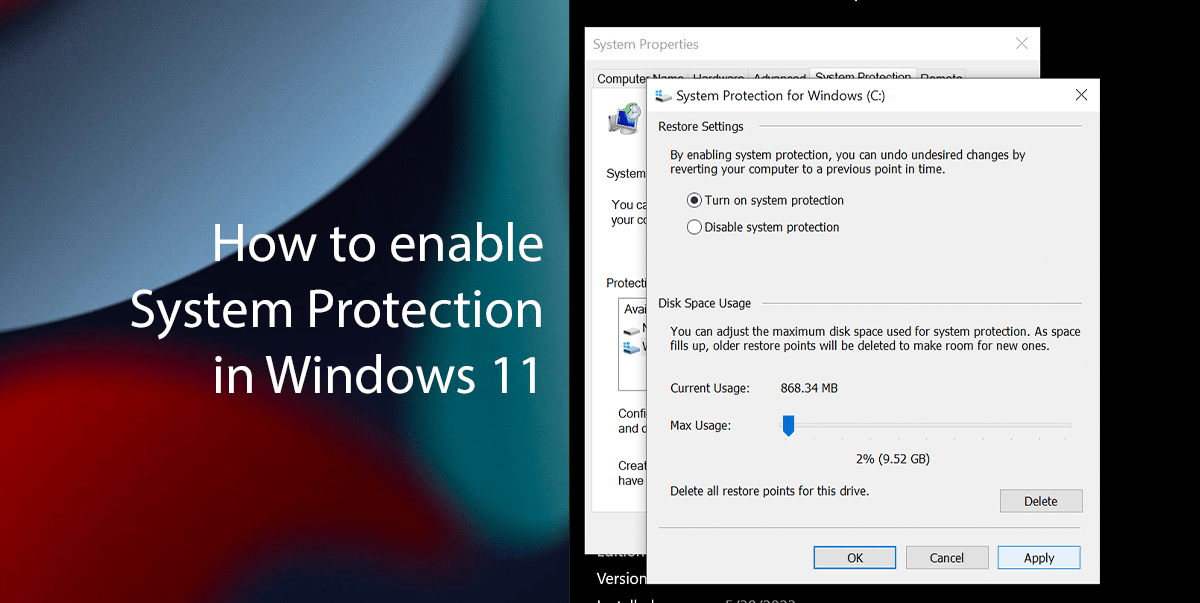
How To Enable System Protection In Windows 11
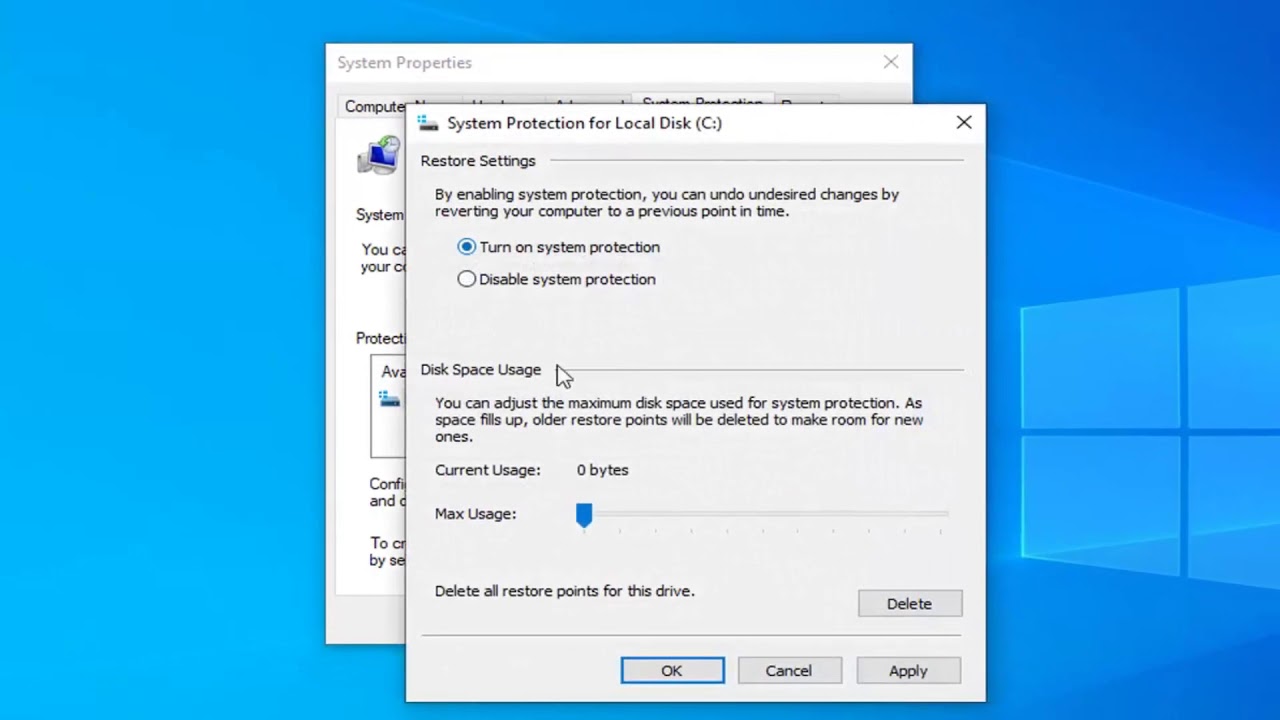
How To Enable The System Restore Protection In Windows 10 8 7 Tutorial

Fix Enable System Protection Windows 10 11 8 7 How To Turn On

How To Turn On OFF System Protection In Windows 10 How To Enable

How To Use System Protection In Windows 11 YouTube

How To Enable System Restore In Windows 10 EasyPCMod

Option One Turn On or Off System Protection for Drives in System Properties Option Two Turn On or Off System Protection for Drives in PowerShell Option Three Turn Off System Protection for Drives in Command Prompt Option Four Turn On or Off System Protection for Drives using a REG file OPTION ONE

Run Microsoft Defender Antivirus scans and configure next generation protection with a dedicated command line utility This command will only work on Windows 10 version 1703 or higher is disabled Enable the service and try again If you need help re enabling Microsoft Defender Antivirus see Reinstall enable Microsoft Defender

English When performing system restore in Windows 10 8 7 you may find there is an error message saying you must enable system protection on this drive In this case what should you do to solve this issue Here are two useful ways for you and a better way to restore your PC to a previous state without enabling system protection On This Page

Click on Recovery Configure System Restore Click on the drive you want to change and click on Configure Click on Turn in system protection or Disable system protection While you re here you can optionally also change how much space is reserved for System Protection by moving the slider and you can delete all restore points Those two

Turn Windows Security on or off When you get a new device and start up Windows 10 for the first time the antivirus protection that comes installed with the device is your default security app However Windows Security is pre installed and ready for you to use at any time If you want to use Windows Security uninstall all of your other
Donate https www majorgeeks content page donations htmlTutorial https www majorgeeks content page system protection on or off htmlSystem Prot Here s how Press Windows key R In the Run dialog box type control system and hit Enter to open Control Panel System section On the left side of the screen click System protection to open
2 Answers Sorted by 0 The error you see in the pop up will be around your PowerShell execution policy You have a few options Wrap your Powershell code in a batch file to bypass it so PowerShell ExecutionPolicy Bypass Command Enable ComputerRestore Drive C Unblock the script with something like Unblock File Path pathhere script ps1