Enable Ssh Root Login On Debian Linux Server Enable SSH Server On Debian Enable Root Login Via SSH In Debian 10 Eldernode Blog Enable SSH Server On Debian Enable SSH Server On Debian Enable Root Login On Debian ubuntu Install Ssh Server YouTube To allow the remote SSH clients to connect to the SSH server we need to open port 22 on the firewall In this section we will demonstrate how to allow the SSH access on UFW If you re using any other firewall please consult the respective documentation To allow access to port 22 run the following command sudo ufw allow 22 tcp
Disabling your SSH server Troubleshooting Debian SSH connection refused Debian SSH access denied SSH password access denied SSH key access denied Debian Unable to locate package openssh server Conclusion Prerequisites In order to install a SSH server on Debian 10 you will need to have sudo privileges on your host 1 Login to your server via SSH terminal Make sure you can login to your server using common user privileges such as the following command line ssh debian server IPv4 address p22 ssh ubuntu server IPv4 address p22
Enable Root Login On Debian ubuntu Install Ssh Server YouTube Ssh Command In Linux With Examples GeeksforGeeks Debian SSH Fix Acces Denied ENABLE ROOT LOGIN YouTube How To Disable SSH Root Login On Linux ServerAuth Ativar Acesso ROOT Por SSH No Debian Ubuntu Linux Server ServerSP How To Enable A Root Login Over SSH Connection Cyber Programmers 4 Formas De Ingresar Como Usuario Root En Linux WikiHow How To Enable And Disable Root Login Via SSH On Ubuntu YouTube How To Enable Password Authentication And Login As Root User In Linux
Enable Ssh Root Login On Debian Linux Server
 Enable Ssh Root Login On Debian Linux Server
https://linuxhint.com/wp-content/uploads/2017/12/screen-19-810x552.png
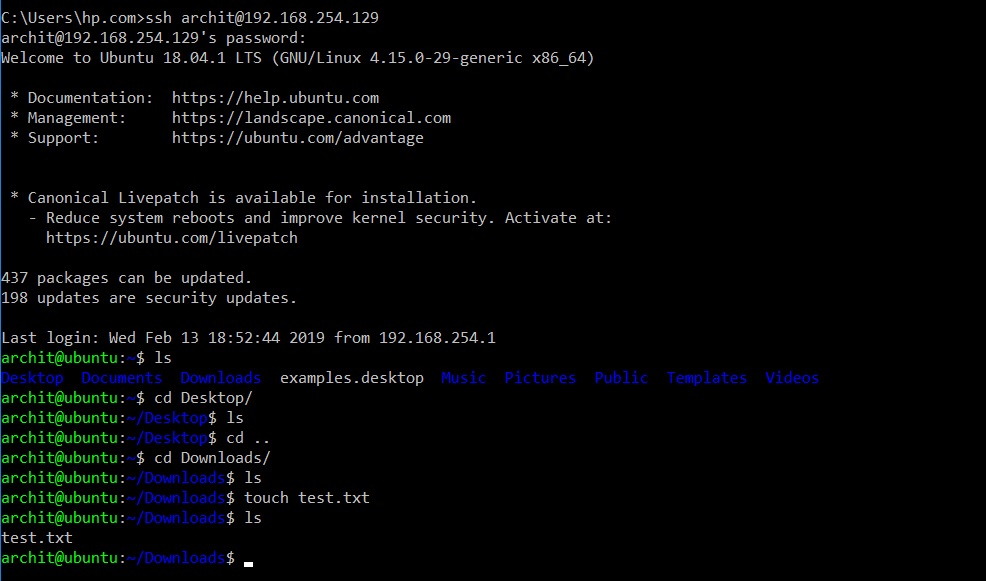
Core Syntax To connect to a remote system using SSH we ll use the ssh command If you are using Windows you ll need to install a version of OpenSSH in order to be able to ssh from a terminal If you prefer to work in PowerShell you can follow Microsoft s documentation to add OpenSSH to PowerShell If you would rather have a full Linux environment available you can set up WSL the
Templates are pre-designed files or files that can be used for various purposes. They can conserve effort and time by providing a ready-made format and layout for developing various type of content. Templates can be used for personal or professional tasks, such as resumes, invitations, flyers, newsletters, reports, discussions, and more.
Enable Ssh Root Login On Debian Linux Server
Install SSH Server On Linux And Allow Root User Login
Ssh Command In Linux With Examples GeeksforGeeks

Debian SSH Fix Acces Denied ENABLE ROOT LOGIN YouTube
How To Disable SSH Root Login On Linux ServerAuth
How To Enable A Root Login Over SSH Connection Cyber Programmers

4 Formas De Ingresar Como Usuario Root En Linux WikiHow
Sudo apt update It should work if the current user has the permission to use sudo Sudo may ask for your password the user password to make sure it s still you on the computer but aside from that it gives you the same privileges as root You can basically do everything with sudo so in theory there is no need to use root anymore
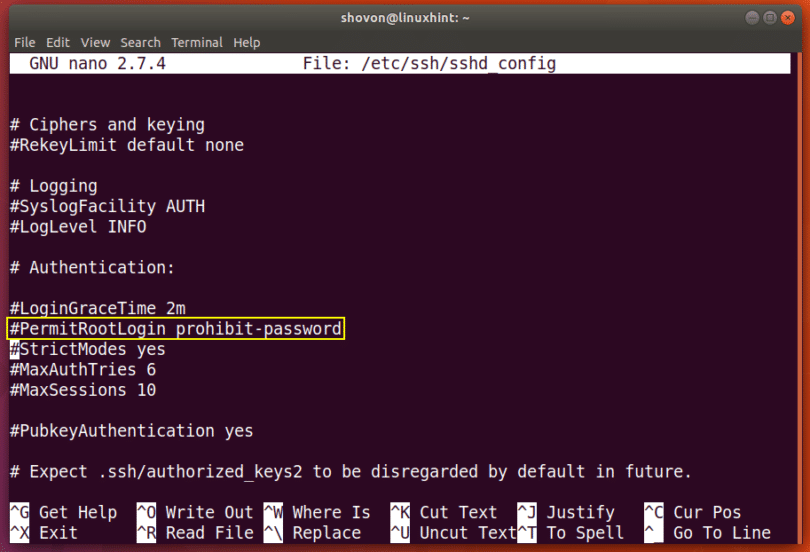
Step 1 Connect to your Debian 12 server using an SSH client such as PuTTY or the terminal Step 2 Open the SSH server configuration file in a text editor with root privileges You can use the following command to open the file with the nano text editor sudo nano etc ssh sshd config
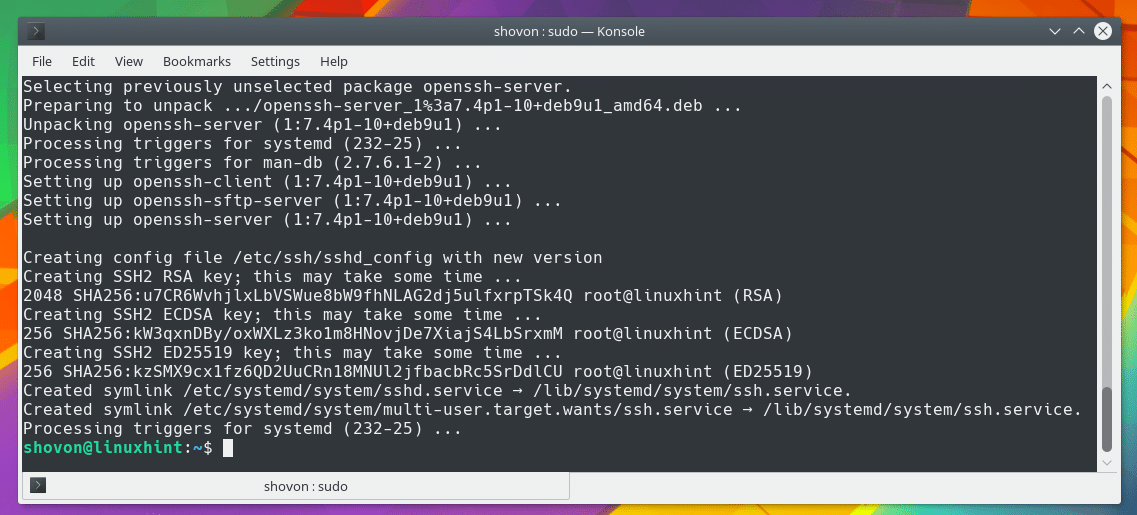
Step 1 Activate the SSH Server Right after the installation the SSH service will be started automatically However if it is not You can start the SSH service as follows sudo systemctl start ssh Meanwhile it is recommended to enable the SSH service as well to keep functioning the SSH after every restart sudo systemctl enable ssh
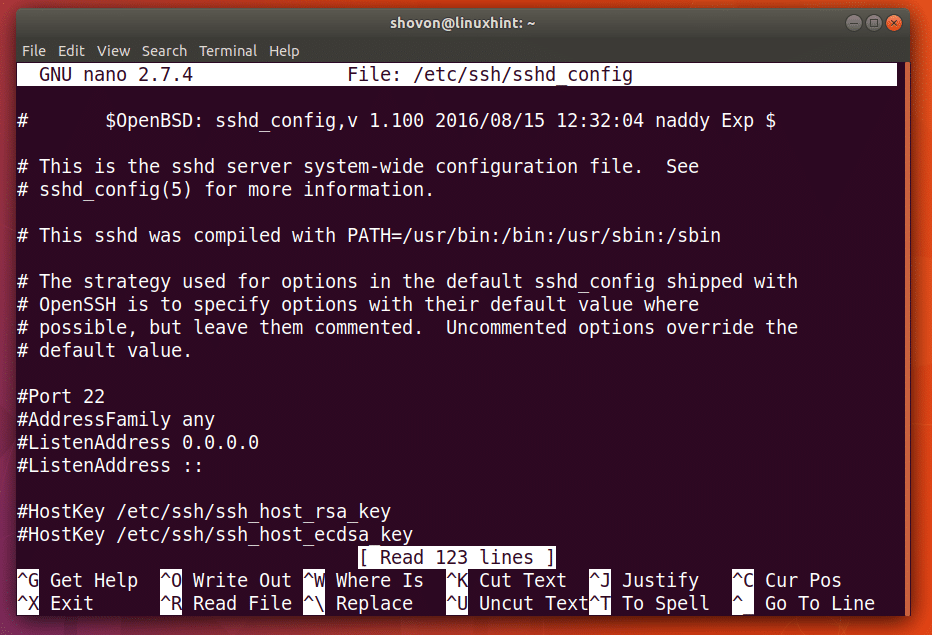
Ssh root login in debian has been disabled by default because it is not recommended to use the root password via ssh What you should normally do is ssh to the server as a regular Linux user then use the su command to login as root user In This tutorial we are going to learn how to allow root ssh login in debian Linux

To install and enable SSH on Debian complete the following steps 1 Open your terminal update your Debian system sudo apt update 2 SSH server is not installed by default on the Debian system To install it use the package openssh server which is available in the Debian repository To install SSH type sudo apt install openssh server
After fresh system installation the root login on the Debian Linux is disabled by default When you attempt to login as root user to your Debian Jessie Linux server the access will be denied eg This is a companion discussion topic for the original entry at https linuxconfig enable ssh root login on debian linux server Step 2 Install SSH Server On the system that acts as a server run the following command sudo apt install openssh server Enter your password when prompted then press Y to continue the installation In this case the output states that the newest version is already installed
For Debian based Linux ssh as a non privileged user sudo i become root and then apply the changes The whole point in disabling remote root access is to reduce the possibility of your server getting broken into if your root password is weak or server is not up to date in security updated software