Enable Ssh Key Authentication Centos Operation Setting Up Password less SSH Authentication In CentOS The Zedt How To Enable SSH Key Based Authentication Passwordless SSH Install And Enable Ssh Server On Centos 7 H2S Media How To Set Up SSH Keys On CentOS 8 Linuxize To include a title for the new key use the t or title flag gh ssh key add KEY FILE title personal laptop If you generated your SSH key by following the instructions in Generating a new SSH key and adding it to the ssh agent you can add the key to your account with this command gh ssh key add ssh id ed25519 pub
Stack Overflow is only for questions about writing code Configuring tools that came with your OS is a topic for Super User or Unix Linux Beyond that if we re going to run down what went wrong when you do ask on a more appropriate site it s necessary to provide details as text or ask your own question Using public key authentication for SSH Generating public keys for Windows Generating public keys for Linux Uploading SSH keys Uploading SSH keys using web interface configure update troubleshoot and remediate Dell servers from any location and without the use of agents It accomplishes this regardless of operating system or
How To Set Up SSH Keys On CentOS 8 Linuxize How To Enable Ssh Root Password Login On Centos Or Ubuntu Linux Mining Secure SSH With Google Authenticator Two Factor Authentication On Key Rsa SSH How To Use Public Key Authentication With Ssh step By Step Guide 2 Setup SSH Keys With Ssh copy id CloudBalkan Openssh Ssh Server Bearatila CentOS 8 OpenSSH SSH Keys Pair Auth Server World Learn SSH Keys In Minutes
Enable Ssh Key Authentication Centos
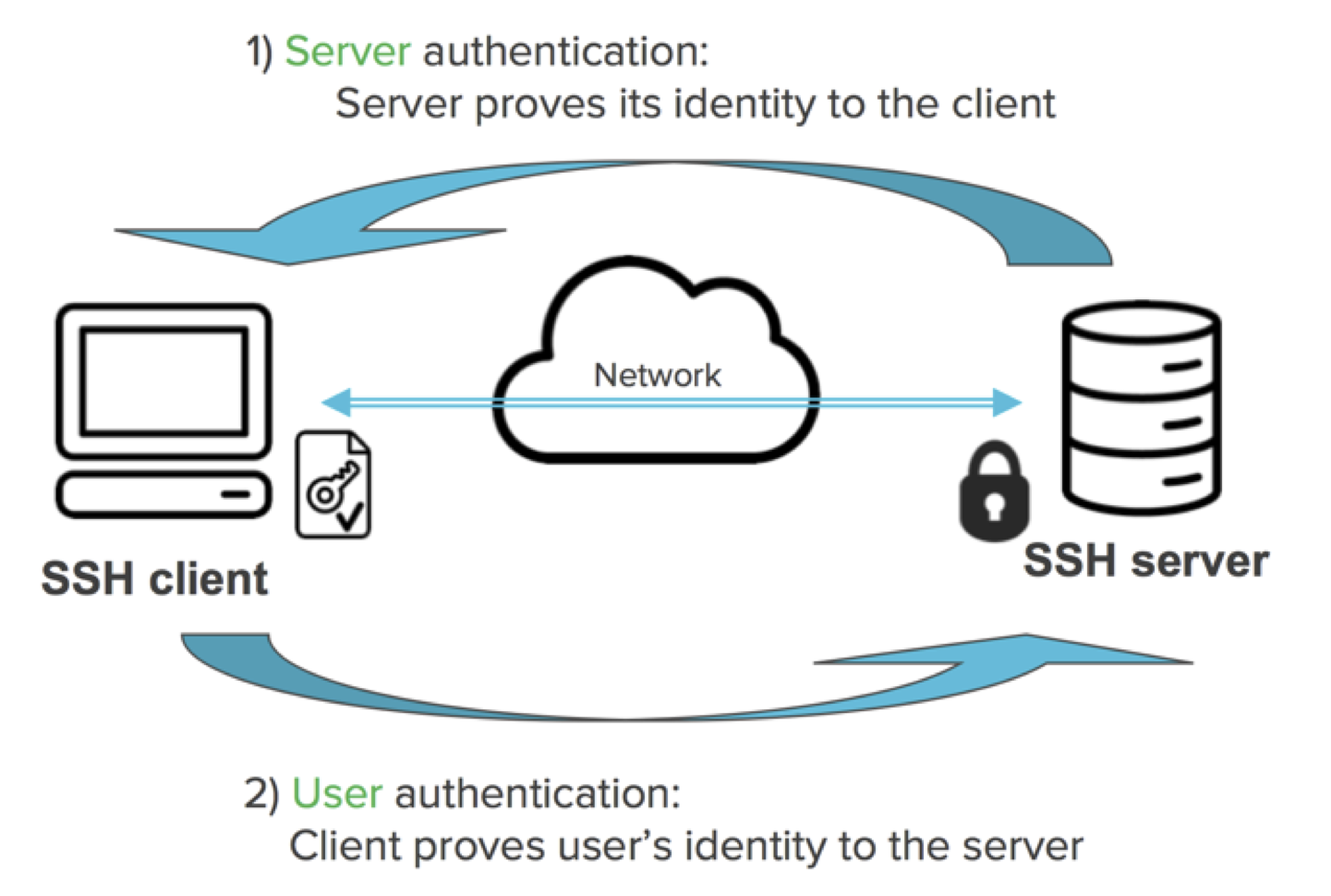 Enable Ssh Key Authentication Centos
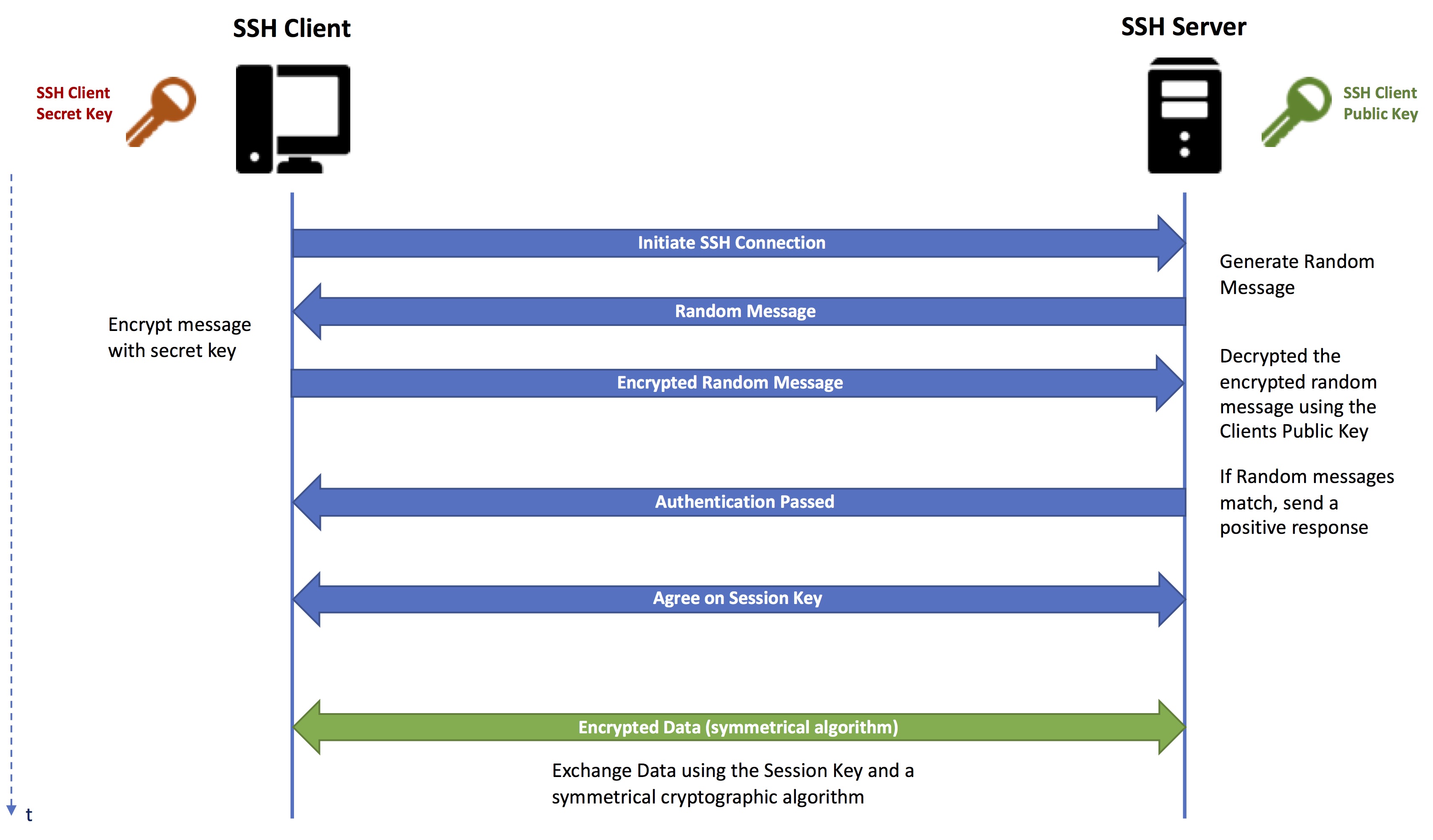
https://www.ssh.com/hubfs/Imported_Blog_Media/SSH_Key_-_Authentication_Using_SSH_Keys-2.png
Description publickey password Use the public key for the first authentication method and username password for the second authentication method certificate password Use the X 509v3 certificate for the first authentication method and username password for the second authentication method local Use local switch user password database tacacs
Templates are pre-designed files or files that can be used for numerous functions. They can save effort and time by providing a ready-made format and design for creating various sort of material. Templates can be utilized for individual or expert projects, such as resumes, invitations, leaflets, newsletters, reports, presentations, and more.
Enable Ssh Key Authentication Centos

CentOS 7 SSH Key For No Password Authentication
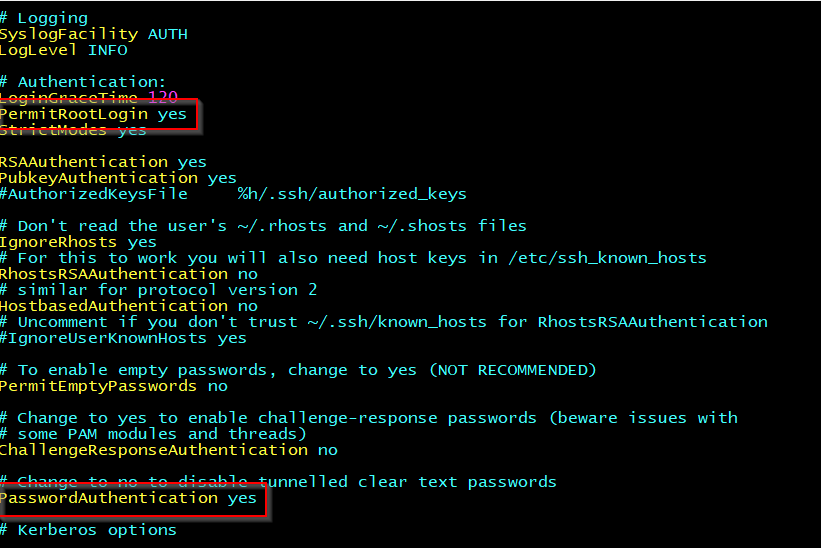
How To Enable Ssh Root Password Login On Centos Or Ubuntu Linux Mining
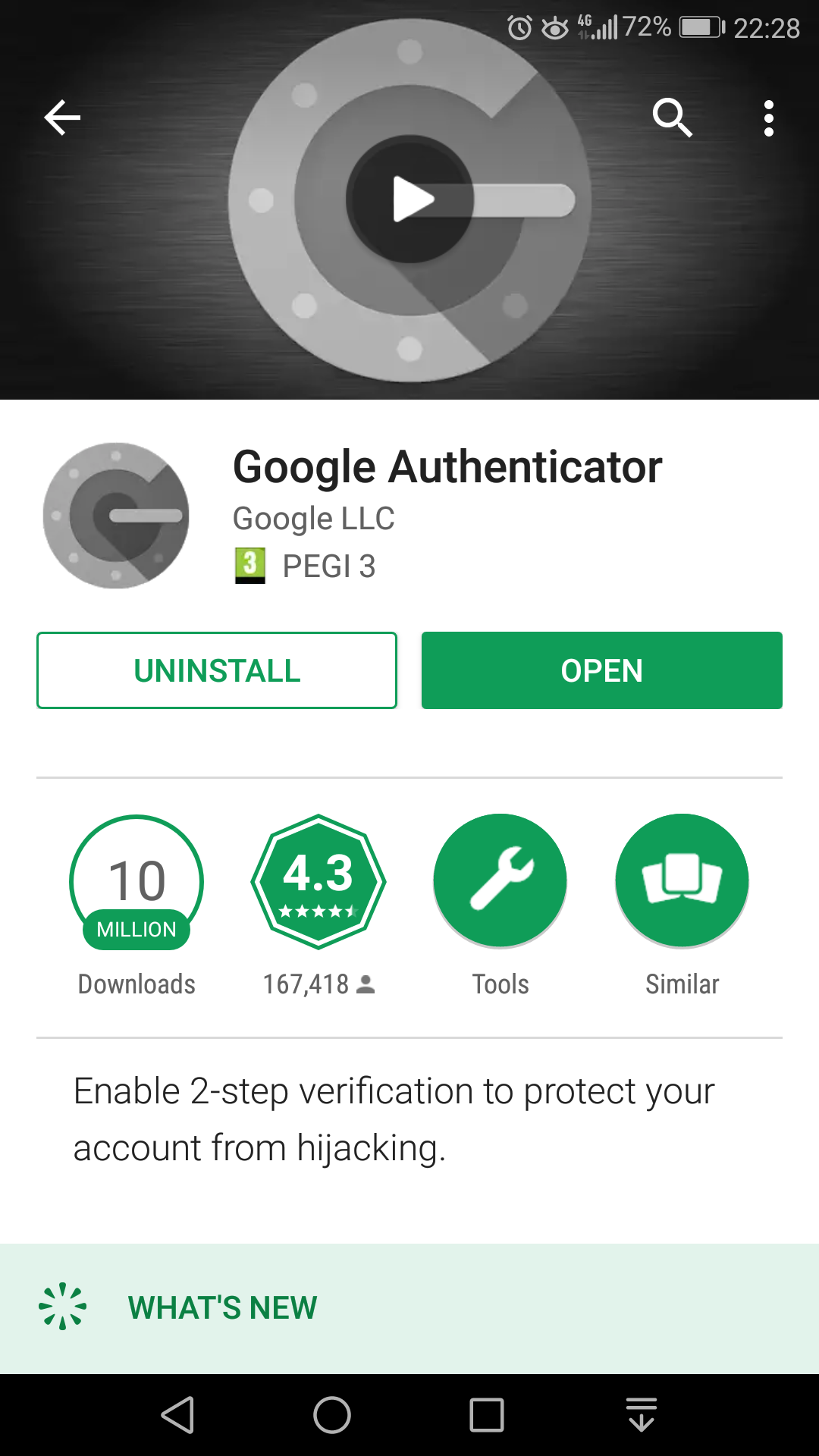
Secure SSH With Google Authenticator Two Factor Authentication On
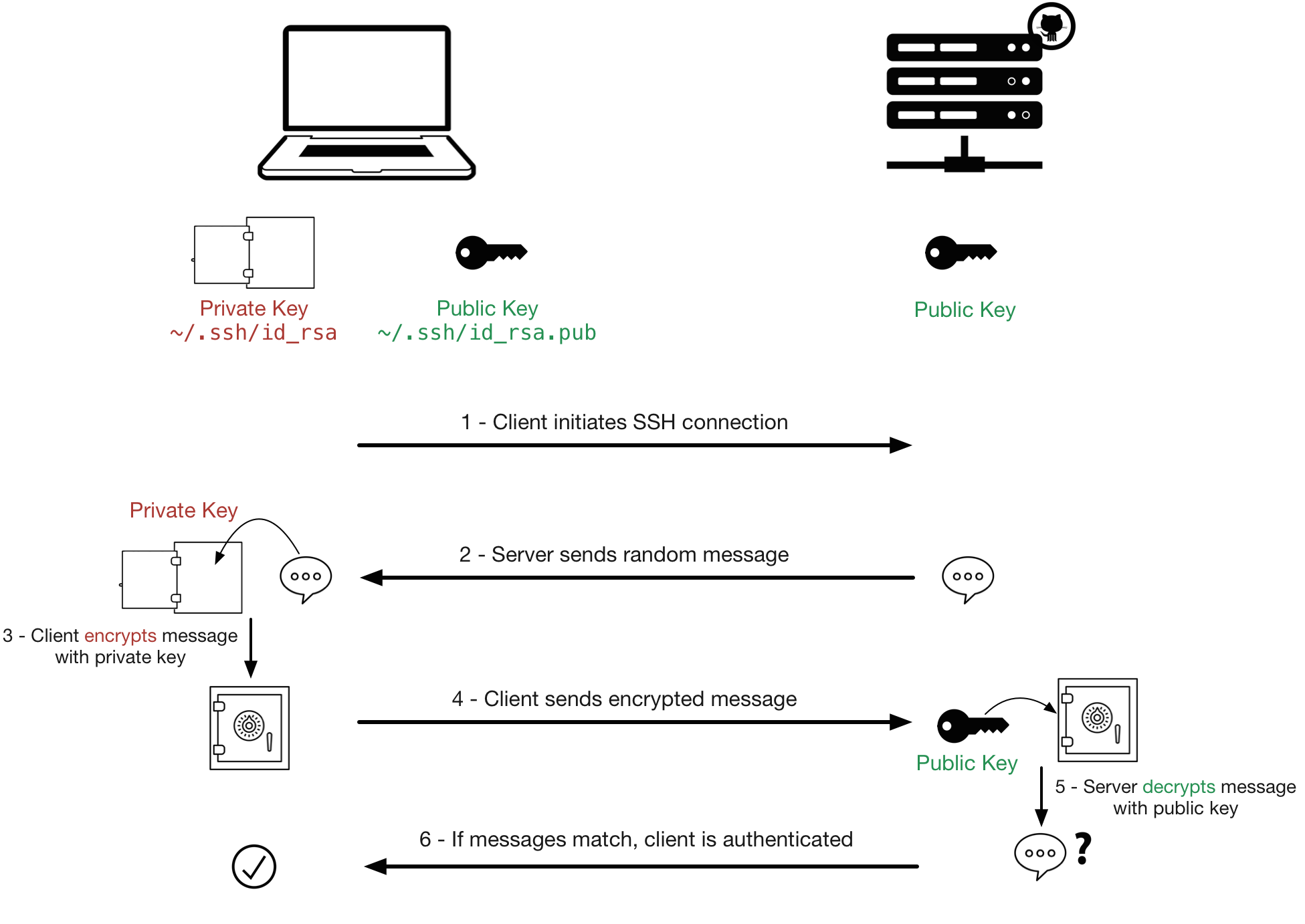
Key Rsa SSH

Setup SSH Keys With Ssh copy id CloudBalkan
Openssh Ssh Server Bearatila
The two most popular SSH authentication mechanisms are password based authentication and public key based authentication Using SSH keys is generally more secure and convenient than traditional password authentication This article describes how to generate SSH keys on CentOS 8 systems

In this guide we ll be focusing on setting up SSH keys based authentication for a CentOS 8 server SSH keys offer a straightforward steady technique of communicating with remote servers and are encouraged for all users Creating SSH Keys in Linux To generate a new 2048 bit RSA key pair open up the terminal and execute the below given command After pressing the enter you will see the

Install the operating system Install one of the following supported operating systems on the deployment hosts Ubuntu server 22 04 Jammy Jellyfish LTS 64 bit Debian 11 Bullseye LTS 64 bit Centos 9 Stream 64 bit Rocky Linux 9 64 bit Configure at least one network interface to access the Internet or suitable local repositories

Learn how to configure the Authentication based on Encrypted Keys to connect via SSH without a password and improve the security of your Linux server Czech Republic France Hungary In this tutorial you will see how to set SSH keys on your Linux CentOS 8 server At the end of the guide you will be able to authenticate on your server

Key based authentication for SSH is a more secure and convenient method compared to password based authentication It involves using cryptographic keys typi
Authorized keys location can be configured through etc ssh sshd config The default is to check both ssh authorized keys and ssh authorized keys2 but this is overridden so installations will only check ssh authorized keys AuthorizedKeysFile ssh authorized keys Hidden account will need remote login ability and should have administrator access through sudo to be able to run the scan SSH connections are based on secure cryptography but as with any secure system the real security comes from using it correctly There are two main things to do for your SSH settings Use an SSH key to log in remotely instead of a username and password Disable password based authentication entirely so SSH keys are the only remote login option
Switch configure Switch config line vty 0 5 Switch config line login Switch config line password 456 SSH Login SSH login supports password authentication mode and key authentication mode T3700G 52TQ only supports password authentication mode Password authentication mode The login username and password are both admin by default