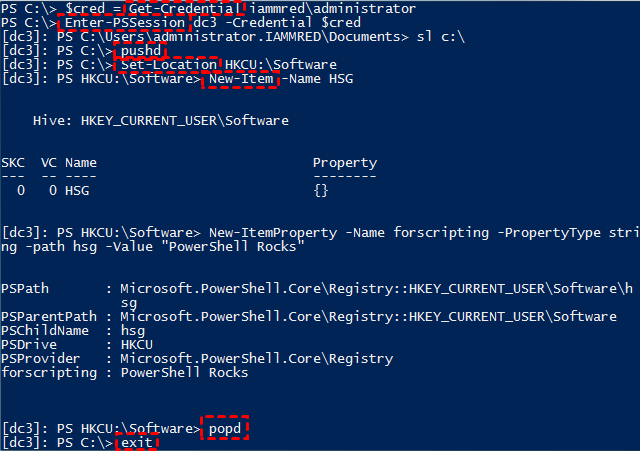
Enable Remote Registry Service Remotely Powershell How To Change Registry Key On Remote Computer Enable Remote Registry Per Remote Der Windows Papst IT Blog Walter Administrator MAS How To Enable Remote Desktop Remotely Through Registry How To Enable Remote Desktop RDP Remotely TheITBros Remote Registry Service And Get DbaProductKey SQLServerCentral Forums Web To enable PowerShell remoting on a single machine you can log on to this computer locally or via Remote Desktop and then execute Enable PSRemoting at a PowerShell prompt with administrator rights To avoid the conformation prompts you can use the Force parameter Enable PSRemoting Force
Web The Enable PSRemoting cmdlet configures the computer to receive PowerShell remote commands that are sent by using the WS Management technology WS Management based PowerShell remoting is currently supported only on Windows platform PowerShell remoting is enabled by default on Windows Server platforms Web Oct 13 2013 nbsp 0183 32 Summary Learn how to use Windows PowerShell to start a service on a remote machine How can I start a service on a remote machine To start a service on a local machine Get Service Name bits Start service But if you try to use the same technique on a remote machine it tries to start the service on your local machine
Remote Registry Service And Get DbaProductKey SQLServerCentral Forums Sysinternals Pstools Aldeid Microsoft Powershell Remotely Write Edit Modify New Registry Key And Data Value VGeek Remotely Enable RemoteRegistry Service Using Powershell Systems Inside Remotely Enable Remote Desktop In Windows Powershell Enable Remote Desktop In Windows 10 Techilife Remotely Enable Remote Registry On A Windows 7 System TechNet Articles United States How To Deploy Registry Changes Remotely On Windows MEDIA INFO To Enable Remotely Registry Access On Terminal
Enable Remote Registry Service Remotely Powershell
 Enable Remote Registry Service Remotely Powershell
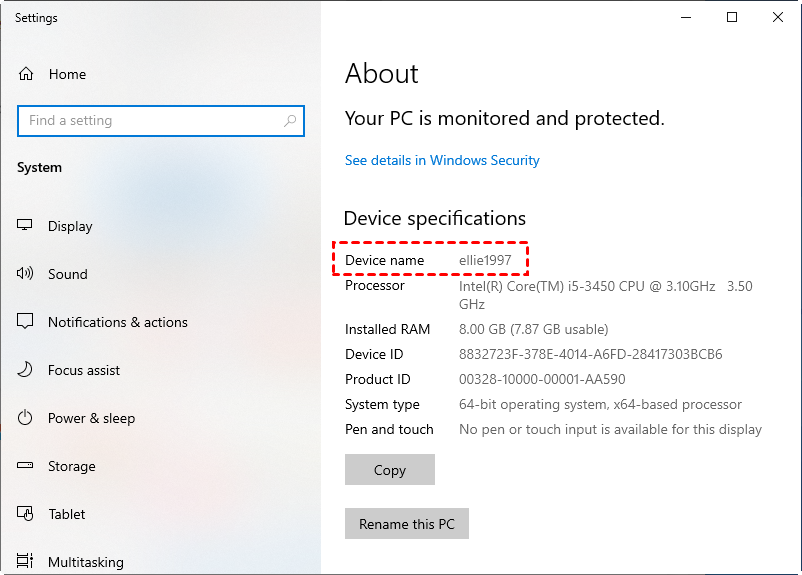
https://www.anyviewer.com/screenshot/windows/device-name.png
Web Dec 9 2014 nbsp 0183 32 If it was me I would do one line like this get wmiobject win32 service filter quot name RemoteRegistry quot ComputerName server State Using WMI checks if it is enabled and the to check the service state To get a response of quot started quot means both WMI remoting is working and the the service is running Matt
Pre-crafted templates use a time-saving service for producing a diverse variety of documents and files. These pre-designed formats and designs can be used for various personal and expert jobs, including resumes, invites, leaflets, newsletters, reports, discussions, and more, simplifying the material development procedure.
Enable Remote Registry Service Remotely Powershell
How To Change Registry Key On Remote Computer
Sysinternals Pstools Aldeid
Microsoft Powershell Remotely Write Edit Modify New Registry Key And Data Value VGeek
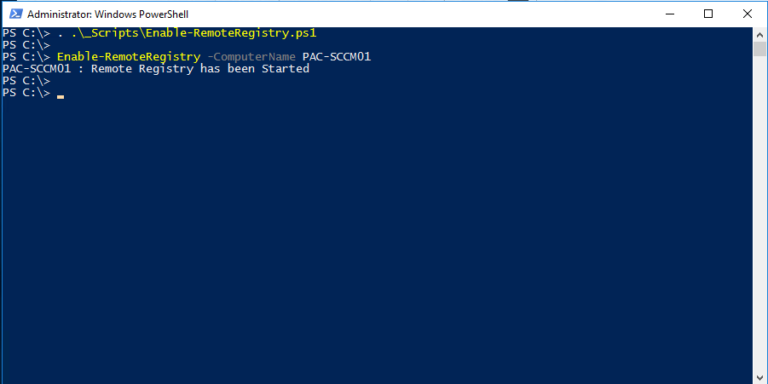
Remotely Enable RemoteRegistry Service Using Powershell
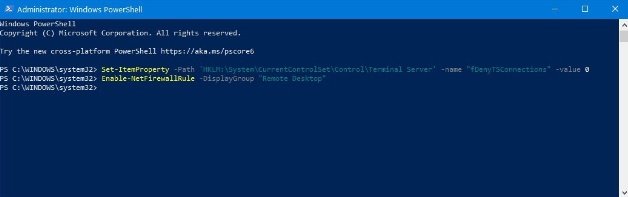
Powershell Enable Remote Desktop In Windows 10 Techilife

Remotely Enable Remote Registry On A Windows 7 System TechNet Articles United States
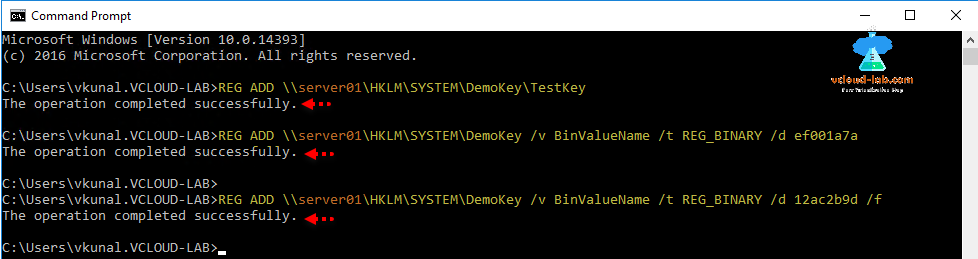
Web Windows 7 by default disables the remote registry service probably for security reasons To enable it from the command line type the following sc computername config remoteregistry start auto make sure you have a space between the sign and auto if you re doing this on your local computer you can drop the computername part

Web Jan 30 2020 nbsp 0183 32 Without using Invoke Command you can get this info using Microsoft Win32 RegistryKey OpenRemoteBaseKey on the HKEY USERS registry hive For this you need to know the string user SID which is obtained easily enough using the Get ADUser cmdlet The below code assumes you want to get this registry info for

Web Sep 30 2016 nbsp 0183 32 The RemoteRegistry is disabled by default This can be seen using Get Service RemoteRegistry Select Object StartType To enable it the Set Service command can be used Get Service ComputerName lt Remote Computer gt Name RemoteRegistry Set Service StartupType Manual PassThru Start Service To disable again

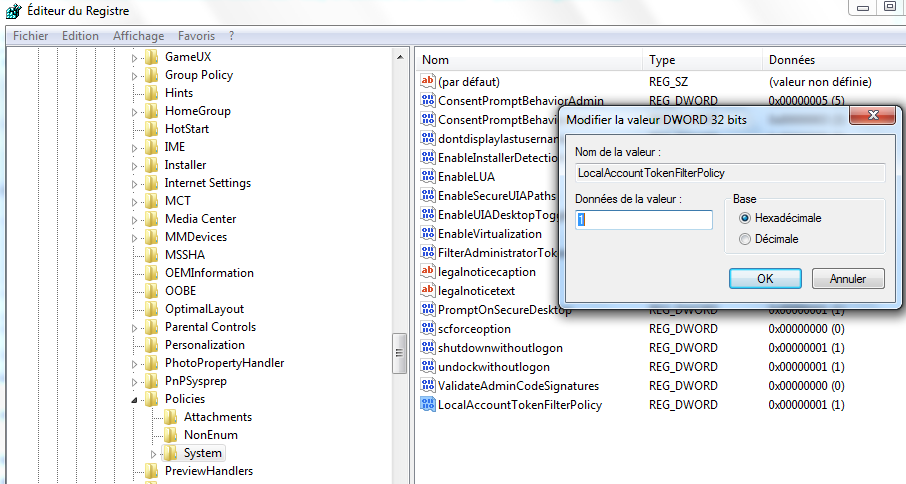
Web Dec 18 2021 nbsp 0183 32 Tim Fisher Updated on December 18 2021 What to Know Open Registry Editor Go to File gt Connect Network Registry In the empty space type the host name of the computer you want to connect to Select Check Names to pull up the remote computer s full path in LOCATION NAME format Enter your access credentials if prompted to do so
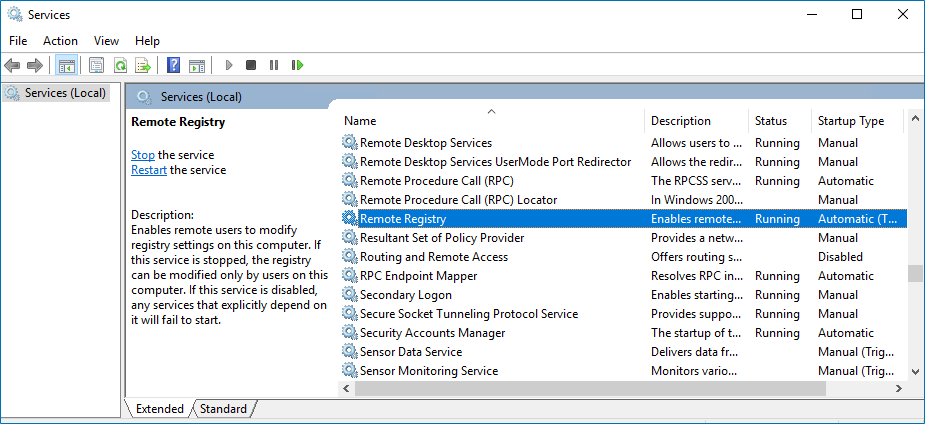
Web Mar 3 2021 nbsp 0183 32 The Remote Registry service must be running on BOTH sides of the Remote Registry connection So first turn it on for your admin workstation You can verify if Remote Registry service is running on a remote machine with the sc exe command In these examples change ComputerName to match the device you want to remotely
Web You must have permission to connect to the remote computer permission to run PowerShell and permission to access data stores such as files and folders and the registry on the remote computer For more information see about Remote Requirements Web Jul 3 2023 nbsp 0183 32 Get Service Set Service Get WinEvent Get WmiObject Typically cmdlets that support remoting without special configuration have the ComputerName parameter and don t have the Session parameter To find these cmdlets in your session type PowerShell
Web Sep 20 2022 nbsp 0183 32 EXAMPLE PS C gt Start RemoteRegistryService ComputerName LAB01 Starts the Remote Registry service on computer LAB01 gt CmdletBinding Param Parameter ValueFromPipelineByPropertyName true String ComputerName try RemoteRegistry Get CIMInstance Class Win32 Service Comp ComputerName