Enable Rdp Windows 10 Command Line Powershell Enable Remote Desktop In Windows 10 Techilife 4 Ways How To How To Enable Rdp Windows 10 Ecokawevq How To Enable Remote Desktop RDP Using Command Line CMD YouTube How To Enable RDP Window 11 Home Edition IP ON WIRE RDP Windows 10 Gisv Web Mar 29 2020 nbsp 0183 32 To enable remote desktop using command line you must have administrator permission in Windows The command line interfaces command prompt or Powershell must run as administrator Enable remote desktop process Run Windows Command Prompt Execute registry command to enable remote desktop Enable
Web Sep 7 2023 nbsp 0183 32 Enable Remote Desktop via Command Prompt Step 1 Run Command Prompt as administrator Type Command Prompt on the Cortana s search bar Right click the result and then select Run as administrator Step 2 Type the following command on the Command Prompt window and then hit the Enter to run this command Web Feb 1 2023 nbsp 0183 32 Search for PowerShell right click the top result and select the Run as administrator option Type the following command to enable Remote Desktop on Windows 10 and press Enter Set ItemProperty Path HKLM System CurrentControlSet Control Terminal Server name
RDP Windows 10 Gisv RDP Concurrent Multiple RDP Remote Desktop Windows 10 20H2 RDP Wrapper 58 Enable Remote Desktop Protocol RDP On Windows Server 2019 YouTube Windows 10 Command Prompt Concept Fluent Design Dark By Naveen How To Use Remote Desktop To Connect To A Windows 10 PC How To Check Disk Windows 10 Command Prompt Method YouTube How To Enable Remote Desktop On Windows 10 Pureinfotech 100 Working Latest Free RDP Account 2023 TechMaina Easiest Enable RDP Windows 10 11 Multiple Users Simultaneously
Enable Rdp Windows 10 Command Line
 Enable Rdp Windows 10 Command Line
https://itechguides.com/wp-content/uploads/2019/09/image-1263.png
Web Nov 11 2023 nbsp 0183 32 Table of contents Enable Remote Desktop on Windows 10 Enable Remote Desktop on Windows 11 Enable Remote Desktop on Windows Server PowerShell Enable Remote Desktop Group Policy Configuration to allow RDP In the diagram below my admin workstation is PC1 I m going to enable RDP on PC2 PC3 and
Templates are pre-designed files or files that can be utilized for numerous functions. They can conserve effort and time by offering a ready-made format and layout for creating various sort of content. Templates can be utilized for personal or professional tasks, such as resumes, invites, flyers, newsletters, reports, presentations, and more.
Enable Rdp Windows 10 Command Line
Top 50 Windows Command Prompt Commands List Vrogue
RDP Concurrent Multiple RDP Remote Desktop Windows 10 20H2 RDP Wrapper

58 Enable Remote Desktop Protocol RDP On Windows Server 2019 YouTube
Windows 10 Command Prompt Concept Fluent Design Dark By Naveen

How To Check Disk Windows 10 Command Prompt Method YouTube
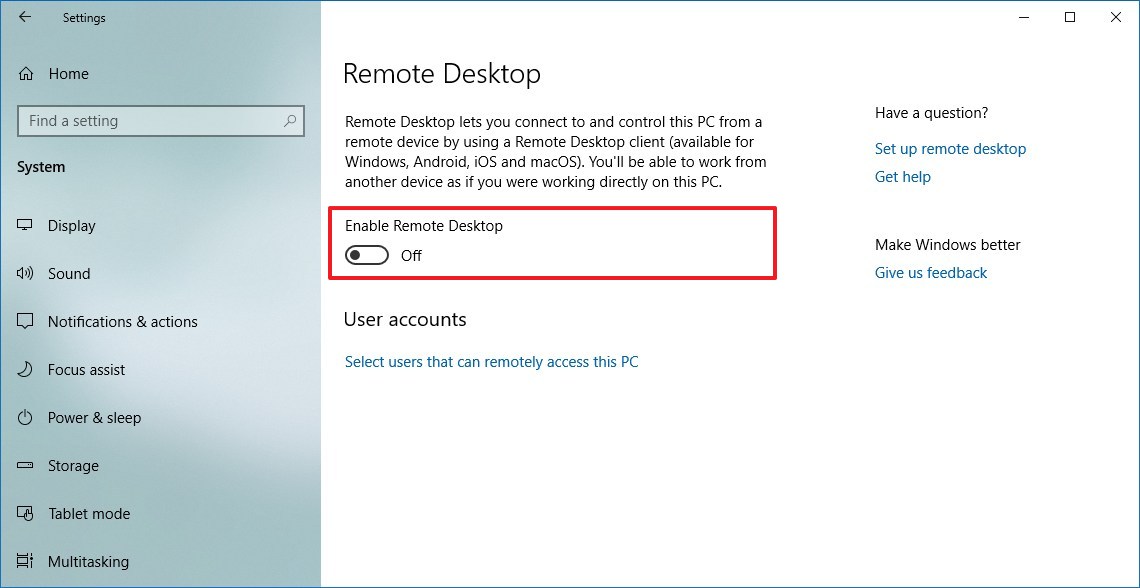
How To Enable Remote Desktop On Windows 10 Pureinfotech

Web Dec 22 2023 nbsp 0183 32 To enable Remote Desktop using Command Prompt and Windows PowerShell follow these steps Open Command Prompt or PowerShell with administrator privilege Set value of fDenyTSConnections

Web Dec 2 2022 nbsp 0183 32 To enable Remote Desktop via the command line follow the steps below Open the Windows 10 Start menu Search Command Prompt and right click the first result that appears Select Run as Administrator To enable remote desktop via CMD enter the following command and hit Enter

Web Nov 5 2022 nbsp 0183 32 Step 3 Enable RDP in CMD with the Command Line Next you will see the black Win32 Console simply enter the following command This command will adjust the local machine section of your Windows registry and enable RDP once again reg add quot HKEY LOCAL MACHINE SYSTEM CurrentControlSet Control Terminal Server quot v

Web Oct 2 2010 nbsp 0183 32 We can enable remote desktop from windows command line by running the following command reg add quot HKEY LOCAL MACHINE SYSTEM CurrentControlSet Control Terminal Server quot v fDenyTSConnections t REG DWORD d 0 f To disable remote desktop we need to run
Web Apr 10 2018 nbsp 0183 32 To open the Remote Desktop port you can use this PowerShell command Invoke Command Computername lt computer name gt ScriptBlock Enable NetFirewallRule DisplayGroup quot Remote Desktop quot We are using PowerShell remoting again to execute Enable NetFirewallRule remotely Enable Remote Desktop via WMI
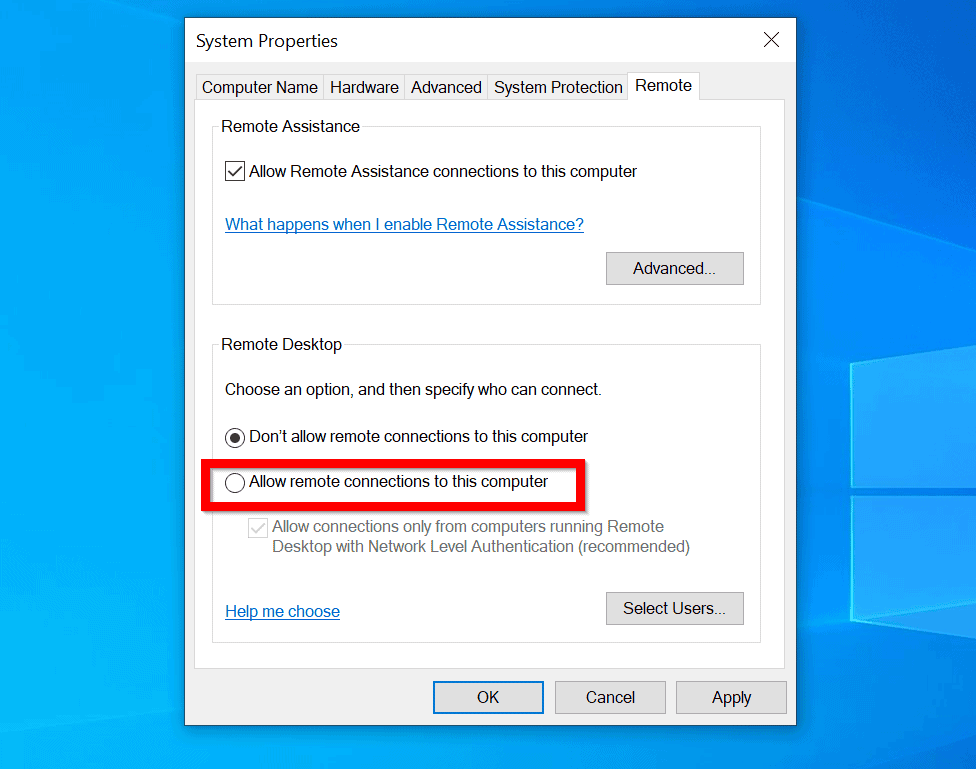
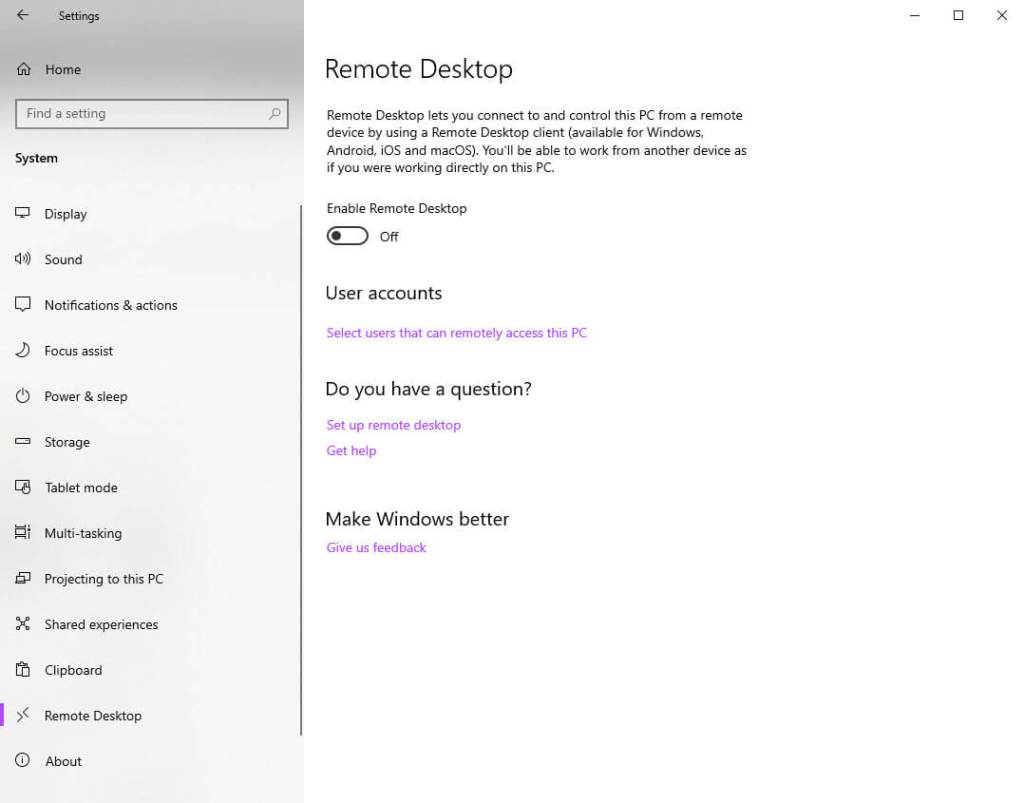
Web Updated Nov 17 2022 You can enable Remote Desktop in Windows 10 by simply searching the Start Menu for quot Remote Desktop settings quot and flipping quot Enable Remote Desktop quot to quot On quot Quick Links How to Enable Remote Desktop Connections with Windows 10 Settings How to Enable Remote Desktop Connections with Control Panel Web Dec 14 2022 nbsp 0183 32 The most intuitive way to enable Remote Desktop on Windows 10 and 11 is to use a GUI You can enable RDP From the classic SystemPropertiesRemote control panel run the command SystemPropertiesRemote and enable the Allow remote connections to this computer option in the Remote Desktop section
Web Jun 2 2019 nbsp 0183 32 1 1 by dos do you mean command prompt Journeyman Geek Jun 2 2019 at 13 21 mstsc The Windows command prompt is NOT a DOS prompt LotPings Jun 2 2019 at 13 58 1 What do you mean by quot activate RDP quot Start the client from the command line or configure the system to be a RDP server and allow incoming RDP