Enable Rdp On Server Core Configure A Server Core Installation Of Windows Server And Azure Stack How To Enable Remote Desktop On Windows 11 Pureinfotech Windows Server 2019 How To Enable Remote Desktop Youtube Mobile Legends Server Os Market Share Nanaxhost 58 Enable Remote Desktop Protocol RDP On Windows Server 2019 YouTube May 15 2020 nbsp 0183 32 How to Enable or Disable Access to All Removable Storage Devices in Windows Users are allowed read and write access to all removable storage devices they connect to the computer by default in Windows This tutorial will show you how to enable or disable r
Jul 3 2021 nbsp 0183 32 How to Turn Windows Features On or Off in Windows 10 Some programs and features included with Windows such as Internet Information Services must be turned on before you can use them Certain other features are turned on by default but you can turn them off if you don t use them Turning off a feature doesn t uninstall it from your PC or reduce the amount of Apr 27 2021 nbsp 0183 32 1 Open Windows Features 2 Check enable or Uncheck disable Microsoft Print to PDF for what you want and click tap on OK see screenshot below If Microsoft Print to PDF is already checked and you still do not have the printer available uncheck Microsoft Print to PDF click tap on OK and repeat step 2 to check it This will toggle Microsoft Print to PDF off and on
58 Enable Remote Desktop Protocol RDP On Windows Server 2019 YouTube How To Enable RDP On Server 2012 1 Ultimate Guide How To Enable RDP On Server 2012 1 Ultimate Guide How To Enable Remote Access On Windows Server 2012 How To Connect To Server Via SSH KNOWLEDGEBASE Step By Step Guides For Server 2016 Installing Server 2016 Core How To Enable Remote Desktop On Windows Server Core RDP How To Do Remote Desktop Connection Techstribe
Enable Rdp On Server Core
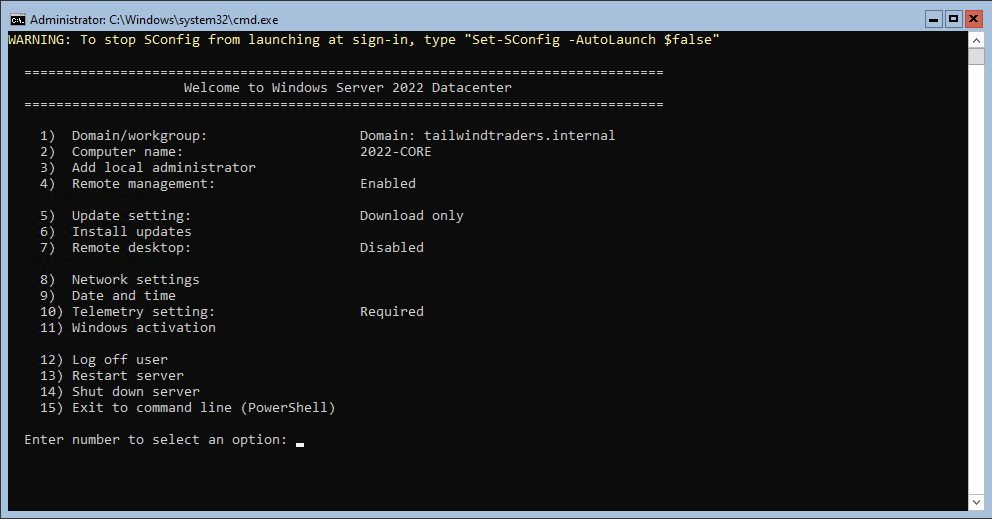 Enable Rdp On Server Core
https://learn.microsoft.com/en-us/windows-server/administration/media/sconfig-main-page.png
Oct 12 2020 nbsp 0183 32 Enable Disable or Force InPrivate Mode in Microsoft Edge Chromium Published by Shawn Brink Category Browsers amp Email 12 Oct 2020 How to Enable Disable or Force InPrivate Mode in Microsoft Edge Chromium Microsoft has adopted the Chromium open source project in the development of Microsoft Edge on the desktop to create better web compatibility
Templates are pre-designed documents or files that can be used for numerous purposes. They can save effort and time by providing a ready-made format and layout for producing different sort of material. Templates can be utilized for personal or expert tasks, such as resumes, invitations, leaflets, newsletters, reports, discussions, and more.
Enable Rdp On Server Core

How To Enable Remote Desktop On Windows Server Core

How To Enable RDP On Server 2012 1 Ultimate Guide

How To Enable RDP On Server 2012 1 Ultimate Guide
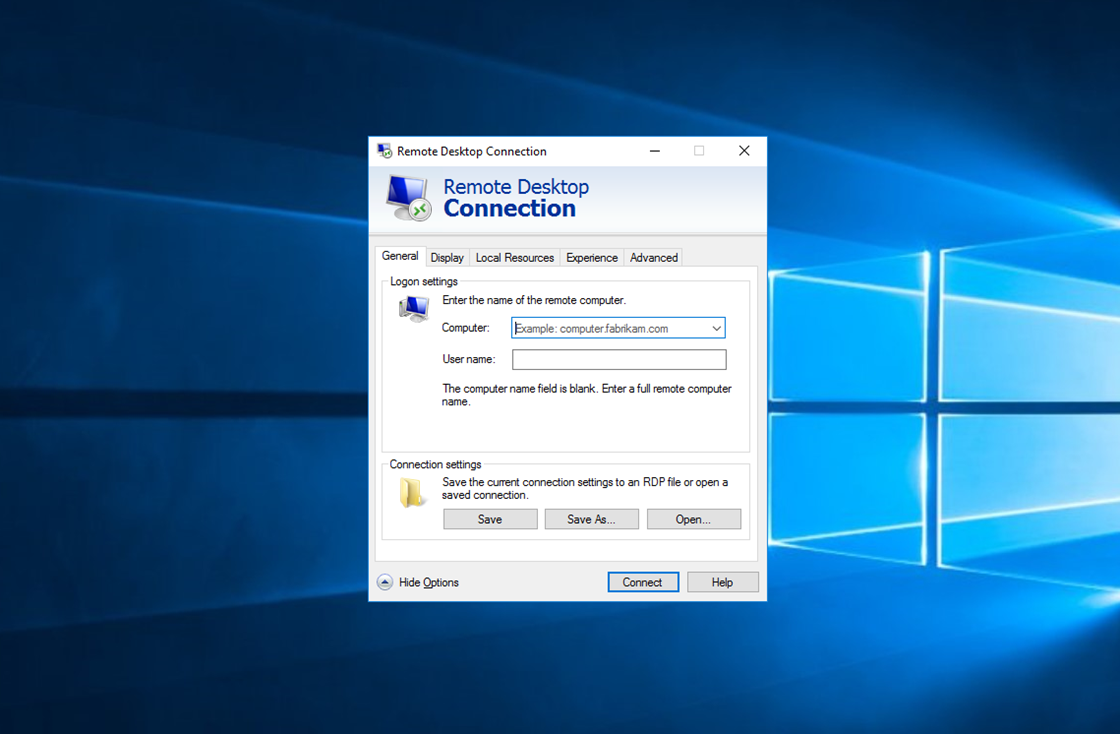
How To Enable Remote Access On Windows Server 2012

Step By Step Guides For Server 2016 Installing Server 2016 Core
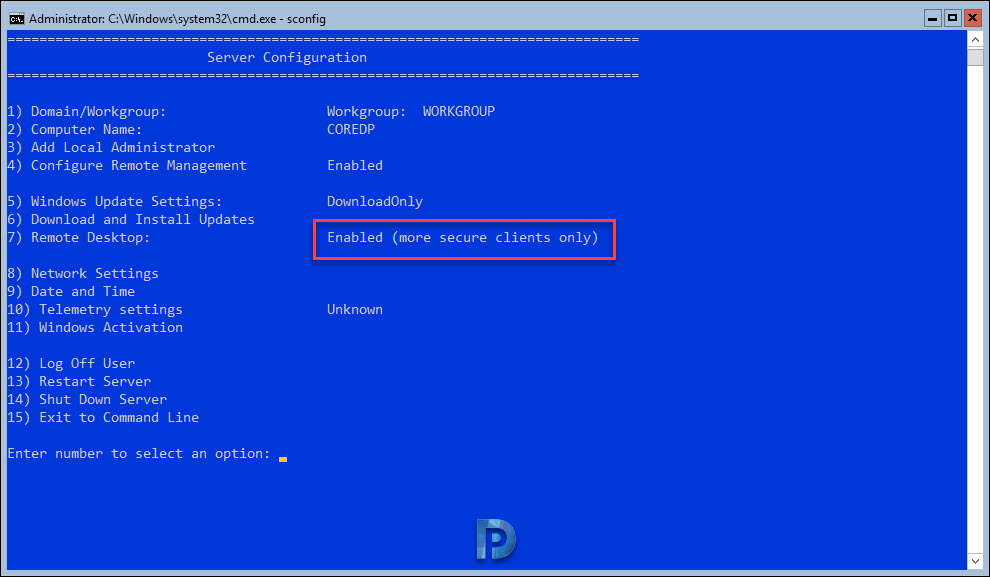
How To Enable Remote Desktop On Windows Server Core

Disable Enable 1 BIOS BIOS disable enable

Jun 24 2022 nbsp 0183 32 How to Add Delete Enable or Disable Startup Items in Windows 10 Information Startup items are the apps shortcuts folders drivers e
01 Nov 2022 How to Enable or Disable Windows Security in Windows 10 The Windows Security app is a client interface on Windows 10 version 1703 and later that makes it is easier for you to view and control the security protections you choose and better understand the security features already protecting you on your Windows 10 device
Dec 7 2020 nbsp 0183 32 How to Enable or Disable Developer Tools in Microsoft Edge Chromium Published by Shawn Brink Category Browsers amp Email 07 Dec 2020 How to Enable or Disable Developer Tools in Microsoft Edge Chromium Microsoft has adopted the Chromium open source project in the development of Microsoft Edge on the desktop to create better web compatibility

Sep 23 2020 nbsp 0183 32 How to Enable or Disable Windows Subsystem for Linux WSL in Windows 10 The Windows Subsystem for Linux WSL lets developers run a GNU Linux environment including most command line tools utilities and applications directly on Windows unmodified without the overhead of a traditional virtual machine or dualboot setup
[desc-11] [desc-12]
[desc-13]