Enable Key Based Authentication Ssh How To Enable SSH Key Based Authentication Passwordless SSH How To Enable Key Based Authentication In SSH Fedingo Configure Key Based Authentication For SSH YouTube Lastline SSH Key Based Authentication For monitoring User Blog Managing SSH Key Pairs UW Milwaukee Cloud Computing Step 1 Creating the Key Pair The first step is to create a key pair on the client machine usually your computer ssh keygen By default recent versions of ssh keygen will create a 3072 bit RSA key pair which is secure enough for most use cases you may optionally pass in the b 4096 flag to create a larger 4096 bit key
Using ssh keygen and sharing for key based authentication in Linux Enable Sysadmin Using ssh keygen and sharing for key based authentication in Linux SSH key based authentication is helpful for both security and convenience See how to generate and share keys Posted September 24 2020 Tyler Carrigan Editorial Team Red Hat The SSH public key authentication has four steps 1 Generate a private and public key known as the key pair The private key stays on the local machine 2 Add the corresponding public key to the server 3 The server stores and marks the public key as approved 4
Managing SSH Key Pairs UW Milwaukee Cloud Computing All About SSH Key Based Authentication How SSh Key Based How To Setup SSH Key Based Authentication Techbeatly SSH Key Based Authentication SSH Security Part 3 YouTube Configure SSH Key Based Authentication From Linux And Windows System How To Use SSH Keys For Authentication UpCloud Configure SSH Key based Authentication On Raspberry Pi Geeky Hacker How To Configure SSH To Accept Only Key Based Authentication Vmcentral Operation
Enable Key Based Authentication Ssh
 Enable Key Based Authentication Ssh
https://www.middlewareinventory.com/wp-content/uploads/2018/07/KeyBasedAuth.jpeg
To configure the SSH server to support key based authentication follow these steps Log in to the server console as the bitnami user Create a key pair consisting of a public and private key as shown below Set a long passphrase when prompted ssh keygen Generating public private rsa key pair
Templates are pre-designed files or files that can be utilized for various functions. They can save effort and time by offering a ready-made format and design for creating various sort of material. Templates can be utilized for individual or professional tasks, such as resumes, invites, flyers, newsletters, reports, presentations, and more.
Enable Key Based Authentication Ssh
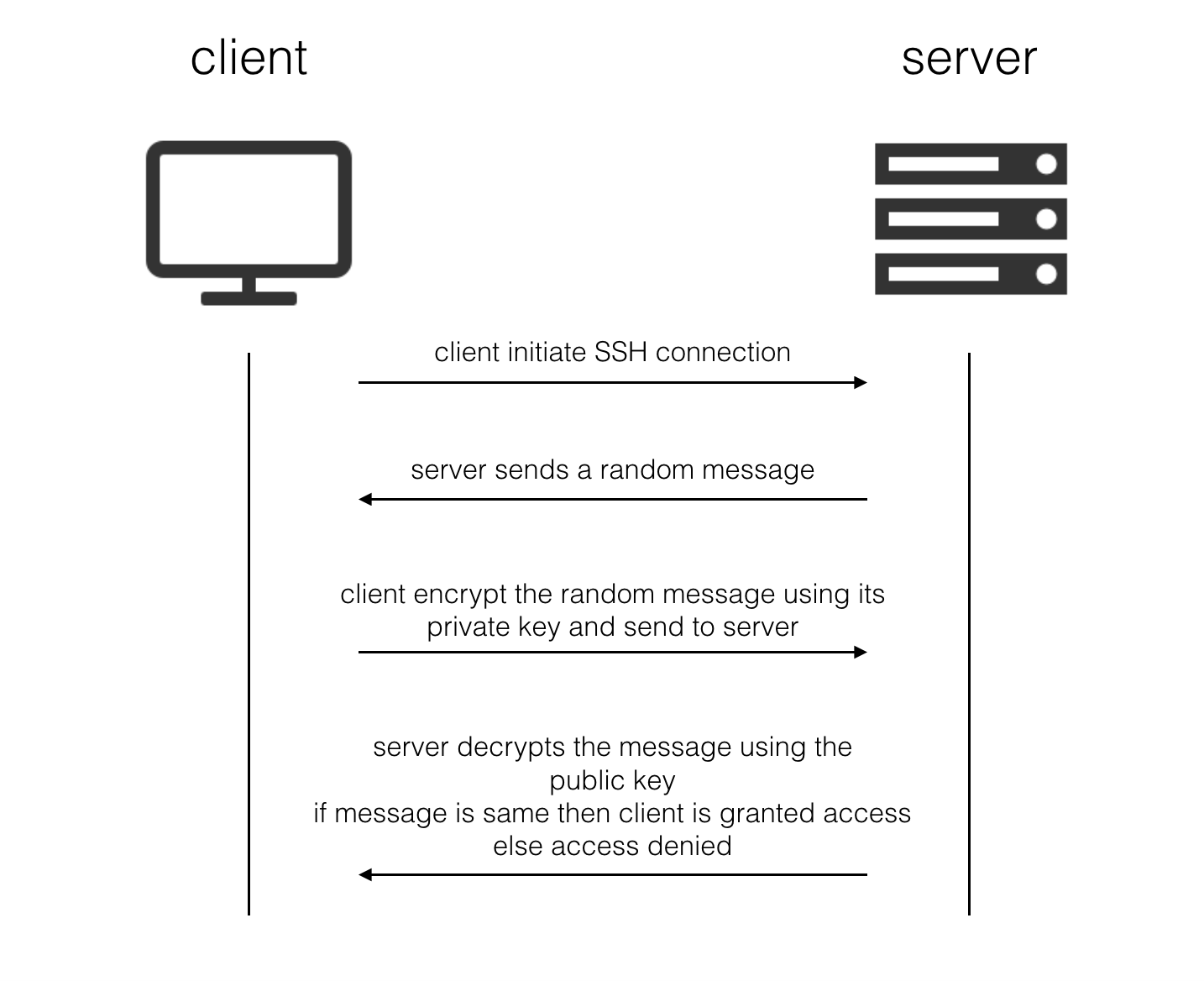
How To Setup SSH Key Based Authentication On Linux Server Reference

All About SSH Key Based Authentication How SSh Key Based

How To Setup SSH Key Based Authentication Techbeatly

SSH Key Based Authentication SSH Security Part 3 YouTube
How To Use SSH Keys For Authentication UpCloud
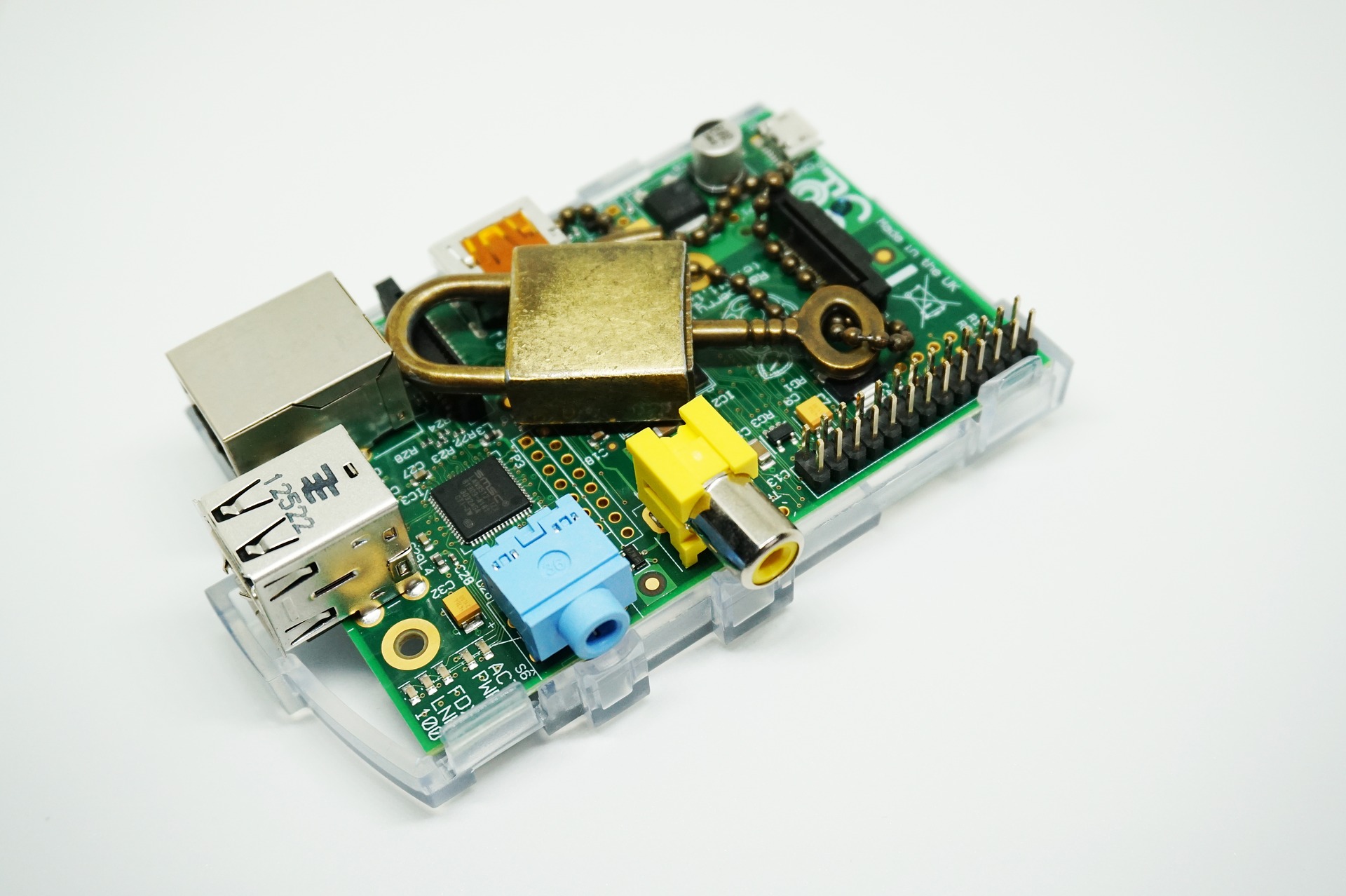
Configure SSH Key based Authentication On Raspberry Pi Geeky Hacker

Create the key pair The ssh keygen command generates the private and public key pair By default the command saves these keys to the user s ssh id rsa and ssh id rsa pub files The id rsa is the private key and id rsa pub is the public key

Key based authentication enables the SSH server and client to compare the public key for a user name provided against the private key If the server side public key can t be validated against the client side private key authentication fails

To enable key based authentication you must configure the SSH server on your Linux machine Edit the SSH configuration file usually located at etc ssh sshd config using your preferred text editor sudo nano etc ssh sshd config Ensure that the following lines are present and uncommented in the configuration file ADVERTISEMENT 1 2

Use the command nano ssh authorized keys to create an empty text file named authorized keys Paste the contents of the Public key for pasting into OpenSSH authorized keys file into the text file Confirm you have pasted the key Save and close the file Enter the command chmod 600 ssh authorized keys

Step 1 Generate SSH Key Pair in Local System Step 2 Copy SSH Public Key to SSH Server Remote System Step 3 Disable SSH Password based Authentication in Remote SSH Server Step 4 Test SSH Key based Authentication Step 5 Adding New Client System s Keys to SSH Server Frequently Asked Questions Conclusion Types of SSH Authentication Methods
SSH supports various authentication mechanisms The two most common ones are password and public key based authentication Authentication using a public key is based on the use of digital signatures and it is more secure and convenient than traditional password authentication This article explains how to generate SSH keys on Ubuntu 20 04 systems To improve the system security even further you can enforce key based authentication by disabling the standard password authentication To do so open the etc ssh sshd config configuration file in a text editor such as vi or nano and change the PasswordAuthentication option as follows PasswordAuthentication no
1 Install Open SSH You need openssh client on your client machine to configure key based authentication in SSH It is installed in most Linux distributions However if it is not present in your client s Linux system run the following commands to install it CentOS Fedora RHEL sudo yum y install openssh Ubuntu Debian