Enable Disable Network Adapter Windows 10 Command Line Enable Disable Network Adapters In Windows 11 Mosd K ny rg s Minket Have To Disable And Enable Network Adapter Windows 10 N ha K rnyezet Egyetlen Enable Disable Network Adapters In Windows 11 How To Disable Network Adapters On Windows 10 9 Ways To Fix Wi Fi Networks Not Showing Up On Windows 11 WEB Apr 13 2020 nbsp 0183 32 Click on Change adapter settings to open the Network Connections menu Right click on the Ethernet adapter and select Disable The status of the Ethernet adapter would switch from Enabled
WEB Mar 19 2021 nbsp 0183 32 We show you how to disable or enable your WiFi or Ethernet adapter using the Control Panel Device Manager PowerShell and Command Prompt in Windows 10 WEB Oct 9 2019 nbsp 0183 32 Currently the best solution is the following see the comment from somebadhat The Windows 7 version from this website shows a vbs script
9 Ways To Fix Wi Fi Networks Not Showing Up On Windows 11 Enable Disable Network Adapters In Windows 11 Enable Disable Network Adapters In Windows 11 Can t Connect Because You Need A Certificate To Sign In WiFi Windows 8 Ways To Fix Airplane Mode Greyed Out On Windows 11 Enable And Disable Network Adapters In Windows 7 How To Disable Network Adapters On Windows 10 Jayesh Mewada How To Enable Or Disable Network Adapters Using PowerShell How To Enable Or Disable Wi Fi And Ethernet Network Adapters On Windows 10 Windows Central
Enable Disable Network Adapter Windows 10 Command Line
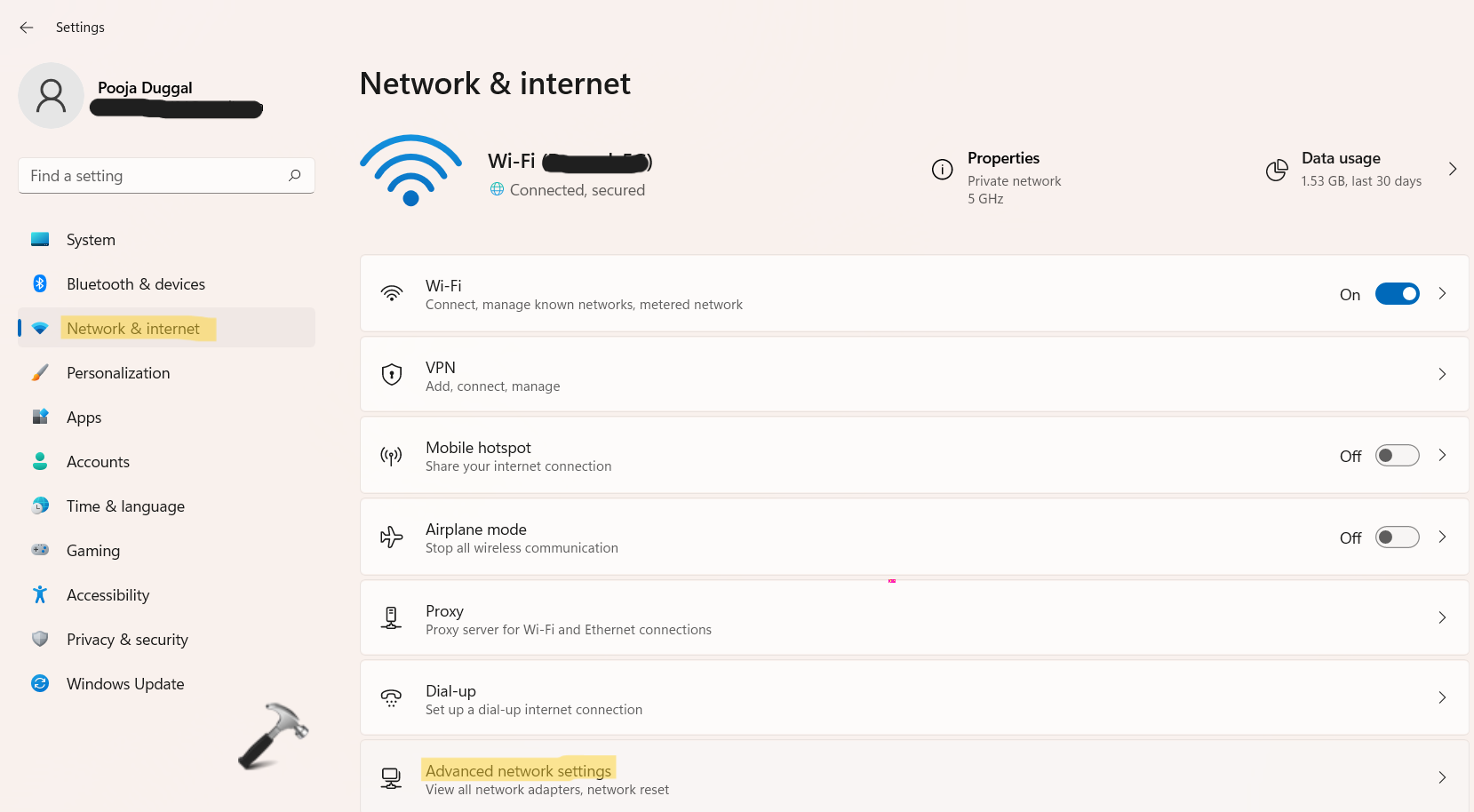 Enable Disable Network Adapter Windows 10 Command Line
https://in.kapilarya.com/images/enable-disable-network-adapters-W11.png
WEB May 20 2024 nbsp 0183 32 To disable enable and restart a network adapter on Windows 11 go to Settings gt Network amp internet gt Advanced network settings You can also disable
Pre-crafted templates use a time-saving solution for creating a diverse variety of files and files. These pre-designed formats and layouts can be made use of for numerous personal and professional jobs, consisting of resumes, invites, leaflets, newsletters, reports, discussions, and more, simplifying the material creation procedure.
Enable Disable Network Adapter Windows 10 Command Line
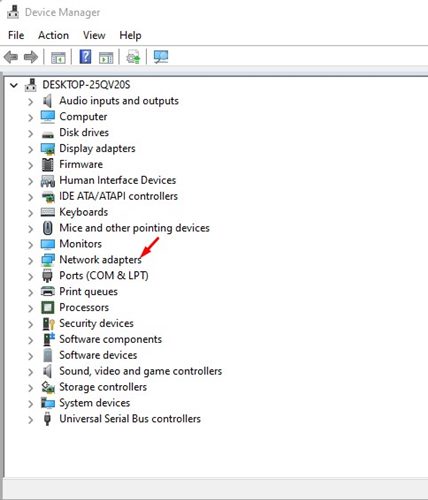
How To Enable Or Disable Network Adapter In Windows 11 Techviral

Enable Disable Network Adapters In Windows 11
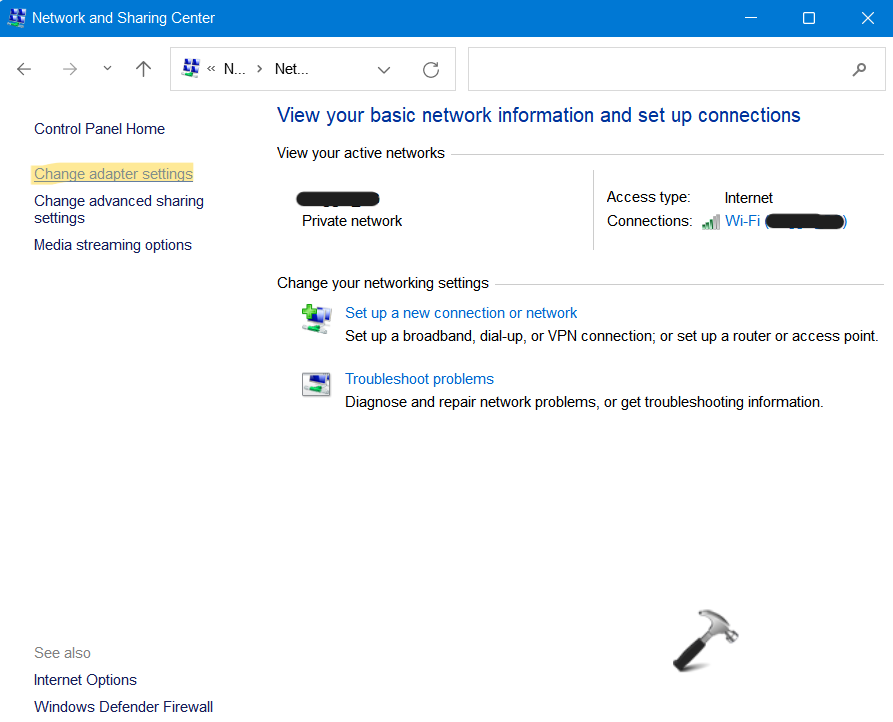
Enable Disable Network Adapters In Windows 11
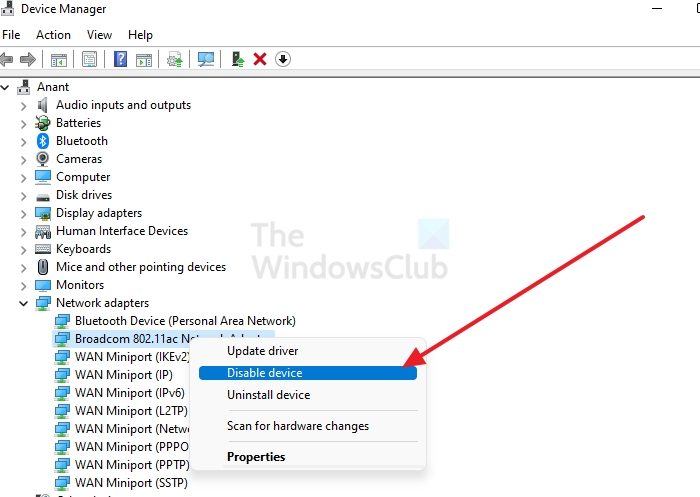
Can t Connect Because You Need A Certificate To Sign In WiFi Windows
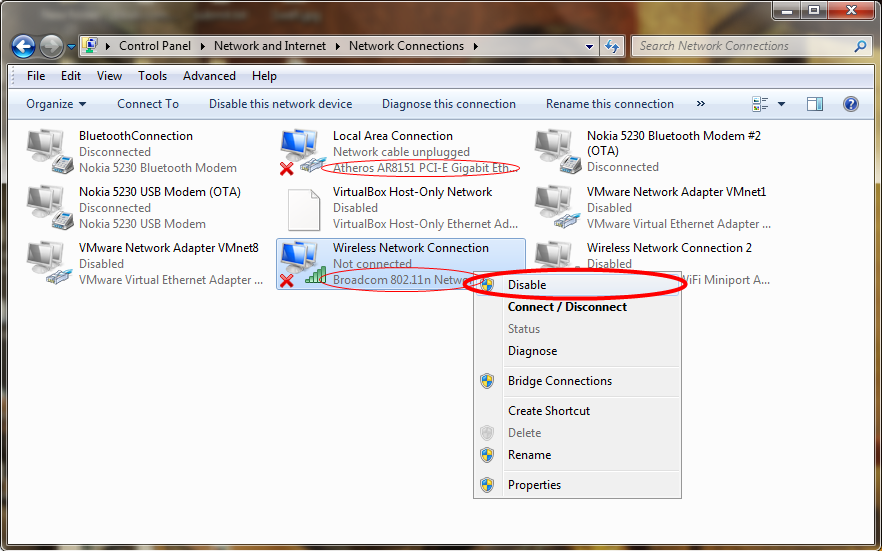
Enable And Disable Network Adapters In Windows 7

How To Disable Network Adapters On Windows 10

WEB Mar 6 2020 nbsp 0183 32 Option One Enable or Disable Network Adapter in Network Connections Option Two Enable or Disable Network Adapter in Device Manager Option Three

WEB Feb 22 2024 nbsp 0183 32 In this tutorial I have described how to Enable or disable network adapters in Windows 10 through Device Manager or Control Panel Manage connectivity settings
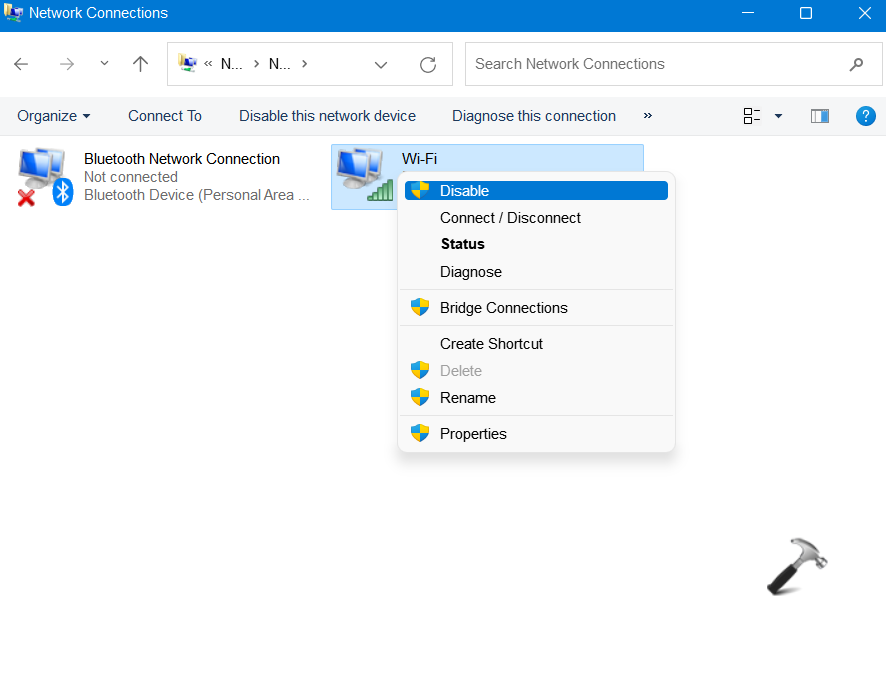
WEB Feb 8 2019 nbsp 0183 32 To disable the network adapter use the command wmic path win32 networkadapter where index 2 call disable the number highlighted in red must

WEB When I log into Windows 7 I need to wait 10 seconds and then disable the Local Area Connection ethernet adaptor and then reenable it I have looked through the suggested
WEB Nov 26 2020 nbsp 0183 32 Type the following command and press Enter to show the name s of the network adapter s on your computer netsh interface show interface 4 Type the following command to disable the Wi Fi or
WEB Apr 18 2018 nbsp 0183 32 To disable a network adapter in Windows 10 using PowerShell do the following Open an elevated PowerShell instance To see available network adapters WEB Oct 29 2020 nbsp 0183 32 I have found that if I disable the adapter and re enable it the problem clears So using the following commands in Powershell Disable NetAdapter Name Ethernet
WEB Oct 25 2019 nbsp 0183 32 Disable or Enable the Network Adapter Using the WMIC Command Open a command prompt as administrator one way is to enter cmd in the search bar and right