Edit File In Vim How To Save A File In Vi Vim And Quit Editor Tecadmin Tecadmin Open A File In Vi Or Vim Editor At The Last Line In Linux Or Ubuntu C mo Crear Y Editar Archivos De Texto En Linux Usando La Terminal How To Install VIM Text Editor On Ubuntu ImagineLinux Pin By TecMint Linux Howto s Guide On Linux Vi And Vim Editor Tricks Web Output the file content using cat Edit the files on your system pc Upload the updated file on internet such as Transfer sh Download the updated file on the router device using curl command in my case I had to use the ignore switch as well to bypass certificate https warning Remove RM the old file
Web Oct 2 2020 nbsp 0183 32 Open a File in Vim Vi To open a file using Vim launch your terminal and type vim followed by the name of the file you want to edit or create vim file text Another way to open a file is to start the editor and type e file name where file name is the name of the file you want to open Web Apr 12 2021 nbsp 0183 32 Vim Vi used to edit or modify a text files in CLI Command Line Interface It is most popular and people s choice text editor in Linux We gonna discuss its usage and option Most often Vim is started to edit a single file with the following command Vim is nothing but improved version of vi command We can also use vi command for same
Pin By TecMint Linux Howto s Guide On Linux Vi And Vim Editor Tricks How To Save A File In Vim Vi And Quit The Editor Linuxize How To Exit A File In Vi Vim Editor In Linux Edit Text File With Vim Waraqa Blog Vim Text Editor Basics How To Use Vim On Linux Mac Unix Linux Text Editor vi And Vim System Zone Edit File In Vim Editor Waraqa Blog Vim Basics Tutorial How To Install And Use Vim Text Editor On Linux Ubuntu ArubaCloud
Edit File In Vim
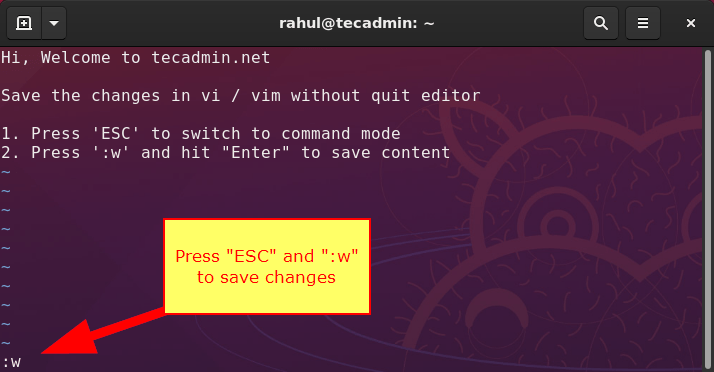 Edit File In Vim
https://tecadmin.net/wp-content/uploads/2020/08/vim-save-file-without-quit.png
Web Vim provides many commands which make editing functionality really powerful In this chapter we will discuss following items Insert Append Open new line Substitute Change Replace Join Insert text before cursor To insert text before cursor perform following steps To insert text before cursor perform following steps Switch to
Pre-crafted templates offer a time-saving solution for developing a diverse range of files and files. These pre-designed formats and designs can be made use of for numerous individual and professional jobs, including resumes, invitations, leaflets, newsletters, reports, presentations, and more, streamlining the content development process.
Edit File In Vim
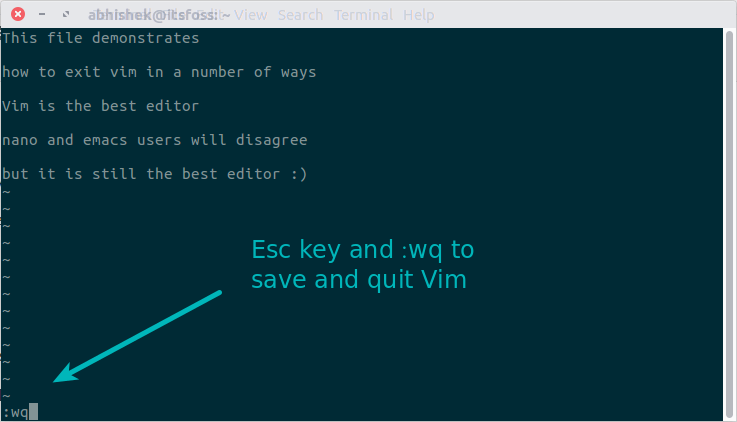
How To Stop A Program In Linux Terminal
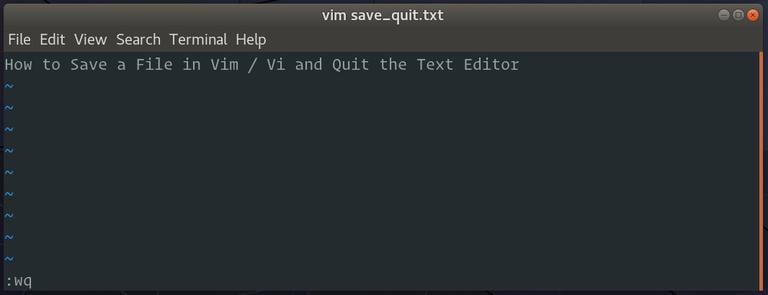
How To Save A File In Vim Vi And Quit The Editor Linuxize
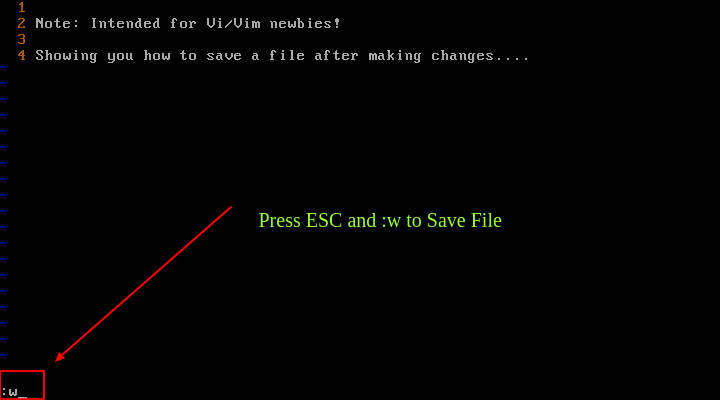
How To Exit A File In Vi Vim Editor In Linux
Edit Text File With Vim Waraqa Blog

Linux Text Editor vi And Vim System Zone
Edit File In Vim Editor Waraqa Blog
Web Oct 23 2019 nbsp 0183 32 Vim s common modes The Vim editor has three modes that determine how the editor functions Normal or Command Insert and GUI Looking for a different text editor Download the Emacs cheat sheet Normal mode Normal mode allows you to give commands to the editor Functions such as the following can be found here w to

Web Jan 30 2023 nbsp 0183 32 Creating a new file with Vim is simple You can do it from command line mode Run the following command to create a new file edit sample txt Command to create if it doesn t exist edit a file The above command opens a sample txt file in edit mode if it exists and creates a new file otherwise

Web Aug 20 2019 nbsp 0183 32 Vi is often a symbolic link to Vim Vi Improved or an alias to Vim an enhanced version of Vi Get the Vim cheat sheet It s easy to invoke Vi At the command line you type vi lt filename gt to create a new file or to edit an existing one vi filename txt
Web Dec 29 2018 nbsp 0183 32 h left j down k up l right i go to insert mode to insert text like normally you can also use normal shortcuts like ctrl c and ctrl v here finally if you want to save files make sure you press esc to go to quot normal mode quot the default vim mode where you can use j to go down etc

Web Mar 8 2022 nbsp 0183 32 To edit a file in vim open the file in the vim editor by typing the following command vim filename This will open the file in vim To begin editing the file press the i key This will put vim into insert mode and allow you to edit the file
[desc-11] [desc-12]
[desc-13]