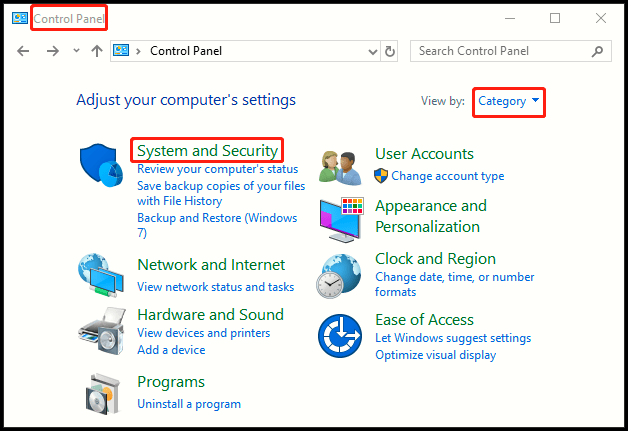
Edit Environment Variables Windows 10 Disabled How To Edit PATH Variable On Windows 11 TestingDocs How To Edit Environment Variables In Windows 10 Blog Gewen Net How To Edit Environment Variables In Windows 10 My Microsoft Office Tips Edit The System Environment Variables Windows 10 Android Home Environment Variable Windows 10 1 Open the Control Panel icons view and click tap on the User Accounts icon 2 Click tap on the Change my environment variables link on the left side and close the User Accounts control panel window if you like see screenshot below
11 640 views 1 year ago This video explains the step by steps 0n How to Fix Environment Variable is disabled Can t edit environment variables in windows 10 11 this video is How to edit an environment variable in Windows If you want to change the value of an existing environment variable first select it in the Environment Variables window Then click or tap Edit You are shown a window where you can edit both the name and the value of the variable Make the modifications you want and press OK
Android Home Environment Variable Windows 10 C mo Agregar A La Variable De Entorno PATH De Windows TecnoTraffic Edit Environment Variables Windows 10 Kh ng V o c System V iable Microsoft Improves Environment Variables Editor In Latest Windows 10 How To Edit Environment Variables On Windows 10 Or 11 How To Edit Environment Variables On Windows 10 Or 11 H ng D n Thay i Version PHP B t K Tr n Windows Vooclaptrinh How To Edit Environment Variables On Windows 10 Or 11 How To Edit Environment Variables In Windows 10 My Microsoft Office Tips
Edit Environment Variables Windows 10 Disabled
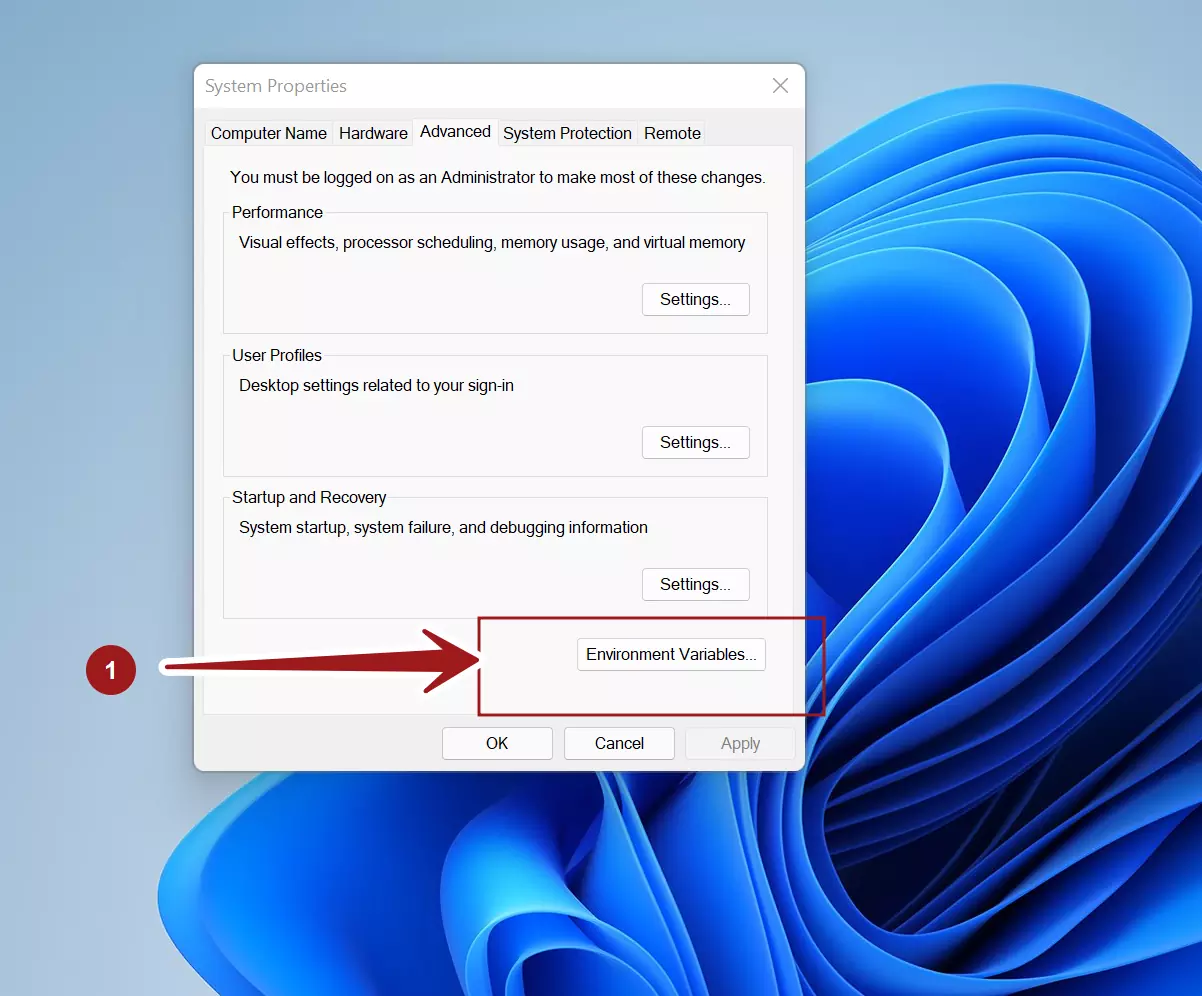 Edit Environment Variables Windows 10 Disabled
https://www.testingdocs.com/questions/wp-content/uploads/Environment-Variables-Windows-11.png
First you need to launch Command Prompt or CMD as an administrator Click Start type cmd into the search box and then click Run as Administrator Any user environment variable can be set or modified in a regular Command Prompt window but changing system wide environment variables requires an elevated Command Prompt There are two
Templates are pre-designed files or files that can be utilized for numerous functions. They can save effort and time by supplying a ready-made format and design for developing various type of material. Templates can be utilized for individual or professional tasks, such as resumes, invites, flyers, newsletters, reports, presentations, and more.
Edit Environment Variables Windows 10 Disabled

How To Edit PATH Variable On Windows 11 TestingDocs
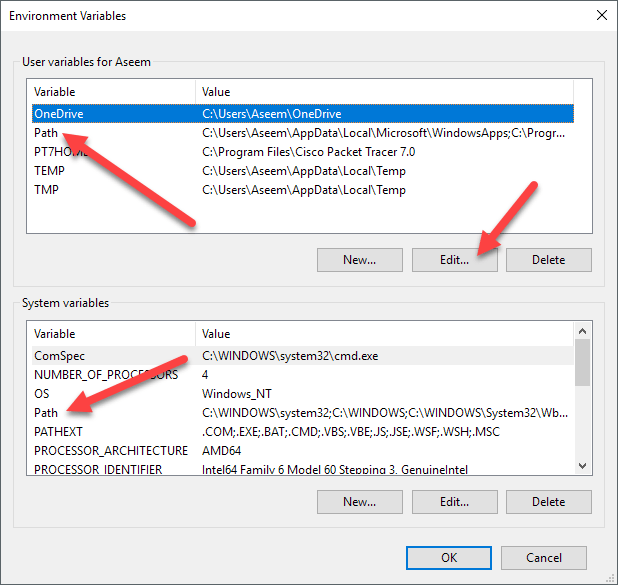
C mo Agregar A La Variable De Entorno PATH De Windows TecnoTraffic
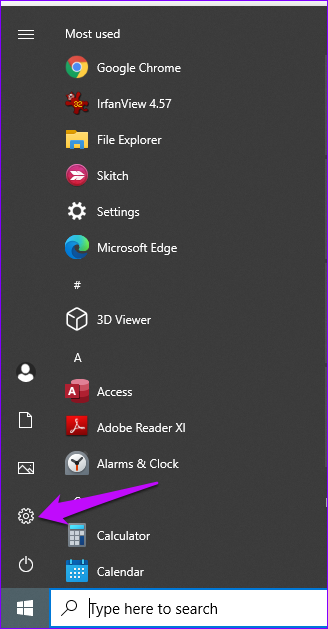
Edit Environment Variables Windows 10 Kh ng V o c System V iable
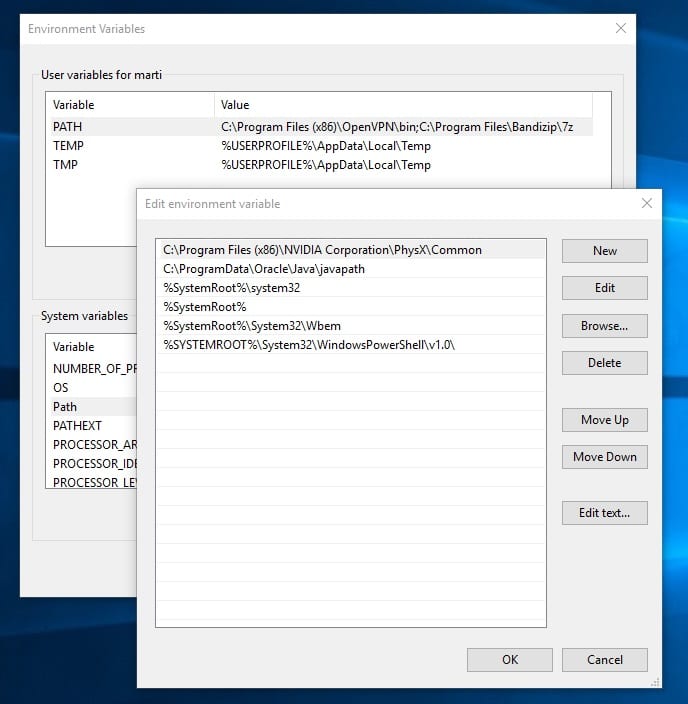
Microsoft Improves Environment Variables Editor In Latest Windows 10

How To Edit Environment Variables On Windows 10 Or 11

H ng D n Thay i Version PHP B t K Tr n Windows Vooclaptrinh

Created on March 6 2020 Not able to add edit or delete system environment variable Even though I am an admin on the system I am not able to edit add or delete system environment variables As shown in attached images It s working fine for user environment variable but options for modifying system environment variables is greyed out

To configure your environment variables click the Start button then type environment properties into the search bar and hit Enter In the System Properties window click Environment Variables Click on the variable you d like to change click Edit Many environment variables will simply take a name and value like Number of processors
Can t edit environment variables in windows 10 When I click to edit the environment variables no option window opens I have tried in menu and control panel and I can t get into any options but the variables I set in Windows 8 before I upgraded are still there Why wont it let me edit them This thread is locked

3 Answers 3 Reset to default Highest score default Trending recent votes count more Date modified newest first Win X Y going to Advanced system settings then clicking Environment Variables select system variables that properly launches the edit window and it works Follow

I am installing Java JDK in Windows 10 machine that requires registering its path by editing System Variables in Windows settings but I tried both as an admin and regular user and it doesn t allow me to add the path even copy paste or just adding any character I have no trouble doing this in Win 8 until I am tempted to avail and run free upg
How to Find the PATH Variable in Windows 10 Under the Environment Variables window choose or highlight the PATH variable in the System Variables section shown in the window After 1 Press the Win X keys on the keyboard and select System from the list 2 Inside the System window click on Advanced System Settings located in the left pane 3 Within the advanced system settings click on the Environment Variables button at the bottom and follow the same procedure to edit environment variables as described above
Summary This update automatically applies Safe OS Dynamic Update to the Windows Recovery Environment WinRE on a running PC to address a security vulnerability that could allow attackers to bypass BitLocker encryption by using WinRE For more information see CVE 2024 20666