Edit Boot Options Windows 10 Boot No Bootable Device Occasional Error After Installing Windows CARA MUDAH MENGATASI EDIT WINDOWS BOOT OPTION FOR WINDOWS 7 SAAT How To Edit Windows OS Boot Menu Also Windows 10 YouTube Boot To Advanced Startup Options In Windows 10 Tutorials FULL Edit Boot Options Factory Reset Peatix 5 Radia Edit TV Size Original Version Locking Popping funk soul
2011 1 Reviewers invited Decision in process
FULL Edit Boot Options Factory Reset Peatix Windows Boot Manager How To Edit And Fix Boot Manager In Windows 10 How To modify edit Windows Boot Options Bootice YouTube CARA MENGATASI EDIT WINDOWS BOOT OPTION FOR WINDOWS 7 SAAT MENGHIDUPKAN Boot To Advanced Startup Options In Windows 10 Tutorials Windows Vista Edit Boot Options Noexecute Optin Previewfasr TechVolve How To Edit Boot Options During Linux Booting How To Change Boot Order In Windows 10 3 Methods Itechguides Change Windows Boot Logo Windows 10 Infiniheavenly
Edit Boot Options Windows 10
 Edit Boot Options Windows 10
http://i.stack.imgur.com/eAzQl.jpg
Apr 5 2012 nbsp 0183 32 3dmax Edit Poly Edit Poly Edit Mesh Edit Poly Mesh
Templates are pre-designed files or files that can be used for different purposes. They can conserve time and effort by offering a ready-made format and design for producing various kinds of content. Templates can be used for personal or expert projects, such as resumes, invites, flyers, newsletters, reports, discussions, and more.
Edit Boot Options Windows 10
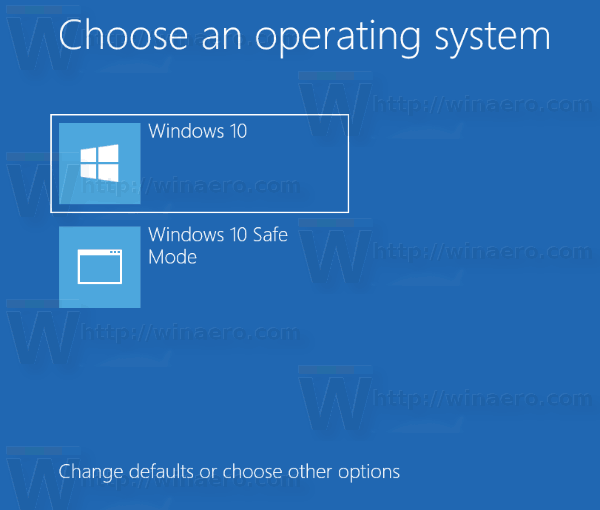
Change Default Operating System In Boot Menu In Windows 10

Windows Boot Manager How To Edit And Fix Boot Manager In Windows 10

How To modify edit Windows Boot Options Bootice YouTube

CARA MENGATASI EDIT WINDOWS BOOT OPTION FOR WINDOWS 7 SAAT MENGHIDUPKAN

Windows Vista Edit Boot Options Noexecute Optin Previewfasr

TechVolve How To Edit Boot Options During Linux Booting

With editor With editor 1 5 1

Aug 13 2023 nbsp 0183 32 7 26 7 28with editor 8 10 with editor

May 21 2017 nbsp 0183 32 Remix Flip Bootleg

Python Edit with IDLE 2021 06 27 40

Jan 24 2018 nbsp 0183 32 Endnote
[desc-11] [desc-12]
[desc-13]