Edit Boot Options Windows 10 Noexecute Optin Edit Boot Options Noexecute Optin Downvfil Edit Boot Options Windows 7 Noexecute Optin Factory Reset Windows Vista Edit Boot Options Noexecute Optin Fasrltd Windows Vista Edit Boot Options Noexecute Optin Blackgenie Windows Vista Edit Boot Options Noexecute Optin Previewfasr Web Mar 3 2021 nbsp 0183 32 This is the video showing how to solve noexecute optin problem Its really easy
Web Dec 27 2023 nbsp 0183 32 Boot Configuration Data Windows boot options are stored in the Boot Configuration Data BCD store on BIOS based and EFI based computers BCD provides Web Boot Options nx The nx option specifies a behaviour for Data Execution Prevention Syntax To have the BCDEDIT tool set the nx option for the currently running operating
Windows Vista Edit Boot Options Noexecute Optin Previewfasr CARA MENGATASI EDIT WINDOWS BOOT OPTION FOR WINDOWS 7 SAAT MENGHIDUPKAN How To Show Windows 7 Boot Options F10 YouTube Safe Mode How To Edit Windows OS Boot Menu Also Windows 10 YouTube Windows Vista Edit Boot Options Noexecute Optin RopotqhorizonMy Site Add Safe Mode To Boot Options In Windows 10 Tutorials CARA MUDAH MENGATASI EDIT WINDOWS BOOT OPTION FOR WINDOWS 7 SAAT Installing Ubuntu On An Old Computer Broken Graphics Ncona
Edit Boot Options Windows 10 Noexecute Optin
 Edit Boot Options Windows 10 Noexecute Optin
https://downvfil642.weebly.com/uploads/1/1/9/8/119875889/408279621.jpg
Web Jun 12 2022 nbsp 0183 32 Key Takeaways To access the Boot Options Menu on Windows 8 or 10 Shift Left click quot Restart quot in the Start Menu or on the sign in screen You can also
Templates are pre-designed files or files that can be utilized for various functions. They can conserve time and effort by offering a ready-made format and layout for developing different type of content. Templates can be used for individual or expert jobs, such as resumes, invitations, leaflets, newsletters, reports, discussions, and more.
Edit Boot Options Windows 10 Noexecute Optin

How To modify edit Windows Boot Options Bootice YouTube

CARA MENGATASI EDIT WINDOWS BOOT OPTION FOR WINDOWS 7 SAAT MENGHIDUPKAN

How To Show Windows 7 Boot Options F10 YouTube

Safe Mode

Windows Vista Edit Boot Options Noexecute Optin RopotqhorizonMy Site
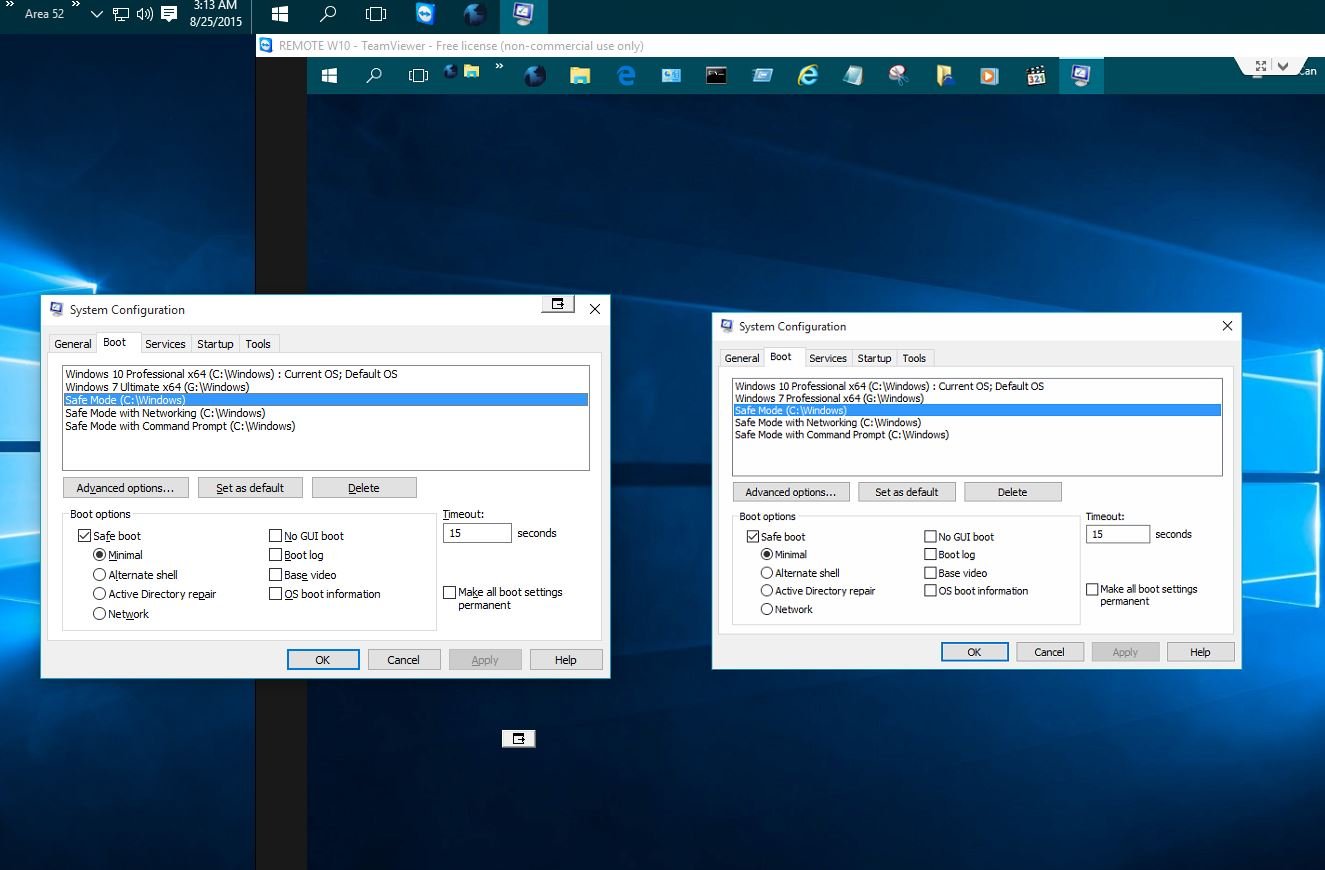
Add Safe Mode To Boot Options In Windows 10 Tutorials

Web Apr 4 2011 nbsp 0183 32 Have you been playing with your boot options Somehow you have set things so that the quot Edit Boot Options quot menu appears at every boot This article

Web Jan 8 2018 nbsp 0183 32 I can also enter text options such as NOEXECUTE OPTIN and NOVGA and I m familiar with bcdedit but I don t know if there are any useful options I can enter in

Web noexecute parameter is a switch in the boot ini file used to enable disable and configure Data Execution Prevention DEP noexecute switch enables no execute protection

Web Jun 14 2009 nbsp 0183 32 Go to the Start Menu and select Run Type msconfig and then click OK In the System Configuration Utility window check the SAFEBOOT option Select the

Web The Advanced Boot Options screen lets you start Windows in advanced troubleshooting modes You can access the menu by turning on your computer and pressing the F8 key
Web Aug 4 2010 nbsp 0183 32 From the horse s mouth by seanferd 183 about 13 years 6 months ago In reply to What does noexecute optin mean in boot ini file The noexecute parameter Web Mar 13 2023 nbsp 0183 32 Press the Windows key X and then select Run to open the Run window or press the Windows key R to open the Run window immediately Type in quot msconfig
Web Hi I used acer s recovery thumb drive to reset my ao725 to factory settings and when I press alt f10 edit boot options come up and says path windows system32 winload efi