Echo Usage In Shell Script Shell Script Tutorials 33 If Else In Shellscript If Else Syntax Shell Script How To Append TimeStamp To File Name Crunchify Bash Shell Scripting Tutorial 6 Echo Command YouTube Linux For Loop Without List In The Shell Script Stack Overflow Linux Echo Command Usage In Bash Script LinuxTect Web Nov 10 2023 nbsp 0183 32 Key Takeaways Echo is a vital command that allows us to get visible output from shell scripts and can include variables filenames and directories There are two versions of echo one built into the Bash shell and a binary executable version
Web Jul 13 2021 nbsp 0183 32 echo is a shell built in command that is used to print the information message to your terminal It is the most popular command that is available in most Linux distributions and is typically used in bash scripts and batch files to Web Mar 18 2024 nbsp 0183 32 Some common usages of the echo command are piping shell variable to other commands writing text to stdout in a shell script and redirecting text to a file We ll see some more examples of the echo command in later sections 4 Print Variable Values An everyday use of echo is to display the value of an environment variable echo
Linux Echo Command Usage In Bash Script LinuxTect Echo usage Bash For Loop Explained With Examples OSTechNix Solved Create Single Html Page Table Containing 2 Images 7 Ways To Write A Shell Script Using Bash Shell In Ubuntu Riset Solved Using Echo Command With In Shell Script 9to5Answer I Made A Linux Script To Automatically Map Tailscale Hosts Into Howto Call Shell Script Function In Echo Statement NixCraft What Is Shell Scripting Shell Scripting For Beginner s
Echo Usage In Shell Script
 Echo Usage In Shell Script
https://i.ytimg.com/vi/fpfIErSfDrk/maxresdefault.jpg
Web Nov 18 2022 nbsp 0183 32 The syntax for the echo command is as follows where string the text to print options the optional arguments you can specify to modify the output echo string options Run the below echo command without added options to print a simple text to the console This command passes the string as an argument to the echo command
Templates are pre-designed documents or files that can be used for numerous purposes. They can conserve effort and time by providing a ready-made format and design for producing different type of content. Templates can be used for individual or expert tasks, such as resumes, invitations, leaflets, newsletters, reports, discussions, and more.
Echo Usage In Shell Script

Online Bash Shell Scripting Tutorial Latest Version For Android

Echo usage
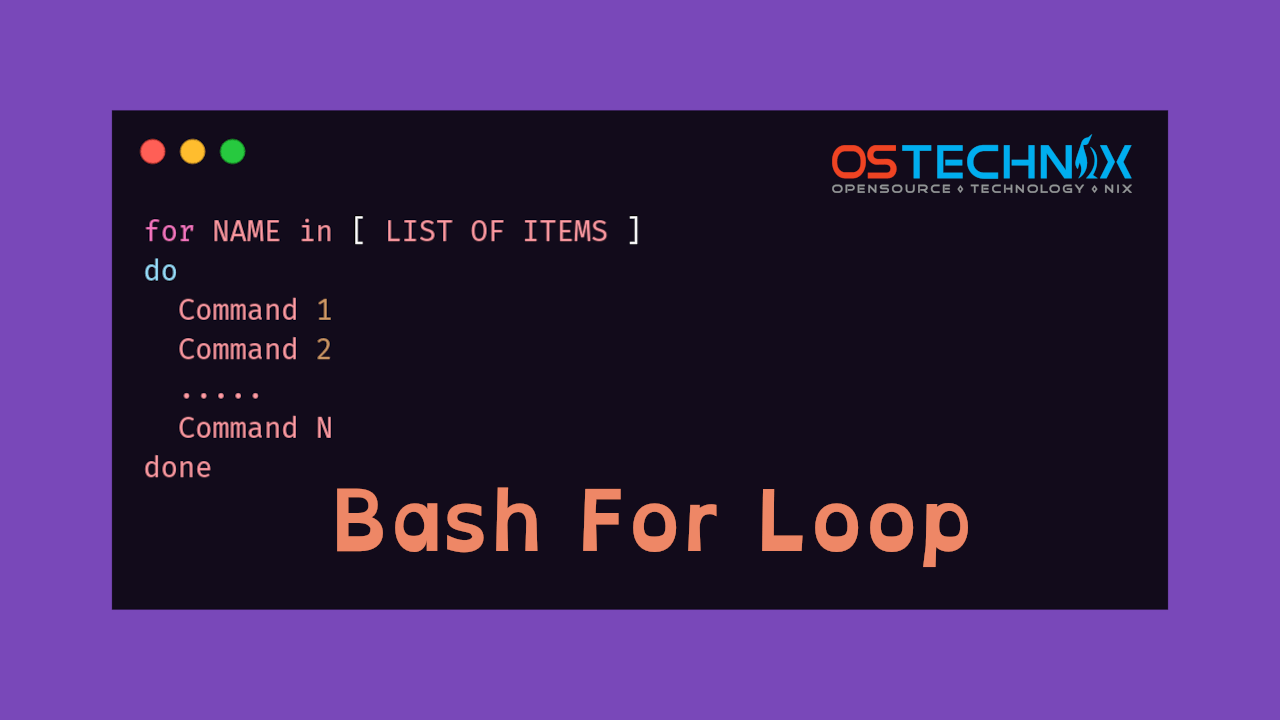
Bash For Loop Explained With Examples OSTechNix

Solved Create Single Html Page Table Containing 2 Images

Solved Using Echo Command With In Shell Script 9to5Answer

I Made A Linux Script To Automatically Map Tailscale Hosts Into

Web Apr 1 2022 nbsp 0183 32 In this tutorial you will learn How to show Bash script usage with if and How to show Bash script usage with getopts How to show Bash script usage when an unrecognized option is entered How to check correct number of options are passed to Bash script How to verify if root user is executing a Bash script Show Bash script usage

Web Jan 3 2016 nbsp 0183 32 What is usage in shell scripting Asked 8 years 4 months ago Modified 3 years 3 months ago Viewed 41k times 17 I m new to shell scripting learning it independently and I m seeing a lot of scripts with a usage function For example usage echo quot Usage 0 filename quot exit 1

Web Feb 11 2021 nbsp 0183 32 The echo command in Linux is used to display a string provided by the user The syntax is echo option string For example use the following command to print Hello World as the output echo Hello World Note Using the echo command without any option returns the provided string as the output with no changes Echo Command Options

Web Mar 12 2024 nbsp 0183 32 echo command in Linux with Examples Last Updated 12 Mar 2024 The echo command in Linux is a built in command that allows users to display lines of text or strings that are passed as arguments It is commonly used in shell scripts and batch files to output status text to the screen or a file
Web Apr 17 2019 nbsp 0183 32 4 min read The echo command is one of the most basic and frequently used commands in Linux The arguments passed to echo are printed to the standard output echo is commonly used in shell scripts to display a message or
Web May 18 2010 nbsp 0183 32 How to echo shell commands as they are executed Asked 13 years 11 months ago Modified 8 months ago Viewed 1 1m times 1300 In a shell script how do I echo all shell commands called and expand any variable names For example given the following line ls DIRNAME I would like the script to run the command and display the Web Dec 1 2023 nbsp 0183 32 The echo command in Bash is used to print text or variables to the terminal with the syntax echo sample text It s a simple yet powerful tool that can be used in a variety of ways to enhance your scripting capabilities Here s a simple example echo Hello World Output Hello World
Web Nov 26 2023 nbsp 0183 32 At first launch an Ubuntu Terminal Write the following command to open a file in Nano nano var sh EXPLANATION nano Opens the nano text editor var sh Bash script name Copy the script mentioned below bin bash var quot Ubuntu quot setting var variable echo quot var quot displaying var variable on terminal EXPLANATION