Does Virtualbox Work On Windows 10 How Does Oracle VM Virtualbox Work DevsDay ru How To Install Virtualbox On Amazon Linux Systran Box Virtualbox Update Macos Catalina Trueaup How To Enable Bluetooth Adapter In Kali Linux Vm Systran Box Download VirtualBox And Get Into The World Of Virtualization 1 Trying Out Operating Systems Image Credit Linux Screenshots Flickr One of the most common uses for VirtualBox is to try a new operating system Let s say you re currently on Windows 10 and would like to try out Windows 11
Published Oct 18 2017 With VirtualBox you can easily install and test multiple operating systems We ll show you how to set up Windows 10 and Ubuntu Linux as a virtual machine Image Credit realinemedia Depositphotos Readers like you help support MUO When you make a purchase using links on our site we may earn an affiliate commission VirtualBox is a general purpose full virtualizer for x86 hardware targeted at server desktop and embedded use For a thorough introduction to virtualization and VirtualBox
Download VirtualBox And Get Into The World Of Virtualization Oracle Virtualbox Macbook M1 D Micheal Gibbs Does VirtualBox Support Windows 11 Efficient Software Tutorials Can M1 Chip Run Games What Is The Best Linux For Virtualbox Does Moonlight And Sunshine Support Streaming Off Network R MoonlightStreaming CBL Mariner Microsoft Linux Sisteminin Qura d r lmas V Test Edilm si Linux Ba ml lar Does VirtualBox Support Windows 10 64 bit Depot Catalog Does VirtualBox Work On Windows 11 Yet Efficient Software Tutorials
Does Virtualbox Work On Windows 10
 Does Virtualbox Work On Windows 10
https://linuxhint.com/wp-content/uploads/2021/12/How-does-Oracle-VM-Virtualbox-work-1.png
Now we can run VirtualBox or VMWare workstation side by side with the inbuilt Hypervisor Manager of Windows 10 using its API Note If you cannot yet use VirtualBox without disabling the Hyper V on Windows 10 here is the solution However a few operating systems would not work and give output in freezing VMs on boot On this Page show
Templates are pre-designed files or files that can be used for numerous purposes. They can conserve effort and time by supplying a ready-made format and design for developing various sort of material. Templates can be used for personal or expert projects, such as resumes, invitations, leaflets, newsletters, reports, discussions, and more.
Does Virtualbox Work On Windows 10

Size Weapon Dmg 3 5 Renewholidays

Oracle Virtualbox Macbook M1 D Micheal Gibbs
Does VirtualBox Support Windows 11 Efficient Software Tutorials

Can M1 Chip Run Games

Does Moonlight And Sunshine Support Streaming Off Network R MoonlightStreaming
CBL Mariner Microsoft Linux Sisteminin Qura d r lmas V Test Edilm si Linux Ba ml lar

VirtualBox provides a free and easy way to create a virtual machine to run Windows 10 or another OS alongside the main installation without the need for extra hardware and here s how to set it up

It s possible the latest release broke something for Windows 10 it s also possible a Windows update broke VB in which case the devs will hopefully release a patch soon Maybe anecdotal but I am running Windows 10 with whatever latest update and virtualbox runs perfectly fine I am running the latest version of VBox 5 1 14 if that helps

Step 1 Go to the Oracle VirtualBox download page using the below link Download VirtualBox Step 2 Click on the Windows hosts link Save the installer file anywhere you prefer Step 3 Navigate

Next select the size you want for the virtual hard disk and click tap on Create see screenshot below 10 In the Oracle VM VirtualBox Manager select the new virtual machine ex Windows 10 build 10166 click tap on Optical Drive under Storage and click tap on Choose disk image see screenshot below
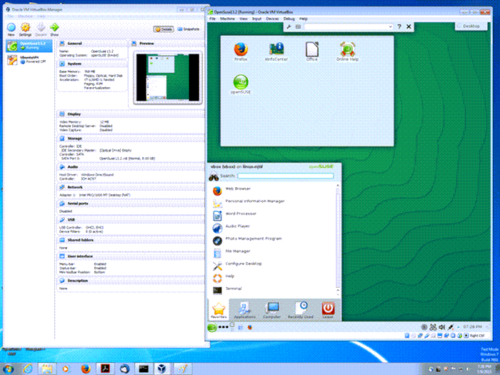
VirtualBox is being actively developed with frequent releases and has an ever growing list of features supported guest operating systems and platforms it runs on VirtualBox is a community effort backed by a dedicated company everyone is encouraged to contribute while Oracle ensures the product always meets professional quality criteria
News By Sead Fadilpa i last updated 14 April 2022 Final Windows 11roadblock has been eliminated Image credit Microsoft Oracle VirtualBox users can now finally use Windows 11 after the Enable CPU virtualization features First you need to enable hardware virtualization features on your CPU Central Processor Unit such as Intel VT X or AMD V in UEFI BIOS of your physical computer Otherwise if you run 64 bit guest operating systems you can get the error VT x is not available
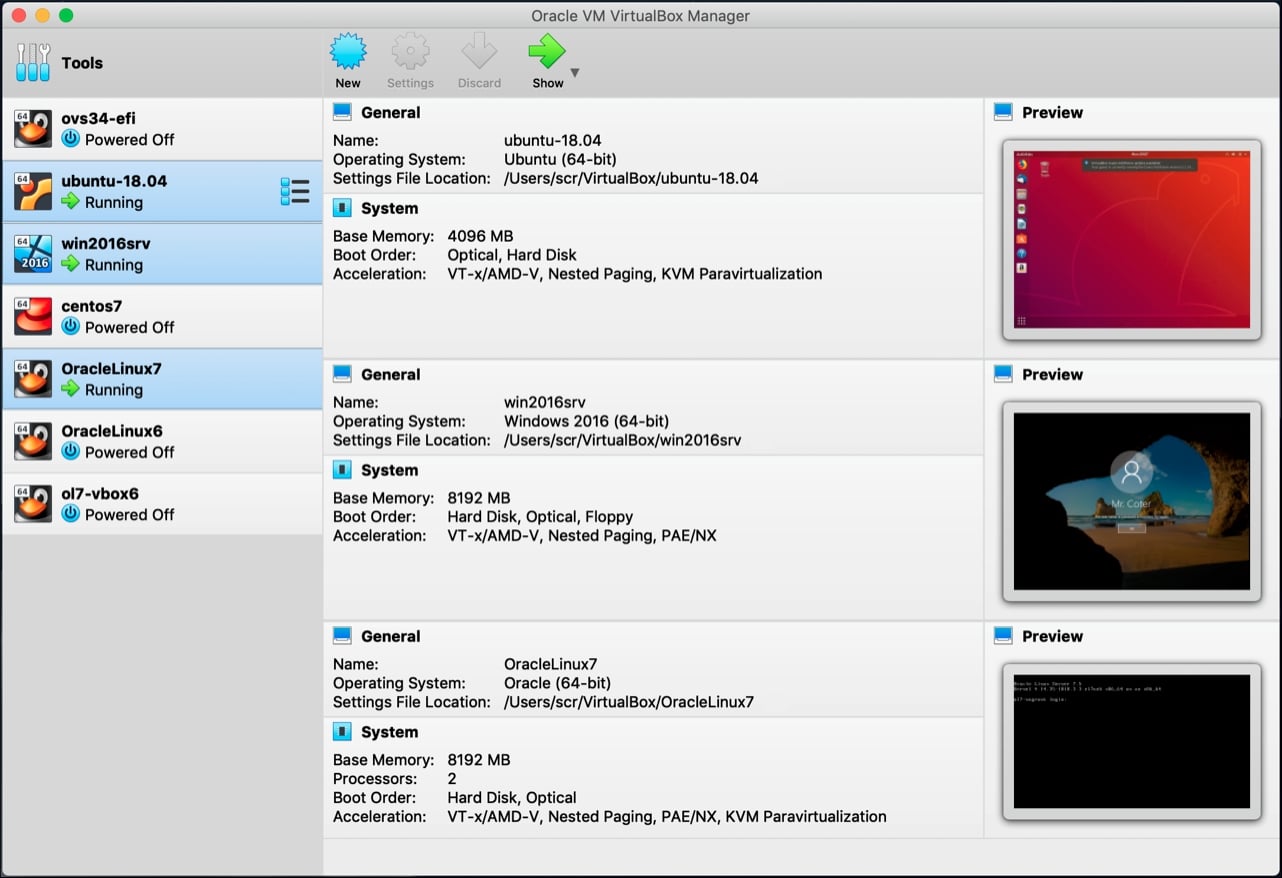
Chapter 1 First Steps Welcome to Oracle VM VirtualBox Oracle VM VirtualBox is deceptively simple yet also very powerful It can run everywhere from small embedded systems or desktop class machines all the way up to datacenter deployments and even Cloud environments