Do Docker Images Take Up Space All About Docker Containers What Is It Why Do We Need It Architecture Autour De Docker Docker Logos Download Download Timcorey Getting Started With Docker Softarchive Riset Docker Announces Enhancements To The Docker Platform To Simplify And Docker images have intermediate layers that increase reusability decrease disk usage and speed up docker build by allowing each step to be cached These intermediate layers are not shown by default The SIZE is the cumulative space taken up by the image and all its parent images
Docker image prune a Ommitting the a tag will keep images that are tagged but not in use With the flag only images you re actively using will remain The prune command will tell you how much space was freed but if you want to manually check how much storage Docker is using before and after you can use du sh on the Docker storage Yes docker containers when they are running can take up some space as per your workload and application but as mentioned in the other answers containers are built over layered filesystem therefore only extra space they consume is from some file object they create download during runtime which is not the part of base image like some debug log
Docker Announces Enhancements To The Docker Platform To Simplify And Docker Logos Download Take Up Space Launch Night Exhibition Folkestone Fringe Docker Difference Between Docker Container And Virtual Machine VM Docker Logo Symbol Meaning History PNG Brand The Docker Architecture Diagram Shows How To Use It For Web Hosting And Containers Vs VM Cloudy For Sure What Is Docker Get Started From Basics Docker Tutorial Introduction To Docker YouTube
Do Docker Images Take Up Space
 Do Docker Images Take Up Space
https://www.neenopal.com/images/Docker.png
Docker free up space after removing all images containers closed Ask Question Asked 6 years 8 months ago Modified 6 years 7 months ago Viewed 9k times 10 Closed This question does not meet Stack Overflow guidelines It is not currently accepting answers
Templates are pre-designed documents or files that can be used for various functions. They can save effort and time by supplying a ready-made format and layout for developing various type of material. Templates can be utilized for personal or expert tasks, such as resumes, invitations, flyers, newsletters, reports, presentations, and more.
Do Docker Images Take Up Space
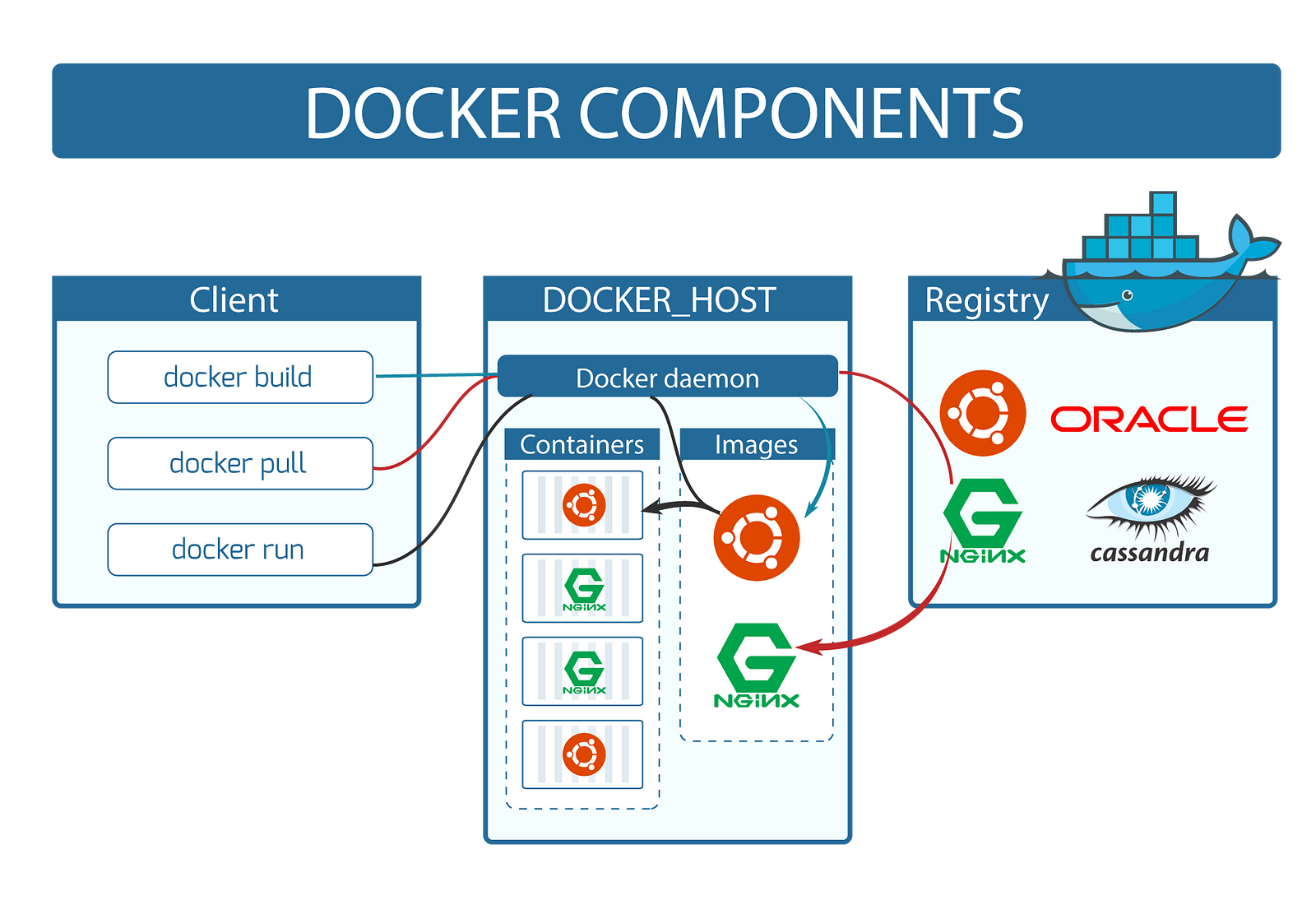
Brillant laborer Fiert Run Docker Daemon ducation Th orique Ignorer

Docker Logos Download

Take Up Space Launch Night Exhibition Folkestone Fringe
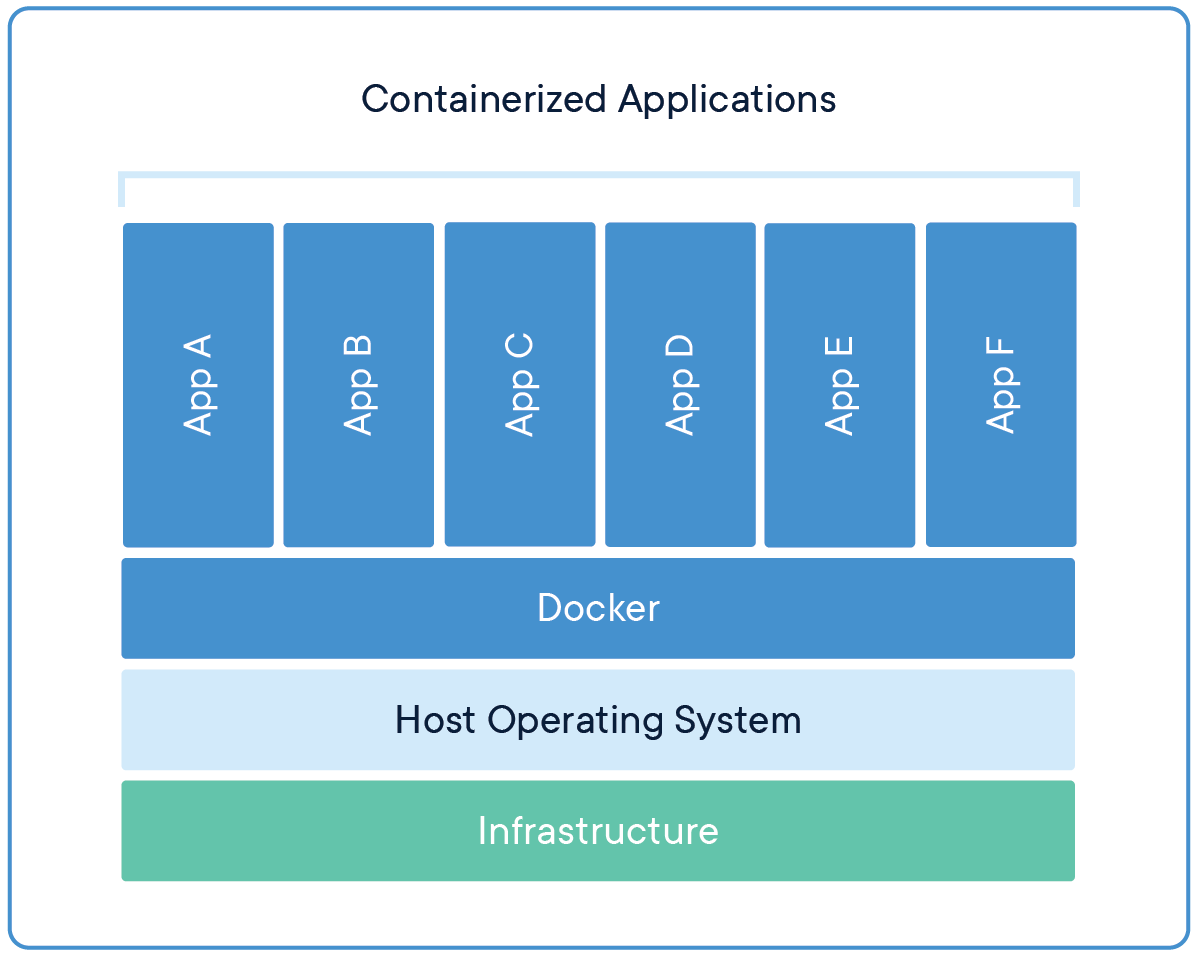
Docker Difference Between Docker Container And Virtual Machine VM

The Docker Architecture Diagram Shows How To Use It For Web Hosting And

Containers Vs VM Cloudy For Sure
Docker takes a conservative approach to cleaning up unused objects often referred to as garbage collection such as images containers volumes and networks These objects are generally not removed unless you explicitly ask Docker to do so This can cause Docker to use extra disk space For each type of object Docker provides a prune command
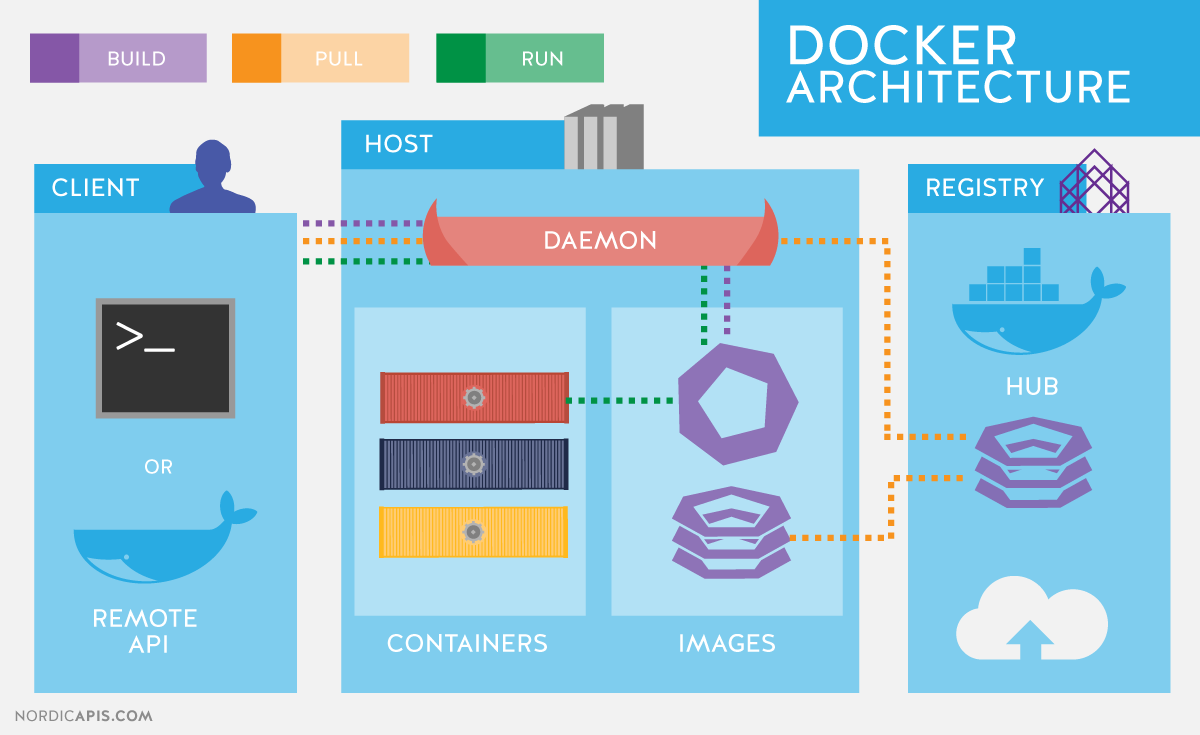
We can use the docker system df command to get a breakdown of how much disk space is being taken up by various artifacts docker system df TYPE TOTAL ACTIVE SIZE RECLAIMABLE Images 138 34 36 18GB 34 15GB 94 Containers 74 18 834 8kB 834 6kB 99 Local Volumes 118 6 15 31GB 15 14GB 98 Build Cache 245 0 1 13GB 1 13GB

Docker images eats up lots of space Ask Question Asked 8 years 11 months ago Modified 7 years 8 months ago Viewed 3k times 4 docker ps aq Shows only 7 9 images var lib docker graph shows me n number of images When I create a file I get write error due to system full error

The most basic Docker way to know how much space is being used up by images containers local volumes or build cache is docker system df When you run this command use sudo if necessary you get all disk usage information grouped by Docker components

Manually Debugging With containerized applications running in isolated environments it can be harder than usual to track down problems with applications using too much storage space Fortunately Docker provides commands for managing container disk usage Doing a Quick Check
117 I have used these commands to shrink desktop image from 35GB to 1GB in windows 10 docker version 19 03 13 Remove unused images and other resources docker system prune a Remove more resources docker volume rm docker volume ls q f dangling true Stop docker desktop optimize image Make sure HyperV turned on Method 5 Use Dockerignore As a rule only the necessary files need to be copied over the docker image Docker can ignore the files present in the working directory if configured in the dockerignore file This feature should be kept in mind while optimizing the docker image
When running builds in a busy continuous integration environment for example on a Jenkins slave I regularly hit the problem of the slave rapidly running out of disk space due to many Docker image layers piling up in the cache The only solution I have right now is to delete the image right after I have built and pushed it docker rmi f my image Q 1 Documentation for the f option says