Discord Backup Codes Not Working How To Login To Discord Without Verification Code TechWiser How To Use Backup Codes 2FA In Discord App YouTube How To Retrieve Your Discord Account If You Lost Your Auth Backup Code YouTube How To Connect Discord To 2 Factor Athentication Again Johnson Herseept Discord Backup Codes Not Working Solved Complete Guide Why is Discord Backup Code not Working If you submit the backup codes that you used already Discord will not accept the codes Other than that entering the wrong backup codes i e misspelled codes or putting an unnecessary character between the text can trigger the backup codes not working on Discord
The following is a list of potential solutions to the problem of Discord backup codes not working 1 Removing The Two Factor Authentication This problem might often arise whenever you use the Discord Desktop App to access the backup option and make an attempt to use it In case you can t generate a 2FA code Discord offers backup codes to you You can quickly get your backup codes following the below steps Step 1 Log in to Discord Step 2 Go to User Settings Step 3 Under My Account click View Backup Codes Each backup code only works once
Discord Backup Codes Not Working Solved Complete Guide Discord Backup Codes Not Working DeviousNoise SOLVED Discord Backup Codes Not Working 2023 Discord Backup Codes Not Working Discordapp Discord Backup Codes Not Working DeviousNoise Discord Backup Codes Not Working 3 Simplest Solutions 2022 Discord Backup Codes Not Working DeviousNoise Discord Backup Codes Not Working DeviousNoise Discord Yedekleme Kodlar n n al mamas n D zeltmenin 4 Yolu
Discord Backup Codes Not Working
 Discord Backup Codes Not Working
https://techwiser.com/wp-content/uploads/2022/05/backup-codes-Discord.jpg
1 Open Discord and click on the gear Settings icon next to your username in the left sidebar 2 In the USER SETTINGS menu move to the My Account tab scroll down and copy one 8 digit Backup code from those available Note If you have the Backup codes file downloaded already you can use the code from there as well 3 Click on Remove 2FA 4
Templates are pre-designed files or files that can be used for numerous purposes. They can conserve effort and time by providing a ready-made format and design for developing various sort of material. Templates can be utilized for individual or expert jobs, such as resumes, invites, flyers, newsletters, reports, discussions, and more.
Discord Backup Codes Not Working
Discord Backup Codes Not Working 3 Simplest Solutions 2022

Discord Backup Codes Not Working DeviousNoise

SOLVED Discord Backup Codes Not Working 2023

Discord Backup Codes Not Working Discordapp

Discord Backup Codes Not Working 3 Simplest Solutions 2022

Discord Backup Codes Not Working DeviousNoise

1 Check For Spaces At The Beginning Or End The first and perhaps one of the most obvious solutions is to check to make sure that you ve copied or written down the backup code correctly Most commonly the issue is that there s a space at the beginning or end of the backup code

Discord Security Help No 2FA or Backup Codes Can t Log In Hoping someone can help here I logged out of my Discord desktop as I could not remember my password and wanted to go through the Forgot My Password process I went to reset my password and was asked for EITHER a 2FA or Backup Codes

The Discord backup codes They re 8 characters and have letters How the fuck is that useful Fortunately I hadn t factory reset my old phone yet and I could get a code off of it to log in To make sure I wasn t going crazy I then logged into Discord on my PC to regenerate the backup codes Sure enough they re still the wrong format
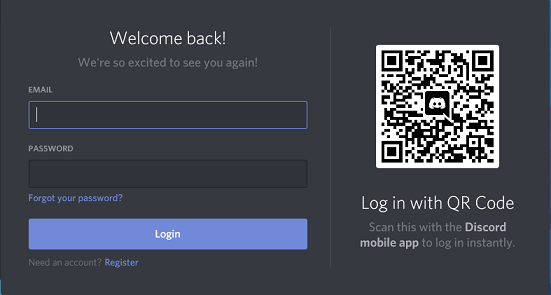
Contact Support If all else fails it is recommended that you contact Discord support They ll be able to tell you why your Discord backs up codes aren t working even when they re provided by the application itself They should be able to provide you a solution to your specific issue as well Discord backup codes not working

There are several reasons to backup code Discord may not work but here are common ones Expired backup codes Each backup code can only be used once and they expire after use or after a certain period of time If your backup codes are expired they will not work Incorrect code entry If you enter the backup code incorrectly it will not work
With your 2FA app installed open Discord and head into User Settings Account Connect your Discord account to your authentication app of choice with a QR code scan or by manually entering a code if your QR scanner isn t working Confirm that things went smoothly by submitting your very first login code Revel in the weight lifted off your If so you can disable the 2FA from there or generate new Discord backup codes for future use To do this once you are in your account navigate to User Settings My Account Two Factor Authentication then click on the View Discord backup codes button to see your Discord backup codes or remove it by clicking on the Remove 2FA button 2
Although they work in similar ways Authy is more feature rich and allows for multi device syncing cloud backups and easier account recovery should you change or lose your phone or device You will now be shown your Discord back up codes These codes are one time use each If you run out of these codes you can click the Generate Codes