Disable Ssh Port Forwarding Netscaler Raffinesse Engel Schm cken Ssh Port M tterlicherseits F r er Inseln How To Create SSH Port Forwarding A Visual Guide To SSH Tunnels Local And Remote Port Forwarding A Visual Guide To SSH Tunnels Local And Remote Port Forwarding SSH Port Forwarding Podalirius This option can be used to specify hosts and ports for which forwards can be established This option can be used inside a Match block so it can be restricted by user group or hostname or IP address pattern Edit So in the Server config add the following PermitOpen host port PermitOpen IPv4 addr port
Permitopen host port Limit local ssh L port forwarding such that it may only connect to the specified host and port ssh environment This file is read into the environment at login if it exists Environment processing is disabled by default and is controlled via the PermitUserEnvironment option How to disable local port forwarding only in SSH authorized keys file Ask Question Asked 4 months ago Modified 4 months ago Viewed 66 times 1 This question is related to this one here but the accepted answer for that question does not actually answer the question and is inaccurate as pointed out in this comment
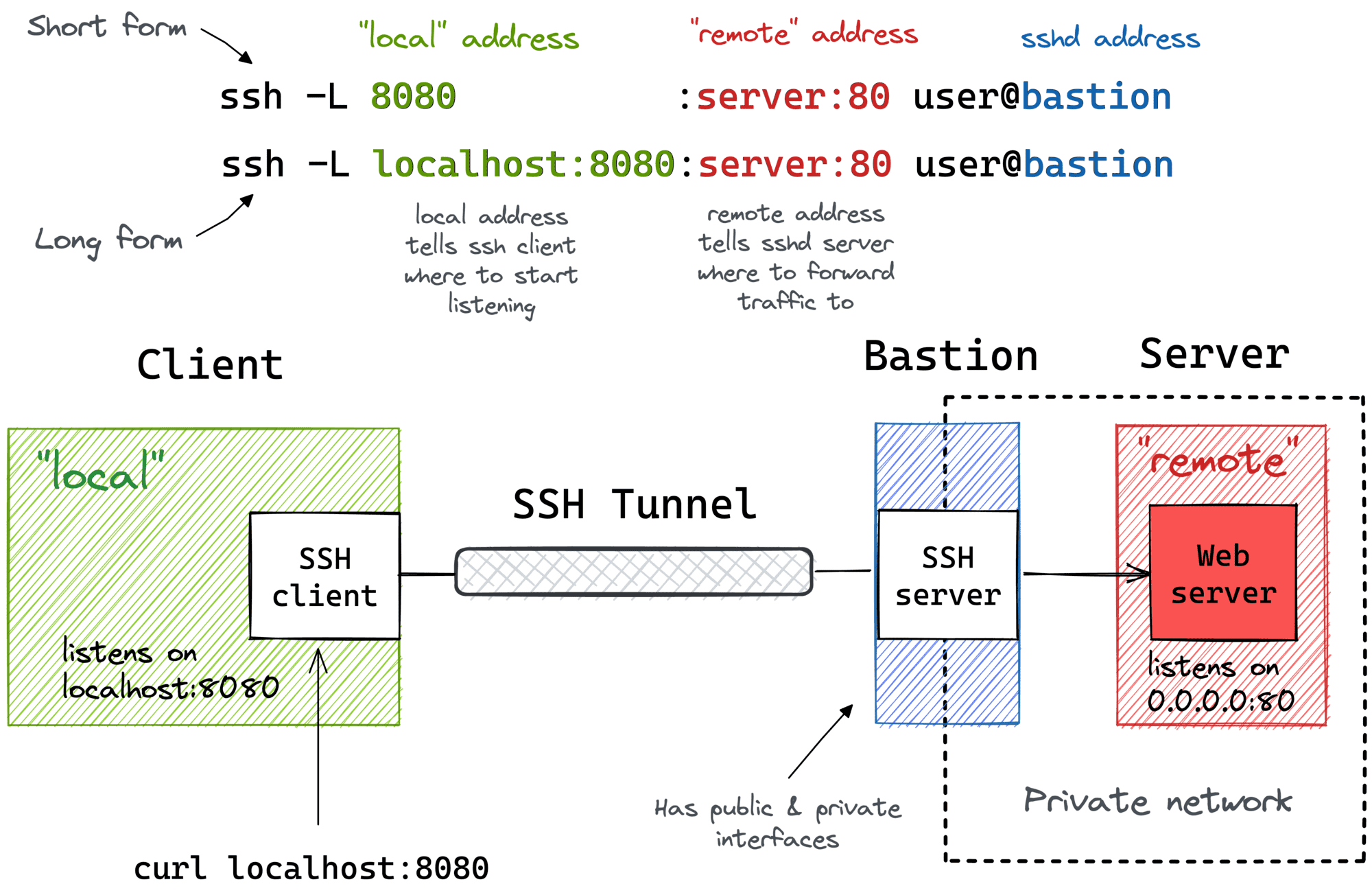
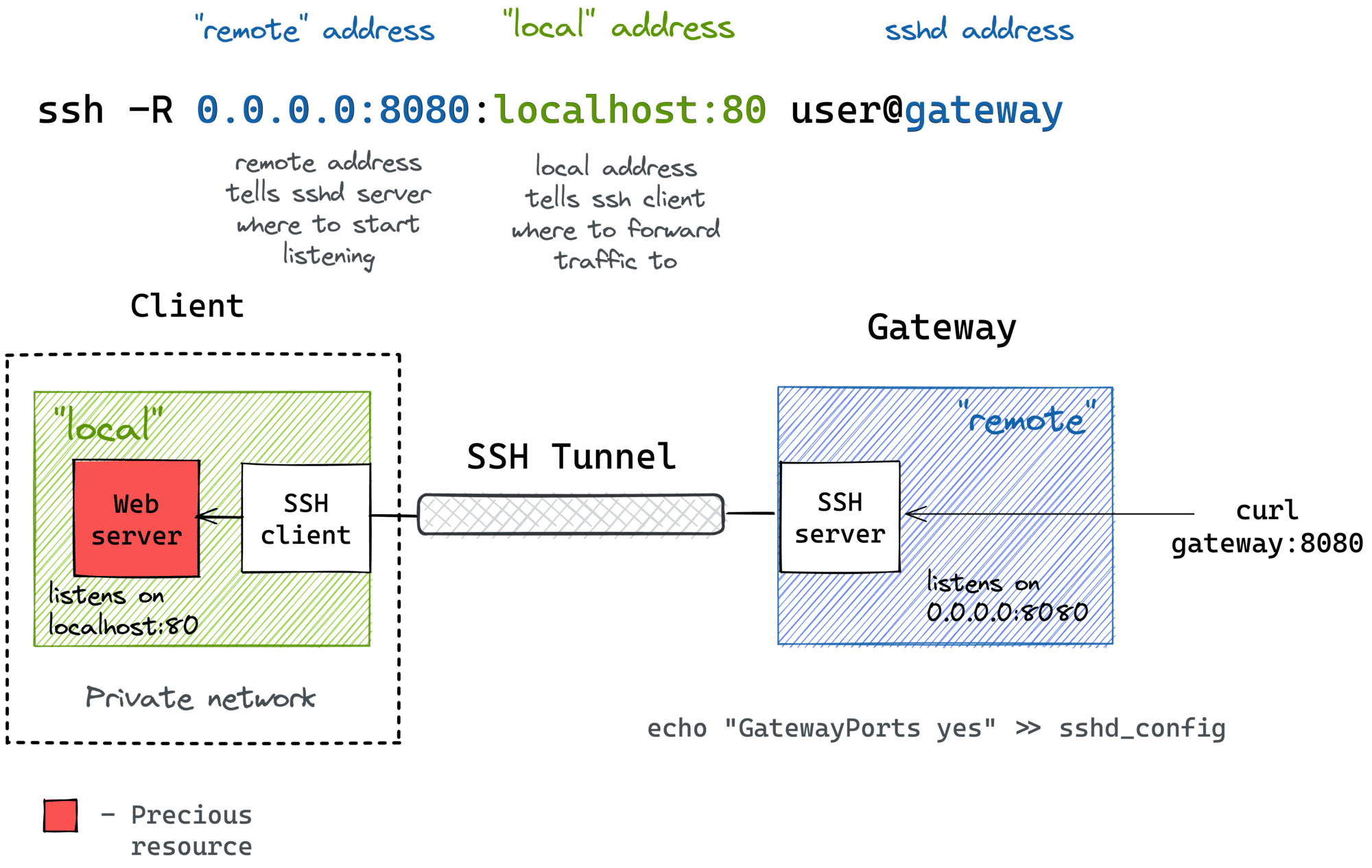
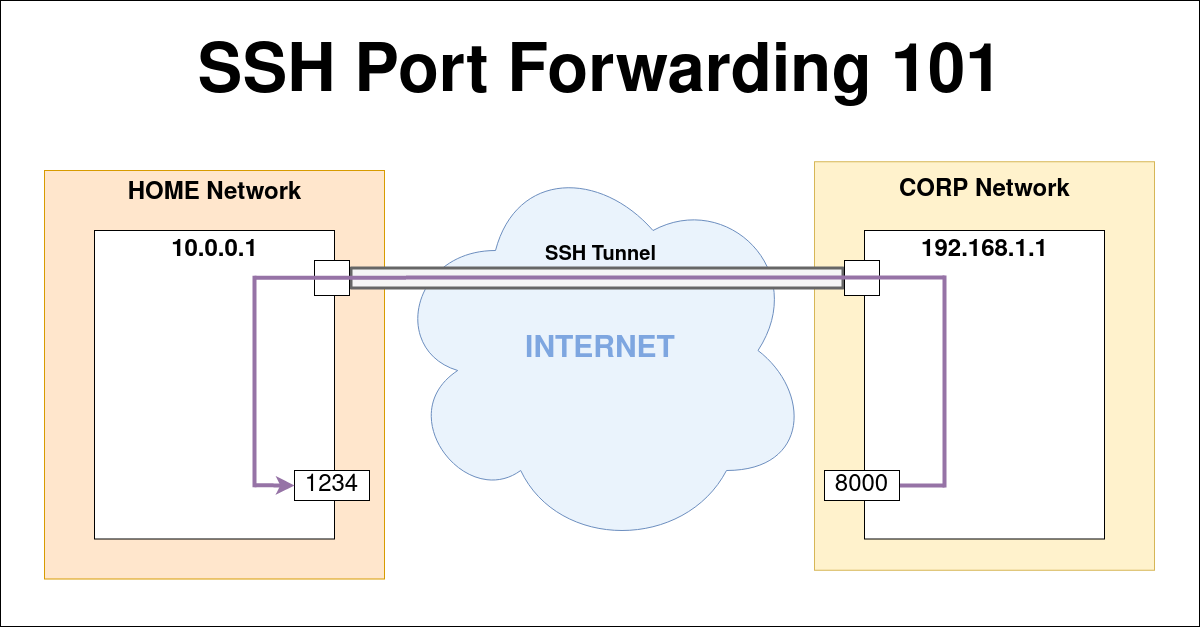
SSH Port Forwarding Podalirius Login My Job Port SSH Port Forwarding Podalirius Using SSH Port Forwarding As A Security Tool In Linux SSH Port Forwarding ssh X Protocol Forwarding ssh Dynamic Port How To Change SSH Port In Linux YouTube Port Forwarding With Ssh Tunneling SSH Port Forwarding In Linux SSH Tunneling In RHEL 8 Local Remote What Is Port Forwarding Internet Setup YouTube
Disable Ssh Port Forwarding Netscaler
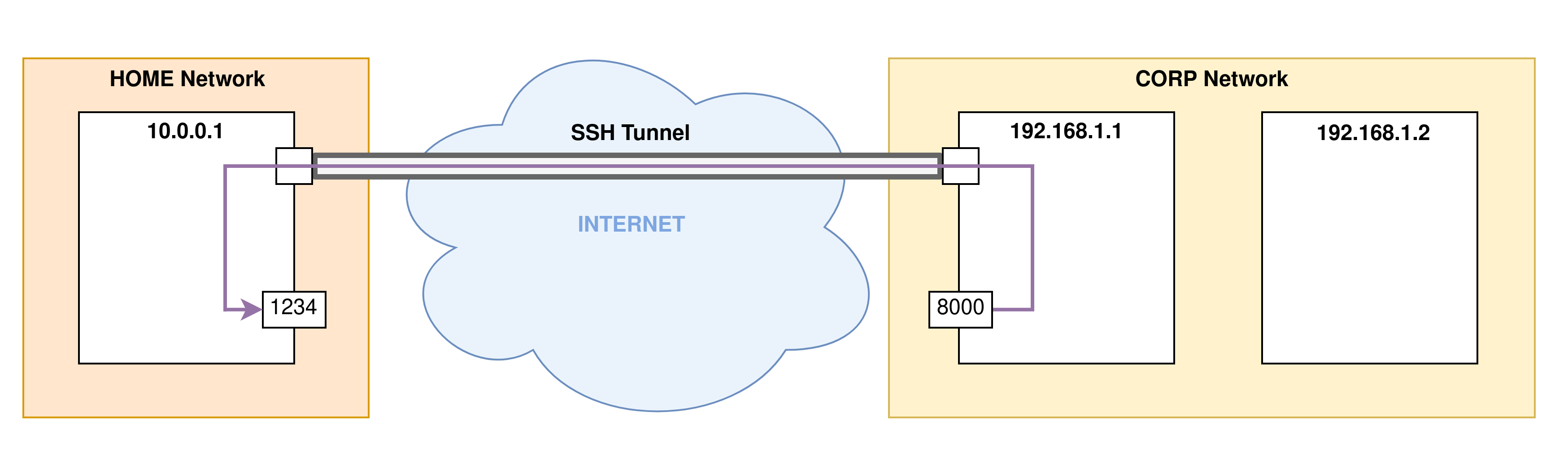 Disable Ssh Port Forwarding Netscaler
https://podalirius.net/en/articles/ssh-port-forwarding/local_step_3.png
1 Answer Sorted by 23 There is ClearAllForwardings option in ssh config which does exactly what you need ClearAllForwardings Specifies that all local remote and dynamic port forwardings specified in the configuration files or on the command line be cleared
Templates are pre-designed files or files that can be utilized for different functions. They can save time and effort by supplying a ready-made format and layout for creating various kinds of content. Templates can be utilized for individual or expert projects, such as resumes, invitations, leaflets, newsletters, reports, discussions, and more.
Disable Ssh Port Forwarding Netscaler

Disabled Disable

Login My Job Port
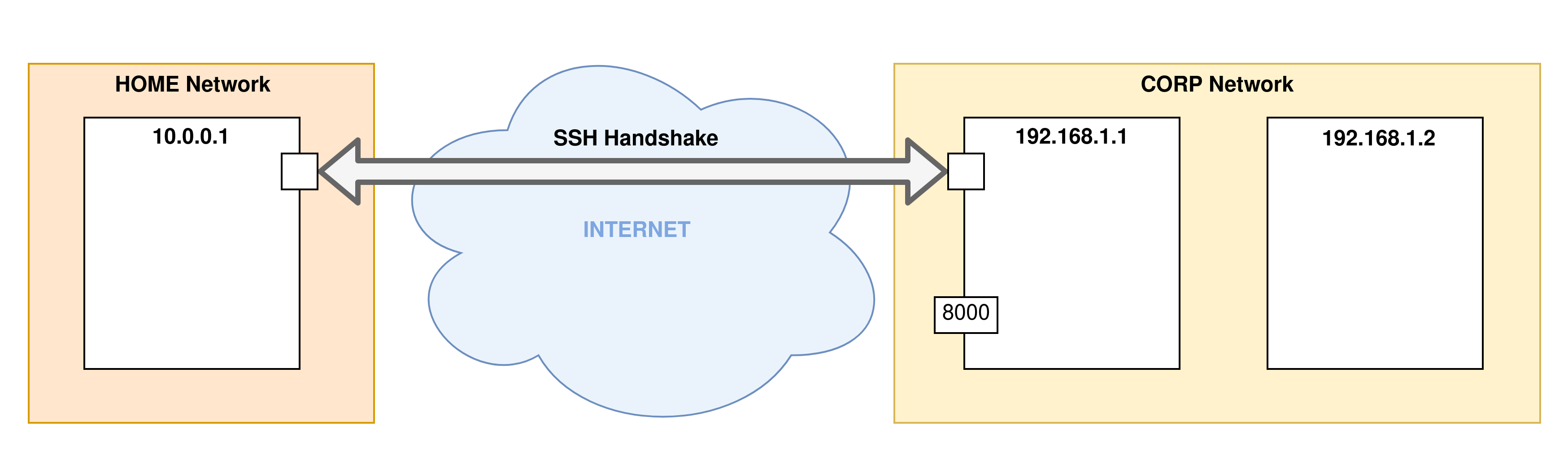
SSH Port Forwarding Podalirius
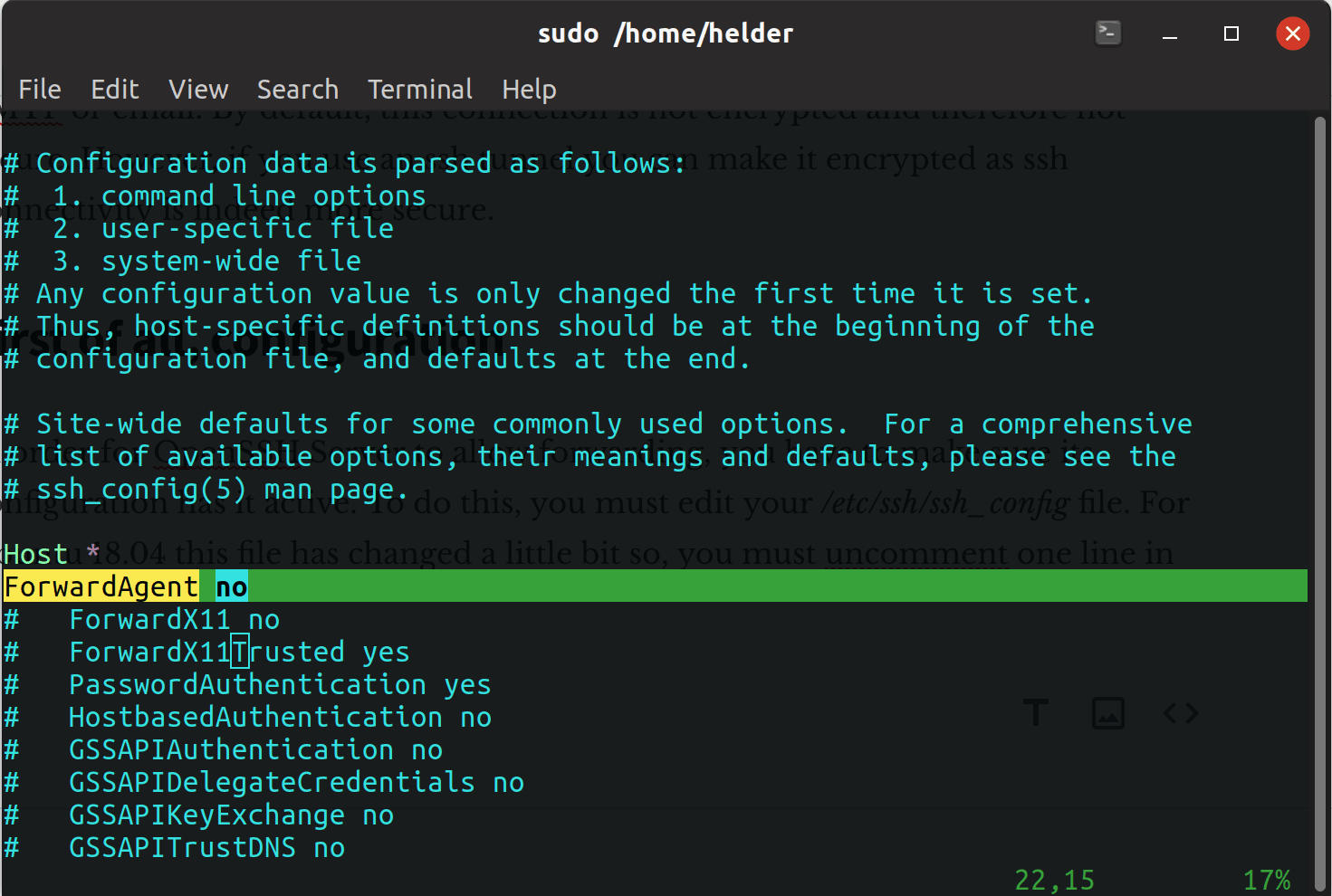
Using SSH Port Forwarding As A Security Tool In Linux

How To Change SSH Port In Linux YouTube
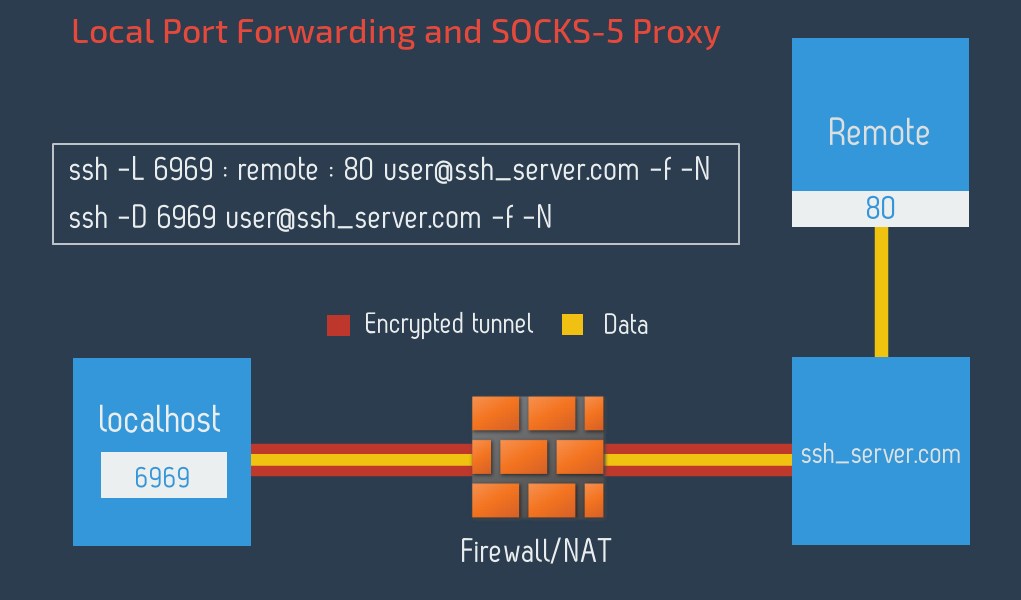
Port Forwarding With Ssh Tunneling
Secure access to the appliance front panel and console port The NetScaler appliance or VPX hosting server must be deployed in a rack or cage that can be locked with a suitable key or other physical methods Disable SSH port forwarding SSH Port Forwarding is not required by the NetScaler appliance If you do not want to use this
As an optional step disable the password authentication by copying the etc sshd config file to the nsconfig directory and setting the PasswordAuthentication parameter to no NOTE We highly recommend you do Not do this optional step as it can cause HA sync failures Points to Note Consider the following when making the changes
However if you require a fully transparent configuration such as a fully transparent cache redirection configuration you must disable the Use Proxy port Setting so that the NetScaler appliance can use the source port from the client s request The Use Proxy Port option becomes relevant if the use source IP USIP option is enabled
3 I am making an automatic remote SSH port forward request from my device every few minutes ssh y f N R port localhost 22 user server o ExitOnForwardFailure yes o ServerAliveInterval 60 o StrictHostKeyChecking no If the port forwarding is successful and I reboot my device and reset internet connection I am unable to connect to it
The port is going to be blocked as long as your SSH session is active If you weren t spawning it into the background with the f parameter you could just log out or hit ctrl c you can t do that with the session in the background You can list running processes with ps Then you kan kill the process ps af grep ssh username 2113 1822 0
How to disable ssh agent forwarding Ask Question Asked 6 years 6 months ago Modified 1 year 6 months ago Viewed 21k times 6 ssh agent forwarding can be accomplished with ssh A Most references I have found state that the local machine must configure ssh config to enable AgentForwarding with the following code SSH tunneling can do done both ways SSH into the router SSH from the router into the devbox Then run SSH from the devbox to make an outbound connection to your computer running an SSH server with port forwarding enabled while setting up a remote port forward back to the devbox At that point you can close the other ssh connection
Instructions To access a NetScaler appliance by using the SSH keys complete the following procedure Create a public private key pair Run the following command to copy the id rsa pub to the root ssh directory of the remote host scp id rsa pub nsroot Remote Host IP Address root ssh id rsa pub Log on to the remote host