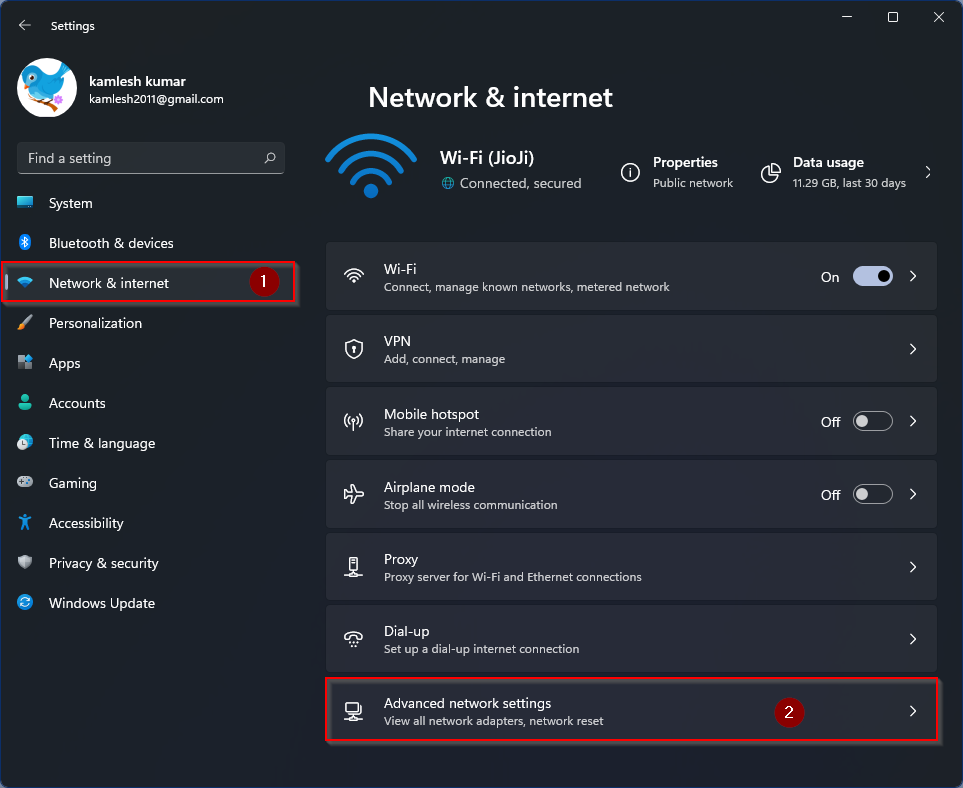
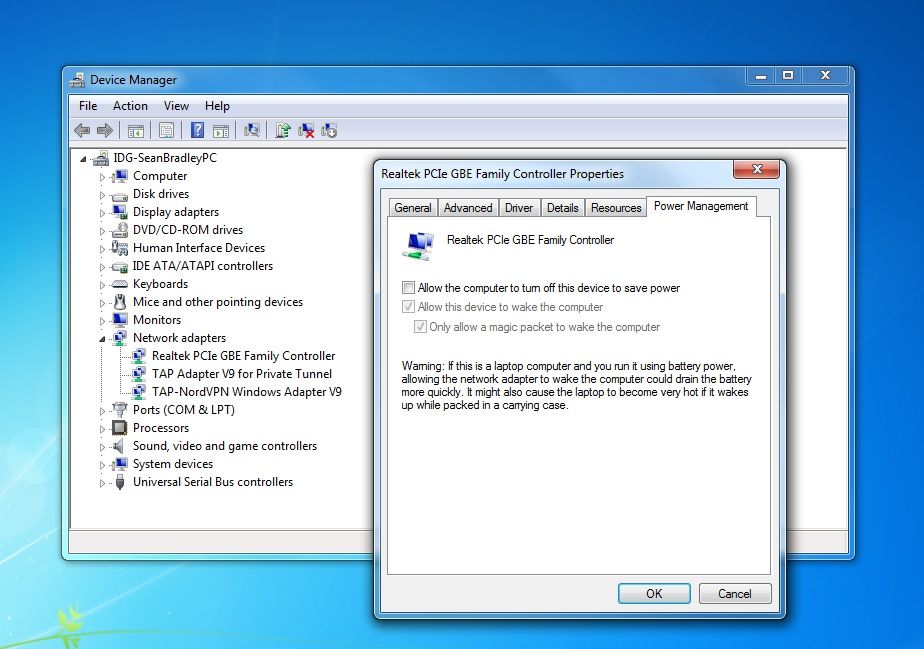
Disable Network Adapter Centos 7 Disable Or Enable A Network Adapter Via Cmd YouTube Enable Wired Network Adapter Windows Vista How To Disable Wifi Or Ethernet Network Adapter In Windows 11 Images VirtualBox CentOS7 IP How To Fix Wi Fi Disconnecting Tech Advisor Nov 1 2022 nbsp 0183 32 How to Enable or Disable Windows Security in Windows 10 The Windows Security app is a client interface on Windows 10 version 1703 and later that makes it is easier for you to
Jun 8 2023 nbsp 0183 32 How to Enable or Disable Touchpad in Windows 10 Published by Shawn Brink Category Hardware amp Drivers 08 Jun 2023 How to Enable or Disable Touchpad in Windows Oct 12 2020 nbsp 0183 32 If you like you can use the InPrivateModeAvailability policy to enable disable or force the InPrivate mode feature in Microsoft Edge for all users on the computer This tutorial
How To Fix Wi Fi Disconnecting Tech Advisor How To Disable Network Adapters On Windows 10 How To Disable NetworkManager In CentOS 8 Distroid How To Fix Disabled Network Adapter In Windows 10 Desktop EDIMAX How To Enable Network Adapter In CentOS7 BENISNOUS Enable Disable Network Adapters In Windows 11 9 Ways To Fix Wi Fi Networks Not Showing Up On Windows 11 Enable A Repository From The Command Line On CentOS 7 How To Disable Network Adapters In Windows 11 5 Best Ways Guiding Tech
Disable Network Adapter Centos 7
 Disable Network Adapter Centos 7
https://i.ytimg.com/vi/Bl3J5lyiea4/maxresdefault.jpg
09 Jan 2020 How to Enable or Disable Touchpad Tapping and Tap to Click in Windows 10 If your Windows 10 PC ex laptop has a built in touchpad you may want to enable or disable the
Templates are pre-designed files or files that can be used for various functions. They can conserve effort and time by offering a ready-made format and design for developing different type of material. Templates can be used for individual or expert projects, such as resumes, invitations, flyers, newsletters, reports, presentations, and more.
Disable Network Adapter Centos 7

Article Disabling And Enabling Ethe

How To Disable Network Adapters On Windows 10

How To Disable NetworkManager In CentOS 8 Distroid
How To Fix Disabled Network Adapter In Windows 10 Desktop EDIMAX
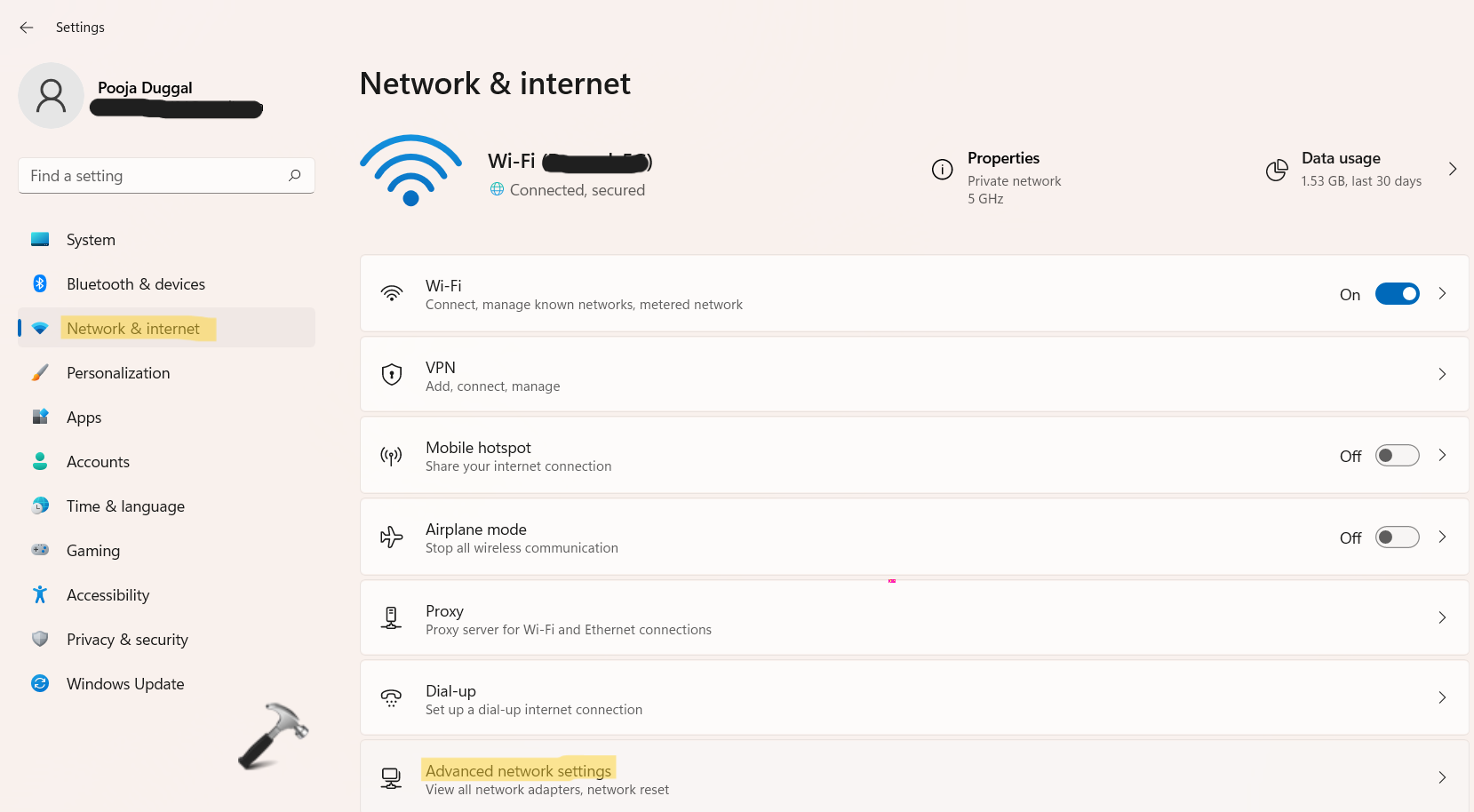
Enable Disable Network Adapters In Windows 11
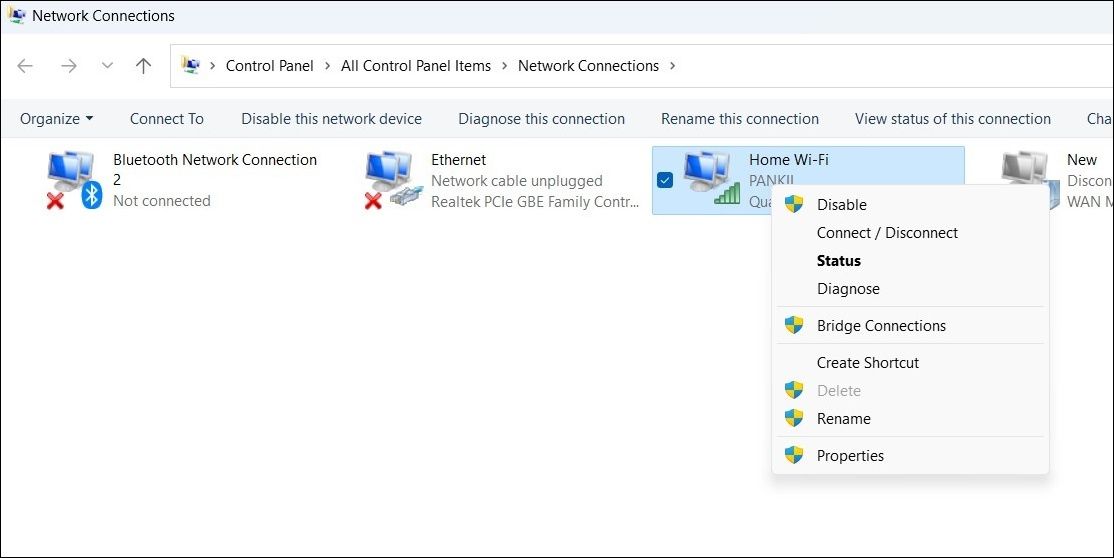
9 Ways To Fix Wi Fi Networks Not Showing Up On Windows 11

Nov 8 2021 nbsp 0183 32 How to Enable or Disable Adaptive Brightness in Windows 10 Displays especially on laptops and tablets may utilize ambient light sensors to detect surrounding levels of light
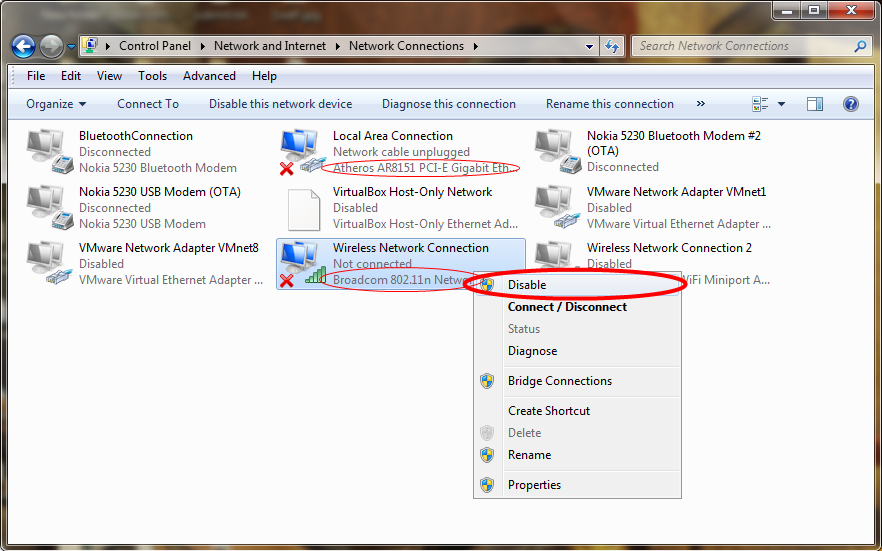
Jun 24 2022 nbsp 0183 32 How to Add Delete Enable or Disable Startup Items in Windows 10 Startup items are the apps shortcuts folders drives etc that are set to run or open automatically at startup
Dec 7 2020 nbsp 0183 32 How to Enable or Disable Developer Tools in Microsoft Edge Chromium Microsoft has adopted the Chromium open source project in the development of Microsoft Edge on the

Aug 29 2017 nbsp 0183 32 How to Enable or Disable Microsoft Edge about flags Page in Windows 10 Information Microsoft Edge is a new web browser that will be avail
Dec 17 2023 nbsp 0183 32 This tutorial will show you how to enable or disable automatic updates in Windows Update for all users in Windows 10
[desc-11] [desc-12]
[desc-13]