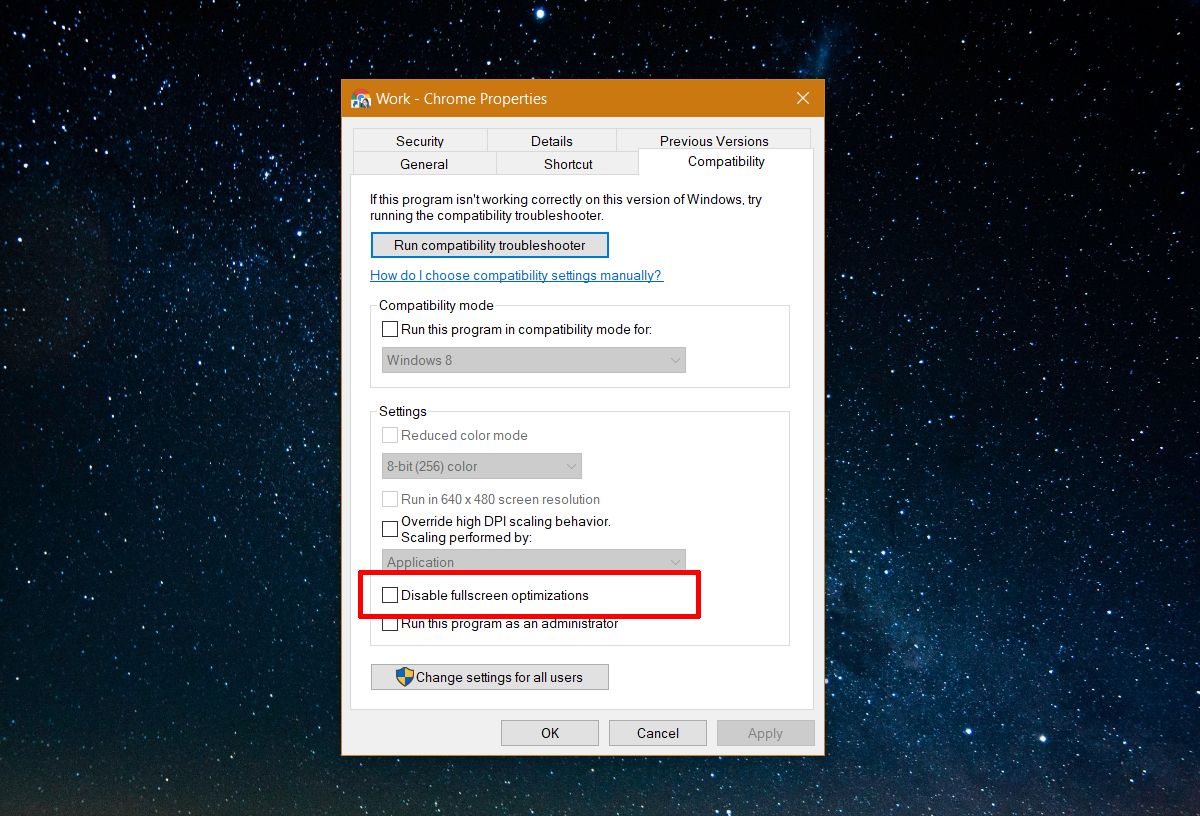
Disable Full Screen Optimization Windows 11 Reddit How To Disable Fullscreen Optimization For Games On Windows 10 How To Disable Fullscreen Optimization In Windows 10 How To Enable Or Disable Full Screen Optimizations On Windows 11 10 How To Disable Full Screen Optimization In Valorant Novint How To Disable Enable Full Screen Optimization On Windows FPS Boost Web Apr 29 2023 nbsp 0183 32 Method 1 Enabling Disabling Screen Optimization via Compatibility Tab Right click the EXE file of the app game or program and click Properties Go to the
Web Still I run full screen by preference although there is nothing quot wrong quot with running borderless fullscreen windows and with some games it may even be faster than full Web Oct 1 2021 nbsp 0183 32 Set 2 as the value to disable Fullscreen Optimization Click on OK to save the changes If you want to enable Fullscreen Optimization again then simply change
How To Disable Enable Full Screen Optimization On Windows FPS Boost Display On Widescreen Resolution Scaling General Discussion IL 2 9 Best Free PC Optimization Software How To Disable Fullscreen Optimizations In Windows 10 How To Disable Peer To Peer Updates Delivery Optimization To Save How To Fix Bad Module Info Error On Windows 10 How To Disable Fullscreen Optimization For Games On Windows 10 How To Disable Fullscreen Optimization In Windows 10 How To Disable Fullscreen Optimization For Games On Windows 10 O Amd
Disable Full Screen Optimization Windows 11 Reddit
 Disable Full Screen Optimization Windows 11 Reddit
https://www.bytesin.com/wp-content/uploads/2018/01/How-to-disable-fullscreen-optimization-for-games-on-Windows-10.jpg
Web Dec 22 2022 nbsp 0183 32 Later the option was removed and now Windows 10 and 11 use the Fullscreen Optimization feature by default There is still a registry trick to disable it for all apps which I have shown but it s not
Templates are pre-designed documents or files that can be used for various purposes. They can conserve time and effort by providing a ready-made format and design for creating various sort of material. Templates can be used for personal or professional tasks, such as resumes, invites, flyers, newsletters, reports, discussions, and more.
Disable Full Screen Optimization Windows 11 Reddit

GitHub GitHub Widescreen Optimization Userstyles

Display On Widescreen Resolution Scaling General Discussion IL 2

9 Best Free PC Optimization Software

How To Disable Fullscreen Optimizations In Windows 10
How To Fix Bad Module Info Error On Windows 10

How To Disable Fullscreen Optimization For Games On Windows 10

Web Here s how to disable it Windows Settings gt Gaming gt Game Bar gt quot show game bar when I play full screen games Microsoft has verified quot and quot record clips screenshots quot should

Web May 26 2023 nbsp 0183 32 1 Right click or press and hold on the EXE file of the app or game and click tap on Properties 2 Click tap on the Compatibility tab see screenshot below 3 Check disable or uncheck enable default

Web There s one main way I identify whether full screen optimizations are enabled or not Hitting a volume media key or trying to open the game

Web I recently did a fresh Windows 11 install and set everything up as I like it now I noticed that when I disable the fullscreen optmizations for the r5apex exe and globally in regedit it

Web Apr 8 2022 nbsp 0183 32 1 Right click on the app or game executable file and pick Properties from the context menu that appears 2 Next select the Compatibility option from the drop down menu 3 Next select the
Web Apr 26 2023 nbsp 0183 32 To disable the Fullscreen Optimization feature in Windows 11 you can do it through the Windows registry If you disable it via registry this feature will be disabled Web Oct 4 2023 nbsp 0183 32 How to disable fullscreen optimizations Windows 10 You can quickly disable fullscreen optimization for games by changing their Compatibility settings This is a
Web Mar 6 2022 nbsp 0183 32 To enable fullscreen optimizations for games right click on the executable file EXE or game app and select Properties On the game app property window select the