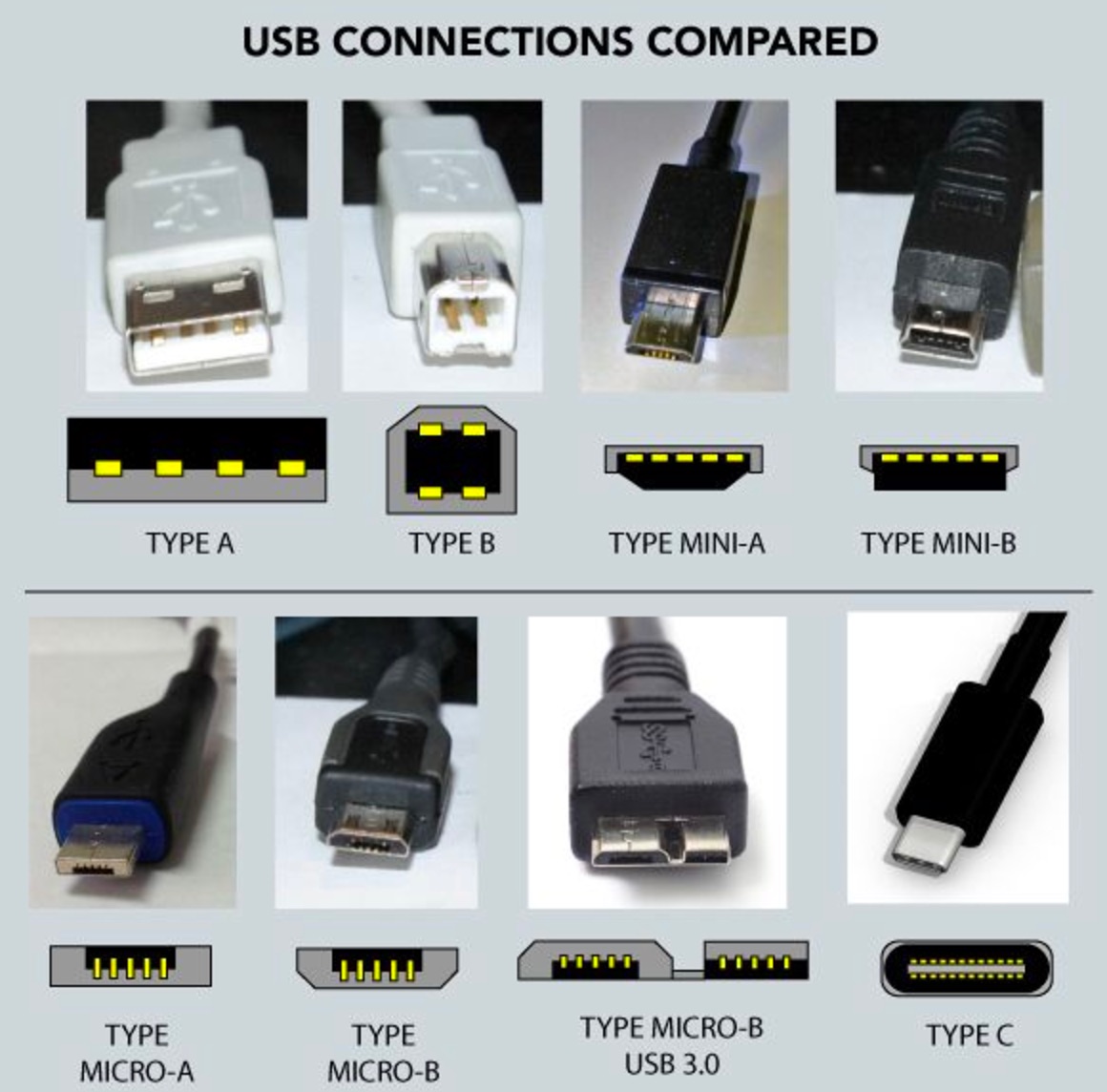
Different Usb Ports USB Ports Cables And Colours Explained YouTube Connector Basics SparkFun Learn Different Types Of USB Ports Cables Type A B C USB 1 x 2 x 3 x Etc Unable To Find The Type Of The USB Port Super User Science Hubs Hub Sciences All USB Connectors And USB C Thunderbolt 3 There are five major types of USB cables and ports There is USB A USB B USB C micro USB and mini USB The major difference is in their physical appearance but there can be some differences in functionality as well It is also important to note that a USB type may differ physically based on which USB version number it is
Different versions of the USB specification range from USB 1 x to USB 3 1 and beyond there is even a USB4 version introduced in 2019 These USB types describe data transfer speeds and technical specifications Typically an increased data transfer rate marks the main difference between generations Here are the most common types USB A This is the standard connector found on one end of almost every USB cable It s a rectangular connector that only fits in one way You ll find several USB A ports on virtually every desktop computer and laptop Many TVs game systems cars media players and other devices have one or more too
Science Hubs Hub Sciences All USB Connectors And USB C Thunderbolt 3 USB Type A Type C Connector China USB Connecror And Connector What Is USB C And What Benefits Does It Bring GaNFast Different Usb Port Types Hot Sex Picture XDA Everything You Need To Know About USB Standards Speeds And Port Types What Are The Types Of USB Ports 5 Types Of USB Explained Micro Usb Connector Wiring Diagram Wiring Receptacle Tabs Wiring USB Port Types An Ultimate Guide On How To Identify All Types Of USB Ports Explained How To Identify Them
Different Usb Ports
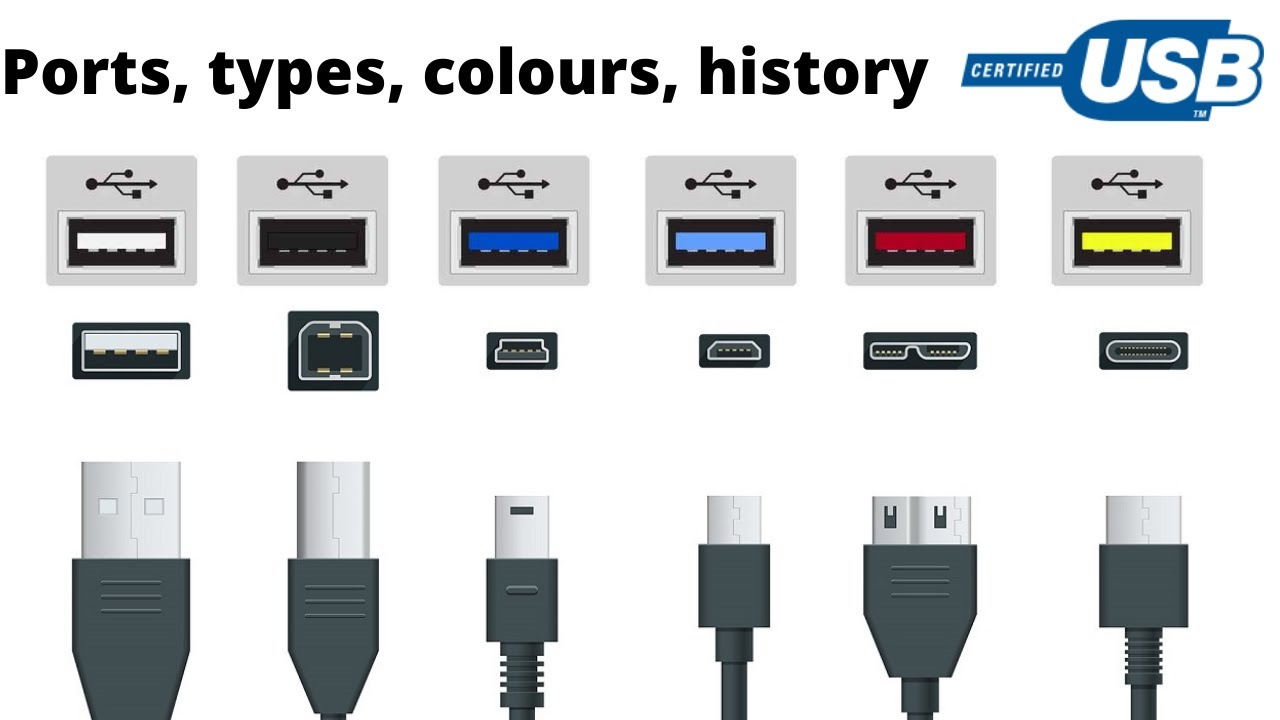 Different Usb Ports
https://i.ytimg.com/vi/BplRBImLnc4/maxresdefault.jpg
Updated Apr 13 2021 Why are there so many different USB cable types Learn the differences between USB connector types and how to buy the best USB cables Most computers and electronic devices have some form of USB connection and many devices also come packaged with a USB cable
Templates are pre-designed documents or files that can be used for various purposes. They can conserve time and effort by providing a ready-made format and design for developing different kinds of content. Templates can be utilized for personal or expert projects, such as resumes, invitations, leaflets, newsletters, reports, presentations, and more.
Different Usb Ports
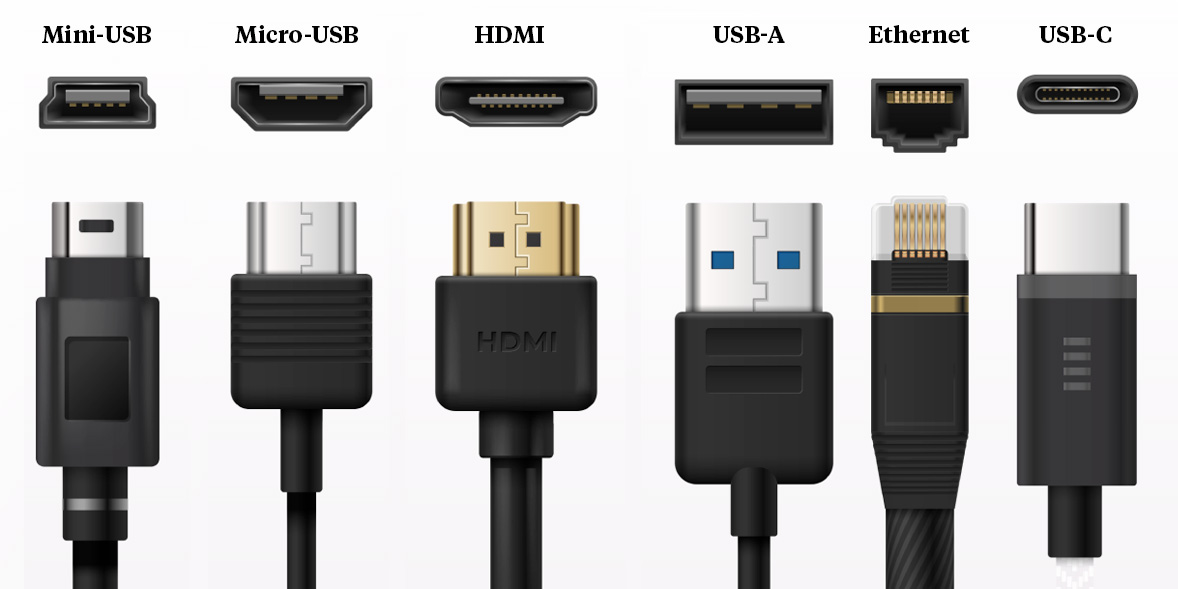
Plug In With Usb Ports Outlets Shop Save 68 Jlcatj gob mx

USB Type A Type C Connector China USB Connecror And Connector
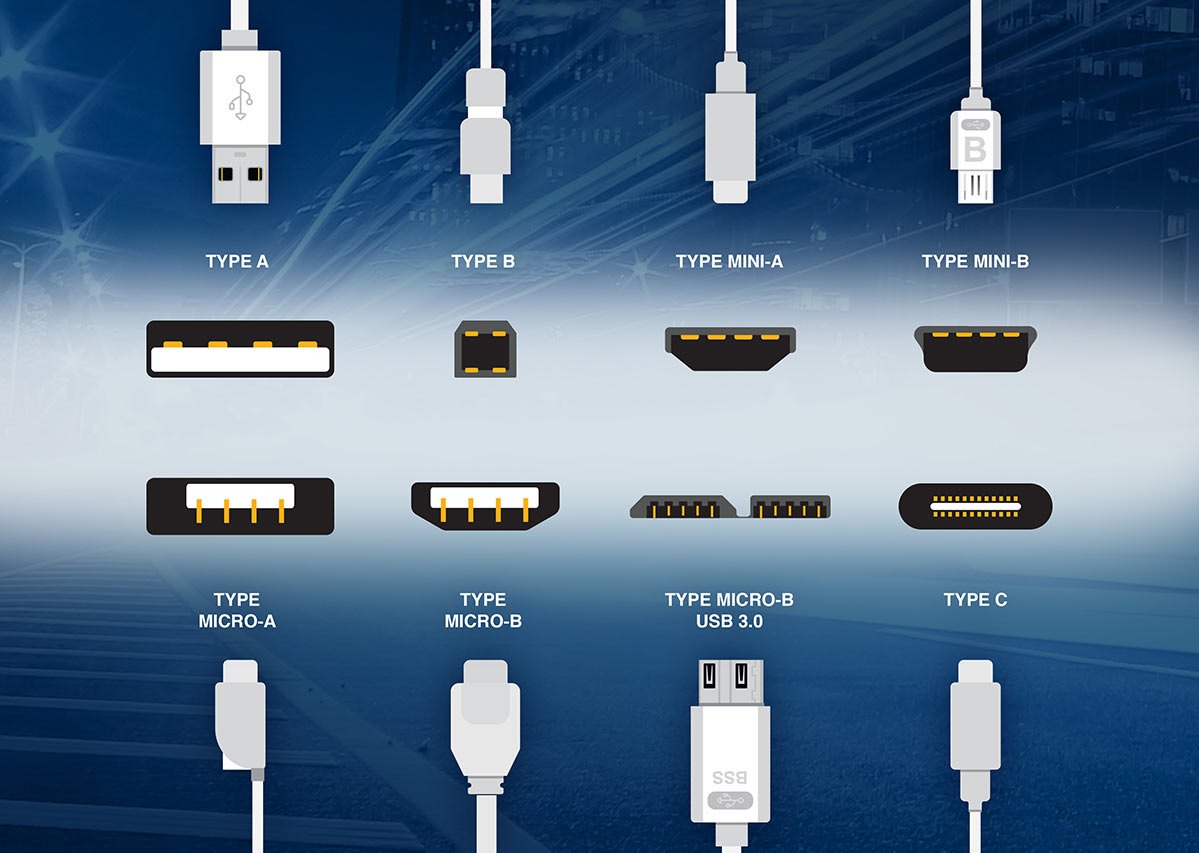
What Is USB C And What Benefits Does It Bring GaNFast
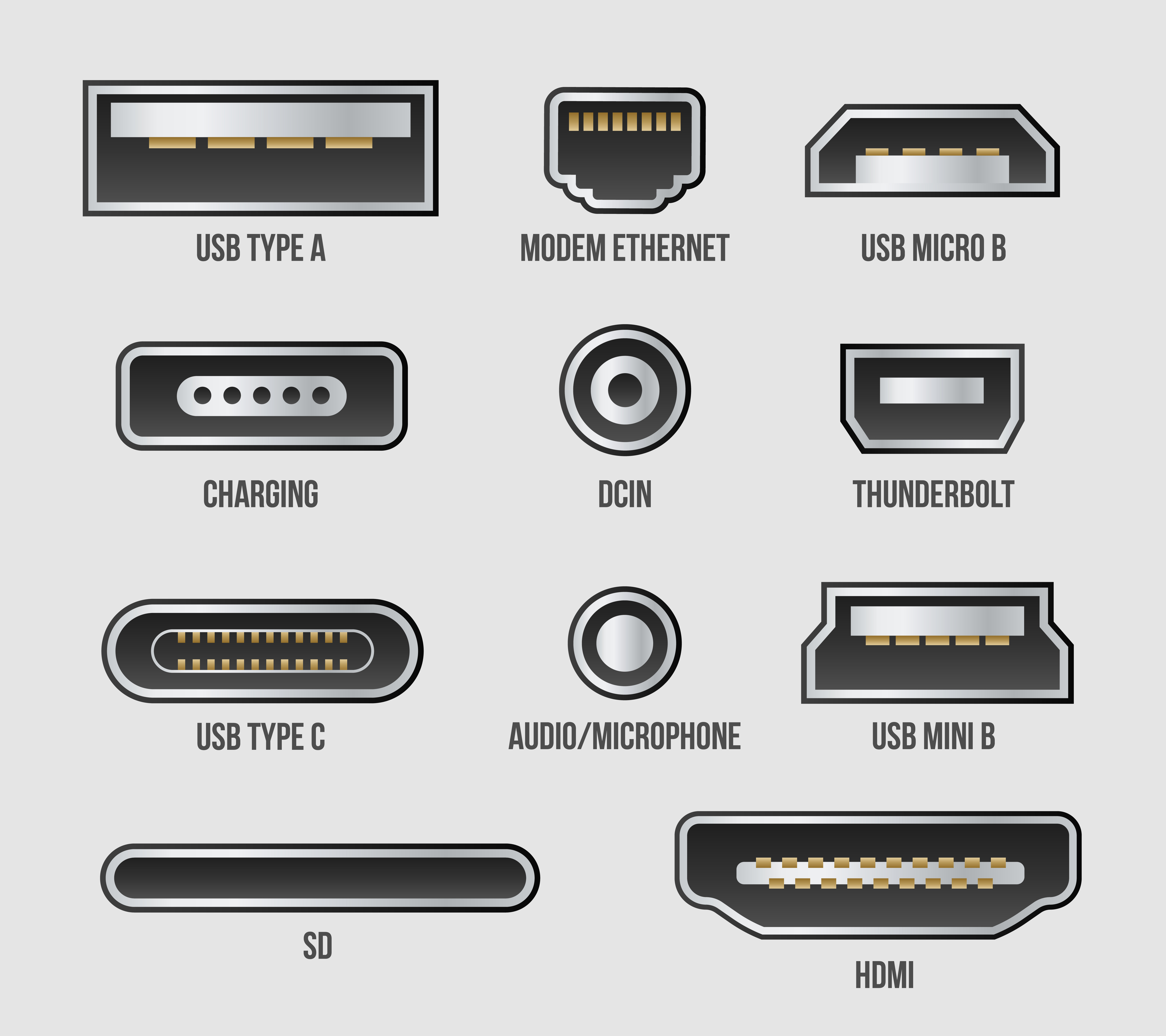
Different Usb Port Types Hot Sex Picture

What Are The Types Of USB Ports 5 Types Of USB Explained

Micro Usb Connector Wiring Diagram Wiring Receptacle Tabs Wiring

Ever wanted to have all USB ports explained in one easy convenient place This is the article for you By the end you should have a detailed understanding of the various USB standards and what difference
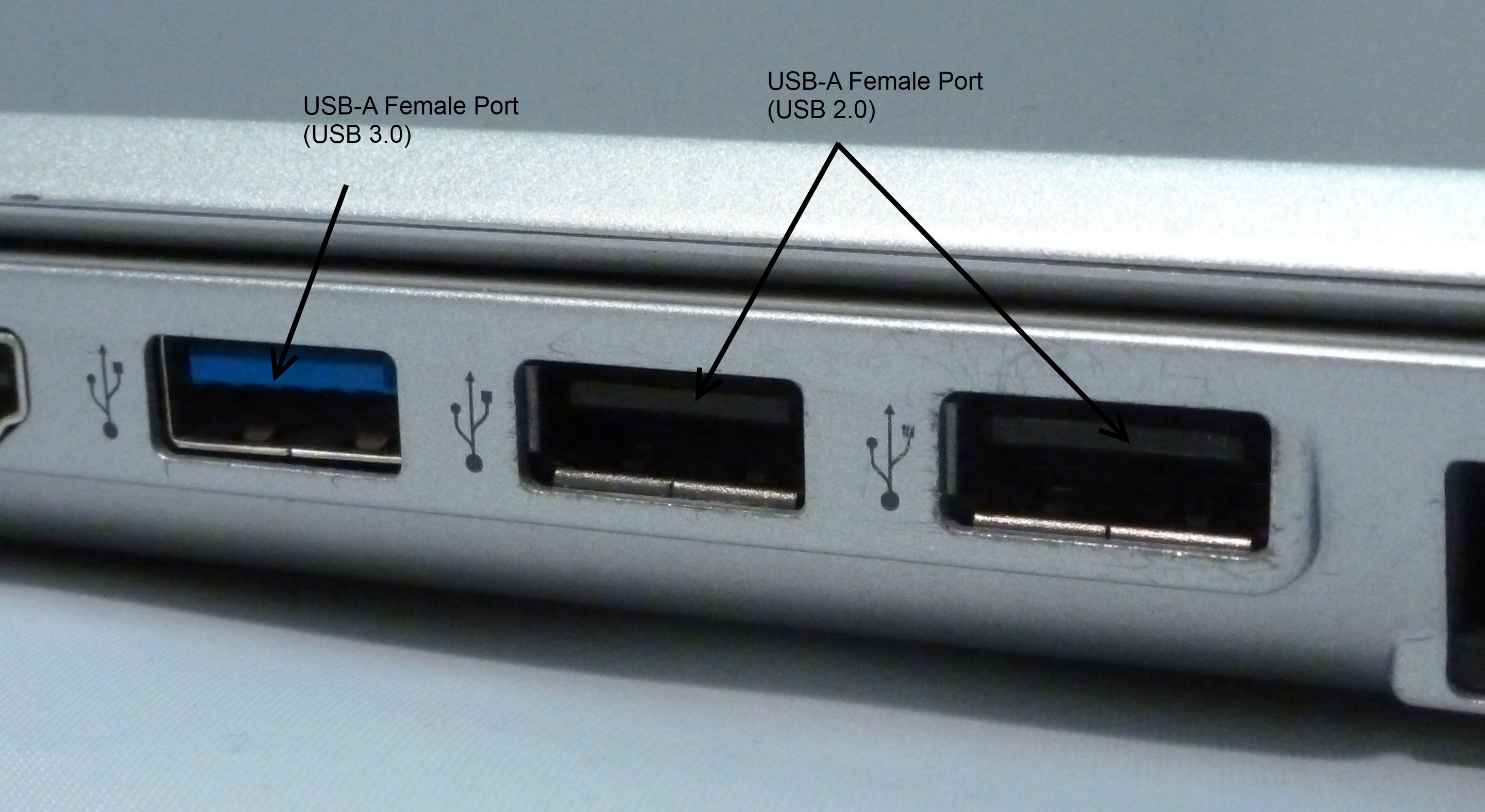
There are different versions of USB based on how fast they transfer and receive data between two electronic devices The main types of USB are as follows USB 1 0 USB 2 0 USB 3 0 USB 4 0 There are some versions between these like USB 1 1 USB 3 1 and USB 3 2 Here s a table that lists major differences in speeds and

July 5 2021 USB ports have been in production for over 30 years They changed the way computers connect to devices and peripherals USB ports have dominated the market for connecting computers and USB devices USB ports are intended to be universal but they have different connections making each one serve a different function

Today the most common type of ports found on almost every laptop and PC is the USB type A and USB type C This article will help you understand different types of USB ports found on your device and methods to identify them This will help you boost your device s overall performance by connecting the right device in the right USB
In 2017 USB 3 2 was rolled out with SuperSpeed of a maximum of 20Gbit s 5 USB 4 image source In 2019 USB 4 0 came out with Thunderbolt 3 and SuperSpeed with a maximum speed of 40 Gbit s To attain that speed they have to use Gen 3 cables shorter than 0 8 meters
[desc-11] [desc-12]
[desc-13]