Different Headers On Each Page Google Docs Google Workspace Updates Customizable Headers And Footers Page How To Have Different Headers On Each Page In Google Docs OfficeBeginner C mo Tener Diferentes Encabezados En Google Docs Mundowin How To Create A Different Header And Footer For Each Page In Google Docs Google Docs Different Footer On Each Page OfficeDemy How can I make different headers in Google Docs 1 Open your Google Docs file 2 Go to Insert 3 Select Headers footers The new Header or footer will be ready for editing 4 Click on Options
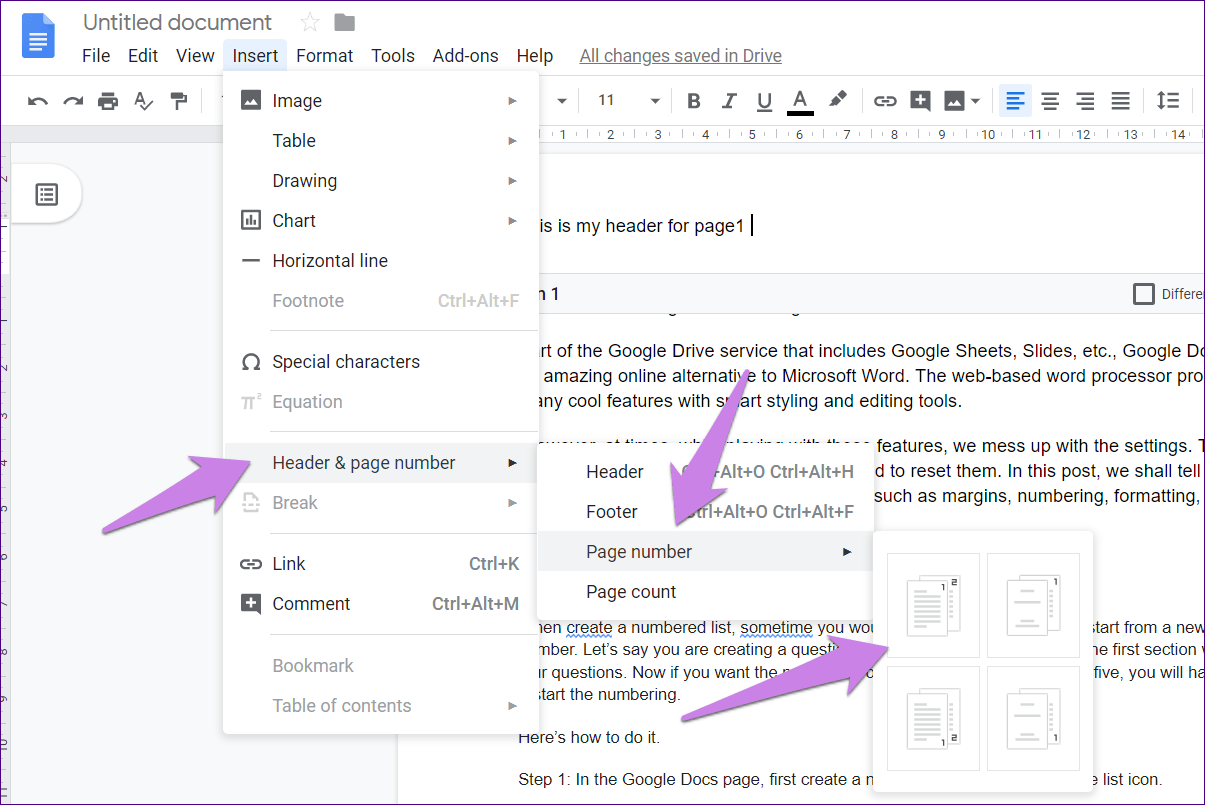
Step 1 Turn on Page Numbers The first step in creating a different header on each page in Google Docs is to turn on page numbers To do this go to the Insert You can display page numbers in either the header or the footer In Google Docs go to the Insert menu Select Page numbers Here you ll see the four possible
Google Docs Different Footer On Each Page OfficeDemy Google Docs Different Footer On Each Page Office Demy How To Change Header For Different Pages In Docs Muslibridge How To Create A Different Header And Footer For Each Page In Google Docs How To Have Different Headers On Each Page In Google Docs OfficeBeginner How To Have Different Headers In Google Docs How To Create A Different Header And Footer For Each Page In Google Docs Customizable Headers And Footers In Google Docs YouTube How To Have A Different Header On Each Page Google Docs Its Linux FOSS
Different Headers On Each Page Google Docs
https://lh5.googleusercontent.com/vi6qAVXprtO56YDnvYOAO3WLruR9gWJ9QVU7FNh3OGyvvSRgfEy1SGluR6iA1CFb7Rjh2Mdo_hPABbZLtsvlTNbAvNZyvyoIEC4HrQ2Yz_pIITt10CMsXVZQ-m0uzNhAuIYlz8Q
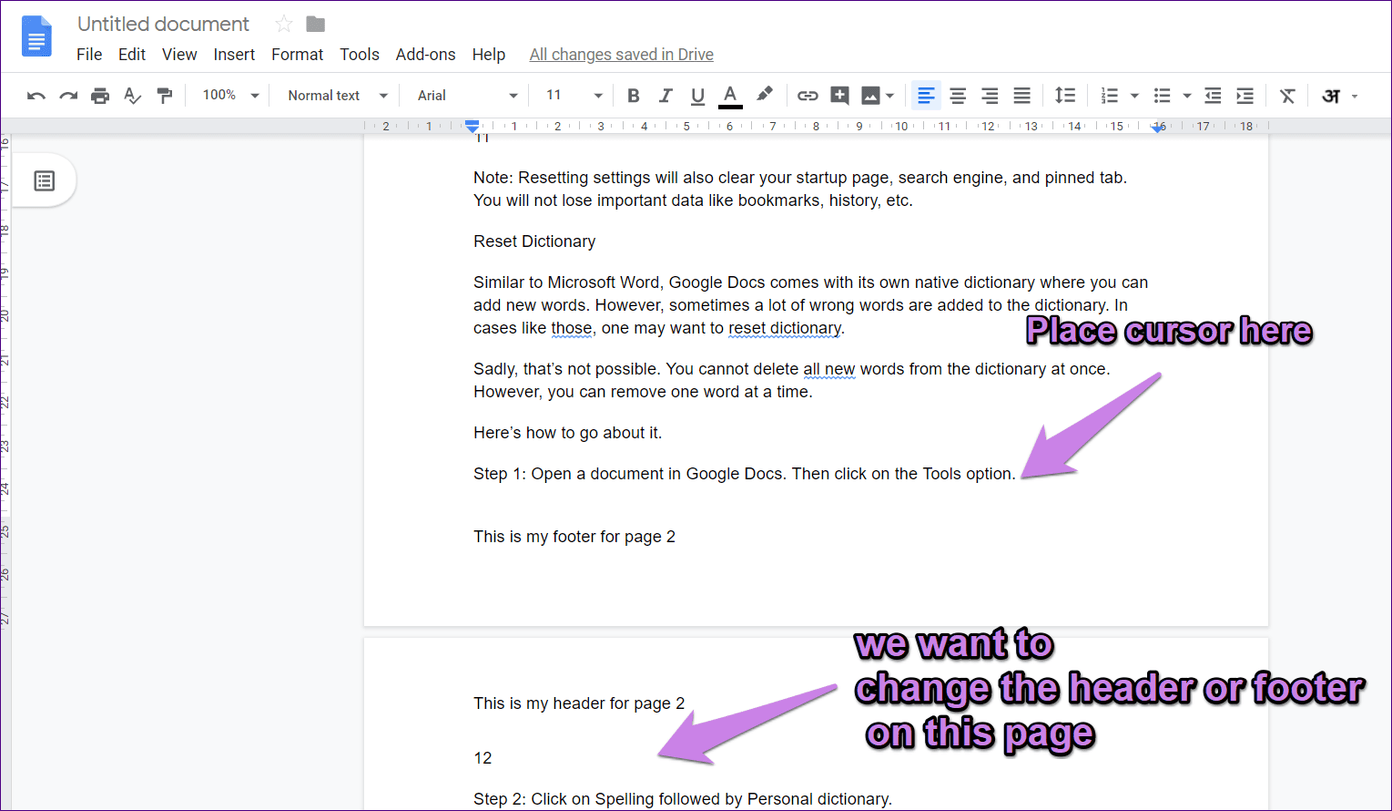
Here s our step by step guide on how to use different headers in one document in Google Docs Step 1 First open the document you want to add
Pre-crafted templates offer a time-saving solution for producing a varied series of files and files. These pre-designed formats and designs can be used for various individual and expert tasks, including resumes, invitations, flyers, newsletters, reports, discussions, and more, simplifying the content development process.
Different Headers On Each Page Google Docs
How To Create A Different Header And Footer For Each Page In Google Docs

Google Docs Different Footer On Each Page Office Demy
How To Change Header For Different Pages In Docs Muslibridge
How To Create A Different Header And Footer For Each Page In Google Docs

How To Have Different Headers In Google Docs

How To Create A Different Header And Footer For Each Page In Google Docs

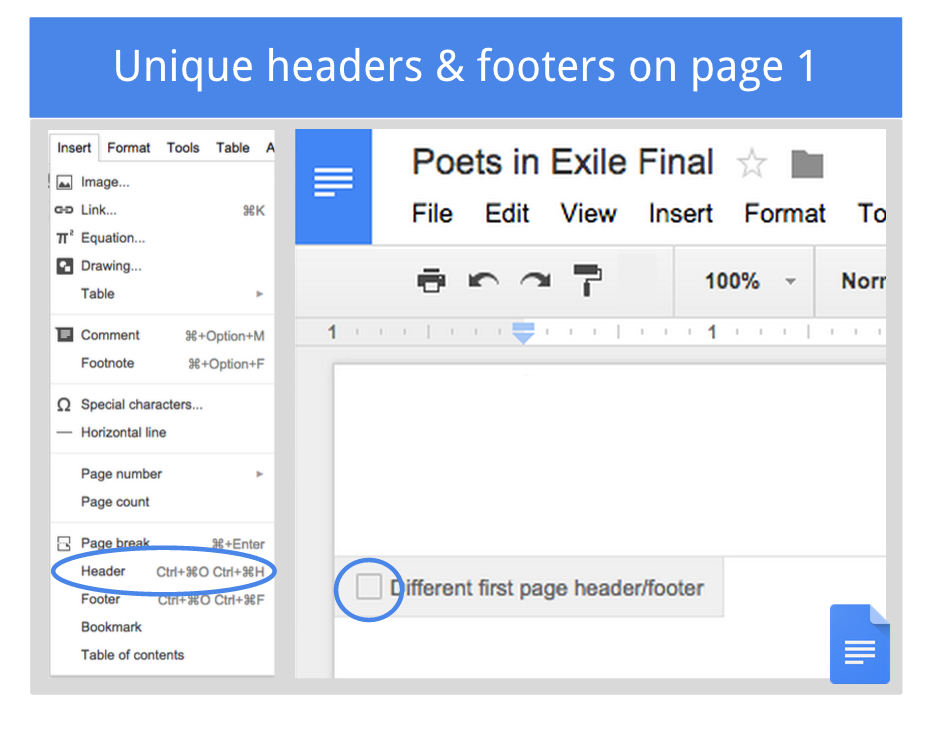
To choose your header and footer layout check the box Different first page Use different headers and footers on the first page of the document or section Learn how

In Google Docs you can use different headers and footers to customize each page with different elements You could use different headers and footers to add a custom title or

To add a header on a Windows or ChromeOS machine press and hold Ctrl Alt and press the O and then H key On a Mac press and hold Ctrl Cmd and press the O and then H key If you want to add

Previously you could set a single header or single footer for your entire document with an option to make it different on the first page only Now you can also

You can use footnotes to add references in your Google Doc In documents that are in pages format you can add page numbers and you can also include headers and
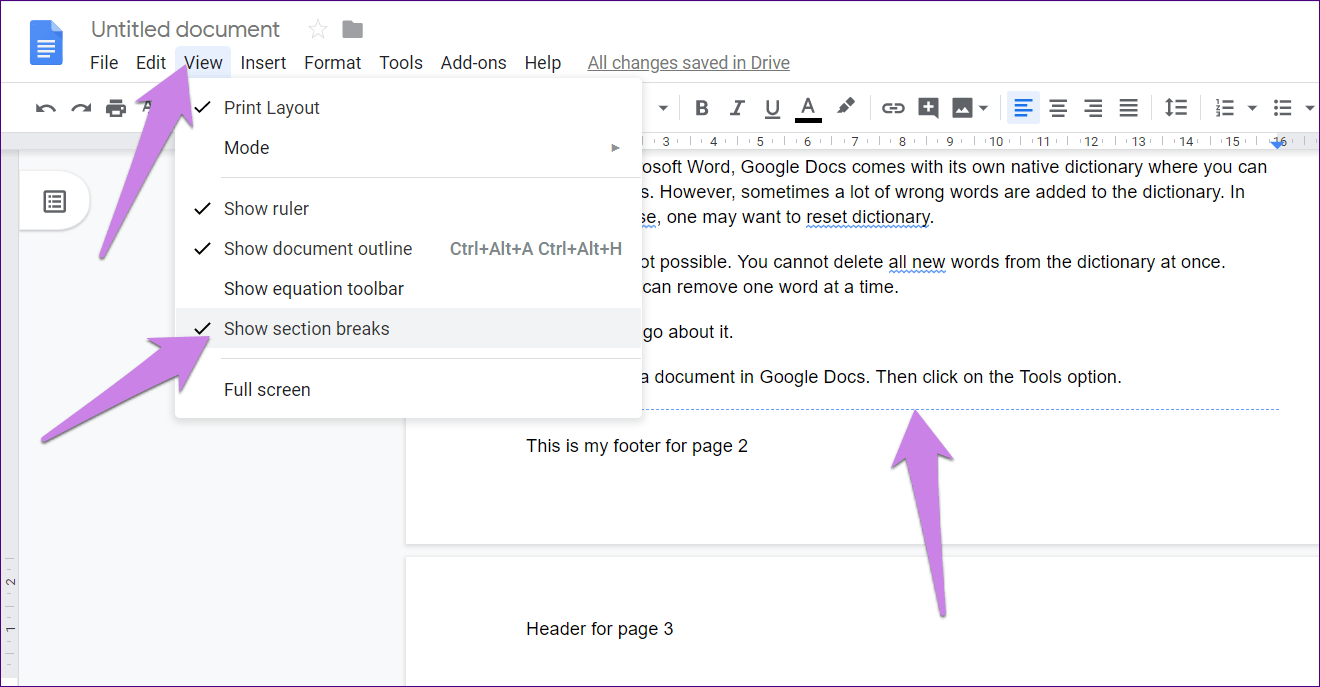
You can set different header or footer margins for each section of your document or the entire document On your computer open a document in Google Docs Click in a Then select Insert from the toolbar In the drop down menu you just opened hover over Headers and footers Now click Headers That s it You ll see that you now
You might use headers and footers for section titles author information page numbers footnotes the date or other info that needs to stay consistent across multiple pages