Dell Vostro Bios Key Soluciones Dell Vostro Para La Secuencia De Arranque Del BIOS Dos Crowd Dell Vostro Bios Tu u YouTube Dell Vostro 2520 Core I5 3rd Gen 4 GB 500 GB Linux Laptop Dell Vostro 5471 BIOS Setup Settings YouTube Vostro 3268 Bios Settings For Windows 10 YouTube Instructions BIOS is an acronym for Basic Input or Output System also known as system setup or UEFI BIOS or UEFI is firmware that is embedded on a small memory chip on the computer s system board or motherboard It acts as an interface between the computer s hardware and the operating system
Hello and welcome to FIXtastic SolutionsDell Vostro 14 3000 3478 How To Enter Bios UEFI Boot Menu OptionsIn this tutorial you will learn how to ente Fixes Fixed the issue where the USB device option is not displayed in the boot option This issue occurs when you install the operating system using Rufus USB drive and reconnect the USB drive after restarting the system Fixed the issue where the PS 2 keyboard and mouse do not work when pressed continuously during Power on Self Test POST
Vostro 3268 Bios Settings For Windows 10 YouTube BIOS DELL VOSTRO 5470 DELL Eletr nicaBR Update BIOS Dell Vostro 3670MT YouTube Dell Vostro 15 3000 Series Review A Budget Laptop With The Latest Dell Vostro 230 Bios Update MIG41R 09152 1M Easy Way YouTube Chuy n i RAID Sang AHCI Trong Bios Dell YouTube Dell Vostro 320 Walkthrough BIOS YouTube Notebook Dell Vostro 3300 Core I5 4Gb SSD 120Gb 13 3 Dell Vostro 3550 Gestione BIOS E Boot Windows 7 YouTube
Dell Vostro Bios Key
 Dell Vostro Bios Key
https://doscrowd.com/wp-content/uploads/2022/02/dell-vostro-bios-boot-sequence-9-scaled.jpg
The owner s manual for the Vostro 15 7500 laptop provides detailed information on how to set up use and troubleshoot your device You can learn how to access the
Templates are pre-designed files or files that can be utilized for various purposes. They can save effort and time by supplying a ready-made format and layout for creating various kinds of material. Templates can be utilized for personal or professional projects, such as resumes, invites, flyers, newsletters, reports, discussions, and more.
Dell Vostro Bios Key
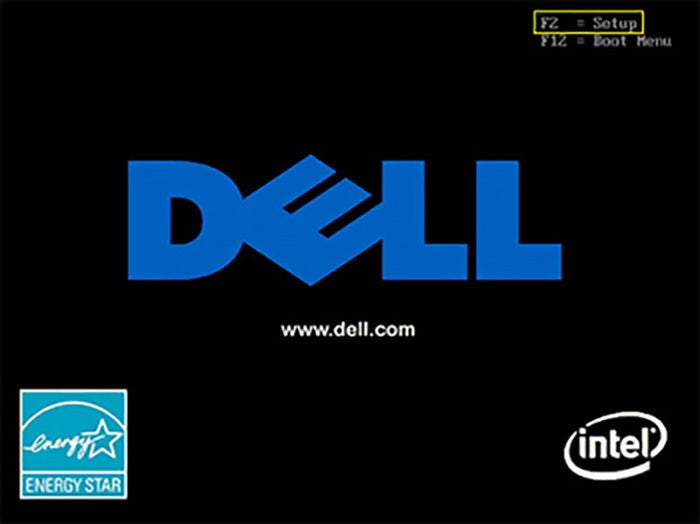
How To Enter Your PC s BIOS PCWorld

BIOS DELL VOSTRO 5470 DELL Eletr nicaBR

Update BIOS Dell Vostro 3670MT YouTube

Dell Vostro 15 3000 Series Review A Budget Laptop With The Latest

Chuy n i RAID Sang AHCI Trong Bios Dell YouTube

Dell Vostro 320 Walkthrough BIOS YouTube

BIOS also called System Setup is an acronym for Basic Input or Output System Modern Dell computers come with Unified Extensible Firmware Interface UEFI BIOS or UEFI is firmware that is embedded on a small memory chip on the computer s system board or motherboard

How to access the Boot Device List https youtu be WevfHoY MThe easy way series https www youtube playlist list PLXoMfmZDOTAytDOB8Jb8ZXU kaKpYdvxq
Click Troubleshoot Click Advanced options Select UEFI Firmware Settings Click Restart to restart the computer and enter UEFI BIOS Note If your operating system has become corrupted you cannot go further than the Windows sign in screen However there is still an opportunity to enter the Advanced Options from the sign in screen

How to enter the BIOS https youtu be DzQGhc6 jNkThe easy way series https www youtube playlist list PLXoMfmZDOTAytDOB8Jb8ZXU kaKpYdvxq

The BIOS Recovery 2 BR2 software s main feature is to provide the flexibility to recover a corrupted BIOS using a BIOS recovery file from the computer s primary hard disk drive or an external USB drive
Keys can be used to type alternate characters or to perform secondary functions To type the alternate character press Shift and the desired key To perform secondary functions press Fn and the desired key NOTE You can define the primary behavior of the function keys F1 F12 changing Function Key Behavior in BIOS setup program Camera Steps Connect the power adapter and press the power button NOTE To conserve battery power the battery might enter power saving mode Finish Windows system setup Follow the on screen instructions to complete the setup When setting up Dell recommends that you Connect to a network for Windows updates
Turn on the computer Tap the F2 key several times until Entering Setup appears Reset the BIOS to factory defaults The method to reset the BIOS varies between different computers Click the Load defaults button Or press the F9 key to load default settings Or press the Alt F key to load default settings