Delimited List In Excel Data Validation The Ultimate Guide To Dropdown Lists In Excel How To Excel How To Split Or Merge Cells In Excel Split Cell Excel 2010 Tin T c Kh ch S n Nh H ng Excel Text Import Wizard Delimeter Unionhopde Convert Excel To Comma Delimited CSV File 2 Easy Ways ExcelDemy Cara Membuat Data Validation Di Excel Produkmania I want to make a data validation rule that will appear red if any of the values in the comma delimited list of references aren t in my list of memos in other words we re missing information or the user may have made a typo Any number of other memos may be referenced
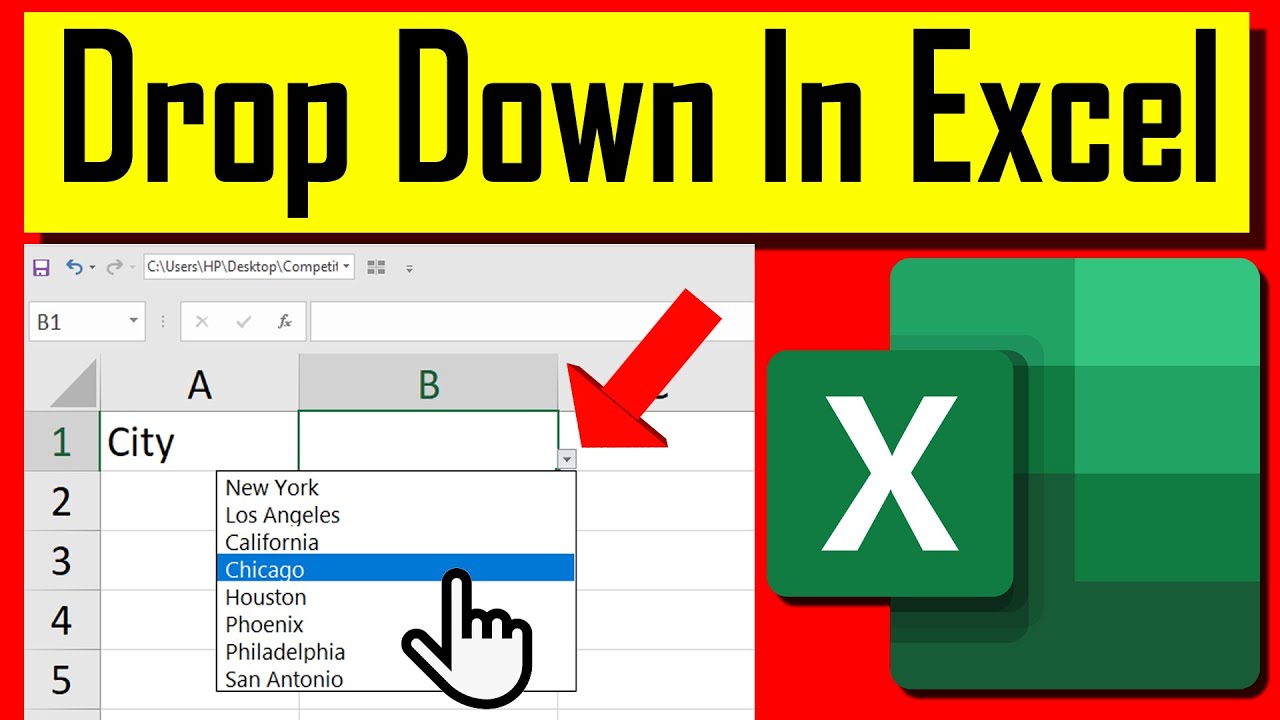
There are 3 easy steps 1 Create a Table of Items OR Create a List 2 Name the List 3 Create the Drop Down Note Data validation is not foolproof It can be circumvented by pasting data into the cell or by choosing Clear Clear All on the Ribbon s Home tab 1 Create a Table of Items Try it Select the cell s you want to create a rule for Select Data Data Validation On the Settings tab under Allow select an option Whole Number to restrict the cell to accept only whole numbers Decimal to restrict the cell to accept only decimal numbers List to pick data from the drop down list
Cara Membuat Data Validation Di Excel Produkmania Data Validation Lists Microsoft Excel Basic Advanced How To Make A Drop Down List In Excel For One Cell Virgincaqwe How To Data Validation To Allow Date Greater Than Today Or A Specific Date In Excel Advance Excel Function Data Validation How To Create A Drop Down List Vrogue Appoint Goat Will Do Data Validation Table In Excel Trouble Barely Train Data Validation In Excel CustomGuide Excel Data Validation Drop Down Lists With Vlookup Function Tutorial Course OfCourseMe Data Validation In Excel Hot Sex Picture
Delimited List In Excel Data Validation
 Delimited List In Excel Data Validation
https://cdn-5a6cb102f911c811e474f1cd.closte.com/wp-content/uploads/2022/01/Data-Validation-List-Range.png
Excel Data Validation is a feature that restricts validates user input to a worksheet Technically you create a validation rule that controls what kind of data can be entered into a certain cell Here are just a few examples of what Excel s data validation can do Allow only numeric or text values in a cell
Pre-crafted templates offer a time-saving service for producing a varied range of documents and files. These pre-designed formats and layouts can be utilized for different personal and expert projects, consisting of resumes, invitations, flyers, newsletters, reports, presentations, and more, streamlining the content production process.
Delimited List In Excel Data Validation
How To Create Drop Down Lists Using Data Validation In Microsoft Excel Vrogue
Data Validation Lists Microsoft Excel Basic Advanced
How To Make A Drop Down List In Excel For One Cell Virgincaqwe
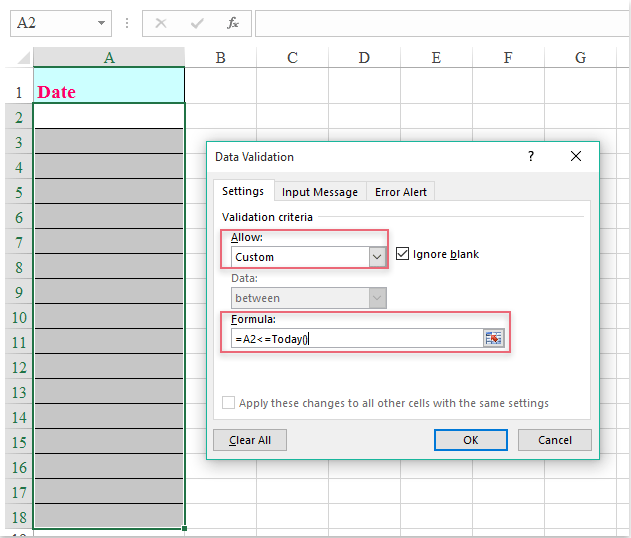
How To Data Validation To Allow Date Greater Than Today Or A Specific Date In Excel
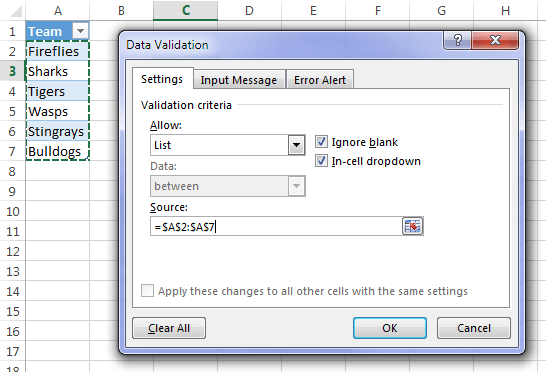
Appoint Goat Will Do Data Validation Table In Excel Trouble Barely Train
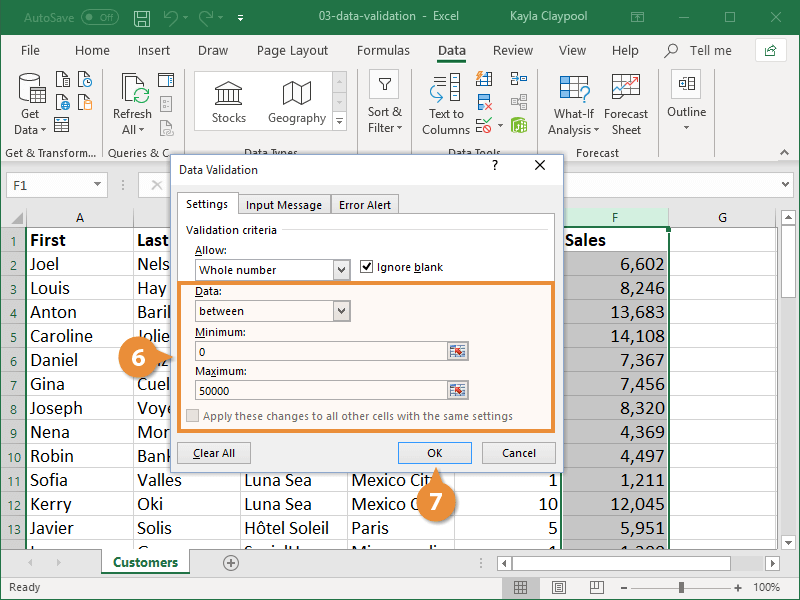
Data Validation In Excel CustomGuide
Data Validation of a Comma Delimited List Ask Question Asked 9 years 6 months ago Modified 6 years 8 months ago Viewed 15k times 5 I need a simple way of taking a comma seperated list in a cell and providing a drop down box to select one of them For Example the cell could contain 24 32 40 48 56 64
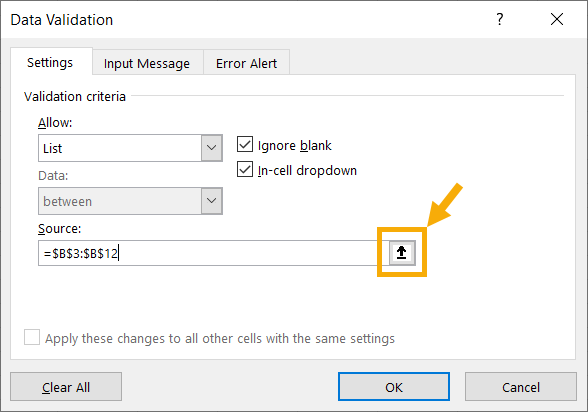
Go to the Data tab and click on the Data Validation button in the Data Tools group This will open the Data Validation menu Go to the Settings tab and select List from the Allow dropdown In the Source input box enter your delimited list using commas as the delimiter between items Click OK button to create your dropdown list
00 00 Intro00 08 Why use list of items00 18 What it all looks like00 30 Creating a list from items01 43 Duplicating the dropdown02 01 A better duplicating ap

What I d like to be able to do is set up a list of values as a defined name Insert Name Define and then enter that defined name as the source of my data validation list I d like to do this because If I simply list my drop down values on a worksheet I run the risk that somebody deletes the sheet column rows

You can populate your data validation list by referencing a dynamic named range Put Yes in Lookups B1 Put No in Lookups E1 Select Lookups B2 E8 and launch Formulas Defined names Name Manager Create a new named range called my vList using index Lookups B 2 E 8 MATCH Sheet1 F 6 Lookups B 1 E 1 0 as the Refers to
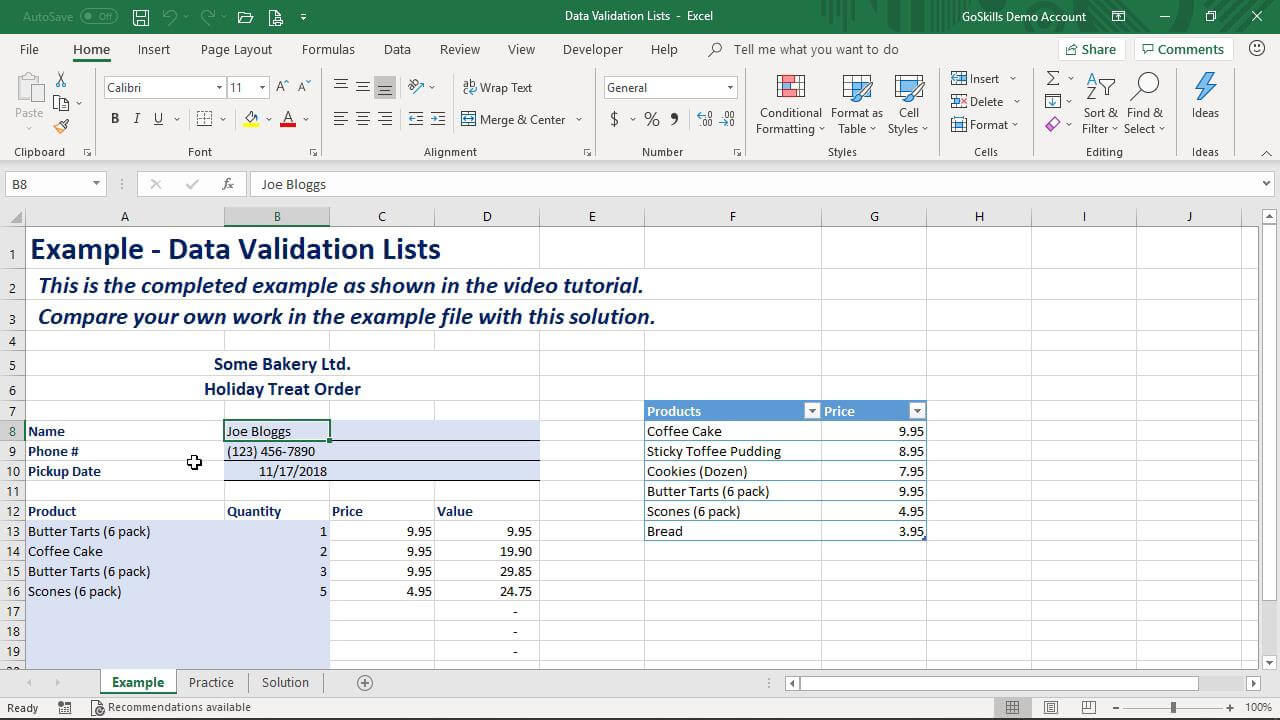
Download the before and after Excel workbooks from the video tutorial and try the lesson yourself Data Validation Lists xlsx 26 2 KB Data Validation Lists Completed xlsx 26 2 KB Data Validation Comments Notes Use to restrict users ability to enter invalid data in cells by providing them with a drop down list of valid options I am trying to create a dropdown list in excel using the Data Validation button Once I have selected List from Allow I manually insert my items into Source and use commas to separate the three items However when I click ok the items do not separate and comes out as one long line in my dropdown list How can I fix it Thanks
Click on the Data Validation button A Data Validation dialog box will open From the Allow drop down menu choose List In the Source field enter the desired values for the drop down list separating each value with a comma Once you have entered the values click OK to close the dialog box