Delete All Files Directory Linux How To Remove Directory In Linux Linux Magazine How To Delete A Directory In Linux TechRadar How To Delete A Directory In Linux YouTube What Is The Best Way To Count Files In A Directory How To Delete Multiple Files And Directories In Linux YouTube Syntax The syntax is simple rm r f path to dir rm r f v path to dir1 The r option remove directories and their contents recursively The f option is force rm and it will never prompt for confirmation Let us see some examples in details Examples Open a terminal or shell bash prompt
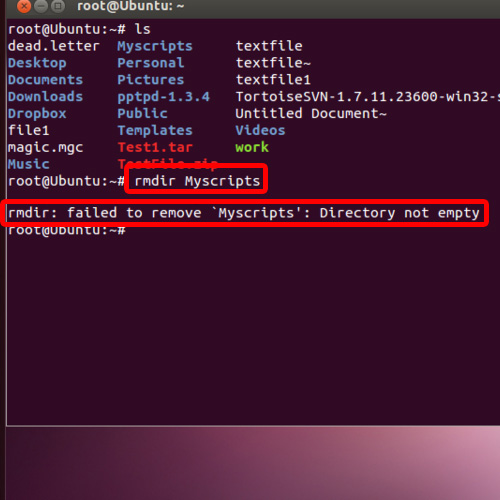
To remove an empty directory use either rmdir or rm d followed by the directory name rm d dirname rmdir dirname To remove non empty directories and all the files within them use the rm command with the r recursive option rm r dirname The different rm command options include f Forces the removal of all files or directories i Prompts for confirmation before removing I Prompts once before removing more than three files or when removing recursively r Removes directories and their content recursively d Removes empty directories v Provides a verbose output
How To Delete Multiple Files And Directories In Linux YouTube Linux Grep All Files In Directory With Find Maininriko Rmdir Command How To Delete A Directory In Linux Edumotivation How To Use Delete Command In Unix HowTech How To Remove Files And Directory In Linux Using Terminal TechSphinx 3 Ways To Find A File In Linux WikiHow How To Remove Files And Directories Using Linux Command Line Linuxize How To Move Files In Directory In Linux YouTube How To Copy Directory And All Its Contents To Another Directory UNIX
Delete All Files Directory Linux
 Delete All Files Directory Linux
https://linuxnetmag.com/wp-content/uploads/2020/05/how-to-remove-full-directory.jpg
1 Remove Files in a Directory in Linux Using the rm Command You can employ the rm command to remove any file or folder easily However to specify the deletion of files in a directory in this case directory Ayesha I will use rm followed by path to directory and an asterisk at the end
Pre-crafted templates provide a time-saving option for producing a diverse variety of documents and files. These pre-designed formats and layouts can be made use of for various individual and professional jobs, consisting of resumes, invitations, flyers, newsletters, reports, discussions, and more, simplifying the material development procedure.
Delete All Files Directory Linux

Linux Command Line 11 Delete Files And Directories YouTube

Linux Grep All Files In Directory With Find Maininriko

Rmdir Command How To Delete A Directory In Linux Edumotivation
How To Use Delete Command In Unix HowTech

3 Ways To Find A File In Linux WikiHow

How To Remove Files And Directories Using Linux Command Line Linuxize

To remove all non hidden files and sub directories along with all of their contents in a directory use
Type the rm command a space and then the name of the file you want to delete rm file 1 txt If the file is not in the current working directory provide a path to the file s location rm path to the file file 1 txt You can pass more than one filename to rm Doing so deletes all of the specified files rm file 2 txt file 3 txt

How to remove all the files in a directory Ask Question Asked 12 years 7 months ago Modified 6 years 4 months ago Viewed 516k times 96 I am trying to remove all files and subdirectories in a directory I used rm r to remove all files but I want to remove all files and subdirectories excluding the top directory itself

Delete All Files of a Directory in Linux At times you ll need to delete all the files of a directory Not the directory itself but the contents of the directory You could do it to clean up a project free up space or for any other purpose To empty a directory you use the following command rm r path to dir The wild card means everything here

Remove all files in a directory do not touch any folders or anything within them Ask Question Asked 11 years 7 months ago Modified 7 years 6 months ago Viewed 36k times 18 I would like to know whether rm can remove all files within a directory but not the subfolders or files within the subfolders I know some people use rm f direcname
To delete an empty directory use the d dir option and to delete a non empty directory and all of its contents use the r recursive or R option For example to delete a directory named dir1 along with all of its contents you would type rm r dir1 Delete all files in the directory To delete all files in the directory use rm command followed by the path to the directory and a wildcard character Syntax rm path to dir This command will delete all files in the directory but it will not delete any subdirectories or their contents to delete subdirectories as well you can add the
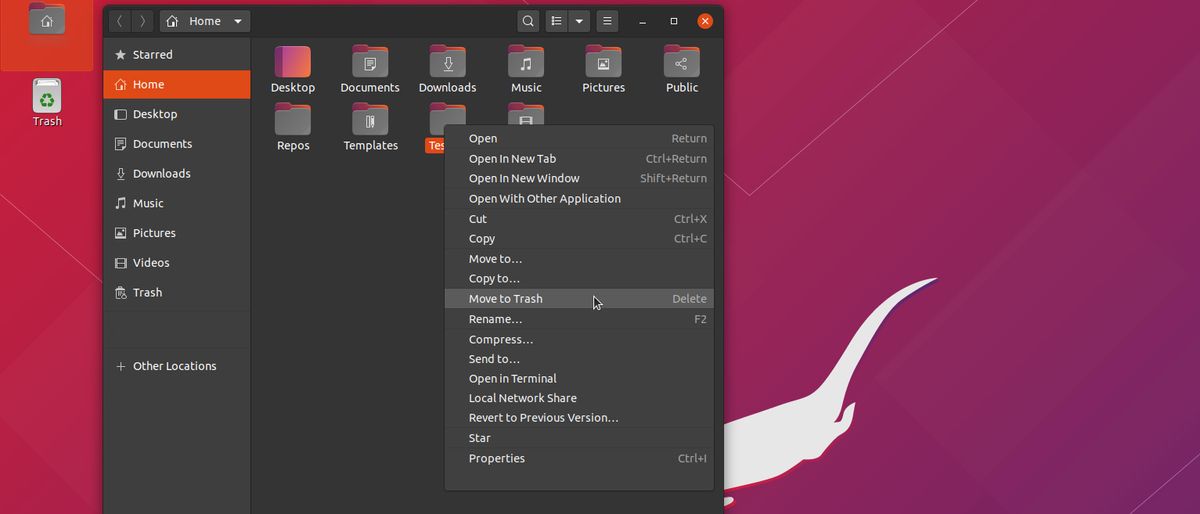
To permanently remove a directory in Linux use either the rmdir or rm command The rmdir or rm d command is for removing empty directories while the rm r command deletes non empty directories Before removing a directory you must know its name To discover files and directories use the ls command To know the current working directory