Delete All Bold Text In Excel How To Delete All Bold Text In Excel How To Delete All Bold Text In Excel How To Delete All Bold Text In Excel Bold Part Of Text String In A Cell In Excel YouTube How To Delete All Bold Text In Excel The following macro works well for me except that it leaves many useless lines that all have one thing in common the text in their A cell is bold and no other cells except the header row 1 contain bold text
Press Ctrl H to open the Find and Replace dialog In the Find what box type the character Leave the Replace with box empty Click Replace all As an example here s how you can delete the symbol from cells A2 through A6 This function adds commas between the found words To omit this delete this text The entire if command can in this case be shortened to one line theChar theCell Characters i 1 Text Use this function to extract the bold text from the first cell then extend the formula to the following lines
How To Delete All Bold Text In Excel Taking Bold Text Into Account In A Sort Microsoft Excel Converting Bold Text In Excel Cells To Strong Tags Using VBA Macros Mage Tutorial 2 Ways To Bold Text In Concatenate Formula In Excel ExcelDen Comment Mettre En Gras Une Partie De La Cha ne De Texte Dans Une Cellule Dans Excel Taking Bold Text Into Account In A Sort Microsoft Excel How To Use Formula To Find Bold Text In Excel ExcelDemy How To Use Formula To Find Bold Text In Excel ExcelDemy How To Bold Text In Concatenate Formula In Excel 2 Methods
Delete All Bold Text In Excel
 Delete All Bold Text In Excel
https://cdn.extendoffice.com/images/stories/doc-excel/bold-part-text/doc-bold-part-text-3.png
Select all the cells where you want to delete text Press Ctrl H to open the Find and Replace dialog To eliminate text before a given character type the character preceded by an asterisk char To remove text after a certain character type the character followed by an asterisk char
Pre-crafted templates offer a time-saving solution for producing a varied variety of documents and files. These pre-designed formats and designs can be used for various individual and professional tasks, consisting of resumes, invites, leaflets, newsletters, reports, discussions, and more, streamlining the material production process.
Delete All Bold Text In Excel
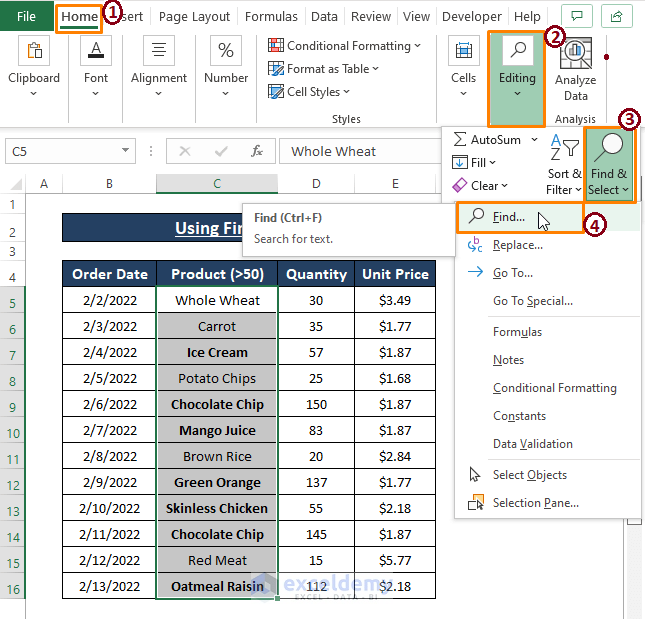
How To Use Formula To Find Bold Text In Excel ExcelDemy
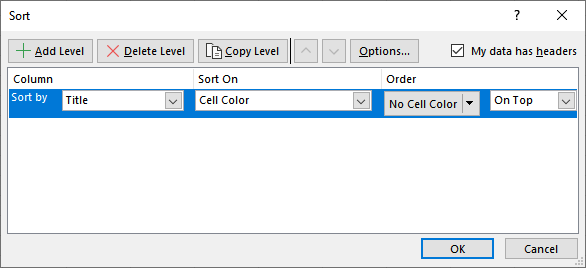
Taking Bold Text Into Account In A Sort Microsoft Excel

Converting Bold Text In Excel Cells To Strong Tags Using VBA Macros Mage Tutorial

2 Ways To Bold Text In Concatenate Formula In Excel ExcelDen
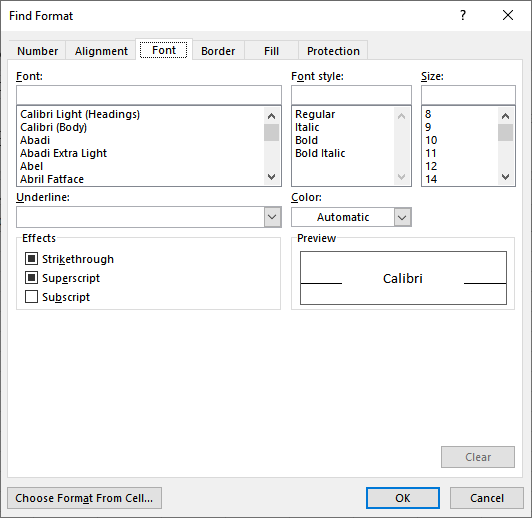
Taking Bold Text Into Account In A Sort Microsoft Excel

How To Use Formula To Find Bold Text In Excel ExcelDemy

To do this perform the following steps In your Excel worksheet click File Options and then select Quick Access Toolbar on the left side pane Under Choose commands from select All Commands In the list of commands scroll down to Clear Formats select it and click the Add button to move it to the right hand section Click OK
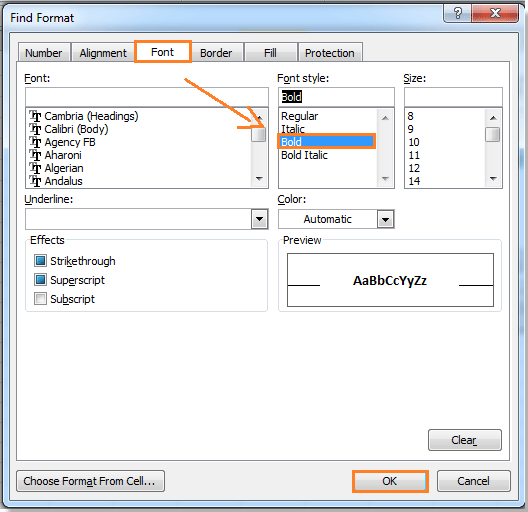
To clear formatting in a specific row or column select that row or column instead of individual cells While your cells are selected in Excel s ribbon at the top click the Home tab On the Home tab in the Editing section click the Clear option From the Clear menu select Clear Formats And Excel will remove all formatting from
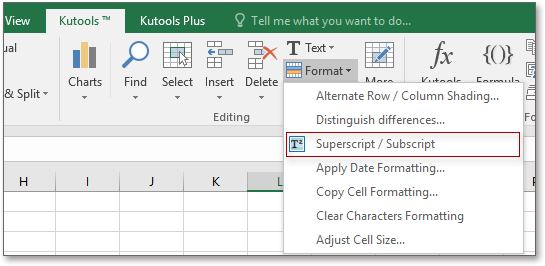
1 Is there a way to automate that My cells have bold and normal font and I would like to delete all the bold text Thanks Frank Excel Facts Which lookup functions find a value equal or greater than the lookup value Click here to reveal answer 1 2 Next Sort by date Sort by votes O onlyadrafter Well known Member Joined Aug 19 2003 Messages

Step 1 Hold down the Alt F11 keys to open the Microsoft Visual Basic for Applications window Step 2 Click Insert Module and paste the following macro in the Module Window VBA code select all bold cells in a range
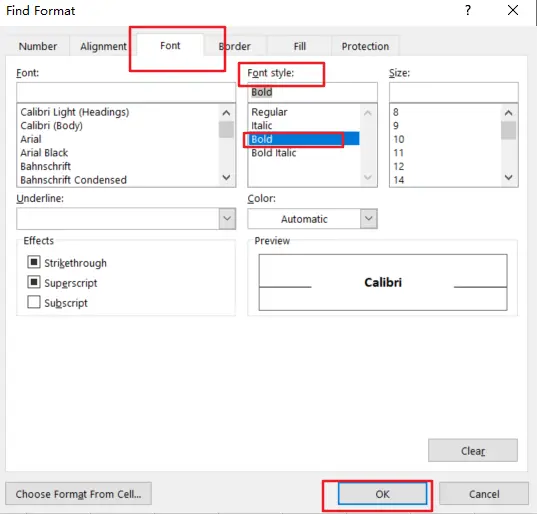
The following VBA will delete all rows containing any bold text Code
1 Press F11 Alt keys to enable the Microsoft Visual Basic for Applications window 2 Click Insert Module then pasted below VBA code to the new Module window VBA Remove rows if not bolded This post will guide you how tofilter cells with bold font formatting in Excel with different methods You can read more about it here https www excelhow
Select the list range you want to extract bold text only and click Kutools Select Tools Select Cells with Format See screenshot 2 In the Select Cells with Forma t dialog click Choose Format From Cell then select a bold text cell from the list click OK to close the small dialog See screenshot 3