Debian List Connected Usb Devices Linux Unwanted Duplicates Of TtyACM0 USB ACM Device Stack Overflow Linux USB 51CTO COM How To List USB Devices In Linux HOW TO LIST OR SEE THOSE USB DEVICES CONNECTED TO YOUR PC USING COMMAND LINE POWERSHELL KontrollerLab For Linux Robotic Microcontroller Educational Knowledgepage Network Of Web Jul 14 2010 nbsp 0183 32 At least on Debian 11 it is not clear where the device is mounted even though it shows all the bus information This can show all USB devices including devices that you don t have drivers This is good but lsblk p S is sufficient especially if you want to also check the vendor and and mode of the USB device
Web Aug 18 2023 nbsp 0183 32 You can use these commands to list and check connected USB devices in Linux lsusb command List USB devices in Linux usbview command Show information on USB devices using GUI method lspci command See all PCI devices in Linux usb devices command Display USB device details Web May 24 2023 nbsp 0183 32 usb devices is a Bash shell script that displays details about USB buses and connected devices on a Linux system Its output is similar to the contents of the usb devices file under sys kernel debug which we ll analyze in the following sections but it only lists active interfaces
KontrollerLab For Linux Robotic Microcontroller Educational Knowledgepage Network Of Usb Windows 10 USB Device Management Software USB Blocker Software Ekran System KontrollerLab For Linux Robotic Microcontroller Educational Knowledgepage Network Of Linux USB Linux 3 Quick Ways To Find USB Connected Devices On Mac GNU Linux Debian 10 List Of Apt Available Games Fast Typing Action Math Training Learning KontrollerLab For Linux Robotic Microcontroller Educational Knowledgepage Network Of Get List Of Connected USB Devices Using C Console Application Jignesh Darji
Debian List Connected Usb Devices
 Debian List Connected Usb Devices
https://i.stack.imgur.com/GjpU3.png
Web usb devices is a shell script that can be used to display details of USB buses in the system and the devices connected to them The output of the script is similar to the usb devices file available either under proc bus if usbfs is mounted or under sys kernel debug if debugfs is mounted there
Pre-crafted templates offer a time-saving service for developing a varied variety of files and files. These pre-designed formats and layouts can be used for various individual and professional projects, consisting of resumes, invitations, leaflets, newsletters, reports, presentations, and more, streamlining the content development procedure.
Debian List Connected Usb Devices
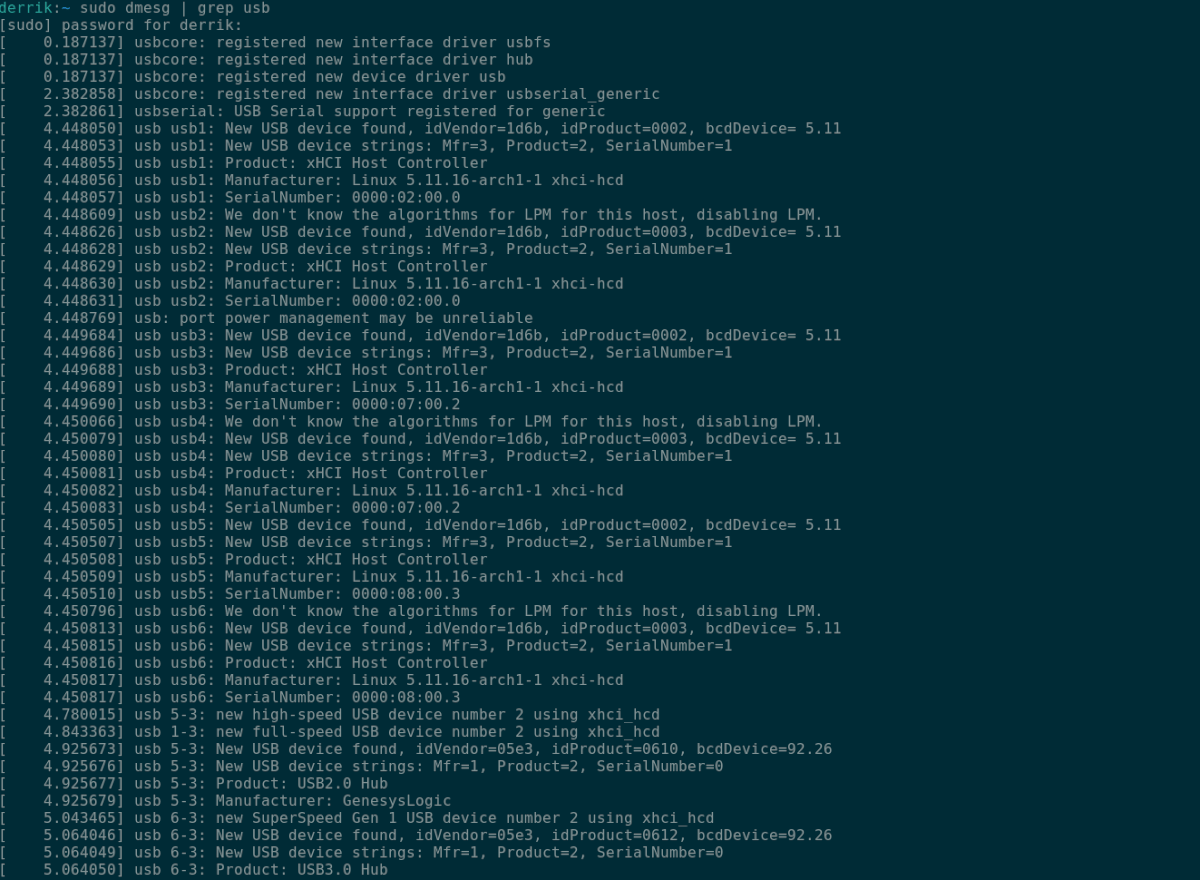
Ubuntu List USB Devices

Usb Windows 10

USB Device Management Software USB Blocker Software Ekran System

KontrollerLab For Linux Robotic Microcontroller Educational Knowledgepage Network Of

3 Quick Ways To Find USB Connected Devices On Mac

GNU Linux Debian 10 List Of Apt Available Games Fast Typing Action Math Training Learning

Web How to list and identify the USB devices that are connected to you computer Make sure the device is powered up and enabled before listing the devices Device are mainly identified using a pair of hexadecimal numbers like 04b3 3108 The 4 first hexadecimal digits are the Vendor ID 04b3 IBM

Web Feb 11 2023 nbsp 0183 32 The lsusb command also known as the List USB command is used in Linux to list all the USB devices attached to the system lsusb lsusb command The output above displays the Bus ID Device ID USB ID and the vendor or

Web DESCRIPTION 182 lsusb is a utility for displaying information about USB buses in the system and the devices connected to them It uses udev s hardware database to associate a full human readable name to the vendor ID and the product ID OPTIONS 182 v verbose Tells lsusb to be verbose and display detailed information about the devices shown

Web Jul 1 2019 nbsp 0183 32 How to List Your Computer s Devices From the Linux Terminal 1 The mount Command The mount command is used to mount filesystems But issuing the command with no parameters causes it to list all of the mounted 2 The lsblk Command 3 The df Command 4 The fdisk Command 5 The proc Files

Web Jan 7 2020 nbsp 0183 32 uname v Output The above output shows the version number of my kernel Network Node Hostname You can use the following command to print the network hostname of your node uname n You can also use the following command for the same purpose as it is more user friendly uname nodename Output
Web It should list all your block devices with bunch of information about them including the path to the device Look under dev disk ls l dev disk by id or ls l dev disk by uuid should list your device together with the actual device file to which the symbolic link points Web Sep 24 2020 nbsp 0183 32 Step 1 Insert the USB drive in any of the available ports in your system Step 2 Open the Terminal by hitting the super key on your keyboard and searching for the Terminal application by typing its keyword in the search bar When the Terminal icon appears click on it to open
Web Apr 6 2015 nbsp 0183 32 Most of the devices device id s handled by Debian are listed in the page DeviceDatabase USB Many people simply use lsusb which is available on almost every Debian system to list the devices on their computer Gnome users can install and use the hardinfo method KDE user can use kinfocenter lsusb