Debian Check Broken Packages Debian Logo Loading Splash KDE Store Bash Scripting Cheat Sheet Pdf Kkovasg How To Repair Broken Packages In Ubuntu LOOkkle Blog Debian Vs Ubuntu Welche Linux Distribution Debian 8 11 Jessie Debian 8 The following information may help to resolve the situation The following packages have unmet dependencies php7 3 Depends libapache2 mod php7 3 but it is not going to be installed or php7 3 fpm but it is not going to be installed or php7 3 cgi but it is not going to be installed E Unable to correct problems you have held broken packages
The package manager for Debian dpkg is an alternative to managing packages on Debian based installations It s much more low level than apt giving you more freedom but also presenting a higher risk of breaking things The debi 1 command helps you to test installing all the generated binary packages sudo debi gentoo 0 9 12 1 i386 changes To prevent installation problems on different systems you must make sure that there are no filenames conflicting with other existing packages using the Contents i386 file downloaded from the Debian archive
Debian 8 11 Jessie Debian 8 Mengenal Debian Linux Pengertian Dan Cara Kerjanya Useful Tips For Debian Based Distros MyBlueLinux How To Find Out Half configured broken Packages In Debian 2 Solutions GitHub Baponkar CLI Ubuntu Debian packages update upgrade clean and Debian Debian Package Repository Is Broken Packages bz2 File Has Unexpected Error No Existe Clave P blica Debian Linux Aided Design Debian 6 Squeeze
Debian Check Broken Packages
 Debian Check Broken Packages
https://images.pling.com/img/00/00/55/86/05/1498751/ac9d612a5693844aeb92d690c6207ceee1f765856e84bdfd5d2a831e2e3afbd4fdd2.gif
Methods to Find and Fix Broken Packages on Linux Method 1 apt Command The apt command is a package manager on Linux which helps us install upgrade and remove packages on Ubuntu Debian and other related distributions Here is the step by step process that you need to follow to find and fix broken packages on your system using this command
Templates are pre-designed documents or files that can be utilized for various purposes. They can conserve time and effort by supplying a ready-made format and design for producing various kinds of content. Templates can be utilized for individual or professional jobs, such as resumes, invitations, flyers, newsletters, reports, presentations, and more.
Debian Check Broken Packages

Debian 8 7 0 Disponibile Al Download OCULUS IT
Mengenal Debian Linux Pengertian Dan Cara Kerjanya
Useful Tips For Debian Based Distros MyBlueLinux
How To Find Out Half configured broken Packages In Debian 2 Solutions

Debian
Debian Package Repository Is Broken Packages bz2 File Has Unexpected
2 Answers Sorted by 16 Quick to type dpkg l grep v ii This lists any package that s at least a little known to the system but not perfectly installed If you want parseable output use dpkg query with a custom format

To fix broken packages on Debian based distributions using APT Open the terminal by pressing Ctrl Alt T on your keyboard and enter sudo apt fix missing update Update your system s package list from the available sources sudo apt update Now force the installation of the broken packages using the f flag
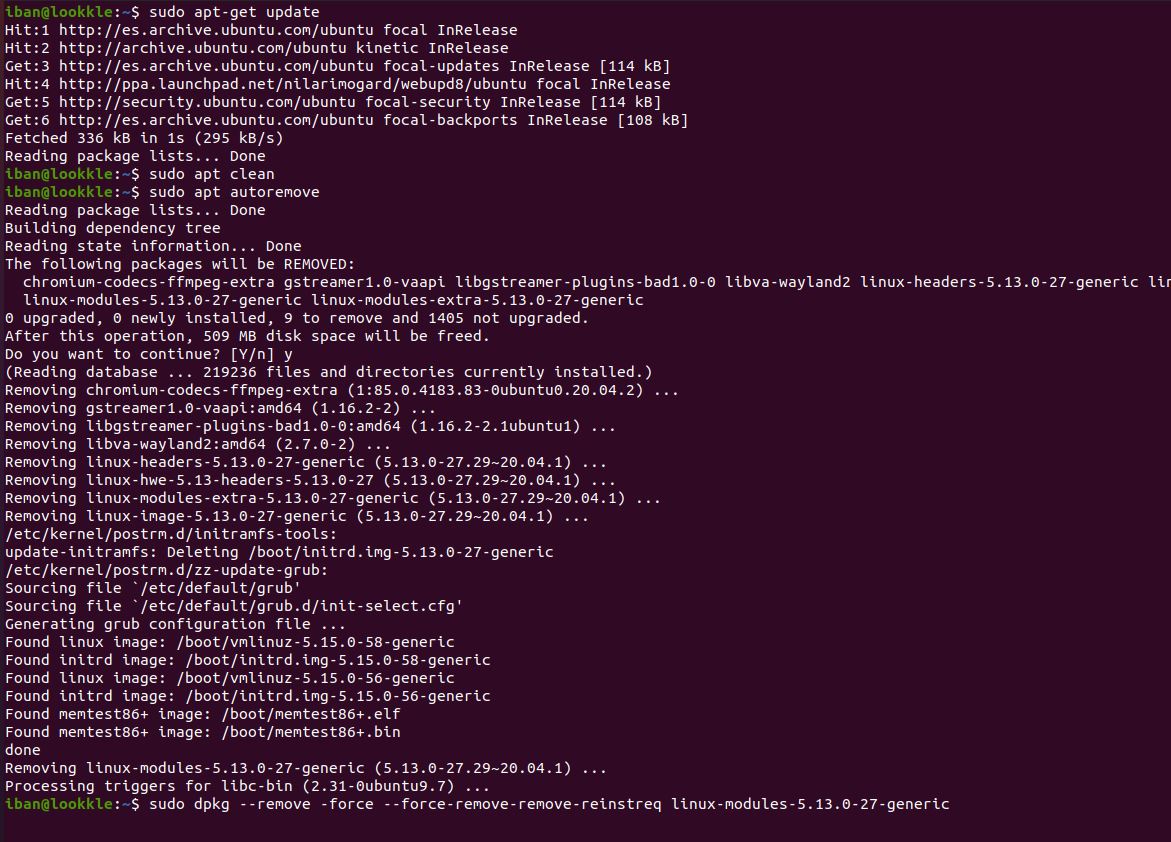
Sudo dpkg configure a If that doesn t solve the problem take a more forceful approach Start by listing any packages that dpkg marked as requiring a reinstall sudo dpkg l grep r The above command will show you the packages that cause problems

First make sure that local package cache is updated Your system checks this cache for the available packages It s possible but not certain that the dependency package is seen by the system after the cache update sudo apt update Try installing the troublesome package again and see if it fixes the problem Install the dependency

To do this press Ctrl Alt T or Ctrl Shift T on the keyboard From there use the Apt or Apt get installation commands below First run the update and upgrade commands on Debian Linux to ensure that your system has all pending software patches fully set up sudo apt update sudo apt upgrade
Debian Cleanup Tip 4 find broken packages and reinstall them February 21 2011 by Rapha l Hertzog Last week we learned to get rid of third party packages now we re going one step further we ll verify if the files of the installed packages are still exactly like they were when they got installed If you re a tinkerer and hand edit 12 I was browsing some questions here to find a solution to locating and removing broken packages Being a relative novice I installed some PPAs designed for 11 10 on my 12 04 LTS machine In terminal it suggested I try apt get f install which brought me to this question What exactly does sudo apt get f install do
Find broken packages on Debian with Synaptic To find a broken package on