Debian Bullseye Sources List Example Debian Logo Loading Splash KDE Store Bullseye Release Part 1 Koipond Understanding And Using Debian Sources list Kirelos Blog DVDs Do Reposit rio Offline Do Debian 11 Bullseye How To Enable Non Free Packages On Debian 11 Once you open the sources list file on the terminal you can edit it For example you want to add the virtual box repository in the file then copy and paste it into the file and save it deb http download virtualbox virtualbox debian stretch contrib After adding the repository save the file using Ctrl X add Y and press enter
The etc apt sources list d directory provides a way to add sources list entries in separate files Two different file formats are allowed as described in the next two sections Filenames need to have either the extension list or sources depending on the contained format Sources List Generator for official Debian repositories Debian Sources List Generator Fork Mirror Releases Arch Include source Contrib Non Free Security Backports Source List Make it so
How To Enable Non Free Packages On Debian 11 Debian 10 Debian 11 Infras cn Como Instalar Os Adicionais Para Convidado Do VirtualBox No Debian 11 Mengenal Debian Linux Pengertian Dan Cara Kerjanya How To Upgrade Debian 10 To Debian 11 Bullseye TecAdmin BitWalk s Debian How To Install Steam On Debian 11 Bullseye Or Buster 10 Linux Linux Shout Debian 11 Extend Partition Pocket Admin Debian GNU Linux Jessie Wheezy And Sid Receive New Linux Kernel Updates
Debian Bullseye Sources List Example
 Debian Bullseye Sources List Example
https://images.pling.com/img/00/00/55/86/05/1498751/ac9d612a5693844aeb92d690c6207ceee1f765856e84bdfd5d2a831e2e3afbd4fdd2.gif
The main configuration file that APT uses to decide what sources it should download packages from is etc apt sources list but it can also use files in the etc apt sources list d directory for details see sources list 5 If your system is using multiple source list files then you will need to ensure they stay consistent
Pre-crafted templates use a time-saving solution for producing a diverse variety of documents and files. These pre-designed formats and layouts can be made use of for numerous individual and professional tasks, including resumes, invitations, flyers, newsletters, reports, discussions, and more, simplifying the content creation procedure.
Debian Bullseye Sources List Example

Debian 8 7 0 Disponibile Al Download OCULUS IT
Debian 10 Debian 11 Infras cn
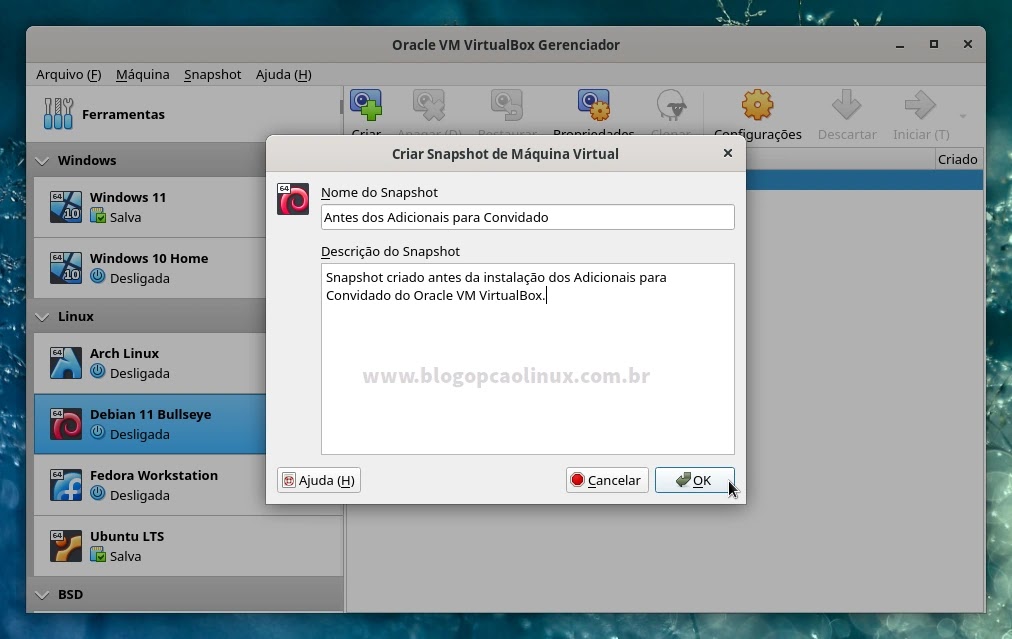
Como Instalar Os Adicionais Para Convidado Do VirtualBox No Debian 11
Mengenal Debian Linux Pengertian Dan Cara Kerjanya
BitWalk s Debian

How To Install Steam On Debian 11 Bullseye Or Buster 10 Linux Linux Shout
Example sources list Using Tor with Apt CD ROM Name Resolution Debug Symbol Packages More information Configuring Apt Sources Apt downloads packages from one or more software repositories sources and installs them onto your computer A repository is generally a network server such as the official DebianStable repository
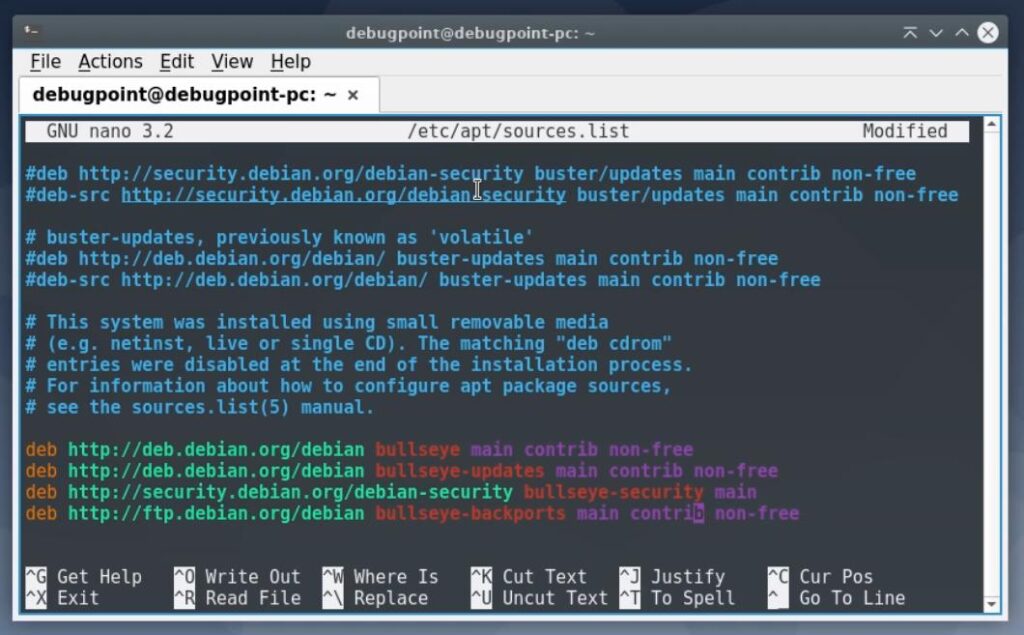
In this guide we will show you how to add Debian 11 Bullseye Official repositories to sources list If you attempt APT repository update you ll get an error as shown in the screenshot The remedy to this problem is correctly updating sources list file with Debian 11 Bullseye default update and security repositories Current file contents

In this guide we will briefly see new features of Debian 11 get familiar with the APT package manager and learn how to configure it s sources list file on Debian 11 Bullseye Let s see what are the new features and the most important changes New features of Debian 11 Bullseye The most important features of new Debian 11 Bullseye are

You can find all the information about sources list in the official Debian wiki site specifically about your question under Example sources list
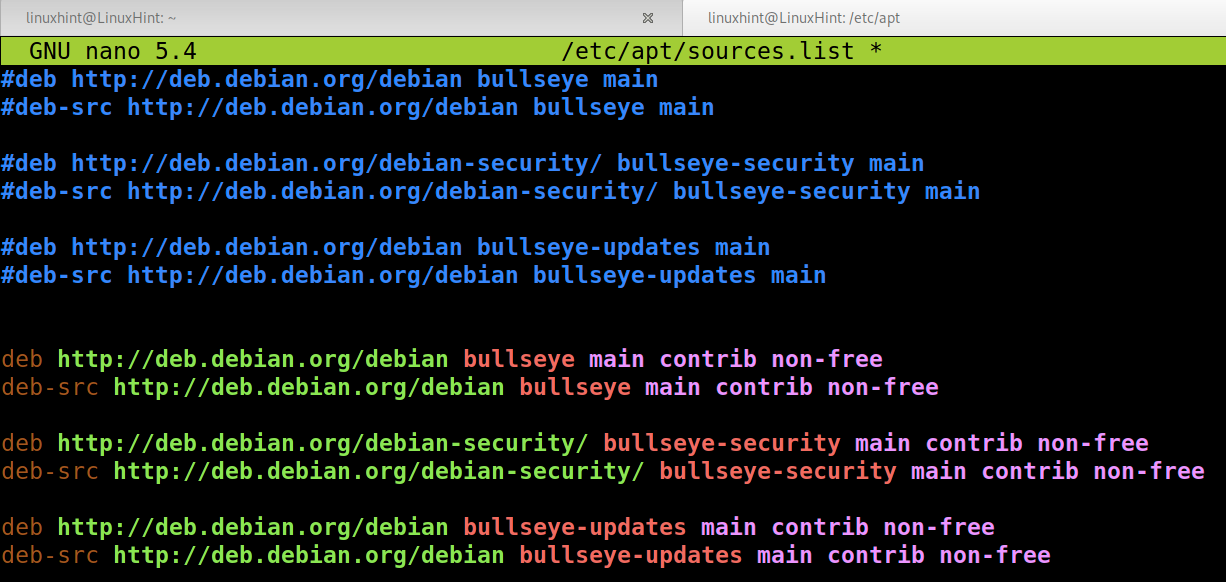
To set up a Debian 11 official repository on your system add update the etc apt sources list file with the below details
Segdy Comprehensive sources list for bullseye Is the following sources list content comprehensive for Bullseye so that I do not miss out on any packages deb http ftp at debian debian bullseye main contrib non free deb http security debian debian security bullseye security main contrib non free Apart from these lines Upgrade Debian 10 to Debian 11 Bullseye The procedure is as follows Backup the system Update existing packages and reboot the Debian 10 system Edit the file etc apt sources list using a text editor and replace each instance of buster with bullseye Next find the security line replace keyword buster updates with bullseye security
1 After upgrading from Debian 11 to Debian 12 my sudo apt update is giving me errors Is there an example of a proper default sources list file that I can use for Debian 12 TuxBot Well Known Member Staff member Joined Mar 26 2023 Messages 1 039 Reaction score 207 Credits 12 863 Jun 16 2023 2 rgbellotti said