Date Table In Power Pivot How To Add A Date Table To The Data Model In Excel Power Pivot The Calendar Table Date Dimension Explained For Power Pivot Power Excel Create Pivot Table Using PowerPivot Working With Date Tables In Power Pivot K2 Enterprises Pivot Table Latest Values Exceljet In this Video Part 2 of the Date Table Series you are going to learn how to create a Date Table with DAX in Power Pivot and in Power BI You will notic
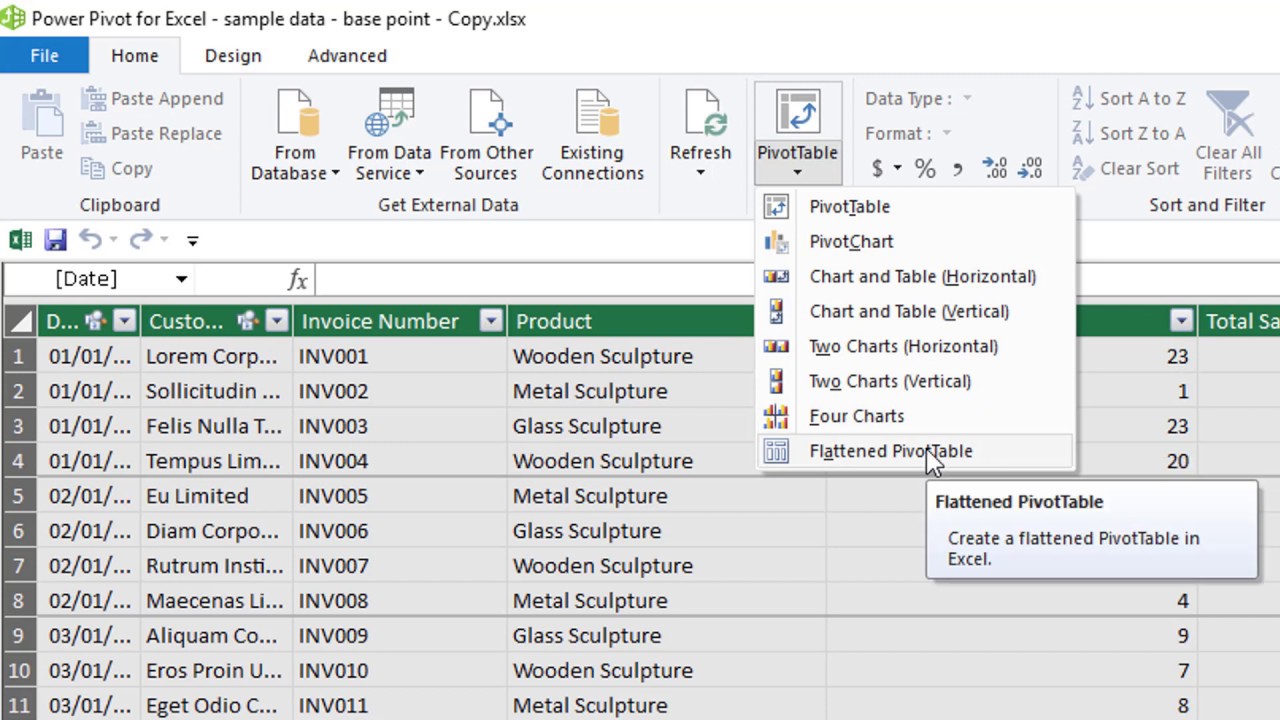
For example if you have a measure that calculates a closing quarter end balance by using the CLOSINGBALANCEQTR function in order for Power Pivot to know when the end of the quarter really is it must reference the date column in the date table to know when the quarter starts and ends To learn more about date tables take a look at Understand First import your dataset into your Power Pivot workbook Next create a Power Pivot table Then on the Power Pivot tab click the arrow below PivotTable and select PivotChart Select Existing Worksheet and click OK Excel will add an empty PivotChart to the same worksheet Follow the instructions there
Pivot Table Latest Values Exceljet How To Insert Pivot Tables From Excels PowerPivot YouTube Working With Dates And Date Table In Power Bi Vrogue How To Add Date Table In Power Pivot Brokeasshome Creating A Date Table In Power Bi Archerpoint Vrogue Pivot Table Power Bi Two Birds Home Date Table In Power BI Tech Answers Canal S lbatic Retragere Relationship In Pivot Table Linge In Spate Titlu How To Create Power Pivot Table In Excel Brokeasshome
Date Table In Power Pivot
 Date Table In Power Pivot
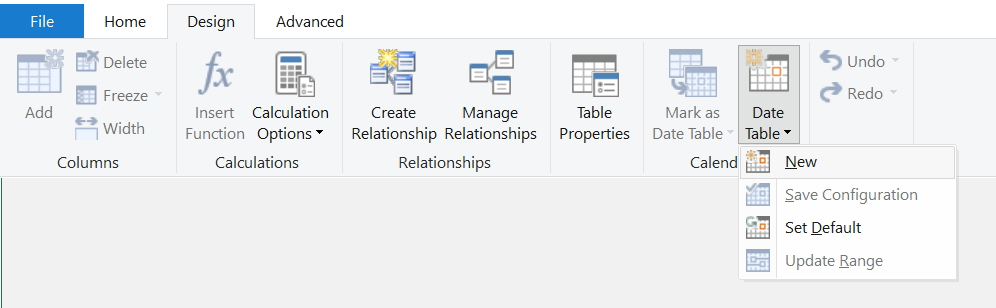
https://stringfestanalytics.com/wp-content/uploads/2022/09/power-pivot-add-new-date-table.png
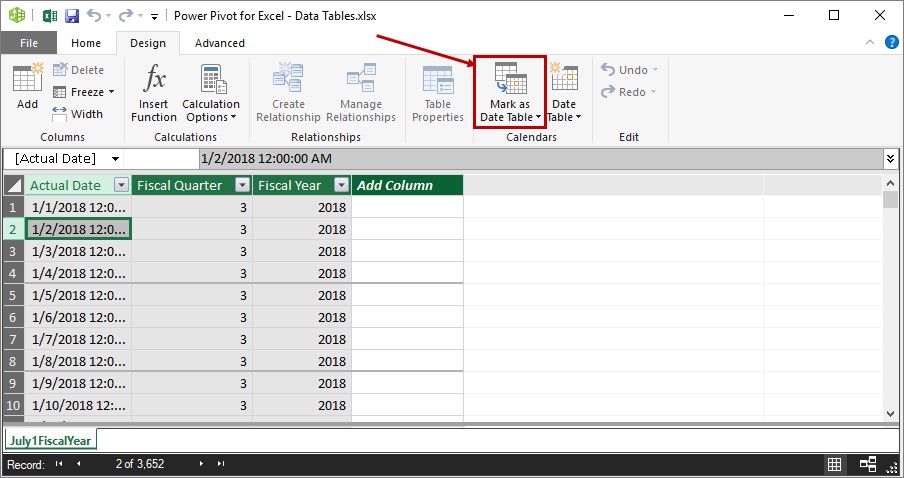
Power Pivot requires calendar tables to be designated as such so that time series functions will work accordingly This is known as marking the table as a date table The calendar table highlighted has been marked as a date table automatically You can check it in the Design Ribbon Mark as Date Table as shown below
Pre-crafted templates provide a time-saving option for producing a varied range of files and files. These pre-designed formats and layouts can be made use of for various individual and professional jobs, consisting of resumes, invites, flyers, newsletters, reports, presentations, and more, simplifying the content creation process.
Date Table In Power Pivot
Creating A Date Table In Power Bi Archerpoint Vrogue
How To Insert Pivot Tables From Excels PowerPivot YouTube
Working With Dates And Date Table In Power Bi Vrogue

How To Add Date Table In Power Pivot Brokeasshome

Pivot Table Power Bi Two Birds Home
Date Table In Power BI Tech Answers
Creating the date table Next go the Power Pivot tab of your starter workbook and select Manage Data Model Once inside select Diagram View You should now see the three tables of Superstore and their relationships in the data model You will see that this data model does include dates the orders table does have an Order Date and a Ship Date

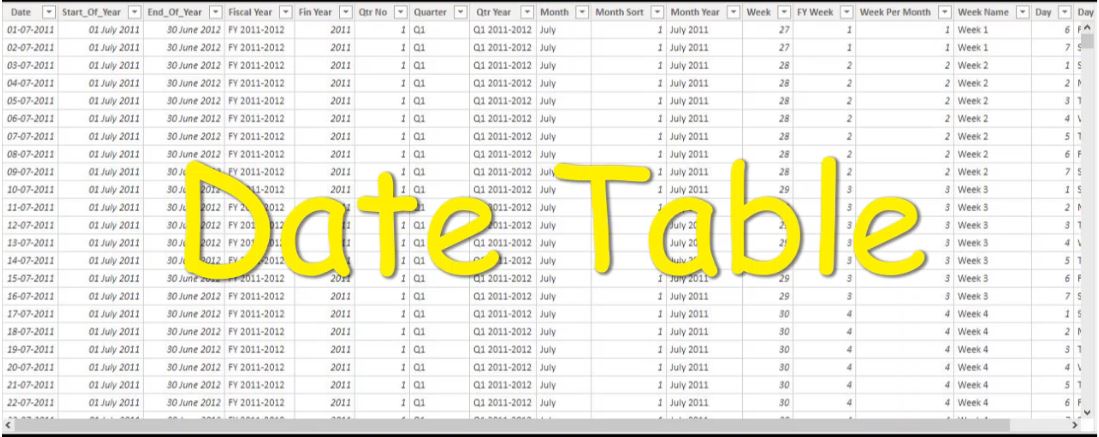
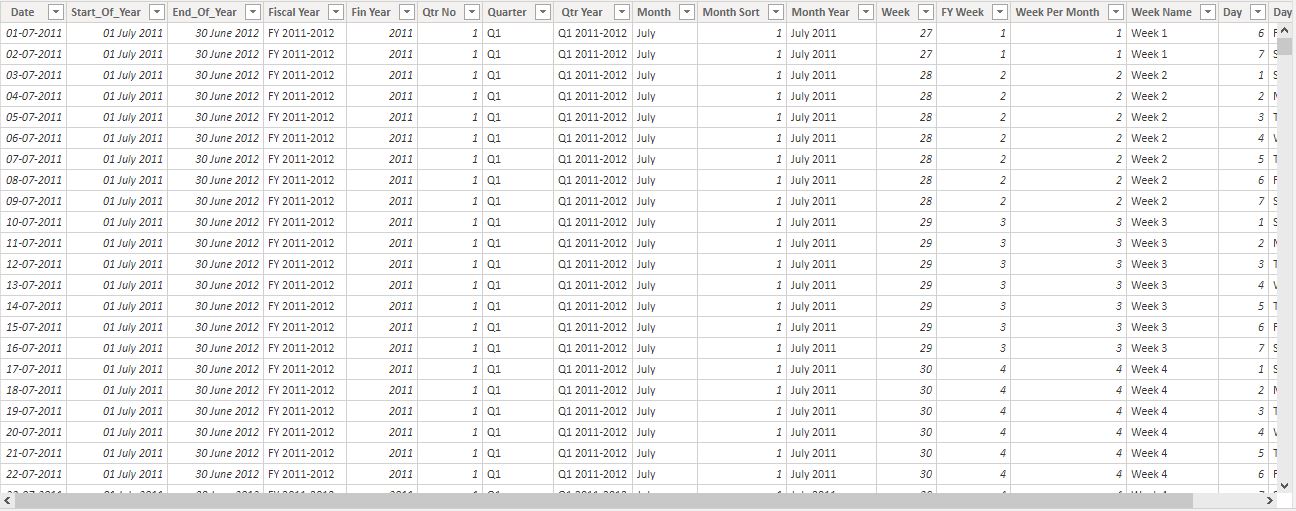
Calendar tables are also used to group dates into time periods years quarters months weeks days etc This works in Power Pivot and regular pivot tables We can think of a calendar table as a lookup table for date groupings We can use it to lookup a date and return the year quarter month number month name week number weekday name
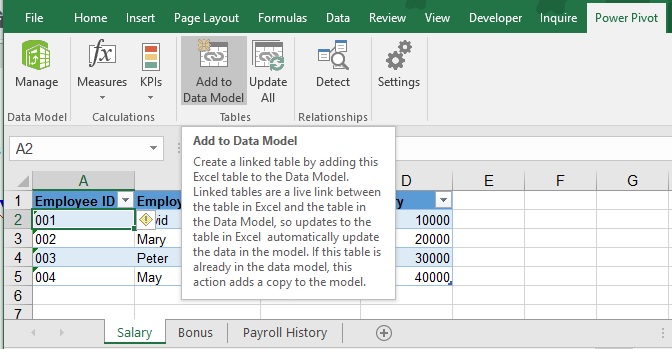
One of the simplest ways to do this is to click anywhere inside the table and then click Add to Data Model from the Power Pivot tab of the Ribbon as shown in Figure 2 Figure 2 Adding a Date Table to Power Pivot Once the table has been added to the data model in Power Pivot from Power Pivot s Design tab of the Ribbon select Mark as
To add a date table we ll need to open the Power Pivot window One way to do this is by clicking the Data Manage Data Model command as shown below Note depending on your screen resolution you may not see the label and instead see the icon only If you haven t previously activated the Power Pivot add in you will probably see this
Power Pivot is causing many business professionals to re think how they create reports and analyses However for those that need to summarize data based on
Viewing the Data Model in Power Pivot Let s have a look at how the data looks in Power Pivot Click the Manage button on the Power Pivot tab The Power Pivot for Excel window is displayed The initial view you are taken to is called the Data View The tables of data are shown on different tabs similar to worksheets A date table is essential for working effectively with dates In most cases including a date table is as simple as importing a date table from a data source along with your data In some cases you might have to create a date table and add it to the data model yourself Power Pivot makes this easy to do To learn more see the following article
Step 3 Add the table to the PowerPivot model In the PowerPivot tab select one of the cells of your table and click Add to Data Model Step 4 Mark your table as the Date table in your PowerPivot model In the PowerPivot model you can rename your table as Date Your Date column is automatically recognized as a Data Data Type