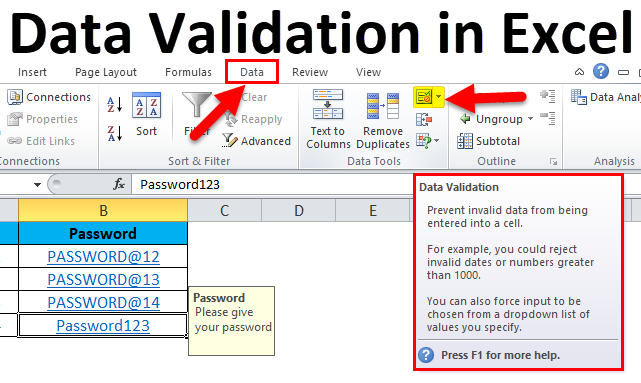
Data Validation Source In Excel Excel Data Validation In Excel A Guide YouTube Excel Data Validation List With Formula As Source Stack Overflow Data Validation Must Begin With Excel Formula Exceljet Use Validation Lists In Excel To Control User Input My XXX Hot Girl WEB For an introduction to data validation and how to validate a cell or a range see Add data validation to a cell or a range You can use data validation to restrict the type of data or values that users enter into cells
WEB Aug 9 2018 nbsp 0183 32 Create Excel drop down lists in cells data validation lists Includes keyboard shortcuts copying updating removing searching invalid inputs amp more WEB Discover the various types of data validation in Excel that can elevate your spreadsheet game to the next level From input messages to error alerts cell range validation and even custom formulas each sub section offers invaluable tools to ensure the accuracy and efficiency of your data
Use Validation Lists In Excel To Control User Input My XXX Hot Girl Cara Menggunakan Data Validation Di Excel Images Excel Formula Data Validation With Conditional List Exceljet Excel Data Validation Source For Different Columns Stack Overflow Excel Data Validation Formula Super User Ni M dn Hrdost Excel Data Validation In Cell Must Be Only Time Data Validation Lists Microsoft Excel For Mac Advanced EXCEL Validaci n De Datos Para N meros M ltiplos De 100 TRUJILLOSOFT 430 How To Edit Chart Data Source In Excel 2016 YouTube
Data Validation Source In Excel
 Data Validation Source In Excel
https://cdn.educba.com/academy/wp-content/uploads/2018/12/Data-Validation-in-Excel.png
WEB Jun 30 2023 nbsp 0183 32 Data Validation is a tool in Excel that lets you restrict which entries are valid in a cell Here are 10 rules and techniques to help you make the most out of Data Validation and its many features Use Drop Down Lists Data Validation Based on Another Cell ToolTips and Error Messages
Pre-crafted templates use a time-saving option for producing a varied range of documents and files. These pre-designed formats and designs can be utilized for numerous personal and professional projects, including resumes, invites, leaflets, newsletters, reports, discussions, and more, enhancing the material production process.
Data Validation Source In Excel

MS Excel Data Validation Source MadalinCristian RO

Cara Menggunakan Data Validation Di Excel Images

Excel Formula Data Validation With Conditional List Exceljet

Excel Data Validation Source For Different Columns Stack Overflow
Ni M dn Hrdost Excel Data Validation In Cell Must Be Only Time

Data Validation Lists Microsoft Excel For Mac Advanced
WEB Use data validation to restrict the type of data or the values that users enter into a cell like a dropdown list Select the cell s you want to create a rule for Select Data gt Data Validation Whole Number to restrict the cell to accept only whole numbers
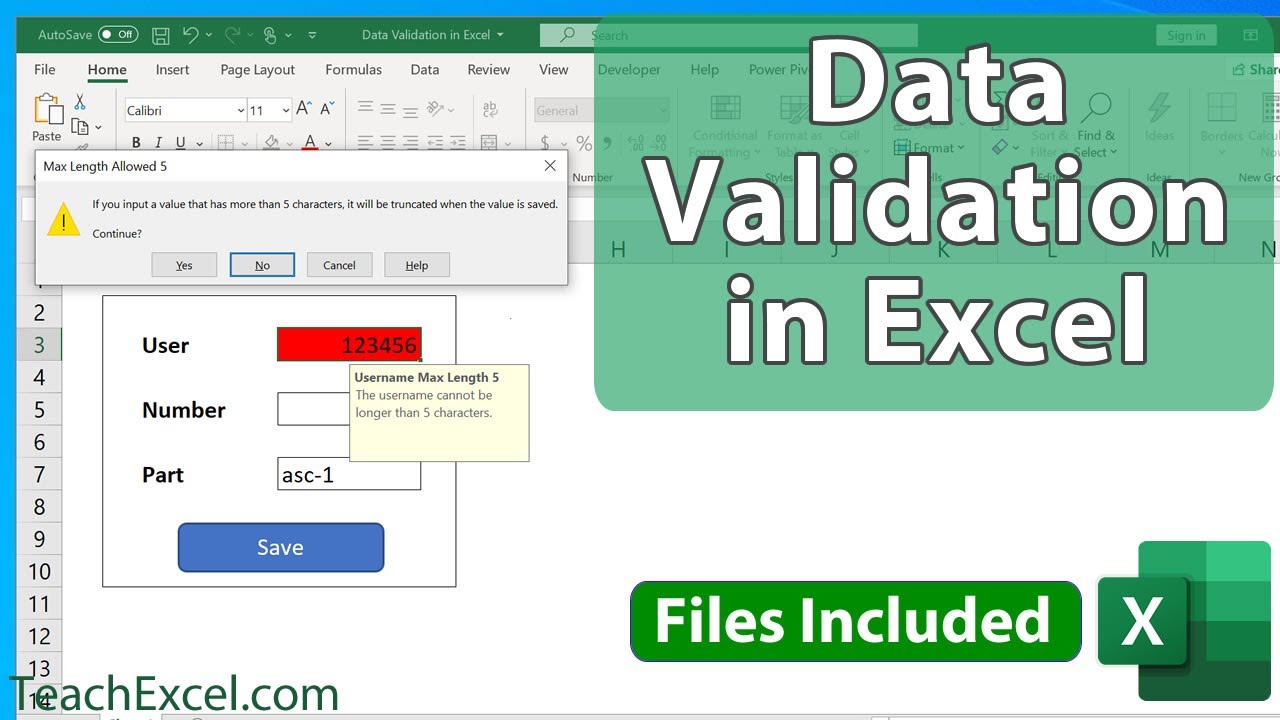
WEB Apr 30 2024 nbsp 0183 32 Data validation in Excel is a feature that allows you to control the type of data entered into a cell It helps maintain accuracy and consistency by setting rules for what can be input For example you can restrict entries to

WEB Data validation can help control what a user can enter into a cell You can use data validation to make sure a value is a number a date or to present a dropdown menu with predefined choices to a user This guide provides an overview of the data validation feature with many examples

WEB What is data validation in Excel Excel data validation helps to check input based on validation criteria That means data validation can be used To check if a value is a number a date a time a text with a specified length or To show a dropdown menu to the user with set options

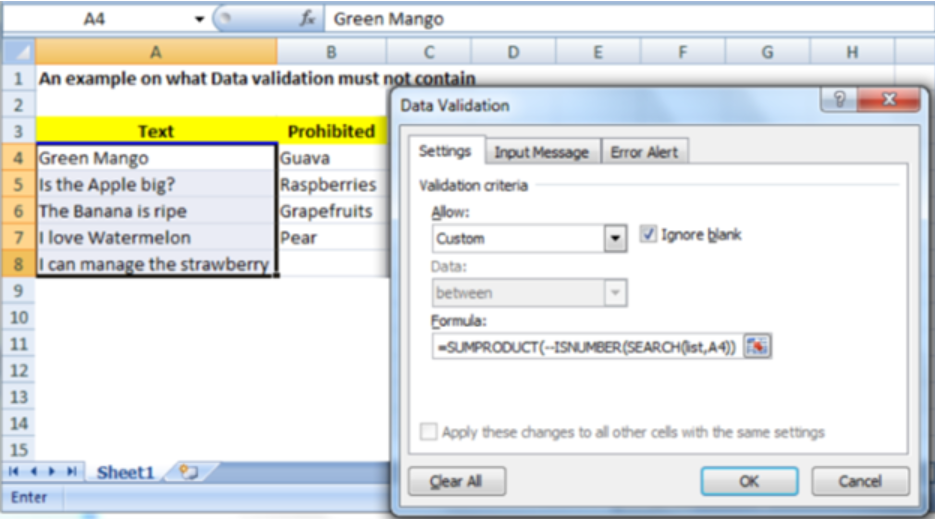
WEB Apr 5 2023 nbsp 0183 32 Learn how to use custom Data Validation in Excel with your own rules and formulas Formula examples to allow only numbers or text values or only text beginning with specific characters validate dates and times and more
WEB In this guide we will explore practical Excel data validation applications tailored to investment bankers Learn how to enhance the reliability and consistency of financial models using data validation and a sample dataset of WEB Jun 20 2024 nbsp 0183 32 Make a dynamic Excel Data Validation list from the table 1 Open the Data Validation option from the Data Tab 2 INDIRECT quot Table name quot
WEB Jul 5 2024 nbsp 0183 32 Data validation allows you to control your input in a cell When you have limited values to enter a field you can use the drop down lists to validate your data You don t have to enter data by typing again and again The data validation list also ensures that your inputs are error free