Dark Mode Css Colors Dark Mode In CSS CSS Tricks How To Get Dark Mode Working With CSS FreeCodeCamp CSS Dark Mode And Custom Properties Pin On Grafisk Design CSS Minimal Dark Mode Toggle Button Red Stapler By default this uses the prefers color scheme CSS media feature but you can also build sites that support toggling dark mode manually using the class strategy Toggling dark mode manually If you want to support toggling dark mode manually instead of relying on the operating system preference use the class strategy instead of the media
Dark mode has become a popular feature in web design providing users with a more comfortable browsing experience in low light environments and reducing eye strain In this tutorial we will walk you through the process of implementing a dark mode using CSS Prerequisites Basic understanding of HTML and CSS is required for this tutorial Step Inverted is not dark mode Fun fact You can invert the colors in dark mode as well Did you know There already is a media feature for inverted colors in Media Queries Level 4 That s not the same as dark mode A kind of dark mode has been around for a while Windows has also High Contrast mode There are many different takes on that
CSS Minimal Dark Mode Toggle Button Red Stapler A Complete Guide To HTML Colour And HTML Hex Codes Smartprix Bytes Dark Mode In CSS The Simplest CSS Variable Dark Mode Theme Dark Mode In CSS CSS Tricks Pinterest Light And Dark Mode In Just 14 Lines Of CSS Salma Alam Naylor Tailwind Sketch Colors Dark mode example index html At Master Ditdot dev dark mode example
Dark Mode Css Colors
 Dark Mode Css Colors
https://css-tricks.com/wp-content/uploads/2018/11/1_I19P12klUjdEG4q21uKg1A.png
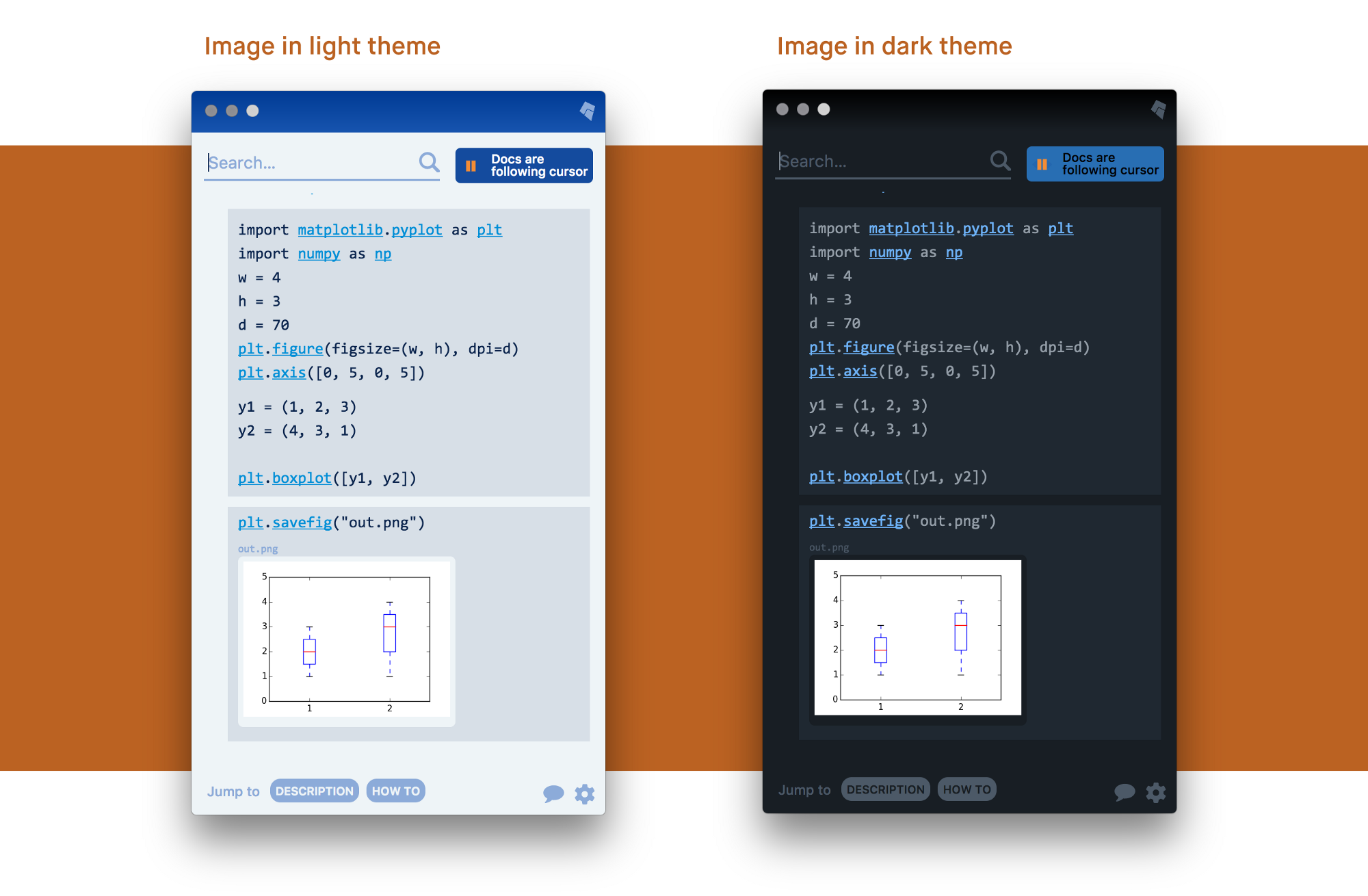
The two variations of the prefers color scheme media query are In the above CSS body bg and body color are CSS variables As you can see they contain different values for both modes In the light theme I m setting a white background with black text In the dark theme I m setting black background with white text
Templates are pre-designed files or files that can be utilized for numerous purposes. They can save effort and time by providing a ready-made format and layout for producing various type of material. Templates can be utilized for individual or expert projects, such as resumes, invitations, flyers, newsletters, reports, presentations, and more.
Dark Mode Css Colors

Rappasoft Blog Enabling Dark Mode In Tailwind CSS

A Complete Guide To HTML Colour And HTML Hex Codes Smartprix Bytes
Dark Mode In CSS

The Simplest CSS Variable Dark Mode Theme


Light And Dark Mode In Just 14 Lines Of CSS Salma Alam Naylor

With the introduction of dark mode in macOS Safari Technology Preview 68 has released a new feature called prefers color scheme which lets us detect whether the user has dark mode enabled with a media query Safari Technology Preview 71 also has supported color schemes which well I couldn t exactly tell you what that does The media

The prefers color scheme CSS media feature is used to detect if a user has requested light or dark color themes A user indicates their preference through an operating system setting e g light or dark mode or a user agent setting

Background The prefers color scheme user preference media feature The prefers color scheme user preference media feature gives developers full control over their pages appearances If you are unfamiliar with it please read my article prefers color scheme Hello darkness my old friend where I documented everything I know about creating amazing dark mode experiences

Applying the theme involves adding a class to the body element so you ll define the theme s colors under that class name Here we ll call the class funky Simply make sure to define an override color for all colors should change style css funky bg hotpink text color white link color B793E6 link hover 3532A7

Material Design dark themes are defined by the following properties Contrast Dark surfaces and 100 white body text have a contrast level of at least 15 8 1 Depth At higher levels of elevation components express depth by displaying lighter surface colors Desaturation Primary colors are desaturated so they pass the Web Content Accessibility Guidelines WCAG AA standard of at least 4 5
Let s check our snippet again Much better Dark Mode for your entire website in 3 lines of CSS Let s dive a bit more into System Colors From the specs In general the system color keywords reflect default color choices made by the user the browser or the OS They are typically used in the browser default stylesheet for this reason If you re familiar with using variables in JavaScript you ll find setting up and using CSS variables are quite similar Consider the following code container 1 background color 333 container 2 background color 333 While this code works great let s say your project uses that background color across multiple CSS rules
The first writing CSS for both light and dark colour schemes And second telling the UA which theme we prefer and can be used as a default Want to detect Dark Mode in your JavaScript Read Detecting Dark Mode in JavaScript after To write CSS is fairly simple we adopt a media query and put the code we want to appear inside the theme