Current Time In Excel Formula Without Date How To Insert Current Time In Excel Insert Current Date And Current Time In Excel shorts YouTube How To Insert Current Date And Time In Excel Lesson 6 YouTube How To Insert Current Time In Excel Timestamp Shortcut NOW Formula VBA Excel NOW Function Exceljet Web Feb 6 2023 nbsp 0183 32 The NOW Function Returns the current date and time To use the NOW Function select a cell and type NOW Current Date Only To display only the current date you can use the TODAY Function Alternatively you can adjust cell formatting to display only the current date without the time
Web Feb 3 2023 nbsp 0183 32 In this tutorial you will learn how to quickly insert current time in Excel using a shortcut formula or VBA macro Also we ll look at how to convert timestamp to date and get hours minutes or seconds from a timestamp There are a number of ways to insert time into Excel worksheets Web Generic formula NOW Explanation The NOW function takes no arguments it is entered with empty parentheses When you enter the NOW function in a cell it will display the current date and time Each time the worksheet is recalculated or opened the date and time will be updated
Excel NOW Function Exceljet Highlight Cells According To Current Time In Excel XL N CAD How To Insert Current Time In Excel How To Insert Current Time In Excel Timestamp Shortcut NOW Formula VBA How To Insert Current Time In Excel Insert Current Time In Excel Tutorial In Hindi YouTube How To Insert Current Date In Excel Without Time Jzarocks Highlight Cells According To Current Time In Excel XL N CAD Excel Tips 28 Display The Current Time In Excel Down To The Second Highlight Cells According To Current Time In Excel XL N CAD
Current Time In Excel Formula Without Date
 Current Time In Excel Formula Without Date
https://www.omnisecu.com/images/excel/worksheet/now-function-insert-dynamic-time.jpg
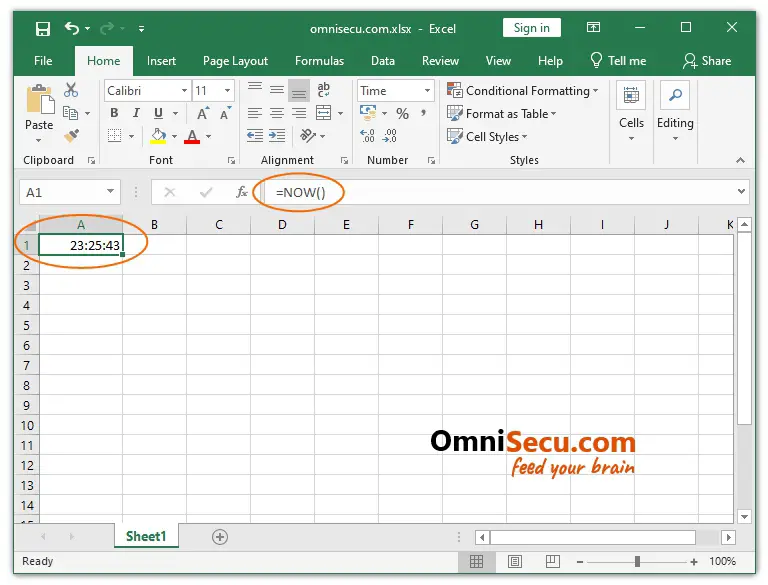
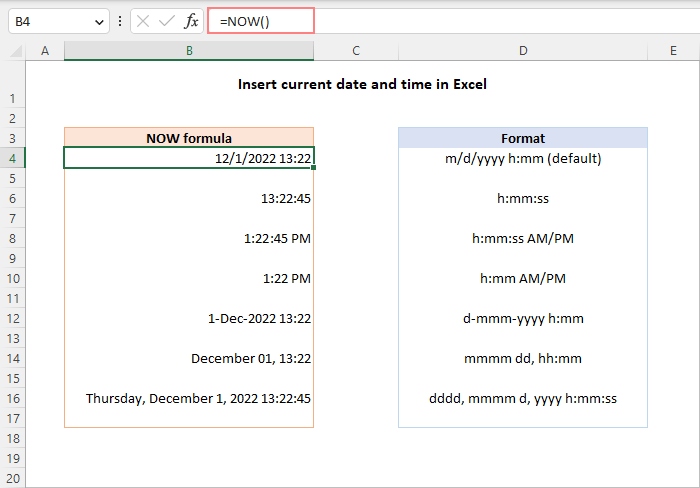
Web To get the current time using the NOW formula we need to follow these steps Select cell B3 and click on it Press Ctrl 1 Choose Custom category and enter the format of the time h mm ss AM PM Insert the formula NOW
Templates are pre-designed documents or files that can be utilized for numerous purposes. They can conserve effort and time by providing a ready-made format and layout for creating various kinds of material. Templates can be used for personal or expert projects, such as resumes, invites, leaflets, newsletters, reports, discussions, and more.
Current Time In Excel Formula Without Date
How To Insert Current Time In Excel Timestamp Shortcut NOW Formula VBA

Highlight Cells According To Current Time In Excel XL N CAD
How To Insert Current Time In Excel
How To Insert Current Time In Excel Timestamp Shortcut NOW Formula VBA
How To Insert Current Date In Excel Without Time Jzarocks

Highlight Cells According To Current Time In Excel XL N CAD
Web Dec 20 2023 nbsp 0183 32 Method 4 Using TIME Function to Bring Out Excel Current Time The TIME function takes three arguments hour minute second to display time However it doesn t display the current time To display the current time we have to entwine the NOW function with it Write the NOW formula in any blank cell i e C5 then Press ENTER

Web Mar 17 2023 nbsp 0183 32 NOW function get only date without time To make NOW to display date only use any date format you want for example mmmm d yyyy The result will look like in the image below How to return same time on another day To get the current time on another day add or subtract a certain number of days to from the NOW value
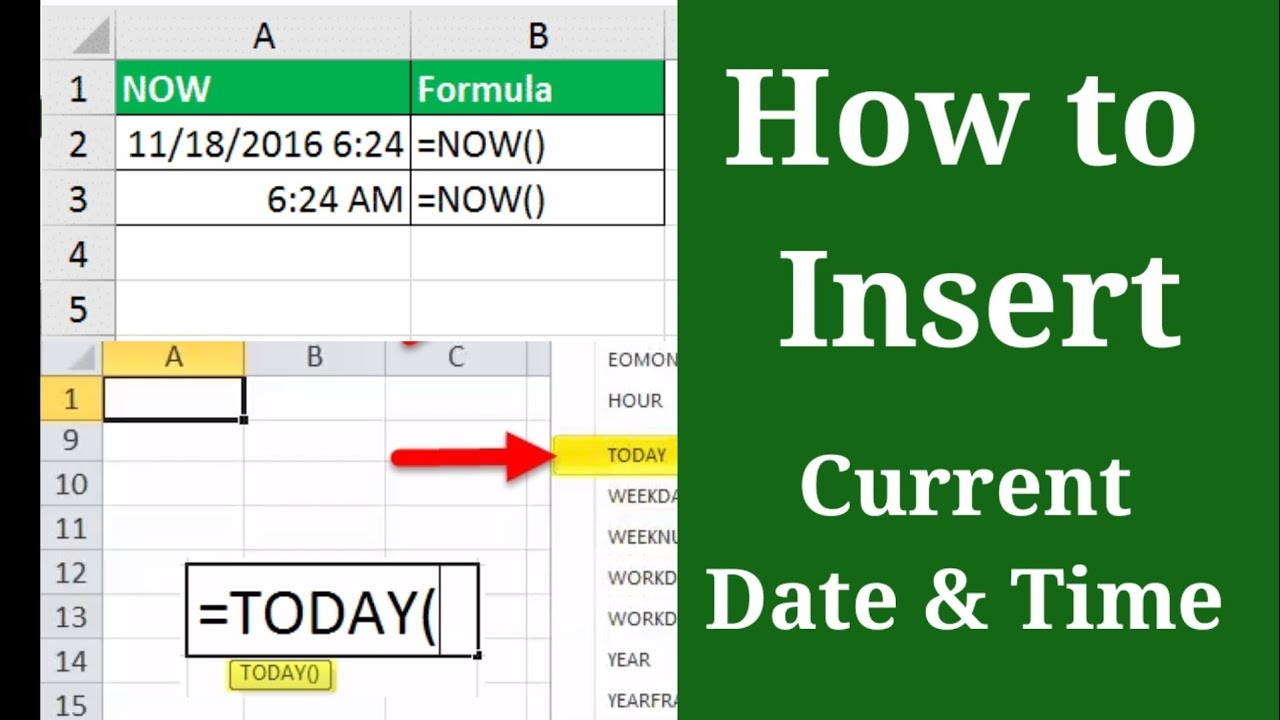
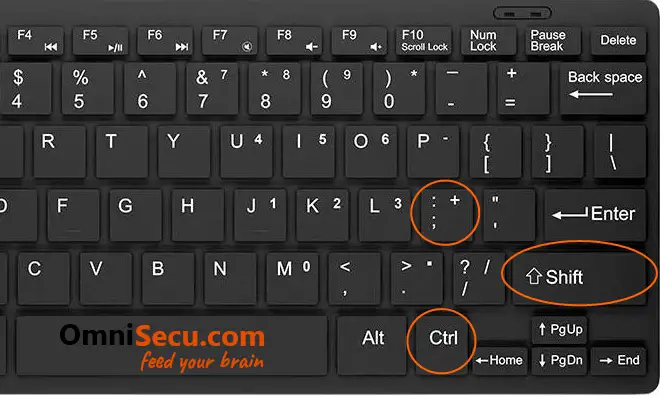
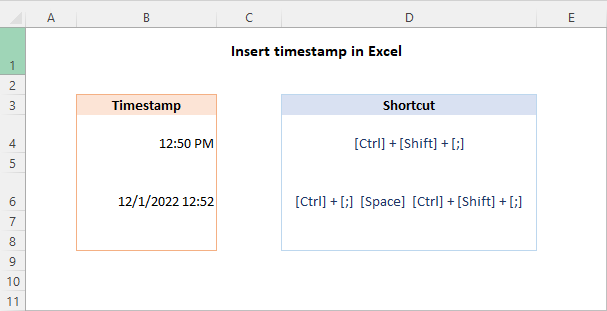
Web Feb 27 2024 nbsp 0183 32 Excel has two great keyboard shortcuts we can use to get either the date or time These are both quick and easy ways to enter the current date or time into our Excel workbooks The dates and times created will be current when they are entered but they are static and won t update Current Date Keyboard Shortcut
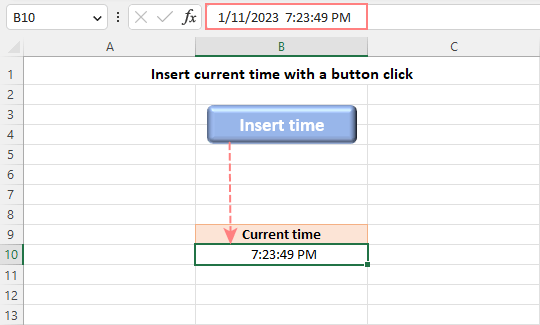
Web Dec 1 2023 nbsp 0183 32 Formula to Get the Current Time in Excel You can use the following steps First in a cell enter the NOW function in now you don t need to specify an argument Next enter the minus operator Now enter the TRUNC function After that within the TRUNC enter the NOW function In the end close the TRUNC function and hit enter to get the
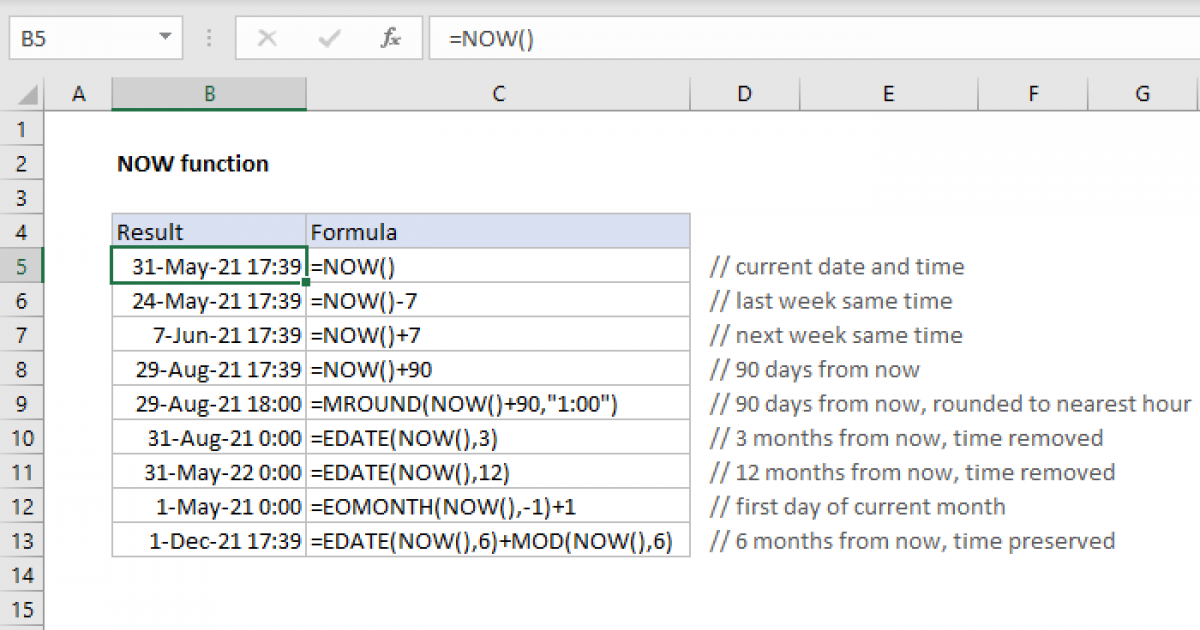
Web The NOW function is useful when you need to display the current date and time on a worksheet or calculate a value based on the current date and time and have that value updated each time you open the worksheet
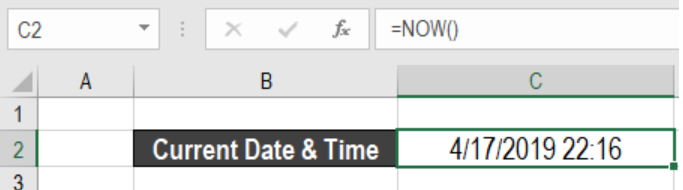
Web The Excel NOW function returns the current date and time updated continuously when a worksheet is changed or opened The NOW function takes no arguments You can format the value returned by NOW as a date or as a date with time by applying a number format Purpose Get the current date and time Return value Web Below is the formula for the NOW function in Excel NOW Please note you must include the parentheses and do not type anything between them Example of the NOW function in Excel Here is a screenshot of the NOW function in Excel at the current time and date
Web Dec 31 2023 nbsp 0183 32 NOW is an Excel DATE function that shows the current system date and time in an Excel worksheet This function does not take any arguments and only gives the system date time on the system in which the function is being used The method to use this function is pretty easy as follows NOW